How to Add an Alias Domain in cPanel
Last updated Changelog
On this page
An alias domain shows exactly the same website as your main domain. It’s handy for other spellings or endings of your name, such as the .net version of your .com. In this example we make blamefran.com an alias of our main domain, cpanel.cranedemo.com.
Want a different website on the new domain instead? Add it as a separate domain. Want visitors to end up on your main address? Use a redirect.
Before you start
- The domain must already be registered.
- Set its nameservers to NameCrane at your registrar. See Point your domain to NameCrane. You can add the alias first and change the nameservers afterwards.
Steps
-
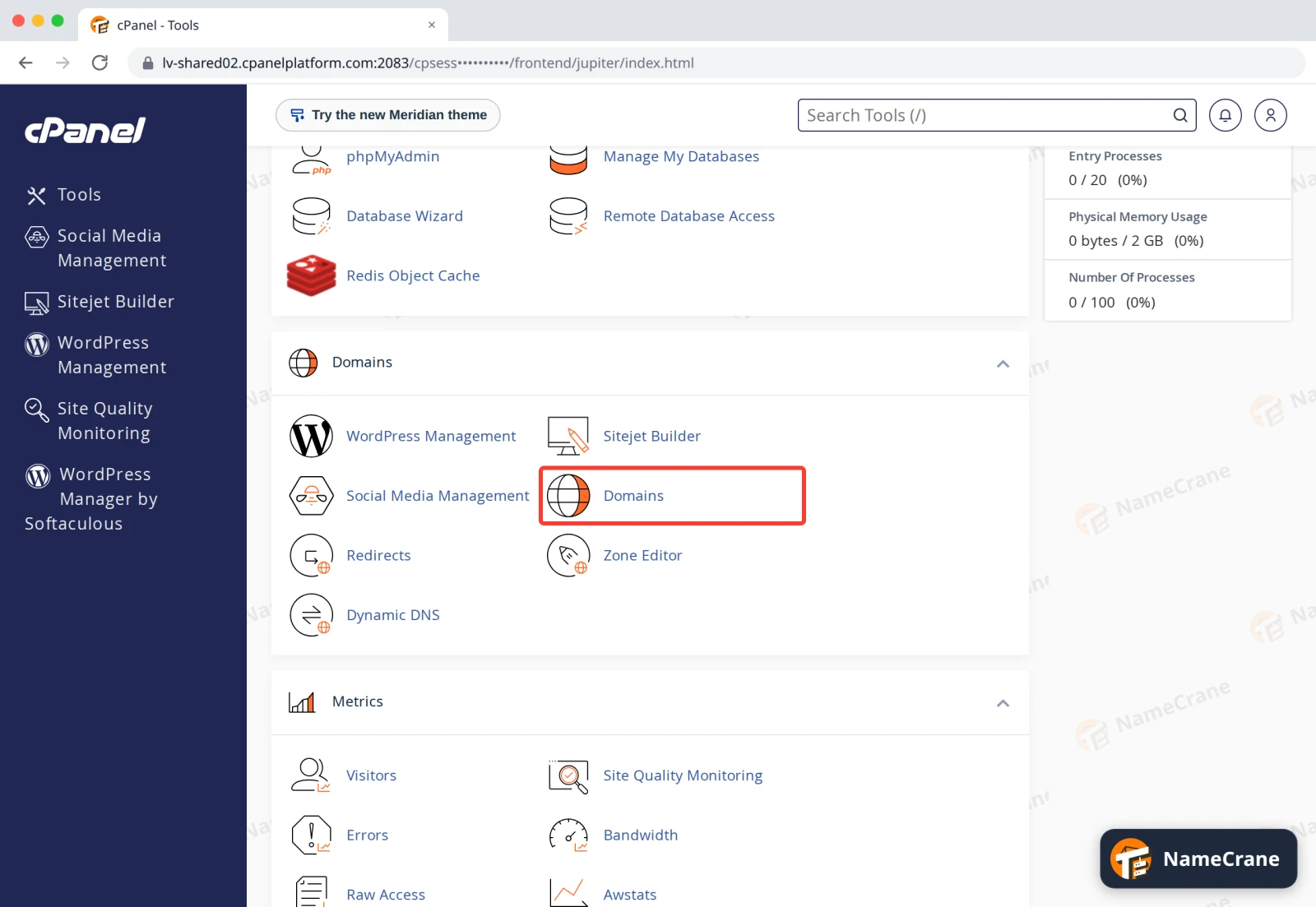
Log in to cPanel. In the Domains section, click Domains.
-
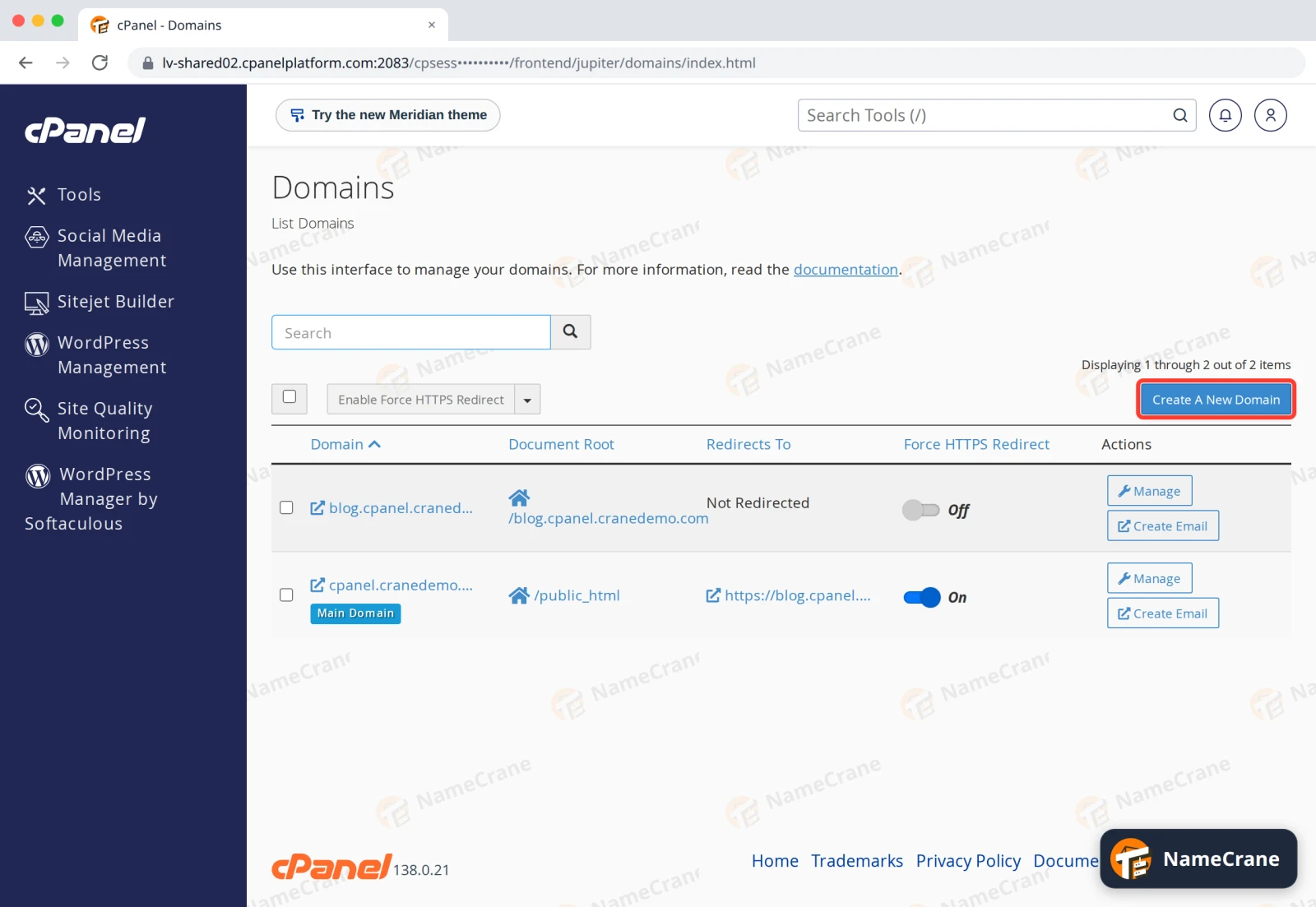
Click Create A New Domain.
-
Type the domain name without
wwworhttp://. Leave Share document root ticked: that’s what makes it an alias of your main domain. Click Submit.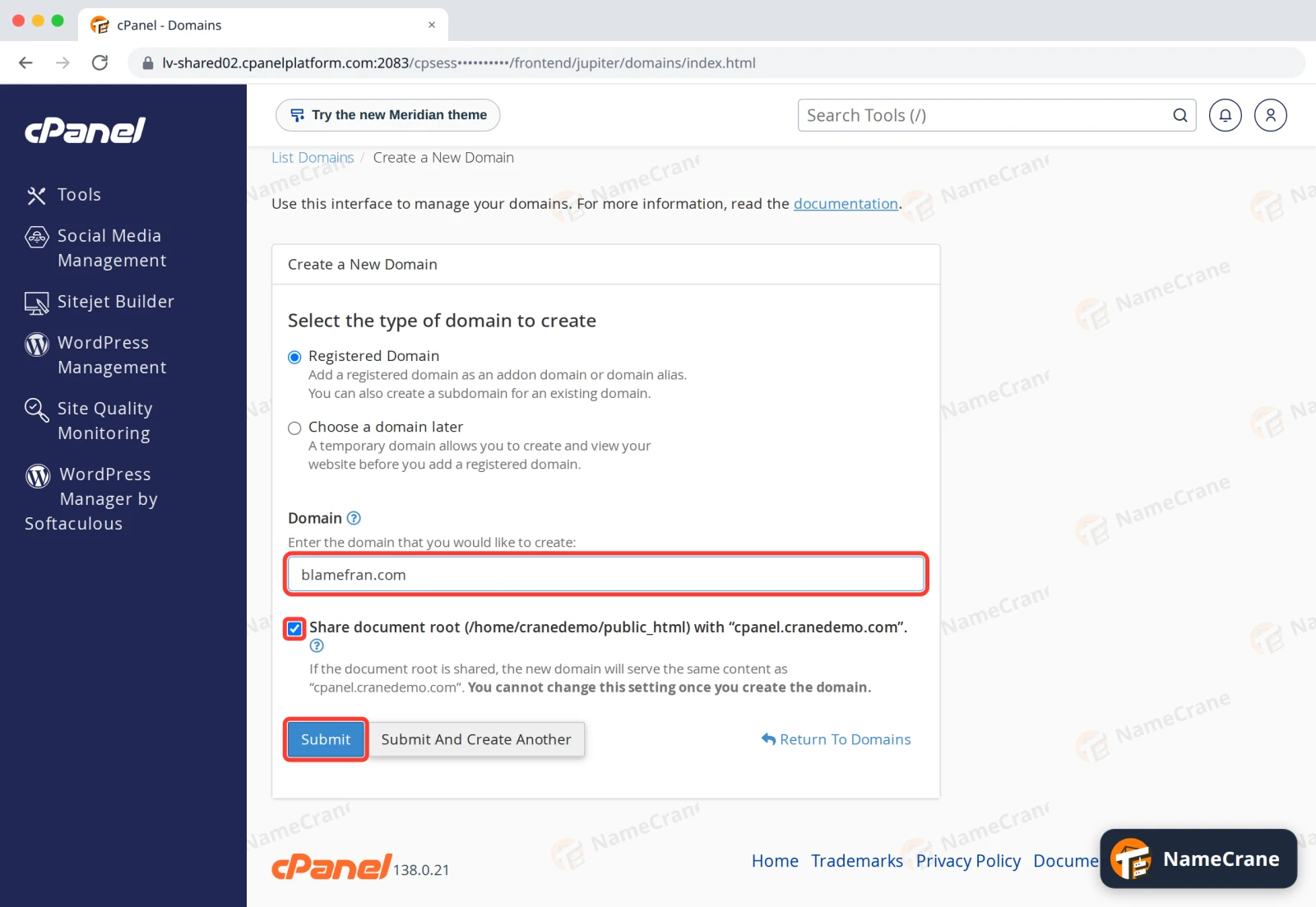
-
cPanel shows Success. The alias appears in the list with the same document root as your main domain,
/public_html.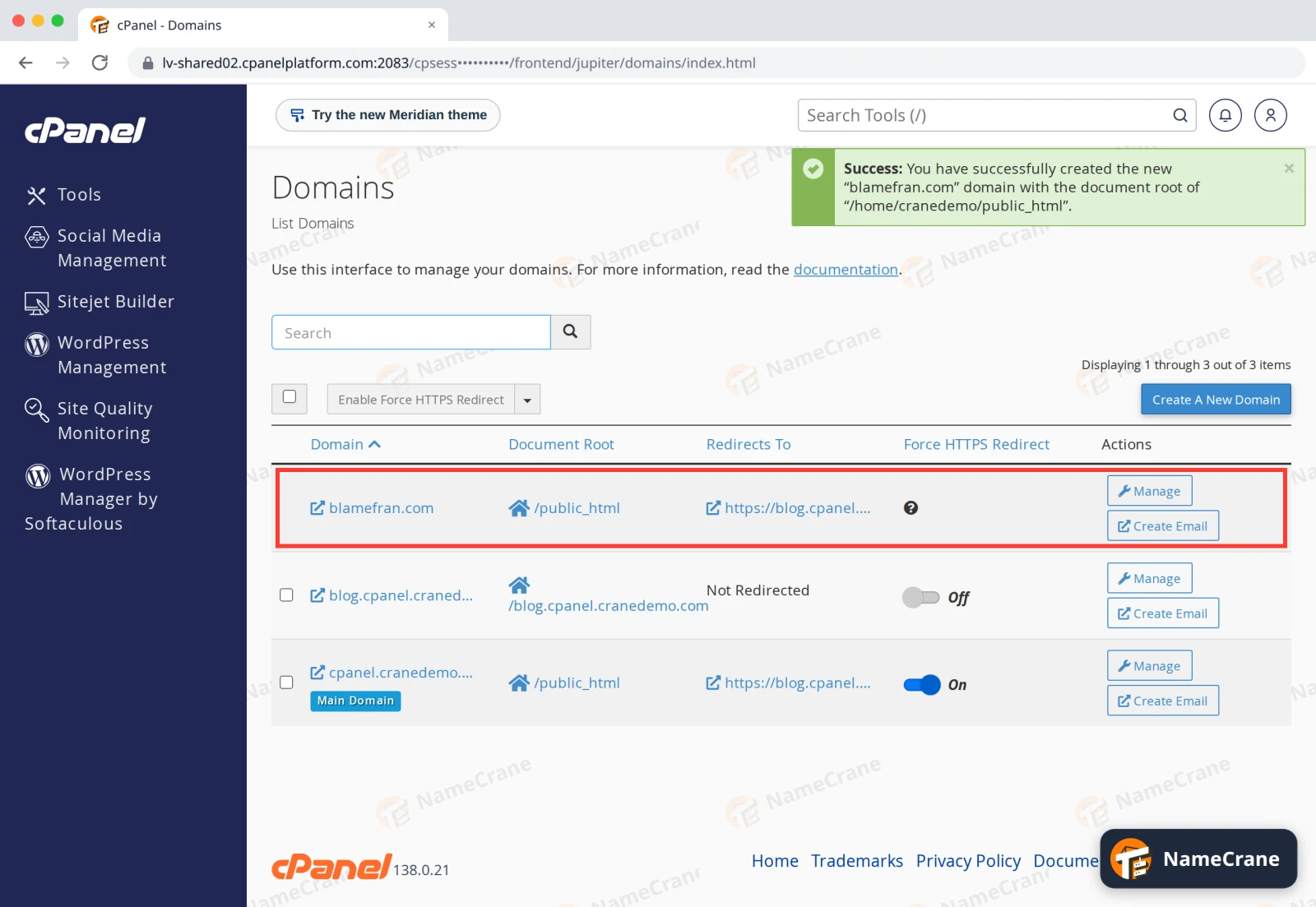
Once the domain’s nameservers point to NameCrane, visitors to the alias see your main website. In our test, the alias worked about five minutes after we created it.
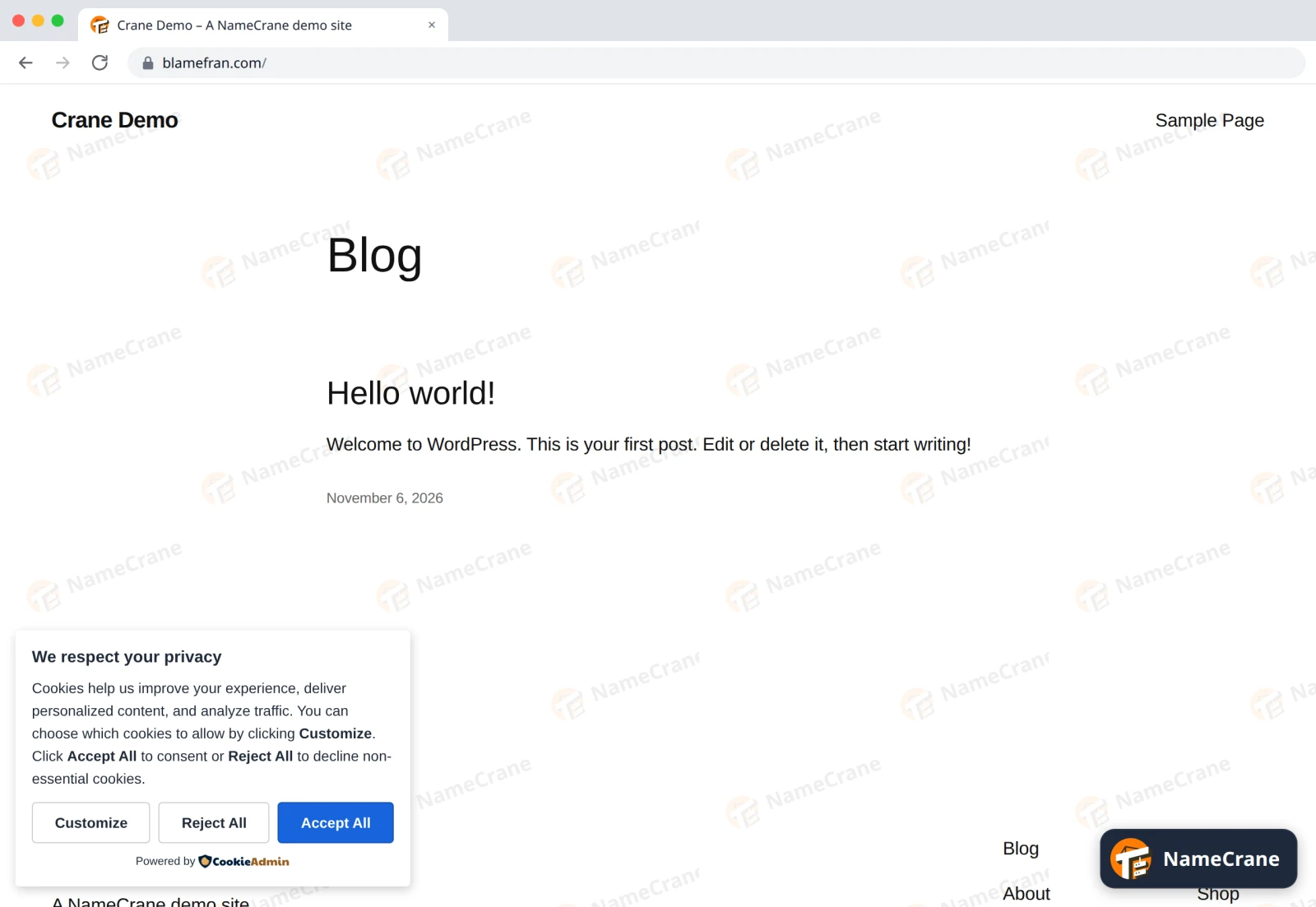
cPanel also adds the alias to your free SSL certificate by itself, so https:// works too. Until it’s there, browsers show a security warning for the alias.
Note: On a WordPress site, the alias shows your home page, but the links on it lead to your main domain. That’s normal: WordPress always uses its own address.
The alias can have its own email addresses too: click Create Email next to it in the list. See Create an email account.
Troubleshooting
| Problem | What to do |
|---|---|
| The alias doesn’t load yet | Check the domain’s nameservers at your registrar. After you change them, it can take a few hours before the change works everywhere. |
The browser shows a security warning on https:// |
The SSL certificate doesn’t cover the alias yet. If it’s still missing after a few hours, see Free SSL. |
| The alias shows a different website from the main domain | Share document root was unticked, so it was added as a separate domain. Click Manage next to it, then Remove Domain, and add it again with the box ticked. |
| cPanel says the domain “already exists” or “is already owned by another user” | The domain is already on our servers in another account. Contact support and we’ll check it for you. |
Snagged on something? Contact support and we’ll get you sorted.