How to Connect to Your DirectAdmin Hosting With SSH
Last updated Changelog
On this page
SSH gives you a command line on your hosting, for tools like WP-CLI, Git and Composer. NameCrane’s servers use port 53667 for SSH, not the usual port 22.
| Setting | What to use |
|---|---|
| Host | Your domain, for example directadmin.cranedemo.com |
| Port | 53667 |
| Username | Your DirectAdmin username, for example directad70 |
| Password | Your DirectAdmin password, or an SSH key (below) |
Note: If you can’t see SSH Keys or Terminal on your DirectAdmin dashboard, SSH isn’t included in your plan. Contact support and we’ll help.
Connect with your password
Open Terminal on a Mac or Linux, or PowerShell on Windows 10 or 11, and run:
ssh -p 53667 directad70@directadmin.cranedemo.com
The first time, you’re asked if you trust the server. Type yes. Then type your DirectAdmin password. Nothing shows as you type, which is normal. You’re in when you see a prompt like [directad70@lv-shared02 ~]$.
Log in with an SSH key
A key is safer than a password, and you won’t need to type your password each time.
-
If you don’t have a key yet, make one on your computer with
ssh-keygen -t ed25519and press Enter to accept the defaults. Then show your public key withcat ~/.ssh/id_ed25519.puband copy the whole line. -
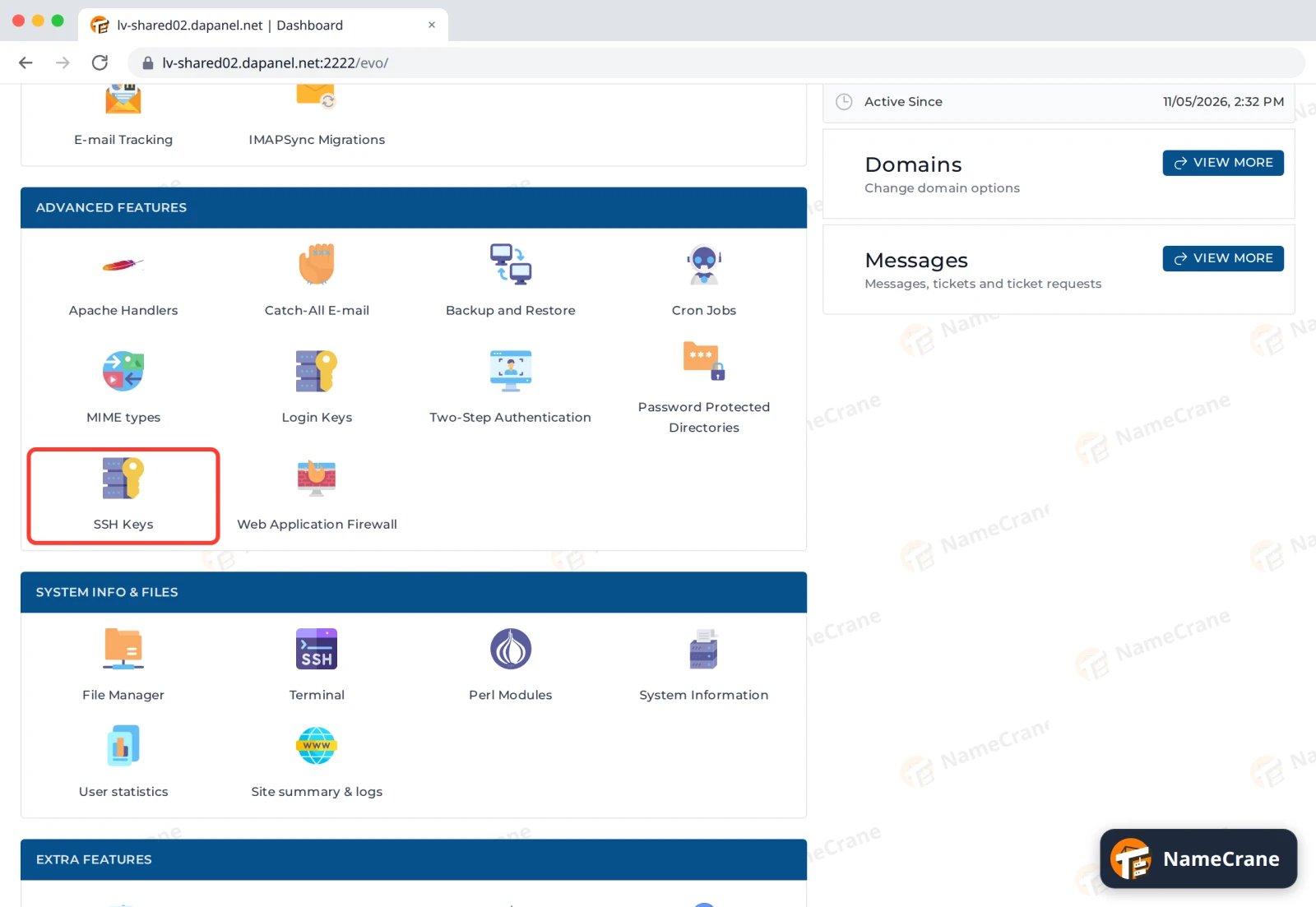
Log in to DirectAdmin and click SSH Keys in Advanced Features.
-
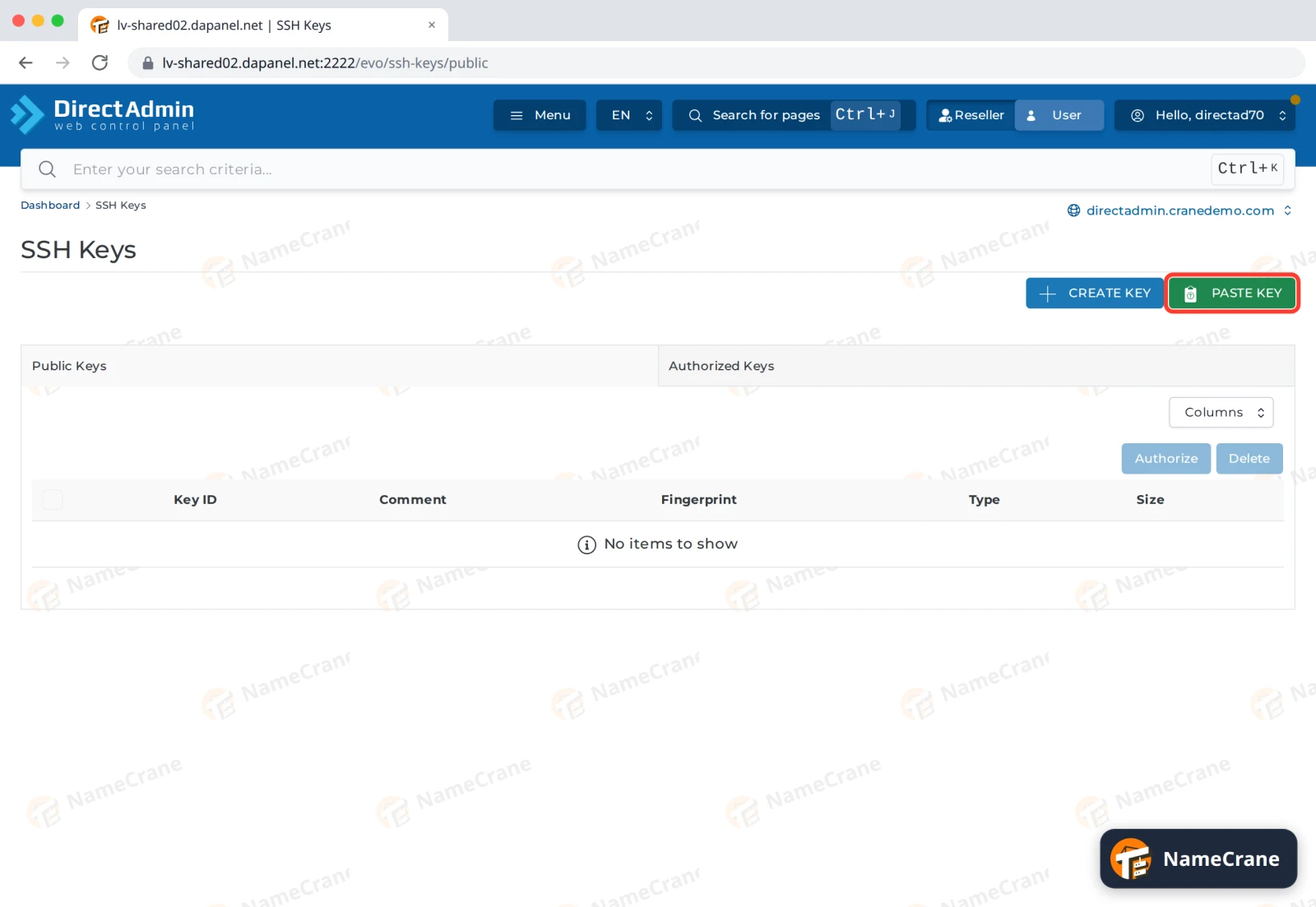
Click PASTE KEY.
-
Paste your public key into Line and click CREATE.
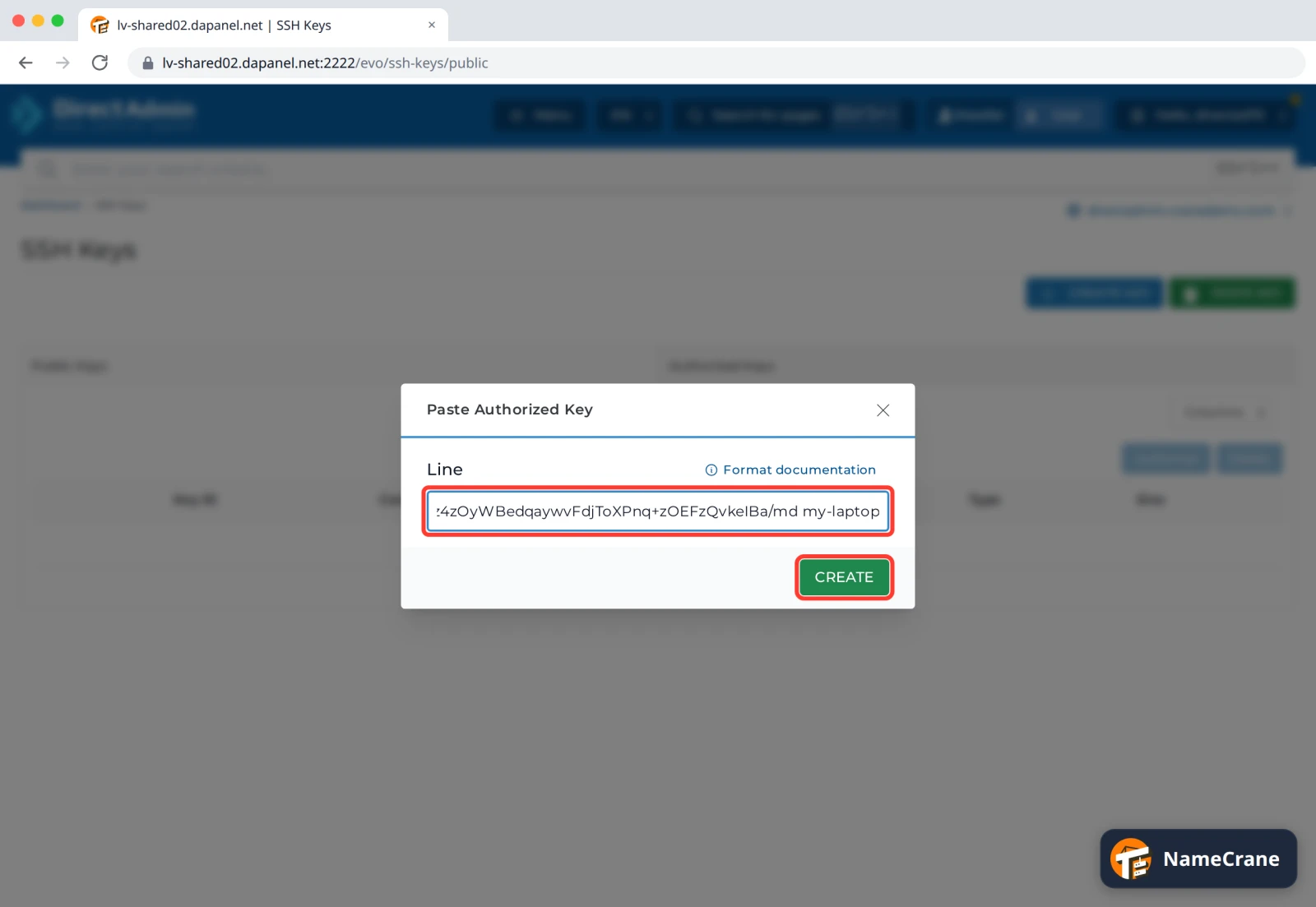
Warning: Only ever paste the public key (the line starting
ssh-ed25519orssh-rsa, from the file ending.pub). Your private key stays on your computer. -
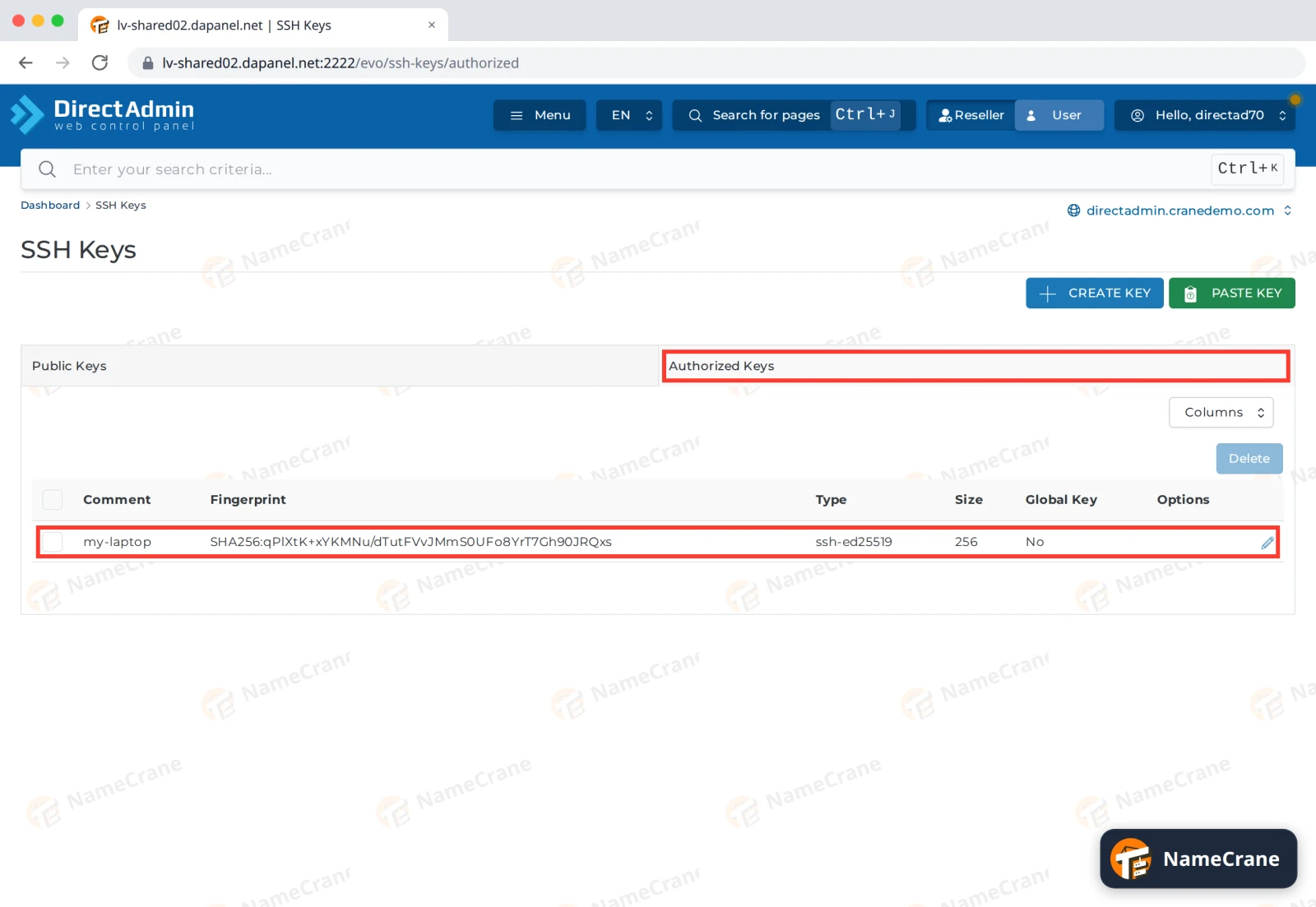
Your key is now listed on the Authorized Keys tab, ready to use.
-
Connect with the same command as before. This time you won’t be asked for your password.
ssh -p 53667 directad70@directadmin.cranedemo.com
Tip: To skip typing the port and username, add this to the file
~/.ssh/configon your computer. Then just runssh namecrane.Host namecrane HostName directadmin.cranedemo.com Port 53667 User directad70
Upload files with SFTP
SFTP uses the same details. In FileZilla, enter Host sftp://directadmin.cranedemo.com, your DirectAdmin username and password, and Port 53667. For FTP instead, see Create an FTP account.
No SSH app? Use Terminal in DirectAdmin
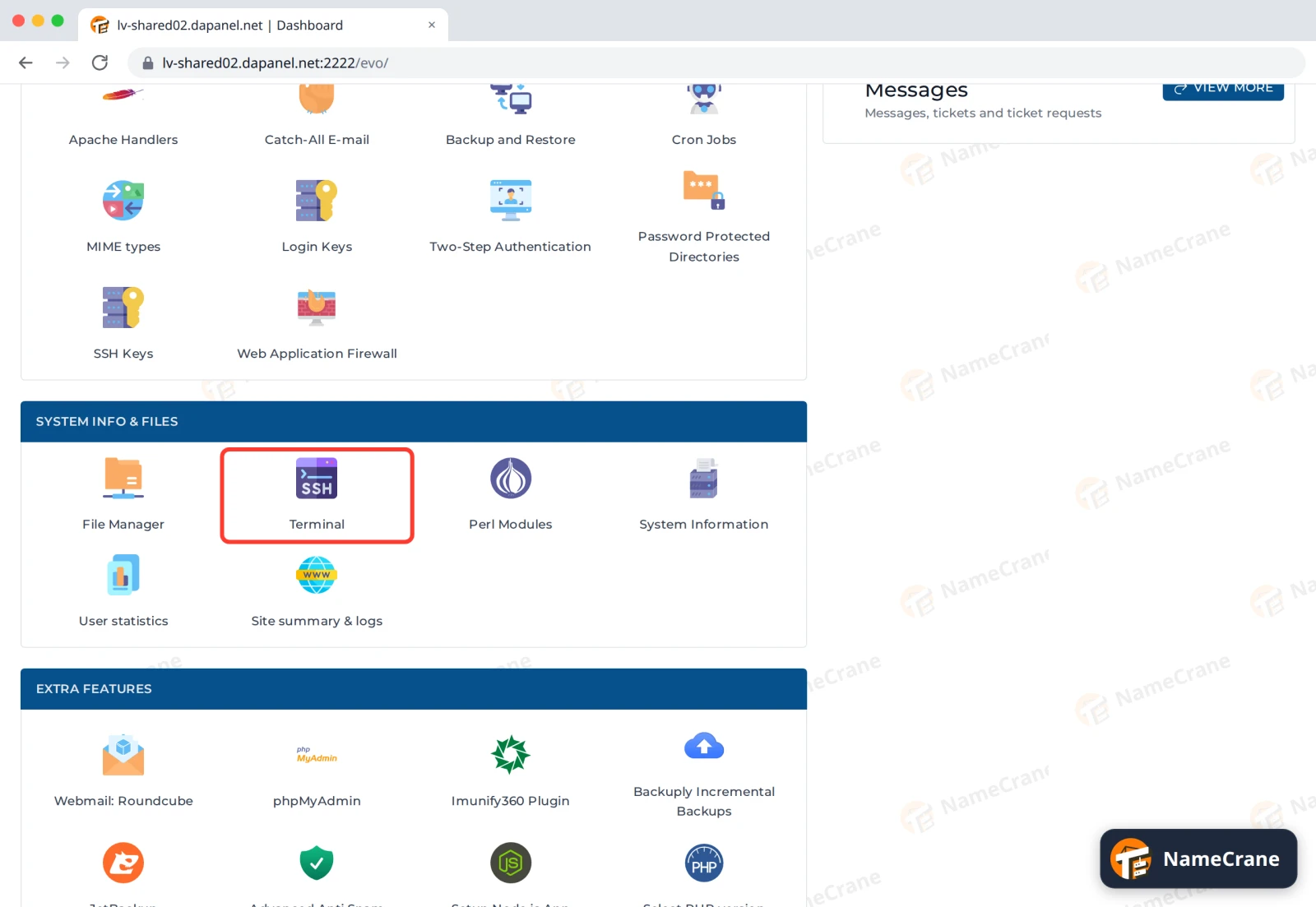
-
Click Terminal in System Info & Files.
-
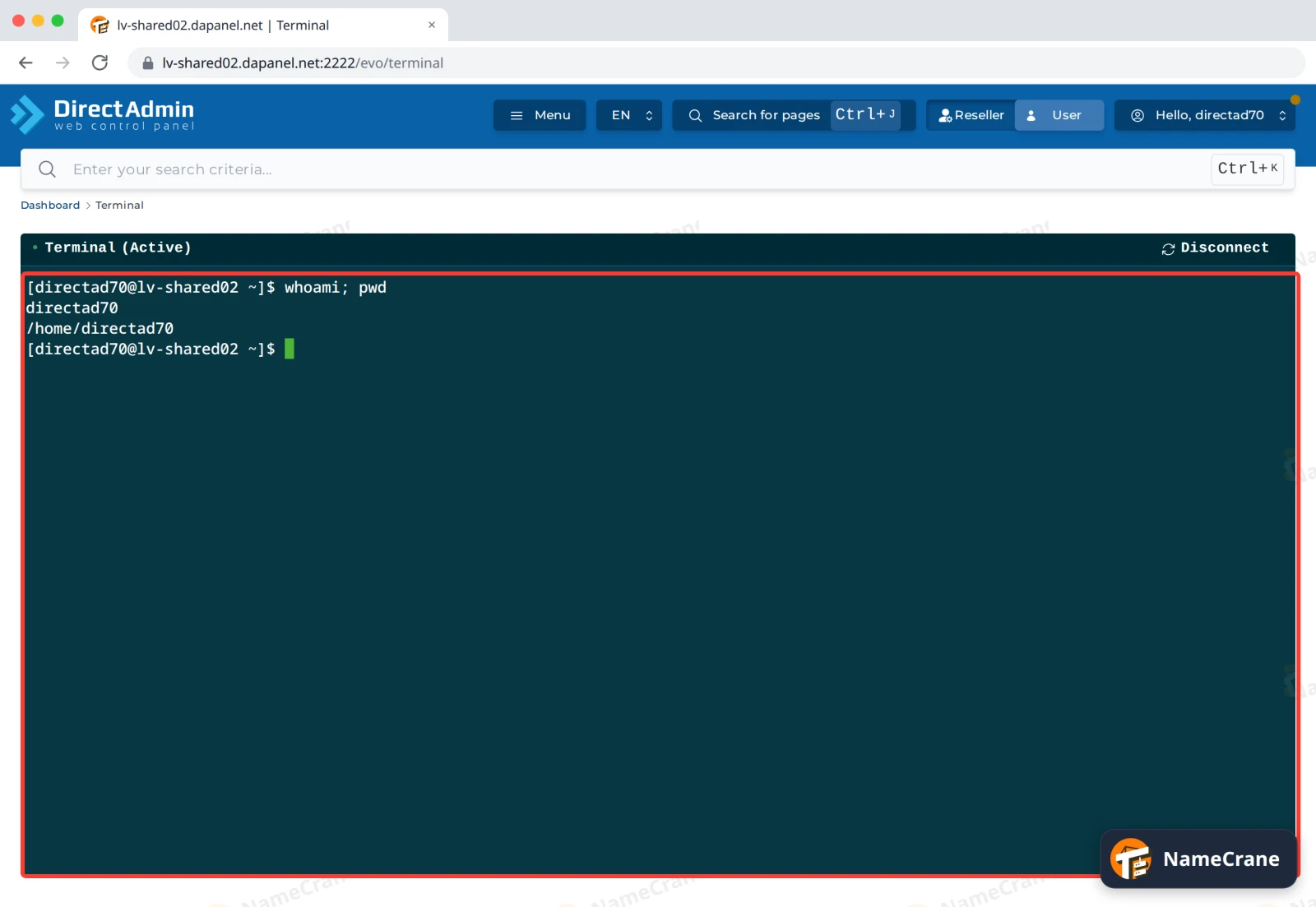
A command line opens in your home folder, just like SSH. Click Disconnect when you’re done.
Troubleshooting
| Problem | What to do |
|---|---|
| The connection times out | Use port 53667. Port 22 is closed on our servers. If it still times out, your network may block that port, so try another connection. |
Permission denied |
Check you’re using your DirectAdmin username (not your email address) and your DirectAdmin password. For keys, check the key is on the Authorized Keys tab. |
REMOTE HOST IDENTIFICATION HAS CHANGED |
Contact support to confirm the server changed. Then remove the old entry with ssh-keygen -R "[directadmin.cranedemo.com]:53667" and connect again. |
| My key still asks for a password | Check the key is on the Authorized Keys tab. If it is, the key on your computer doesn’t match the one you pasted: show it with cat ~/.ssh/id_ed25519.pub and compare. |
| SSH Keys and Terminal are missing | SSH isn’t included in your plan. Contact support. |
Snagged on something? Contact support and we’ll get you sorted.