How to Restore Deleted Emails with JetBackup
Last updated Changelog
On this page
Deleted an important email, or emptied a folder by mistake? Restore the mailbox from one of our nightly backups. In this example, jane@cpanel.cranedemo.com deleted an email called Lunch on Friday? and got it back, and the emails she’d received since the backup stayed in her inbox. Our screenshots are from cPanel; it works the same in DirectAdmin.
Steps
-
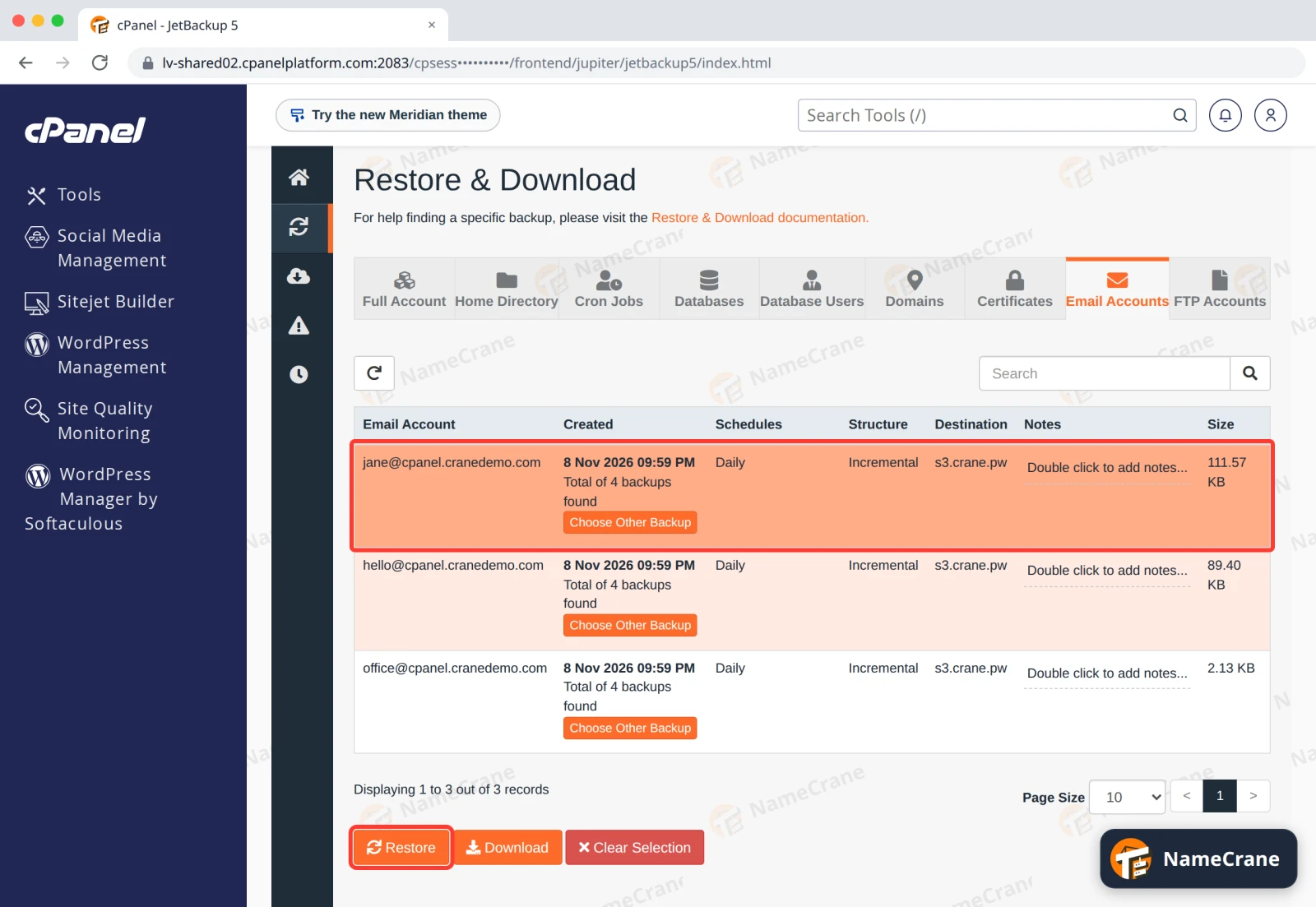
Open JetBackup (see how to open it) and click Email Accounts. Click the row of the email address. It turns orange. To use an older backup, click Choose Other Backup first and pick the date. Click Restore.
-
In the Restore Summary, tick Merge backup data with live account data, then click Restore Selected Items.
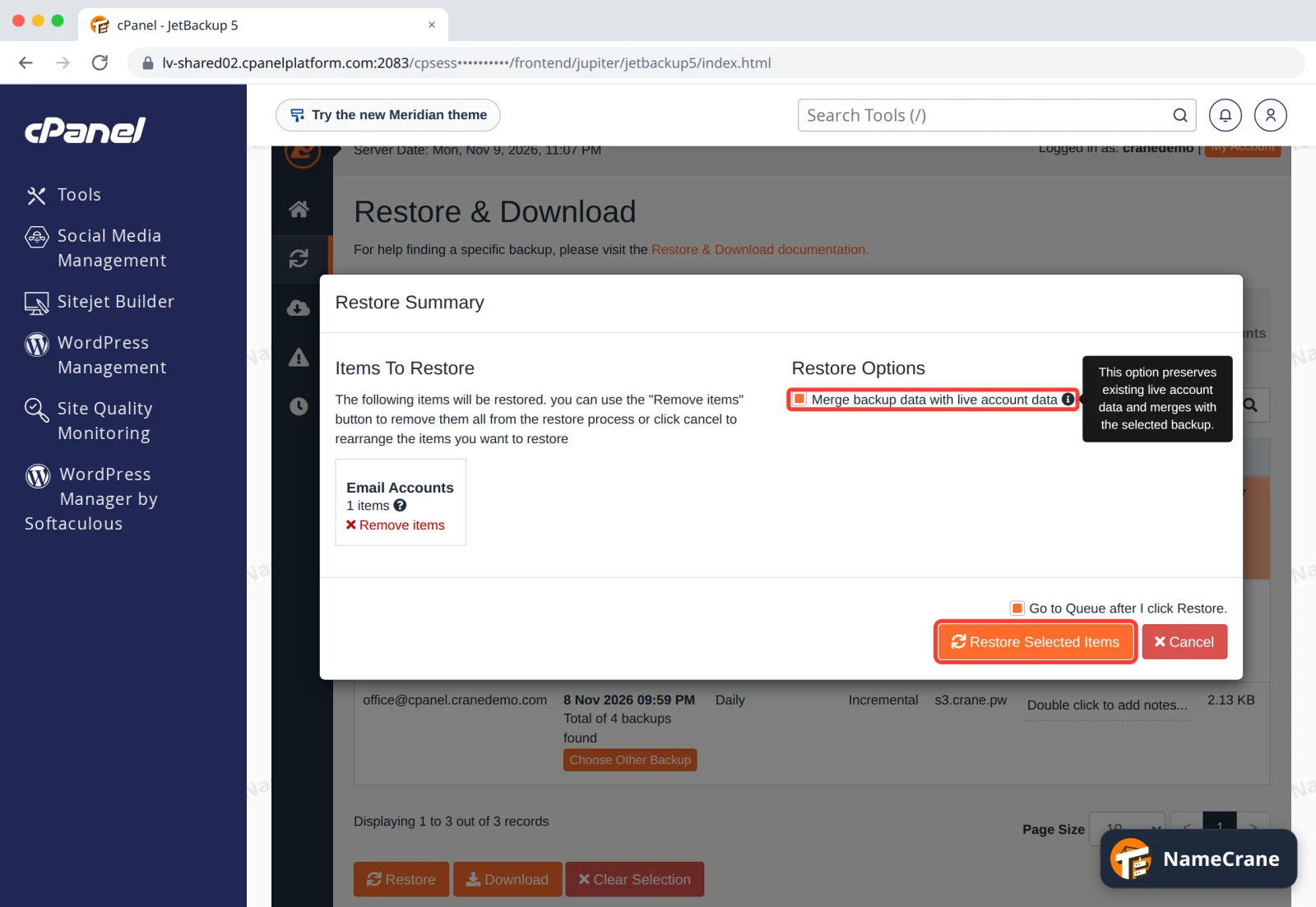
Warning: Always tick Merge. Without it, the mailbox is replaced with the backup copy, and every email received since the backup is deleted. We tested it: the emails Jane had received that day were gone.
-
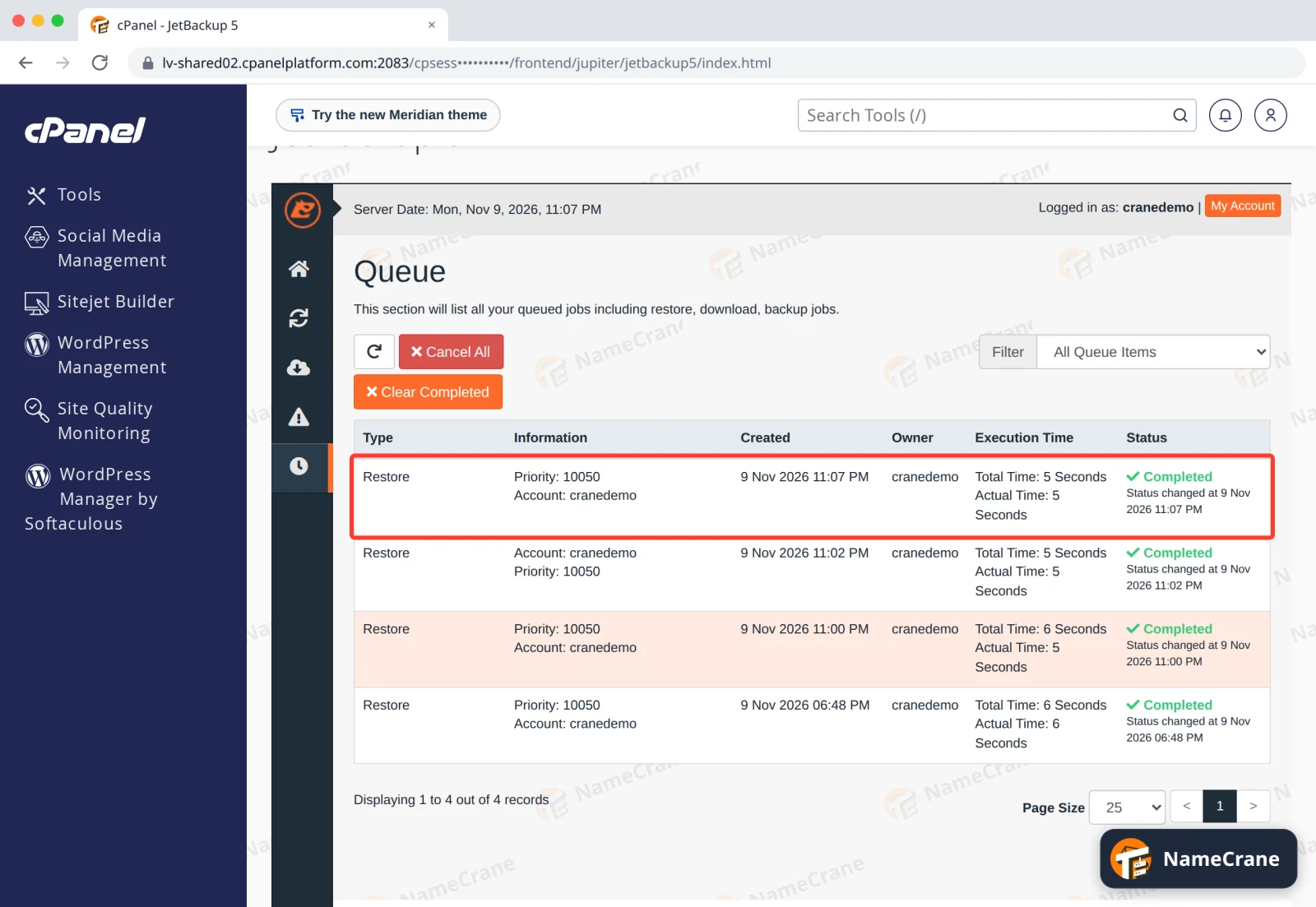
JetBackup opens the Queue. When the Status says Completed, your emails are back. Ours took 5 seconds.
The deleted email was back in the inbox, just once, and the newer emails were still there.
Note: Backups run once a night. An email that arrived and was deleted on the same day isn’t in any backup, so it can’t be restored.
Troubleshooting
| Problem | What to do |
|---|---|
| The email is back, but my email app’s search can’t find it | Look in the folder it was in, sorted by date. Search can take a while to catch up after a restore. |
| My email app doesn’t show the restored emails | Close and reopen the app, or check in webmail first (cPanel, DirectAdmin). |
| I restored without Merge and lost newer emails | Contact support straight away. Emails that arrived after the last backup can’t be brought back from JetBackup. |
| The restore shows Failed in the Queue | Contact support with the email address and the backup date. |
Snagged on something? Contact support and we’ll get you sorted.