How to Change an Email Account's Storage Space in DirectAdmin
Last updated Changelog
On this page
Every email address has its own storage limit, called its quota. When a mailbox reaches it, new email to that address can’t be delivered. You can raise the limit at any time, as long as your hosting plan has space left.
Steps
-
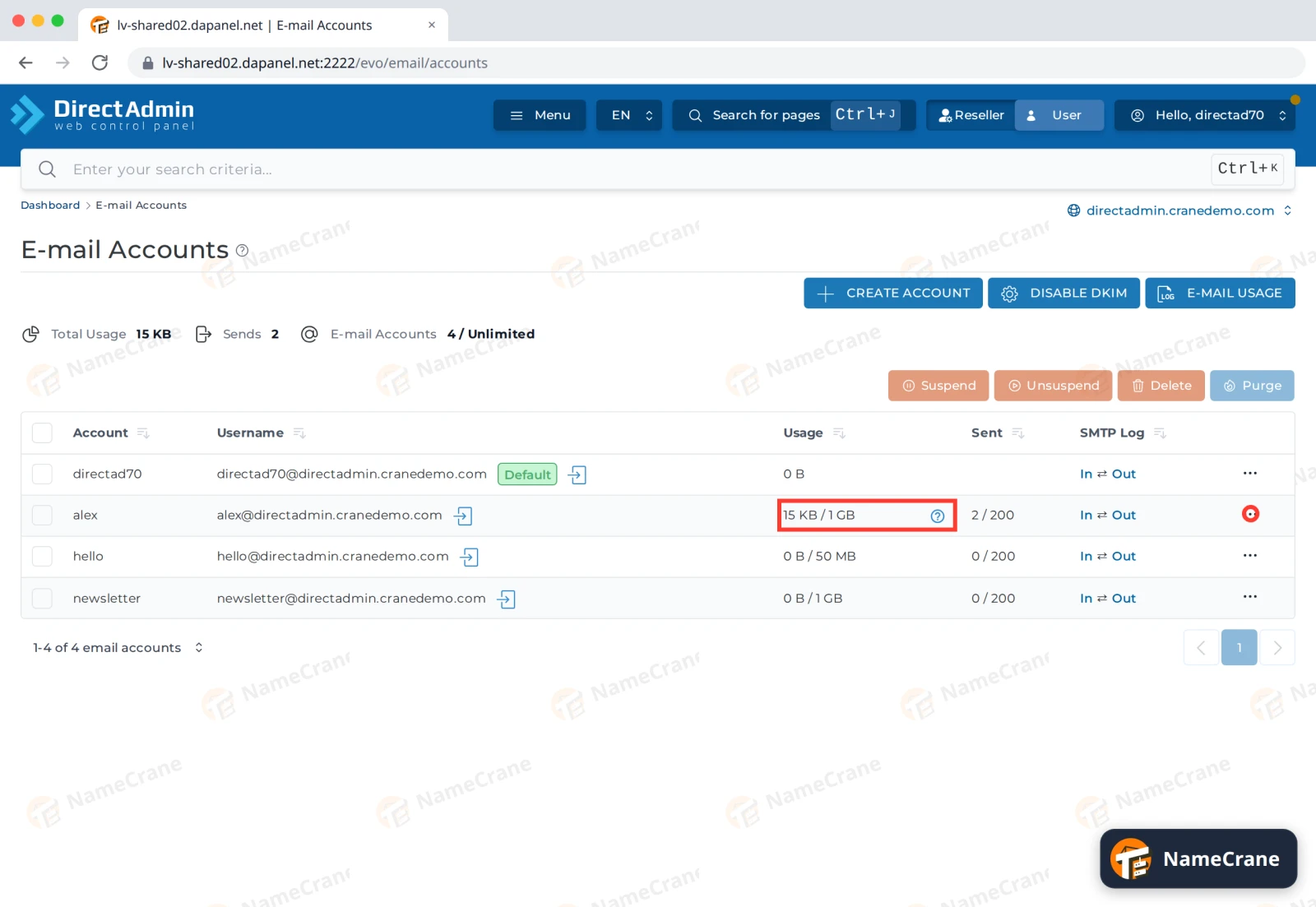
Log in to DirectAdmin and open E-mail Accounts. The Usage column shows how much each address uses out of its limit. Click the ⋯ at the end of the address’s row.
-
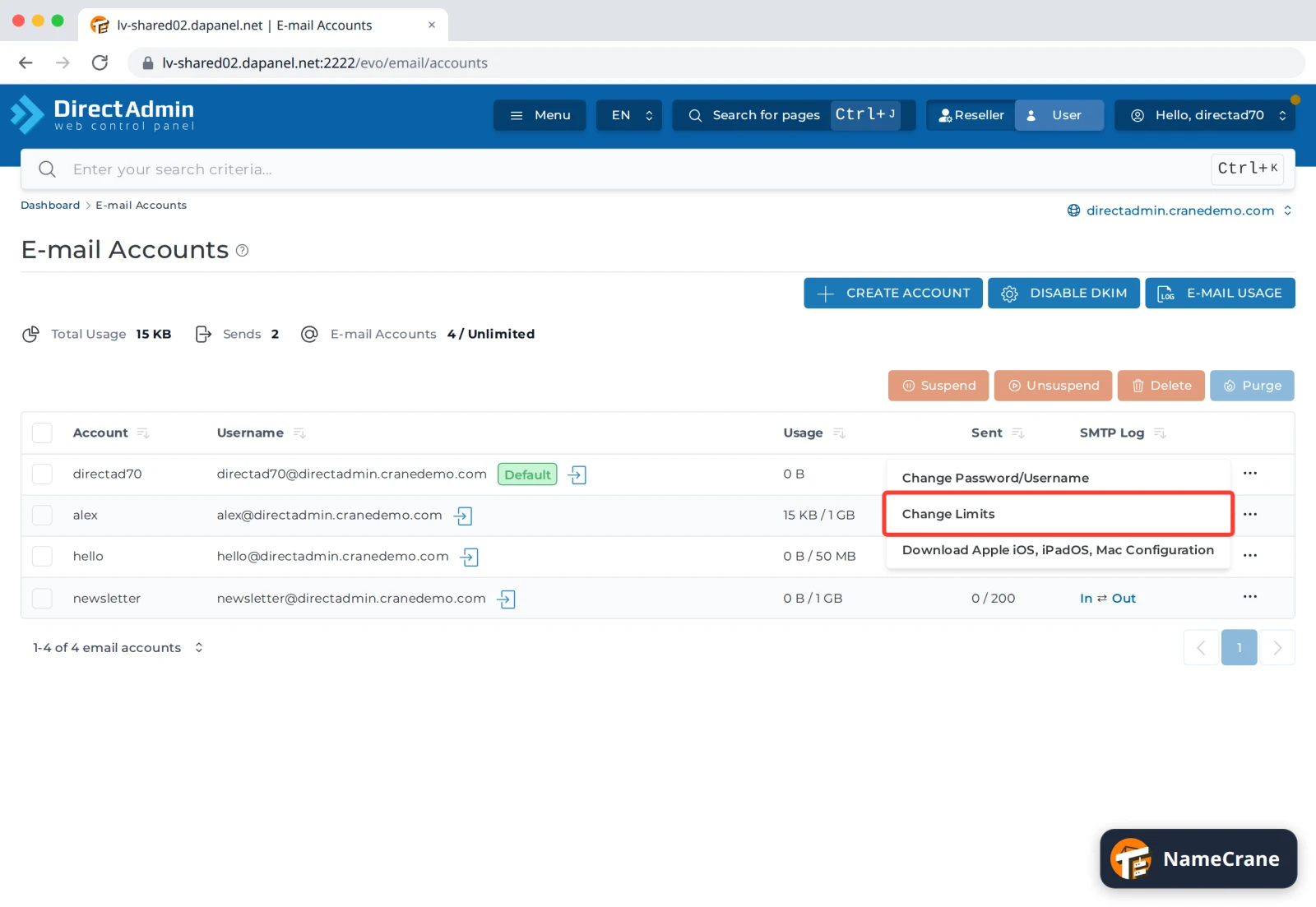
Choose Change Limits.
-
Type the new limit into E-mail Quota (MB), such as
2048for 2 GB, and click SAVE. Tick Max to let the mailbox use as much as your plan allows. Daily Send Limit is how many emails this address can send per day.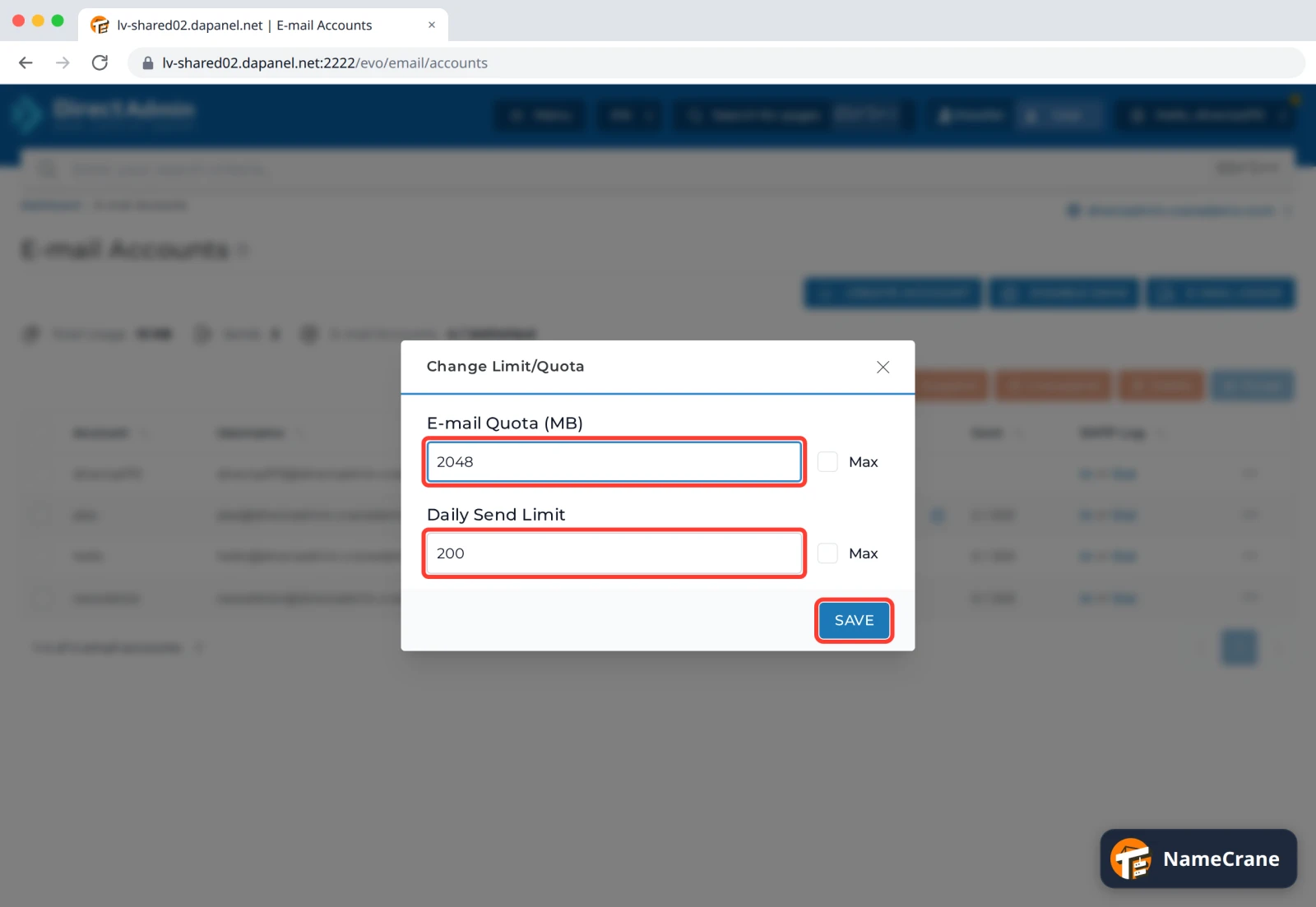
-
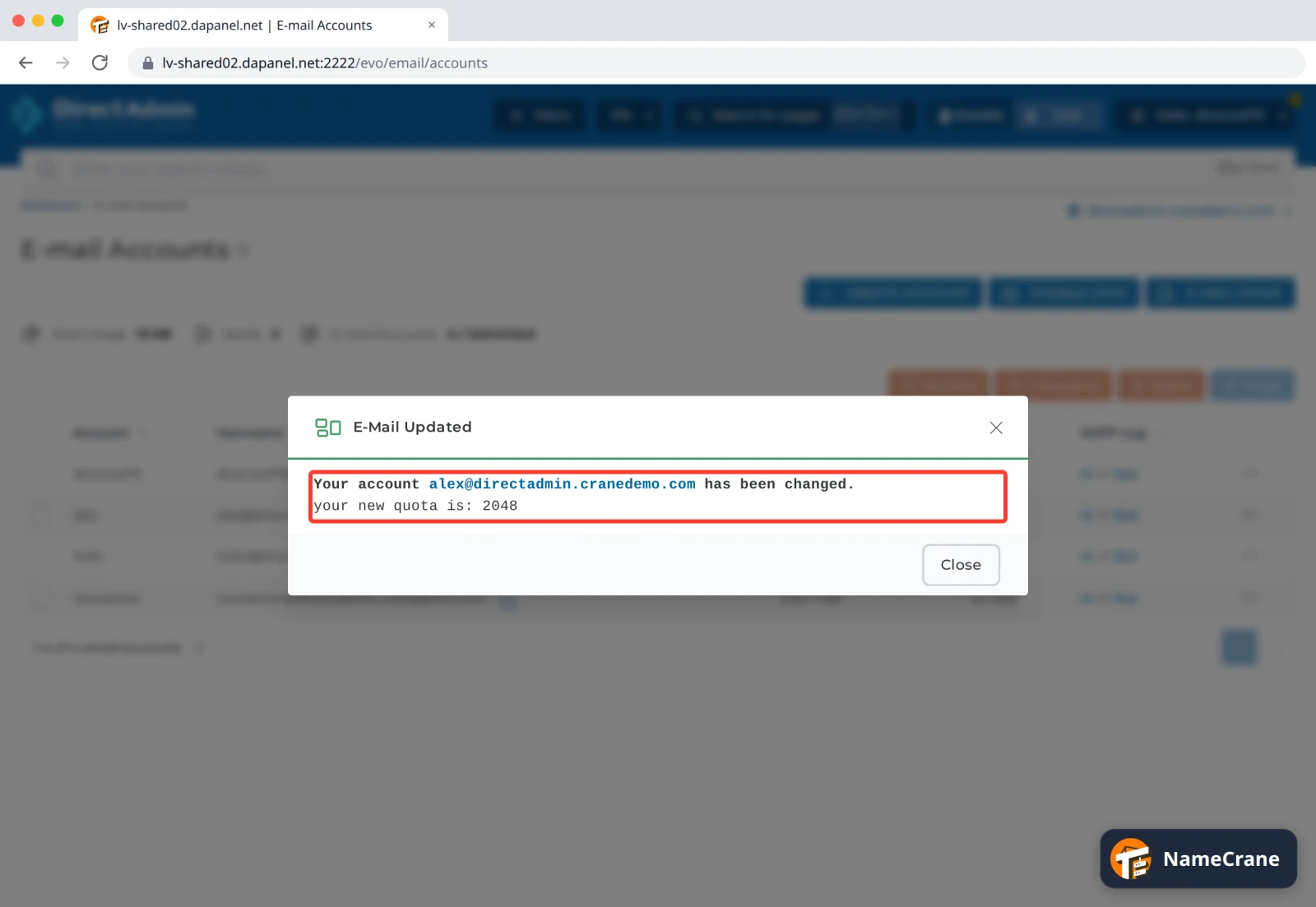
DirectAdmin confirms your new quota is: 2048. Click Close.
-
The Usage column shows the new limit.
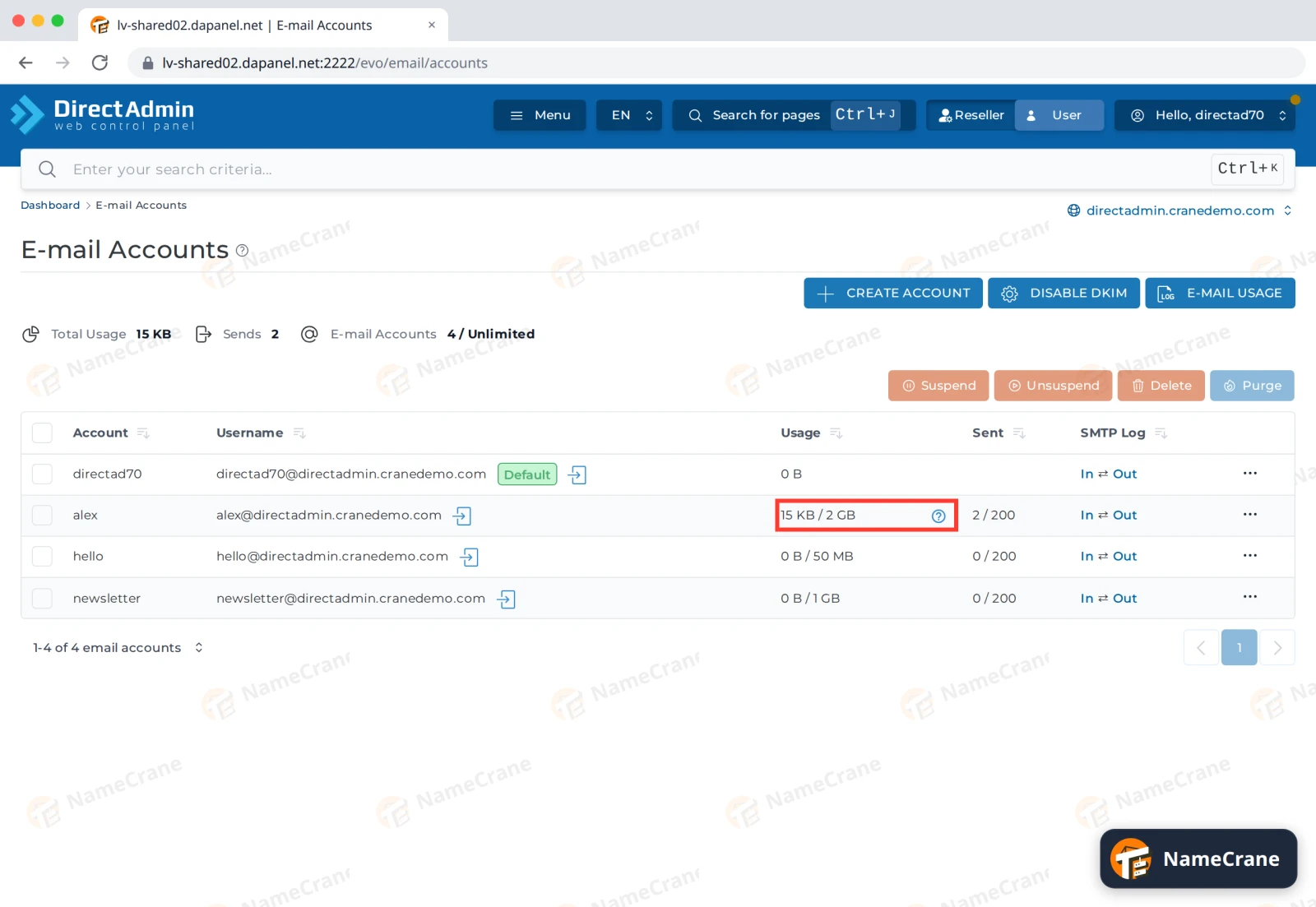
Tip: Total Usage above the list shows how much space all your email uses together.
Make room instead
If you’d rather not raise the limit, free up space in the mailbox:
- Empty its Trash and Junk folders in Webmail.
- Delete or save elsewhere old emails with big attachments.
- In an email app, use IMAP rather than POP3 with “leave a copy on the server”, so the server copy isn’t kept forever. See Set up your email on your devices.
Troubleshooting
| Problem | What to do |
|---|---|
| People say their email to me bounced with “mailbox full” or “quota exceeded” | Raise the limit or make room, as above. Then ask them to send it again. |
| I can’t raise the limit any further | All your mailboxes share your hosting plan’s disk space. See Check your disk space, or upgrade your plan from your NameCrane client area. |
| An address can’t send any more today | It has reached its Daily Send Limit. Wait until tomorrow, or contact support if you need a higher limit. |
Snagged on something? Contact support and we’ll get you sorted.