How to Check Sent Email and Bounces in MXFilter's Outbound Log
Last updated Changelog
When someone says “I never got your email”, the Outbound Log tells you what happened after you clicked Send: whether the recipient’s mail server accepted the message, and exactly what it replied.
Before you start
- Open MXFilter from your control panel: from cPanel or from DirectAdmin.
Steps
-
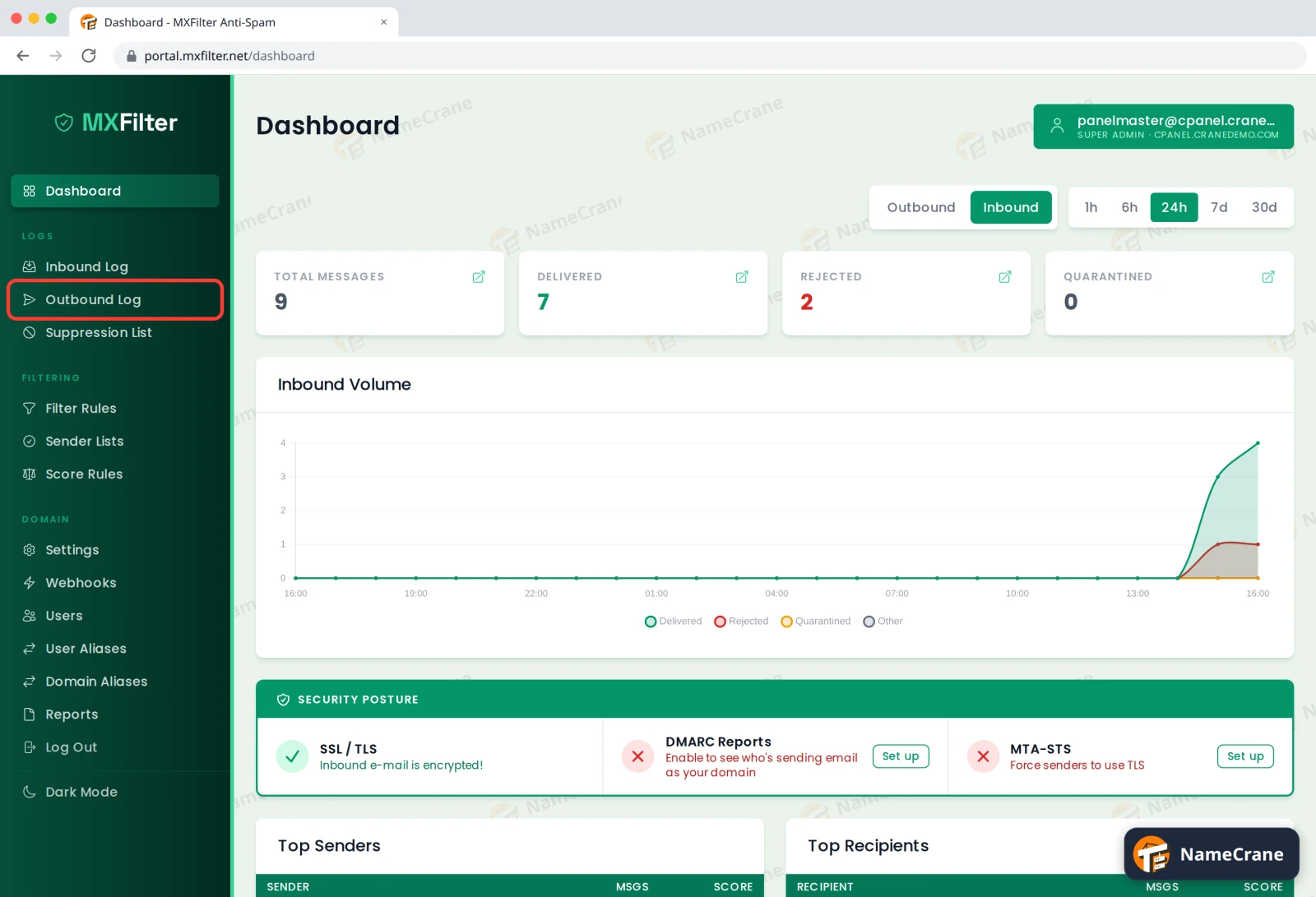
In the MXFilter menu, under Logs, click Outbound Log.
-
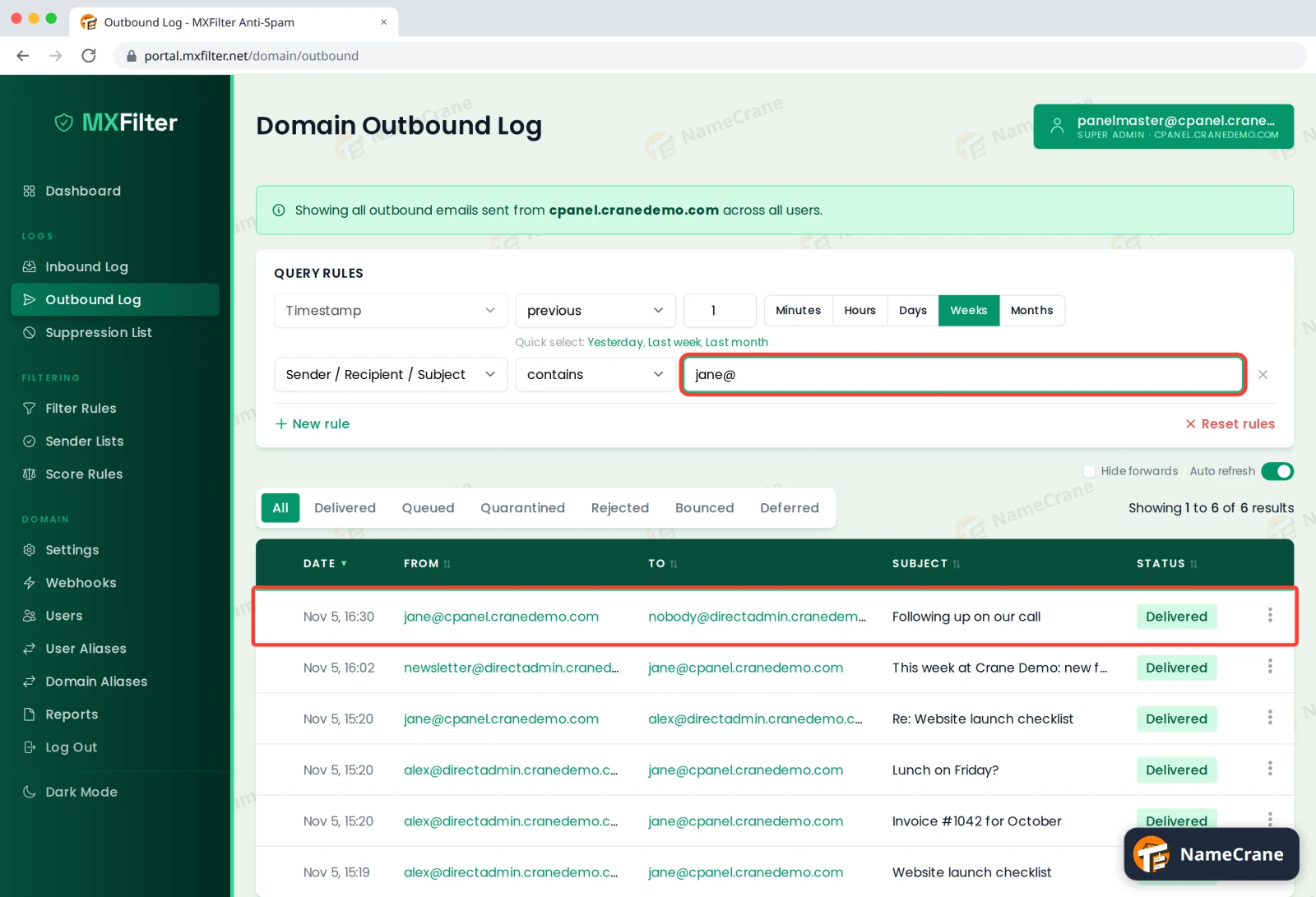
Search for the sender, recipient or subject in the Sender / Recipient / Subject box and press Enter. The status buttons above the table work just like the Inbound Log.
-
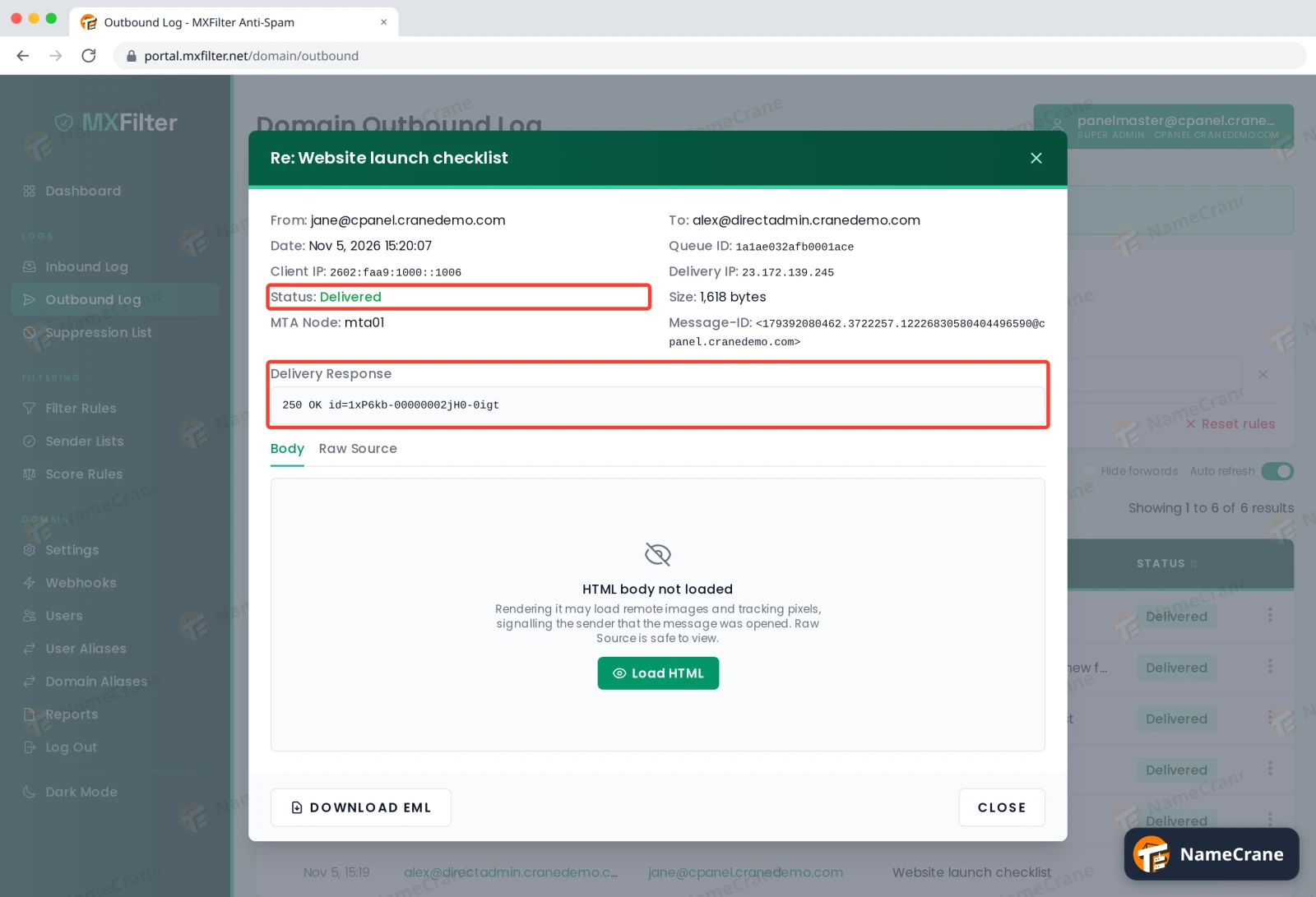
Click the ⋮ menu on a message and choose View Details. Check its Status and the Delivery Response, which is the receiving server’s own reply.
Reading the delivery response
| Response starts with | Means | Status you’ll see |
|---|---|---|
250 |
Accepted by the recipient’s server. | Delivered |
4xx (for example 421, 451) |
A temporary problem on their side. We’ll keep retrying. | Deferred |
5xx (for example 550 5.1.1) |
A permanent refusal, such as the address not existing or their spam filter rejecting it. The reply usually says why. | Bounced |
Note: Delivered means the other server accepted your email. It doesn’t guarantee it reached the inbox: their own filters could still put it in spam, or their server might bounce it back to you later. When we sent a test to an address that doesn’t exist, it showed as Delivered here, because the receiving server only checked the address after accepting it. Shortly afterwards the sender got a “Delivery Status Notification (Failure)” email explaining the address doesn’t exist, so always check your inbox for bounce messages too.
Troubleshooting
| Problem | What to do |
|---|---|
| Status is Bounced with “user unknown” or “no such user” | The address is wrong or no longer exists. Check the spelling with the recipient. |
| Status is Bounced mentioning spam or policy | Their filter refused it. Check your domain’s SPF, DKIM and DMARC records are set up, then try again. |
| Sending to one address now fails immediately | After a hard bounce, the address may be on the suppression list. Unblock it there once the problem is fixed. |
| Status is Deferred for hours | The recipient’s server is having trouble. We’ll keep trying for a while before giving up. |
Snagged on something? Contact support and we’ll get you sorted.