How to Create an FTP Account in cPanel and Connect with FileZilla
Last updated Changelog
On this page
FTP lets you move files between your computer and your hosting with an app such as FileZilla. It’s handy for large uploads, and for giving a web designer access to your site without sharing your cPanel login. Each FTP account can be limited to one folder.
Create the FTP account
-
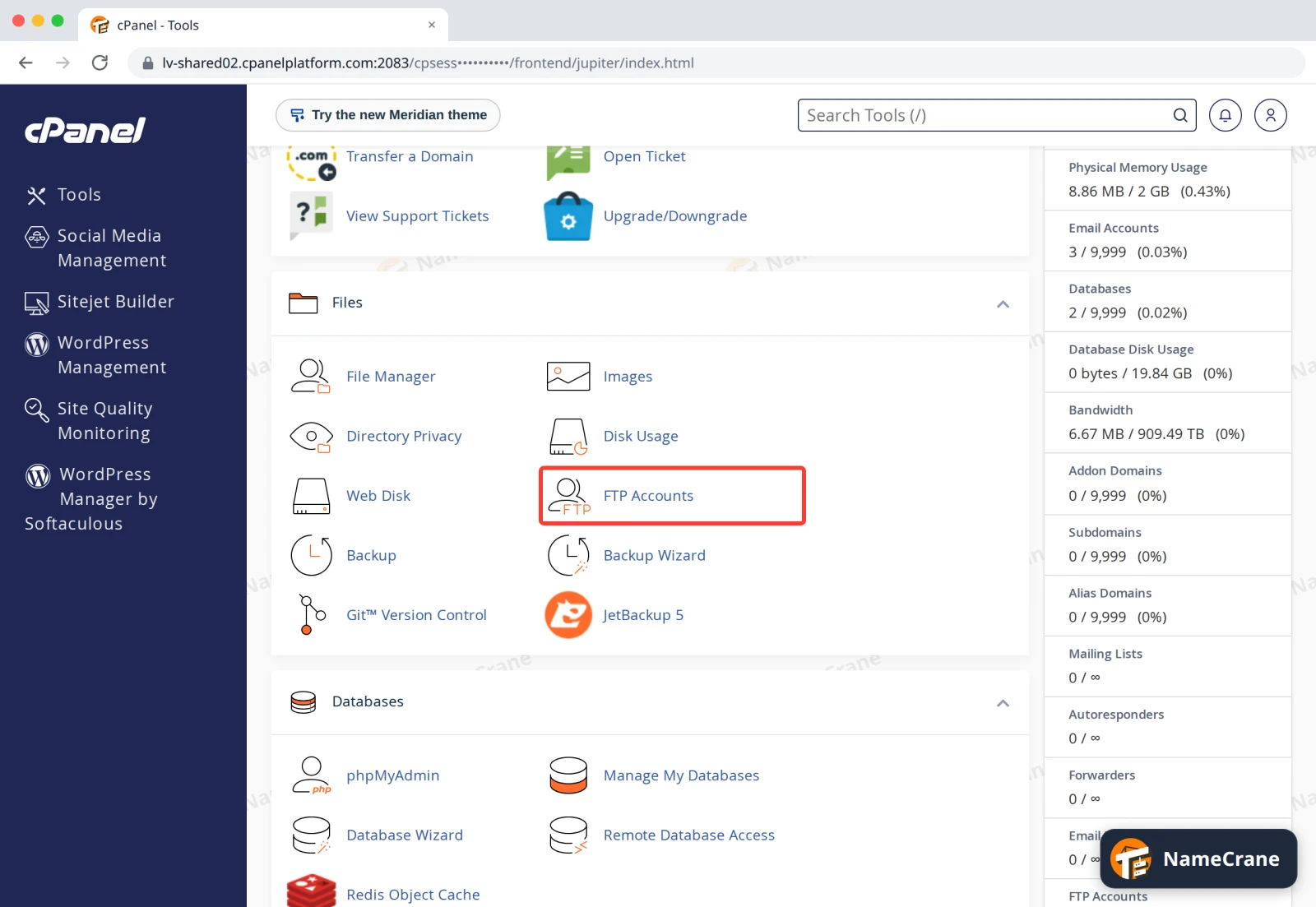
Log in to cPanel. In the Files section, click FTP Accounts.
-
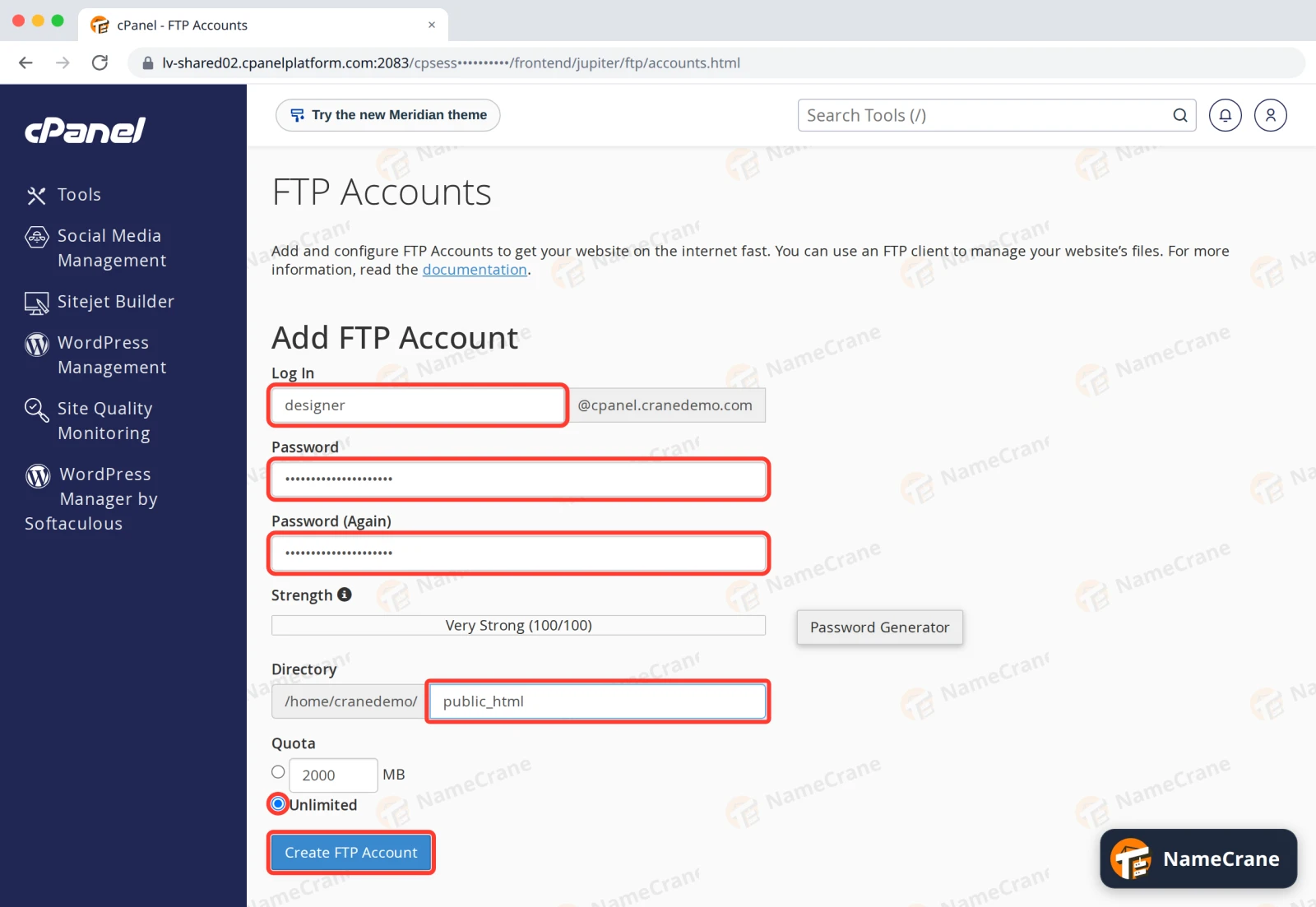
Fill in Add FTP Account:
- Log In: a name for the account, such as
designer. The full username becomesdesigner@yourdomain.com. - Password: type a strong password twice, or click Password Generator. Note it down.
- Directory: the folder this account can see. cPanel suggests a new folder named after the account. For access to your website, change it to
public_html. - Quota: Unlimited, or a limit in MB.
Click Create FTP Account.
- Log In: a name for the account, such as
-
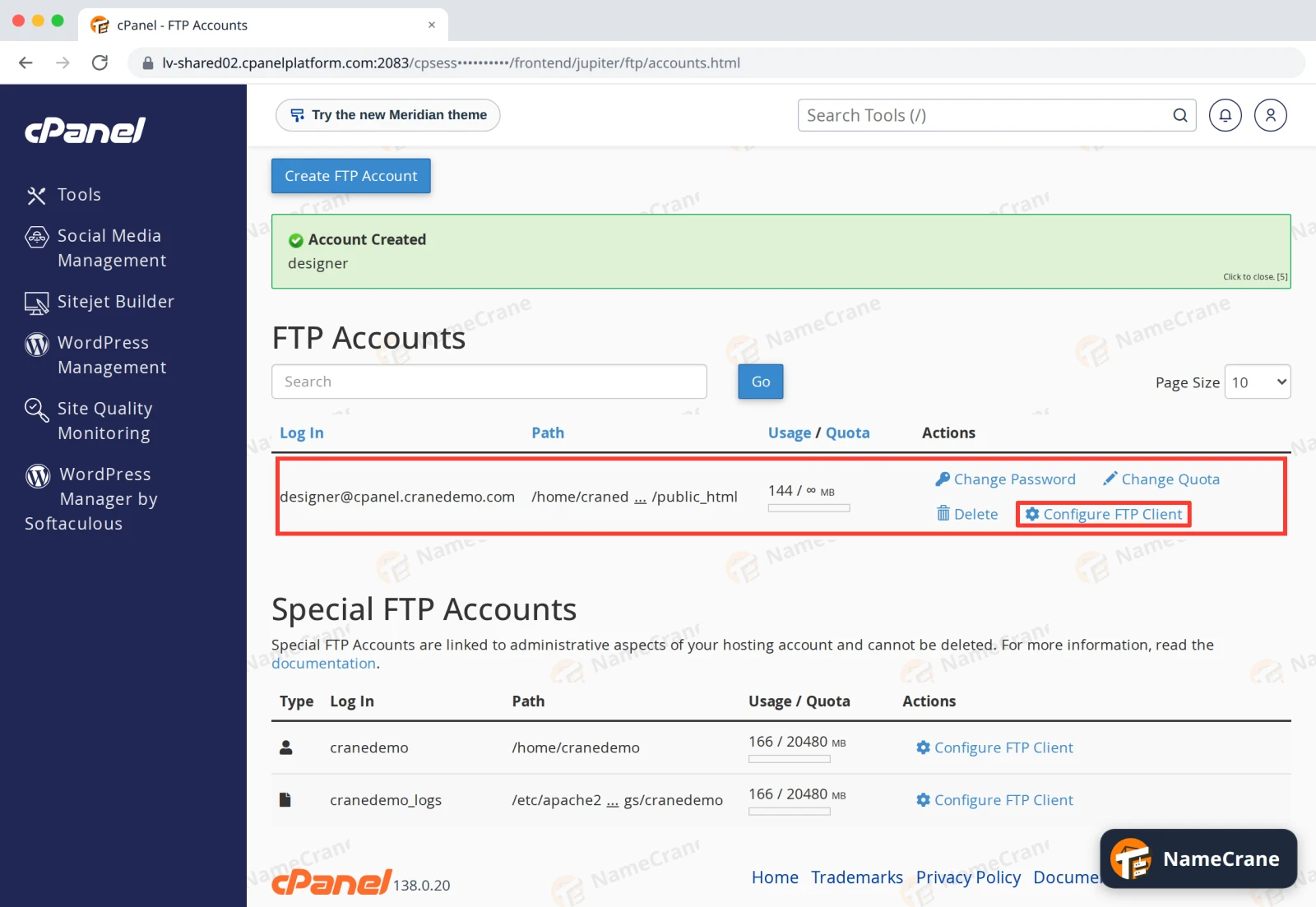
cPanel shows Account Created, and the account appears under FTP Accounts. Click Configure FTP Client to see its settings.
-
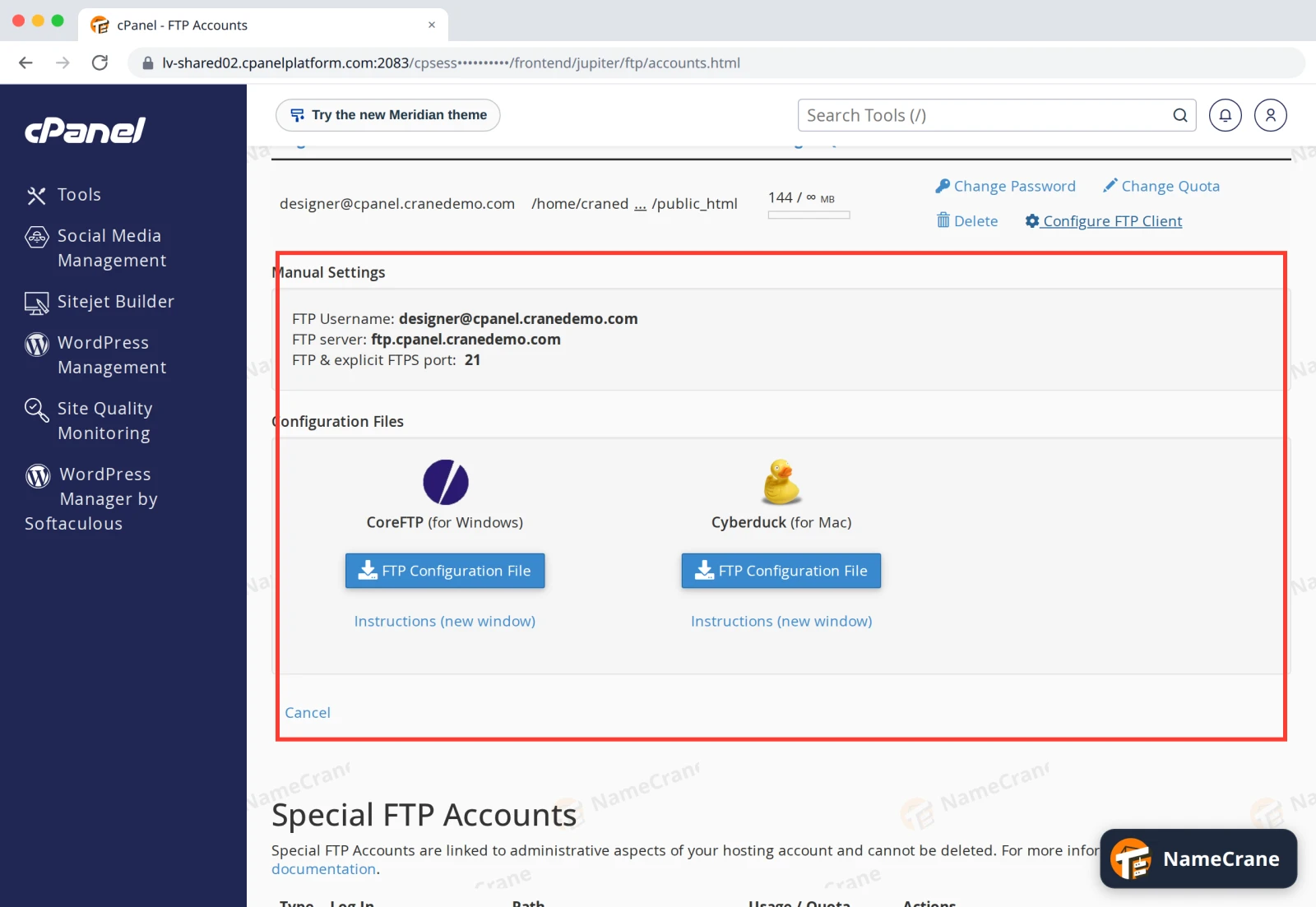
Manual Settings shows the username and port to use.
Connect with FileZilla
In FileZilla, open File › Site Manager, click New site and enter:
| Setting | What to enter |
|---|---|
| Protocol | FTP - File Transfer Protocol |
| Host | Your server’s name: the address you log in to cPanel with, without :2083. For example lv-shared02.cpanelplatform.com |
| Port | 21 |
| Encryption | Require explicit FTP over TLS |
| Logon Type | Normal |
| User | The full username, such as designer@cpanel.cranedemo.com |
| Password | The password you set in step 2 |
Click Connect. You’ll see the folder you chose in step 2.
Note: cPanel lists
ftp.yourdomain.comas the FTP server. That works too, but FileZilla will warn that the certificate doesn’t match, because the secure certificate belongs to the server’s name. Using the server’s name as above avoids the warning.
Troubleshooting
| Problem | What to do |
|---|---|
| “530 Login authentication failed” | Use the full username including @yourdomain.com. If you’ve forgotten the password, click Change Password next to the account. |
| FileZilla warns about an unknown certificate | Make sure Host is your server’s name, not ftp.yourdomain.com. |
| I can’t see my website’s files | The account’s directory isn’t public_html. Delete it and create it again with Directory set to public_html. |
Snagged on something? Contact support and we’ll get you sorted.