How to Use Your MXFilter Quarantine Report
Last updated Changelog
On this page
When MXFilter isn’t sure about an email, it holds it in quarantine instead of delivering it. A quarantine report is an email from MXFilter listing the messages it held for you since your last report. You can check each message and deliver it from the report itself, without logging in. Share this guide with your team.
The report email
-
Reports come from MXFilter and list each held message with its date, sender, subject and status. Each message has two buttons:
- View opens the message in your browser so you can check it first.
- Release delivers the message to your inbox straight away.
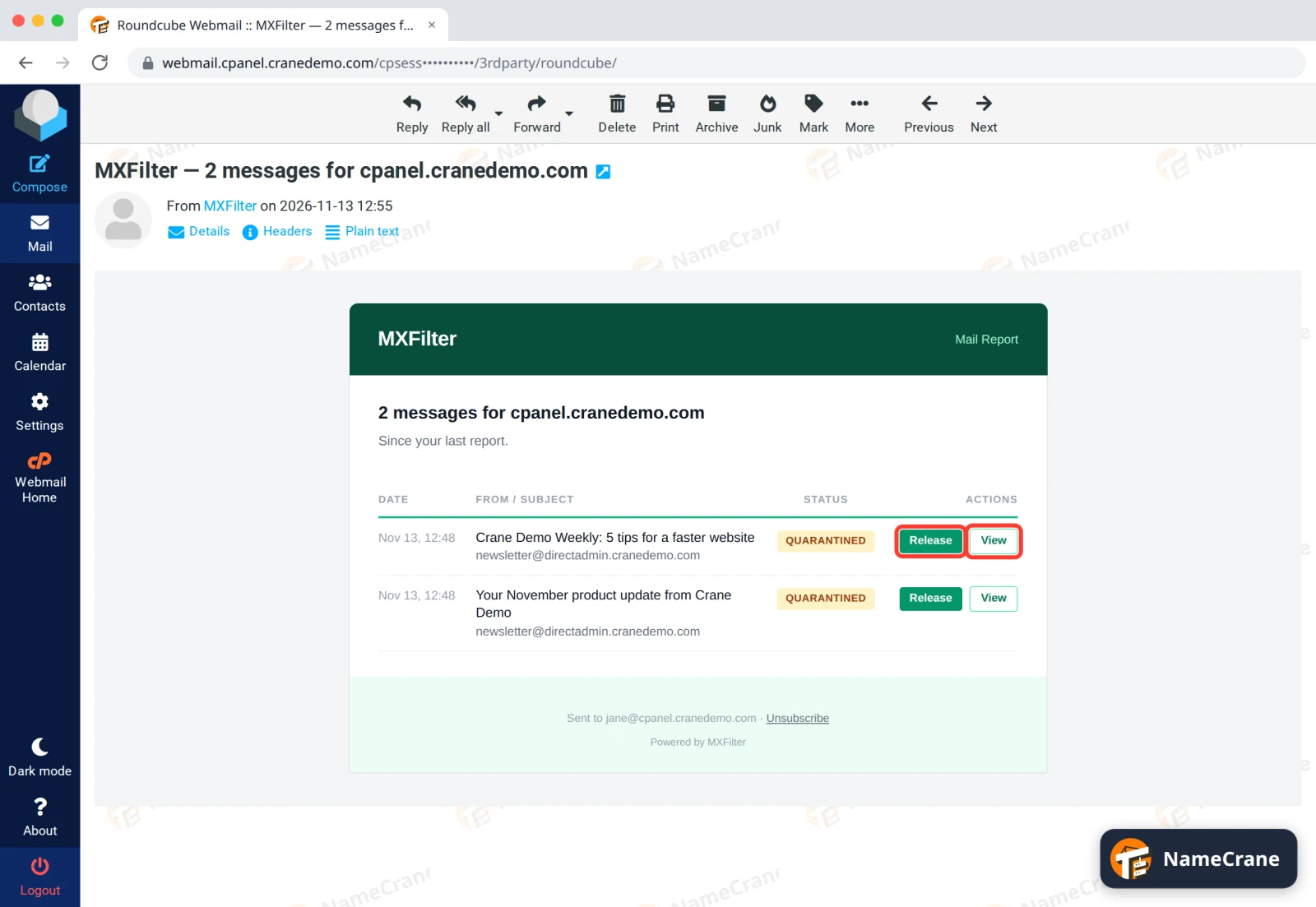
Tip: Not sure about a message? Click View, not Release. Release delivers the message the moment you click it, with no “are you sure?” step.
Check the message
-
View opens the message on MXFilter’s quarantine page. At the top you’ll see the subject, its status (Quarantined), who sent it, who it was for, when it arrived, and its spam Score. The higher the score, the more spam-like MXFilter thinks it is.
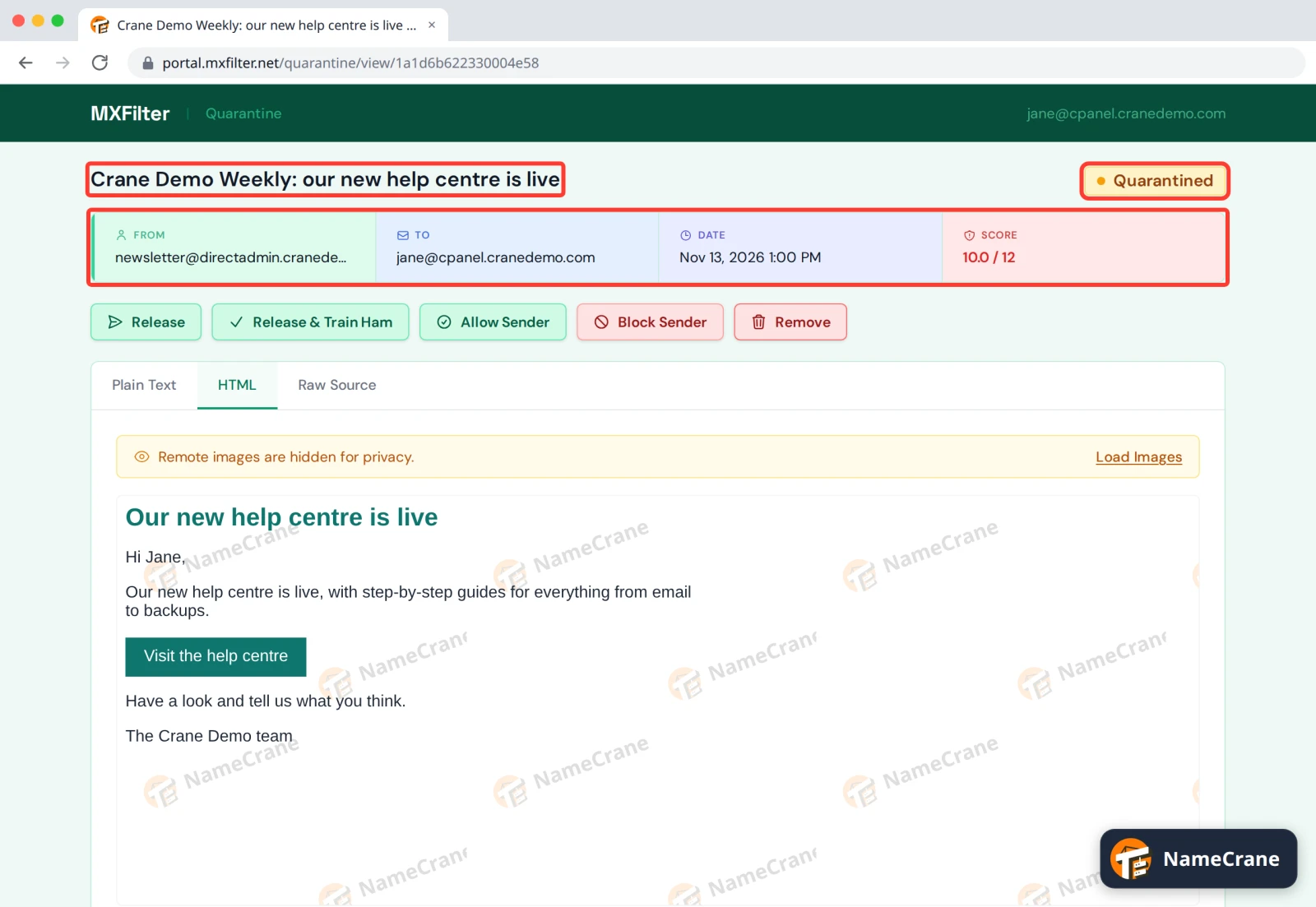
Below that is the message itself, on three tabs:
Tab What it shows HTML The message as it would look in your inbox. This tab opens first when there is one. Pictures from the internet stay hidden until you click Load Images. Plain Text The text of the message only. Raw Source The whole message, including its technical headers. Handy if our support team asks for them.
Warning: A held message may be a phishing email. Don’t click links in it or load its images unless you trust the sender.
Decide what to do with it
-
Choose one of the buttons above the message.
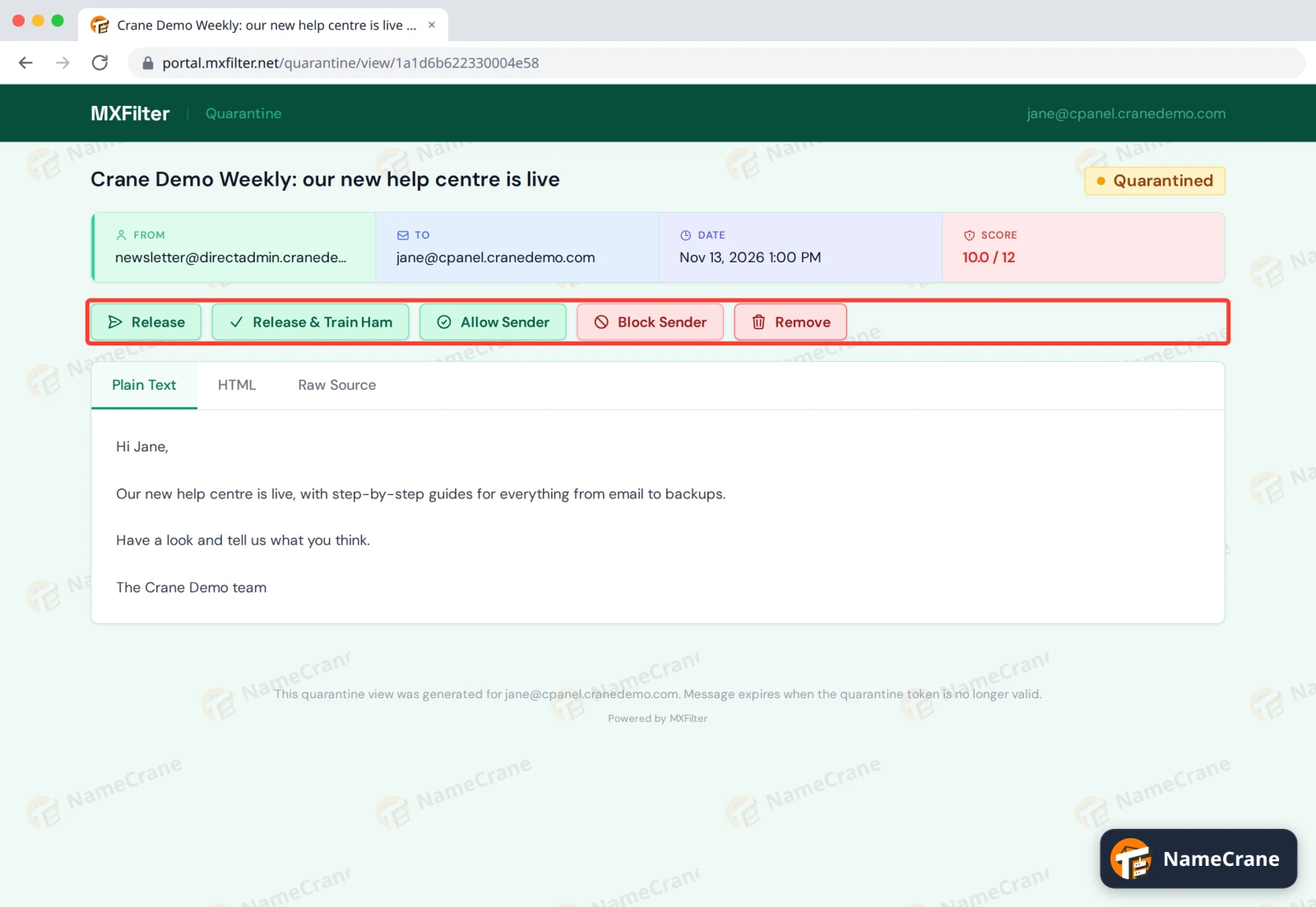
Button What it does Release Delivers this message to your inbox. Release & Train Ham Delivers it and teaches the spam filter that messages like it are genuine. Use this when a real email was mistaken for spam. Allow Sender Adds the sender to your personal allow list. This message stays held, so click Release too if you want it. Block Sender Adds the sender to your personal block list. This message stays held. Click Remove to get rid of it. Remove Deletes the held message. It can’t be released after this. -
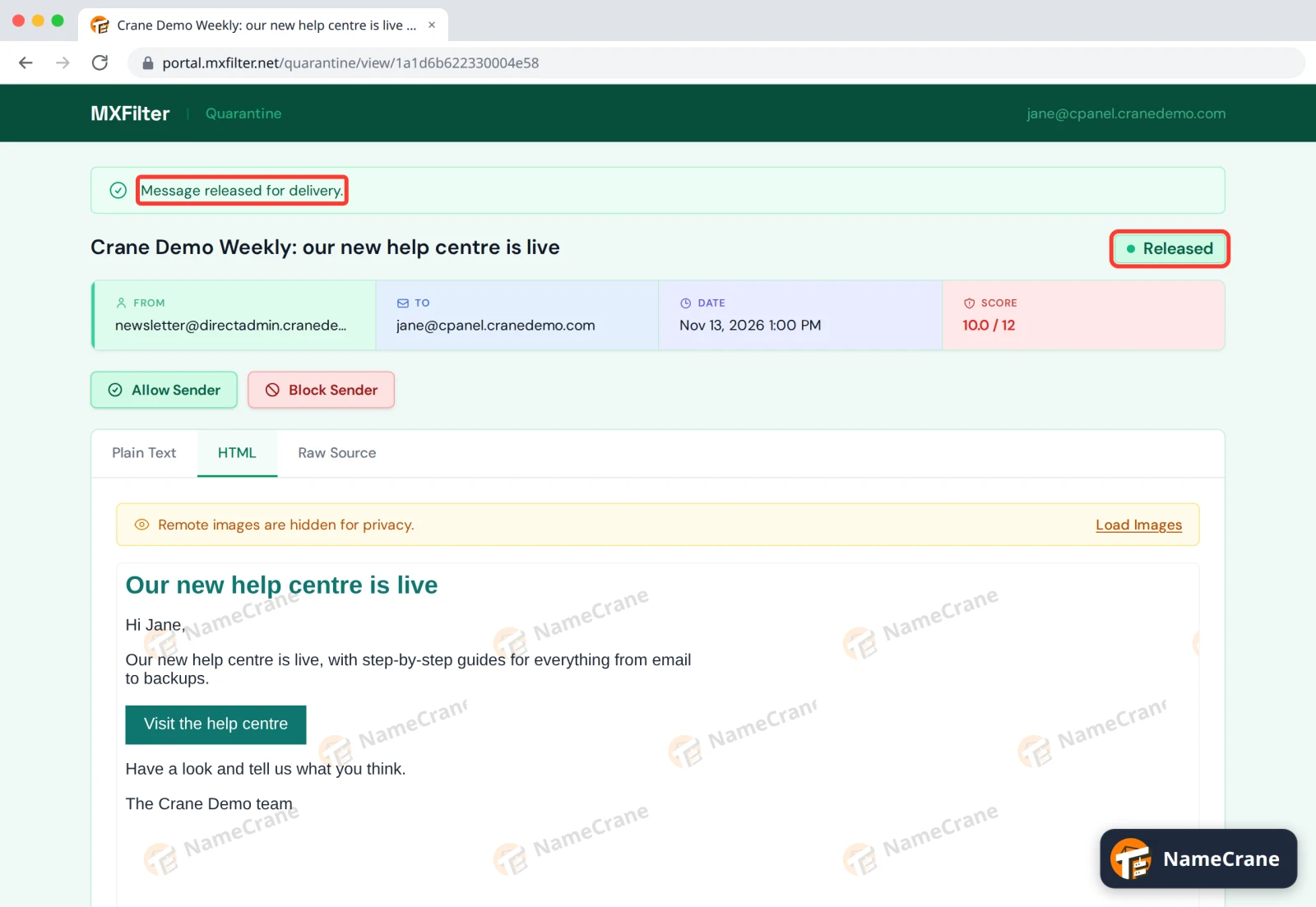
A green bar at the top confirms what happened. After a release it says Message released for delivery., the status changes to Released, and the email shows up in your inbox within a minute.
Note: Your personal allow and block lists sit under your administrator’s domain-wide rules and lists, which win. A sender you’ve allowed can still be held by a rule your administrator set up.
Fewer reports, or none
The Unsubscribe link at the bottom of a report turns off all your quarantine reports straight away. To get them back, sign in to MXFilter, open My Reports and click Enable on each report you want.
If you only want fewer reports, skip Unsubscribe. Go to My Reports and click Disable on the ones you don’t need.
Warning: The links in a report work without a password, for anyone who has the email. Don’t forward a report to someone else: they could release or remove your messages.
Troubleshooting
| Problem | What to do |
|---|---|
| A link in an old report doesn’t work | Report links only last 7 days. Sign in to MXFilter and find the message in your Inbound Log instead. |
| I released a message but can’t see it | Open its View link again and check the status says Released. Give it a minute, then look in your spam or junk folder too. |
| I clicked Allow Sender and Block Sender for the same sender | One doesn’t cancel the other. Sign in, go to My Sender Lists and delete the entry you don’t want. |
| The status says Removed | The message was deleted from quarantine and can’t be released any more. Ask the sender to send it again. |
| I’m not getting reports | A report is only sent when something new was held, so no report usually means no held mail. If you clicked Unsubscribe, turn your reports back on under My Reports. If you still get nothing, check your spam folder and ask your administrator to check your report settings. |
Snagged on something? Contact support and we’ll get you sorted.