How Spam Filtering Works in cPanel (MXFilter)
Last updated Changelog
On this page
NameCrane checks every incoming email for spam and viruses with MXFilter before it reaches your mailboxes. You don’t need to switch anything on, and there’s no need to set up cPanel’s own Spam Filters as well. You manage MXFilter from cPanel.
Open MXFilter
-
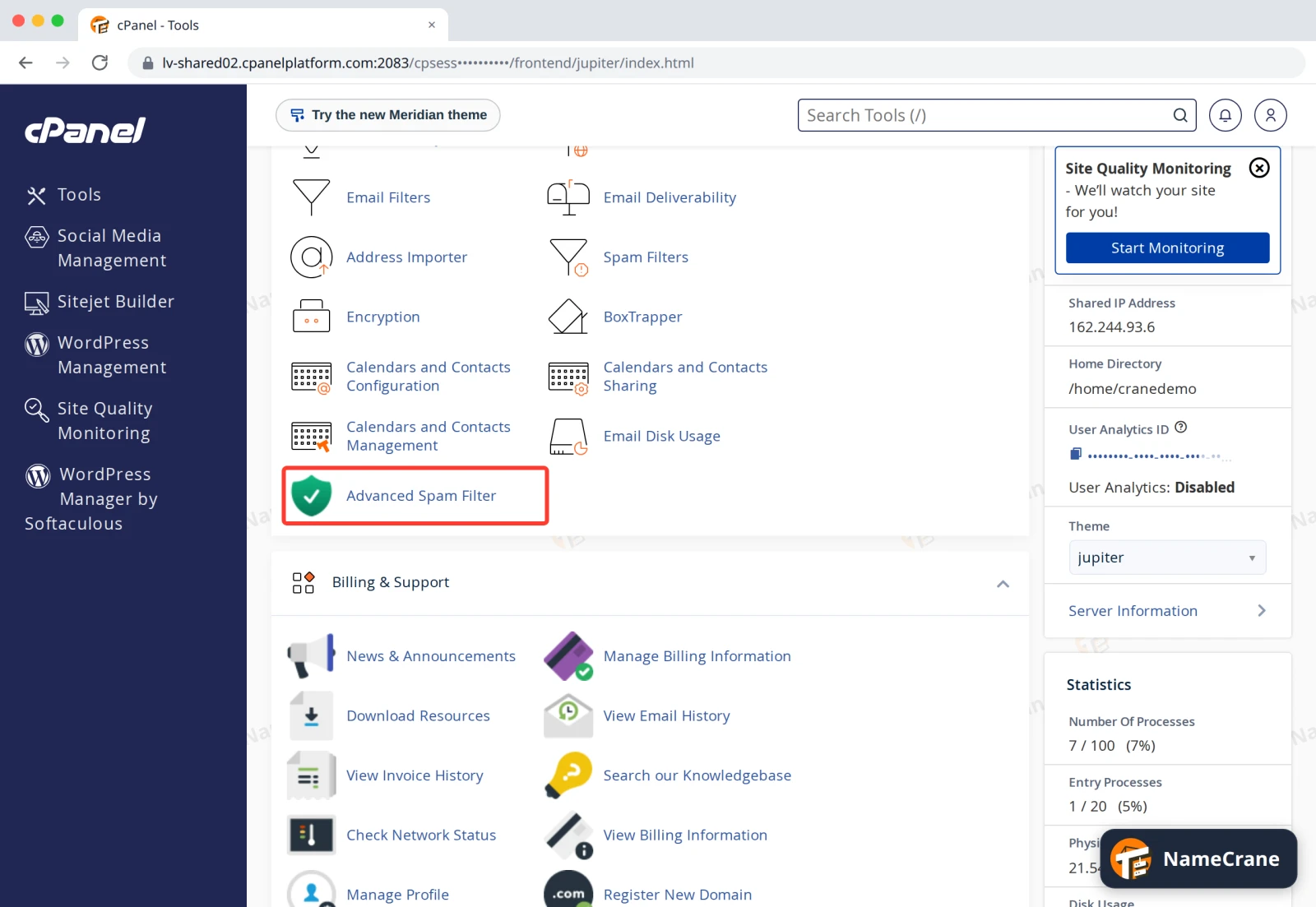
Log in to cPanel. In the Email section, click Advanced Spam Filter, then Login. MXFilter opens in a new tab, already logged in. More detail: Open MXFilter from cPanel.
-
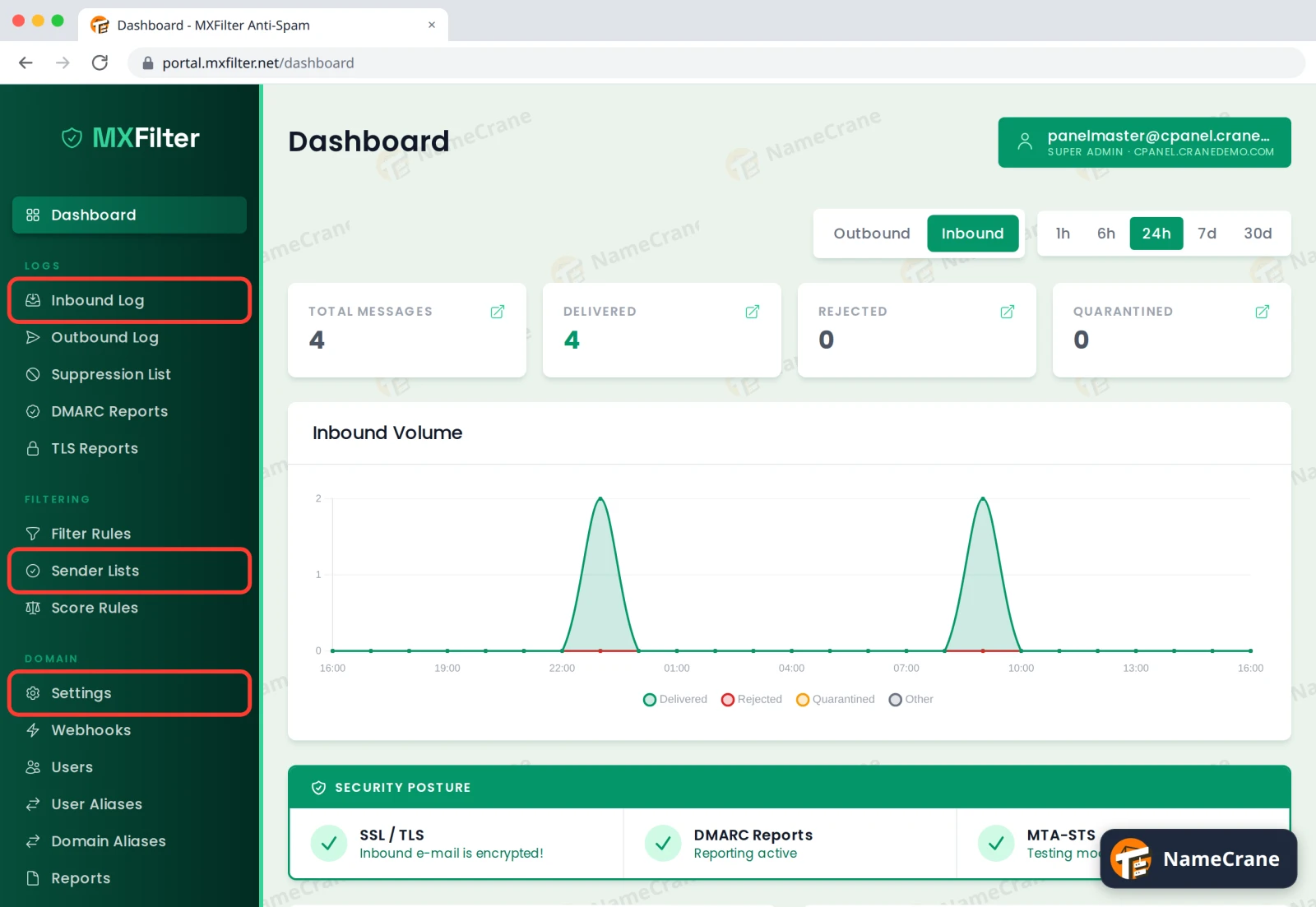
The menu on the left has everything you need for spam:
- Inbound Log: every email sent to you, including ones MXFilter held back (quarantined) or rejected.
- Sender Lists: senders to always allow or always block.
- Settings: how strict the filter is.
-
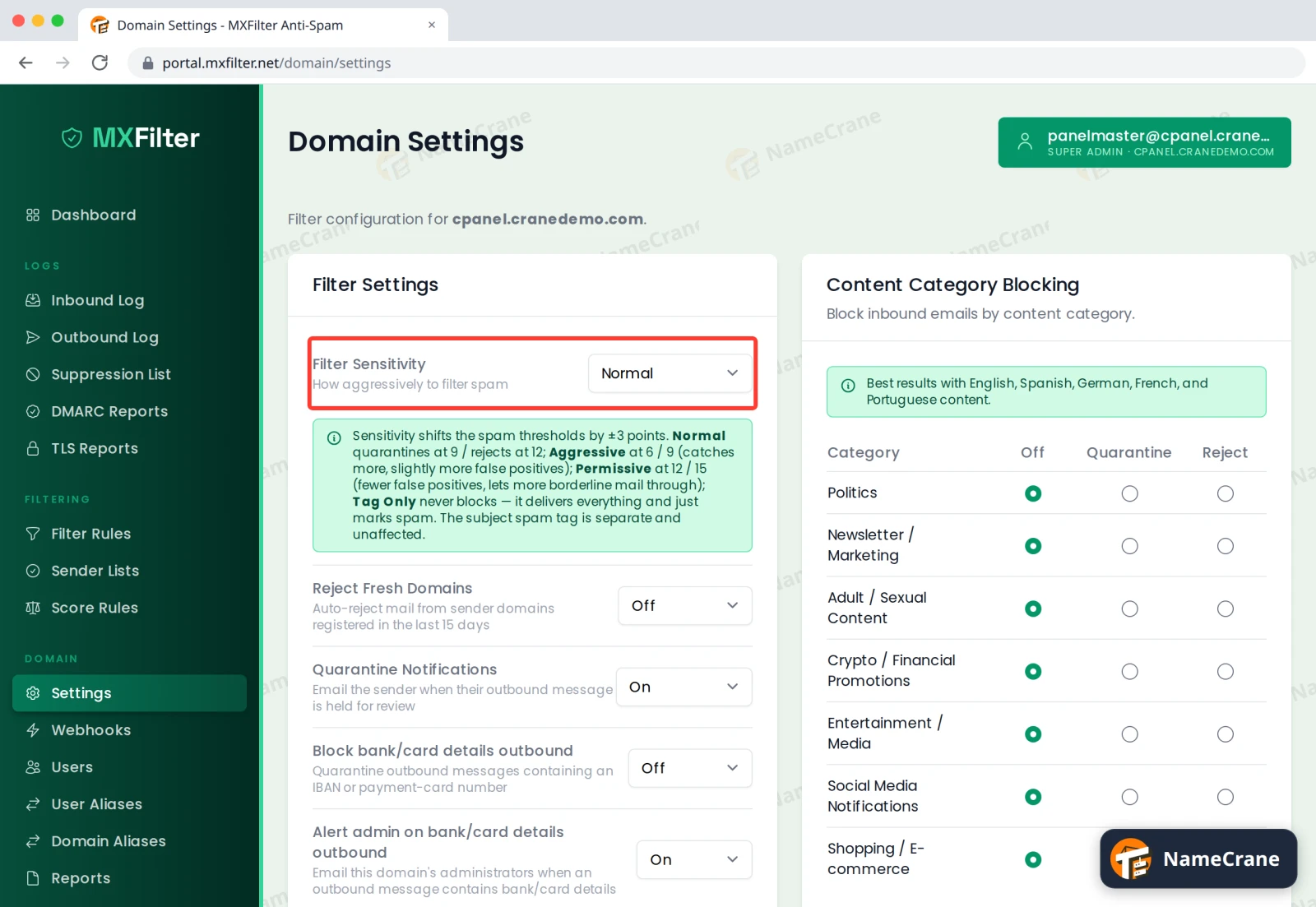
Under Settings, Filter Sensitivity sets how strict MXFilter is. Normal suits most people. Choose Aggressive if too much spam gets through, or Permissive if good email gets caught. The change saves straight away.
What do you want to do?
| To do this | See |
|---|---|
| Stop more spam | Change your spam filter sensitivity |
| Always block, or always allow, a sender | Allow or block a sender |
| Find an email that didn’t arrive | Find an email in the Inbound Log |
| Get a good email out of quarantine | Release an email from quarantine |
| Get a regular list of held email | Set up quarantine reports |
| Block risky attachments | Block email by content or attachment |
| Let each mailbox user check their own spam | MXFilter for mailbox users |
Troubleshooting
| Problem | What to do |
|---|---|
| Spam still reaches my inbox | Block the sender in Sender Lists, or set Filter Sensitivity to Aggressive. If nothing shows up in MXFilter’s Inbound Log at all, your email isn’t going through MXFilter: your domain’s MX records should be mx1.cpanelplatform.com to mx4.cpanelplatform.com. See Edit DNS records. |
| A real email never arrived | Search for it in the Inbound Log. If it was quarantined, release it and add the sender to your allow list. |
| My email is with Google or Microsoft 365 | Then your mail doesn’t pass through MXFilter, and Google or Microsoft filter it instead. See Use Google or Microsoft 365 for email. |
| I can’t find Advanced Spam Filter in cPanel | Contact support and we’ll check it’s switched on for your account. |
Snagged on something? Contact support and we’ll get you sorted.