How to Set SPF and DKIM Enforcement in MXFilter
Last updated Changelog
On this page
SPF and DKIM are how a domain proves an email really came from it. SPF lists the servers allowed to send its mail, and DKIM adds a digital signature. When an incoming email fails these checks, the sender may be forged. MXFilter already counts these failures towards the spam score. The enforcement settings let you go further and act on every failure.
Note: Plenty of genuine senders have badly configured SPF or DKIM, so strict enforcement can block real email. Start with Tag or Quarantine, check what gets caught, and only then consider Reject.
Before you start
- Open MXFilter from your control panel: from cPanel or from DirectAdmin, then click Settings in the menu.
Steps
-
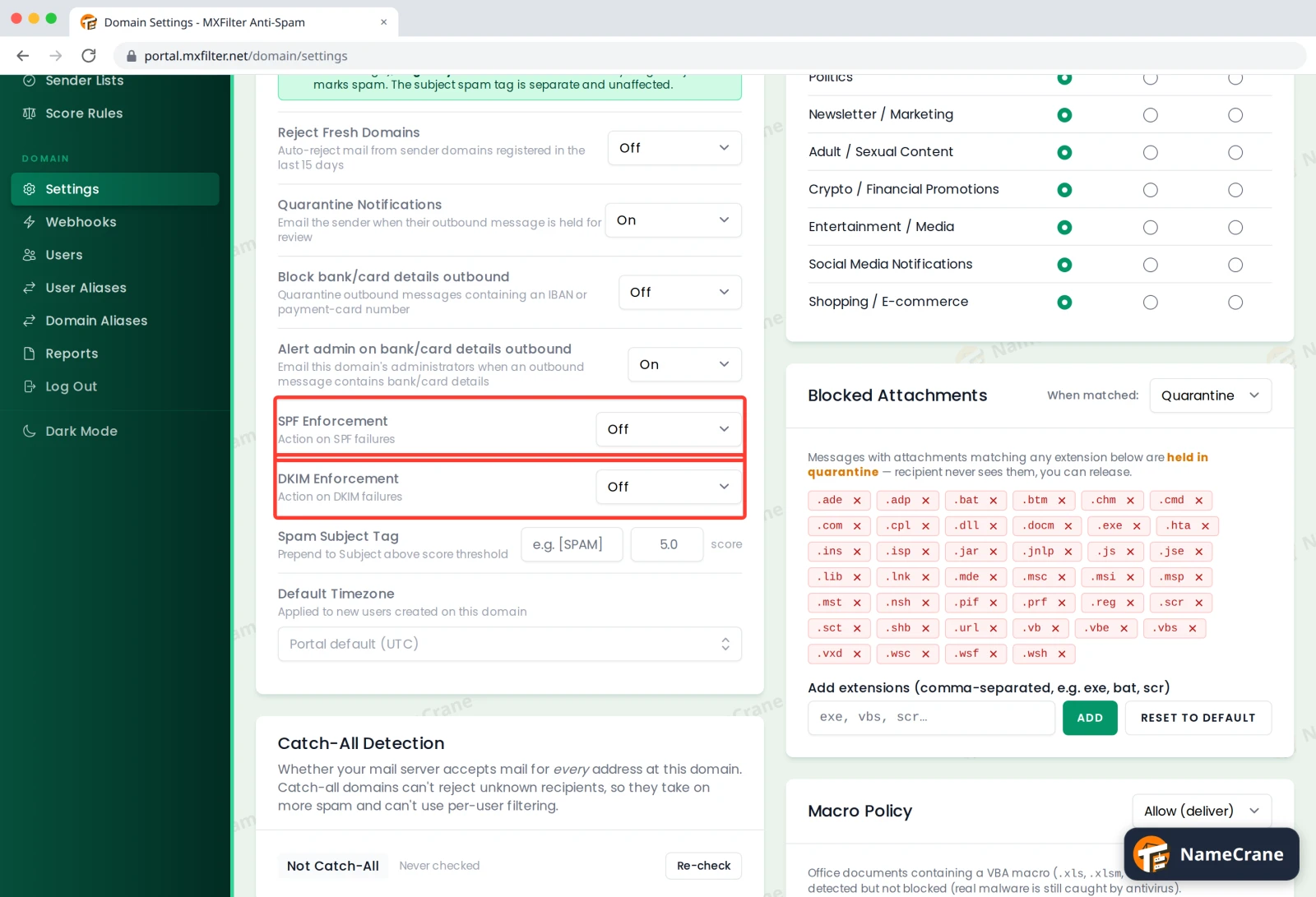
Under Filter Settings, find SPF Enforcement and DKIM Enforcement. Both are Off by default.
-
Choose an action for each. The change saves straight away.
| Action | What happens when a check fails |
|---|---|
| Off | Nothing extra. The failure still counts towards the spam score. |
| Tag | The email is delivered but marked as spam. |
| Quarantine | The email is held so you can review and release it. |
| Reject | The email is refused and the sender gets a bounce message. |
Troubleshooting
| Problem | What to do |
|---|---|
| Email from a real company is being caught | Their SPF or DKIM is probably misconfigured. Release the email, allow the sender, and let them know. Or step back to Tag. |
| I’m not sure how many emails would be affected | Set it to Quarantine for a week and check the Inbound Log for quarantined mail before choosing Reject. |
Snagged on something? Contact support and we’ll get you sorted.