How to Reset a Customer's Password as a DirectAdmin Reseller
Last updated Changelog
On this page
If a customer forgets their DirectAdmin password, you can set a new one for them. Their website, email and files aren’t affected, and their email accounts keep their own passwords. In this example we reset the password for our demo customer, customer.
Steps
-
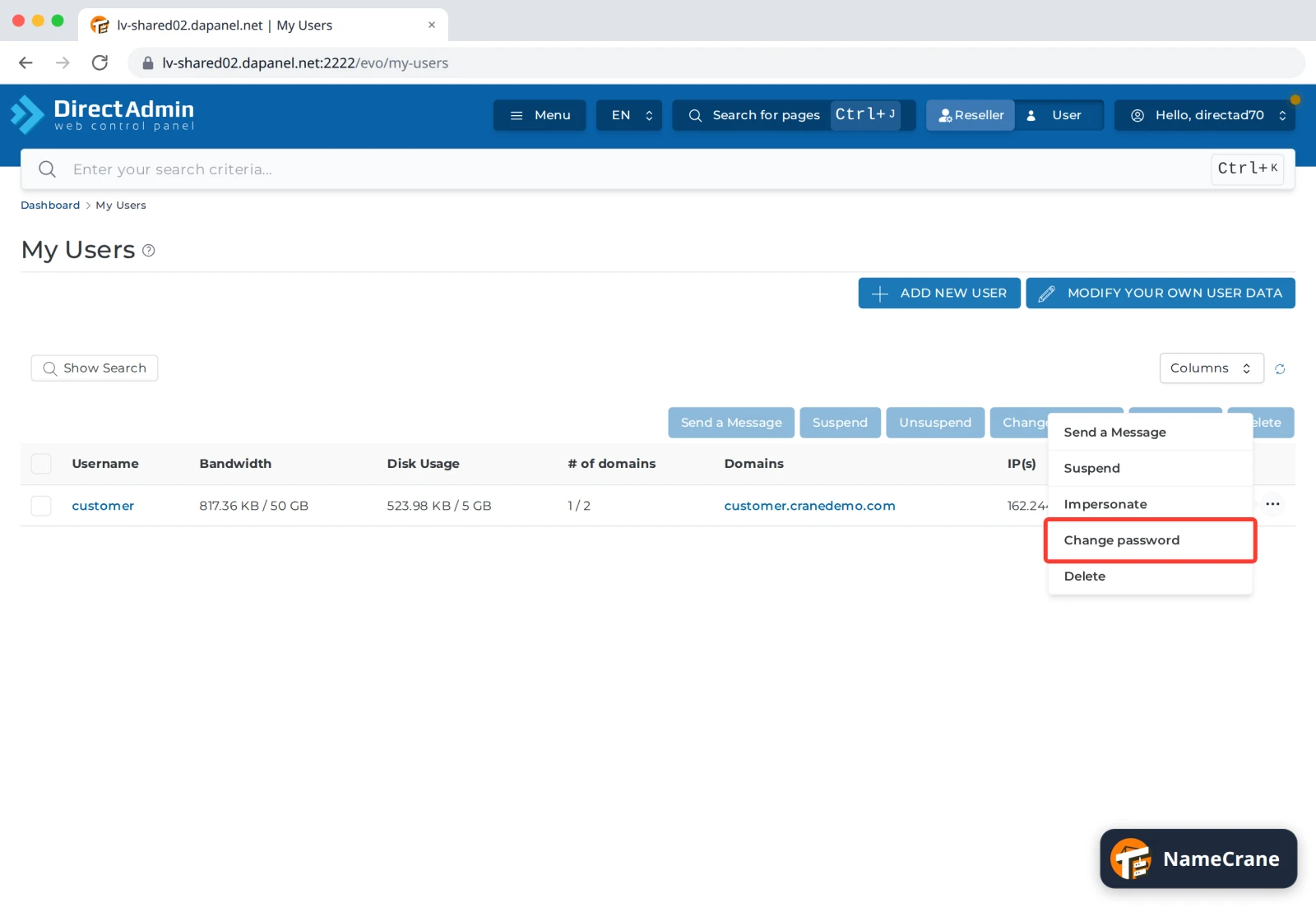
Log in to DirectAdmin, click Reseller in the top bar and open My Users. Click the ⋯ at the end of the customer’s row and choose Change password. You can also use Change Passwords on the Reseller dashboard.
-
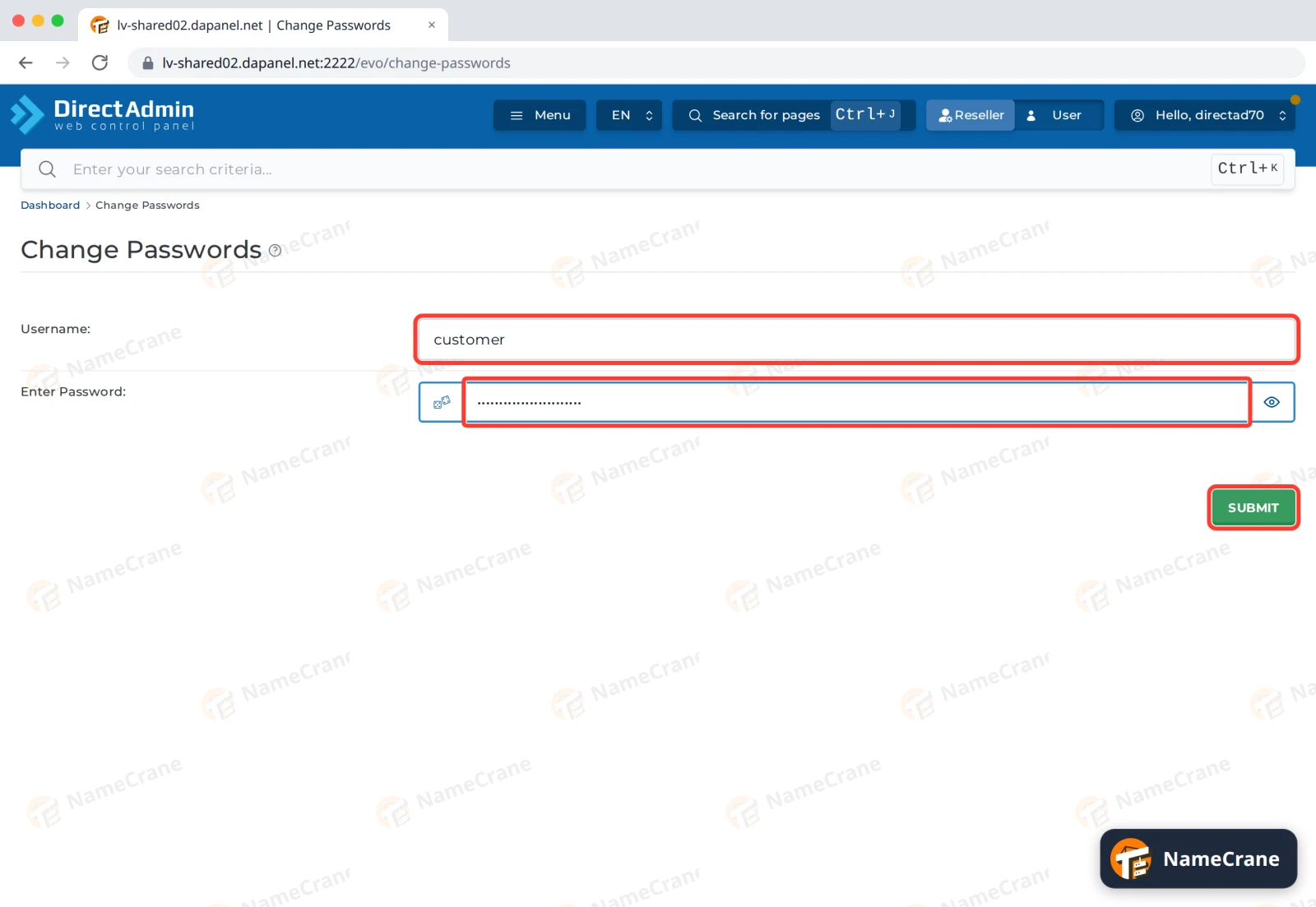
The Username is already filled in. Type a strong new password into Enter Password and click SUBMIT.
-
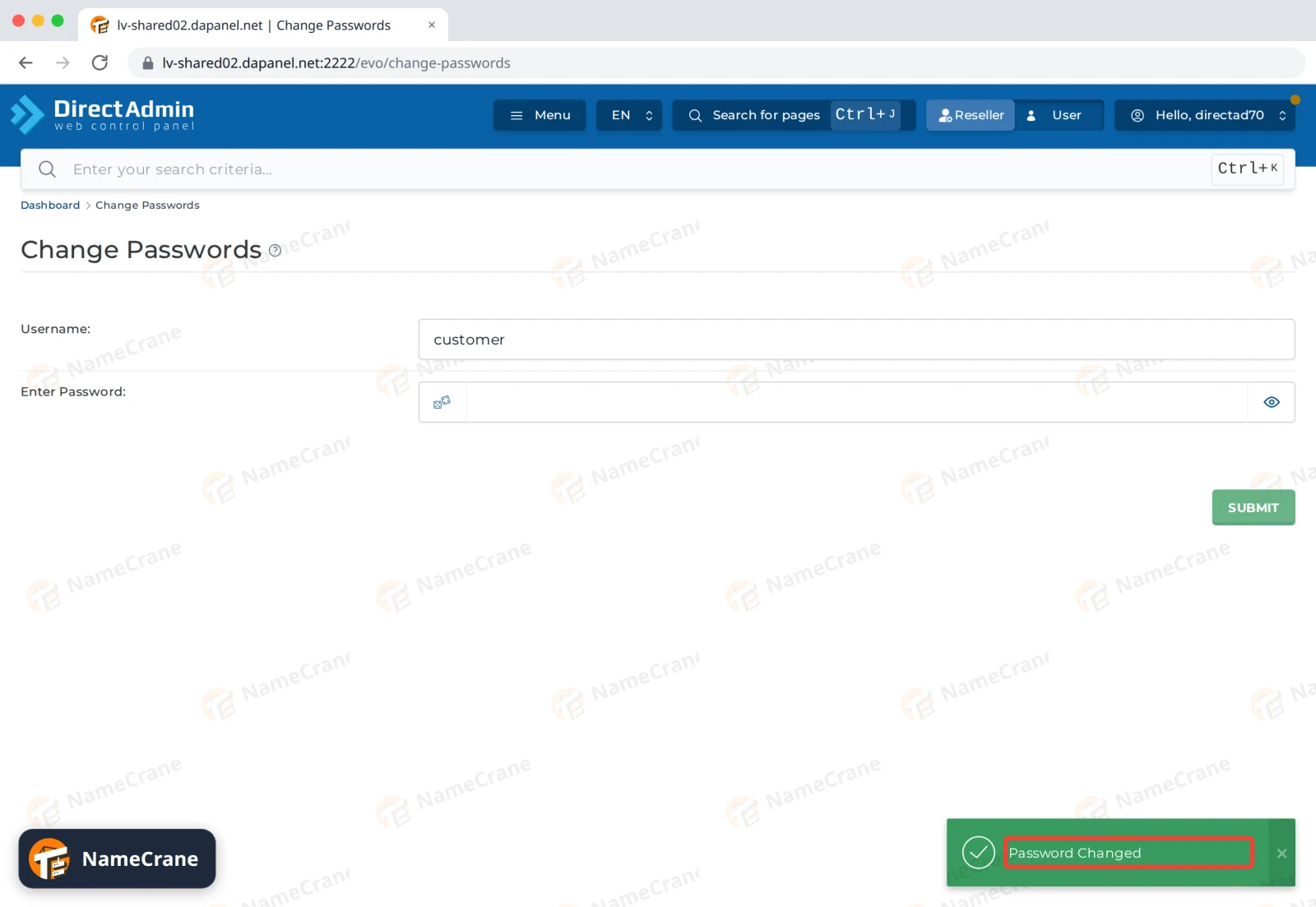
DirectAdmin shows Password Changed. The new password works straight away. We tested it by logging in as the customer.
Send the new password to your customer in a safe way, such as by phone or a password-sharing link rather than plain email. Ask them to change it after they log in. They can follow Change your DirectAdmin password.
Troubleshooting
| Problem | What to do |
|---|---|
| The customer still can’t log in | Check they’re typing the username, not their domain name, and that their account isn’t suspended (a ⚠ next to their name in My Users). |
| The customer has two-step authentication and lost their phone | They can log in with one of their recovery codes. If they have none, contact support. |
| They forgot an email password, not their DirectAdmin one | Email passwords are separate. The customer can reset them under E-mail Accounts in their own DirectAdmin. |
Snagged on something? Contact support and we’ll get you sorted.