How to Set Up an Out-of-Office Reply in DirectAdmin
Last updated Changelog
On this page
A vacation message sends an automatic reply to everyone who emails you while you’re away. You pick the dates, so it switches itself on and off. Your email still arrives in your inbox as normal.
Steps
-
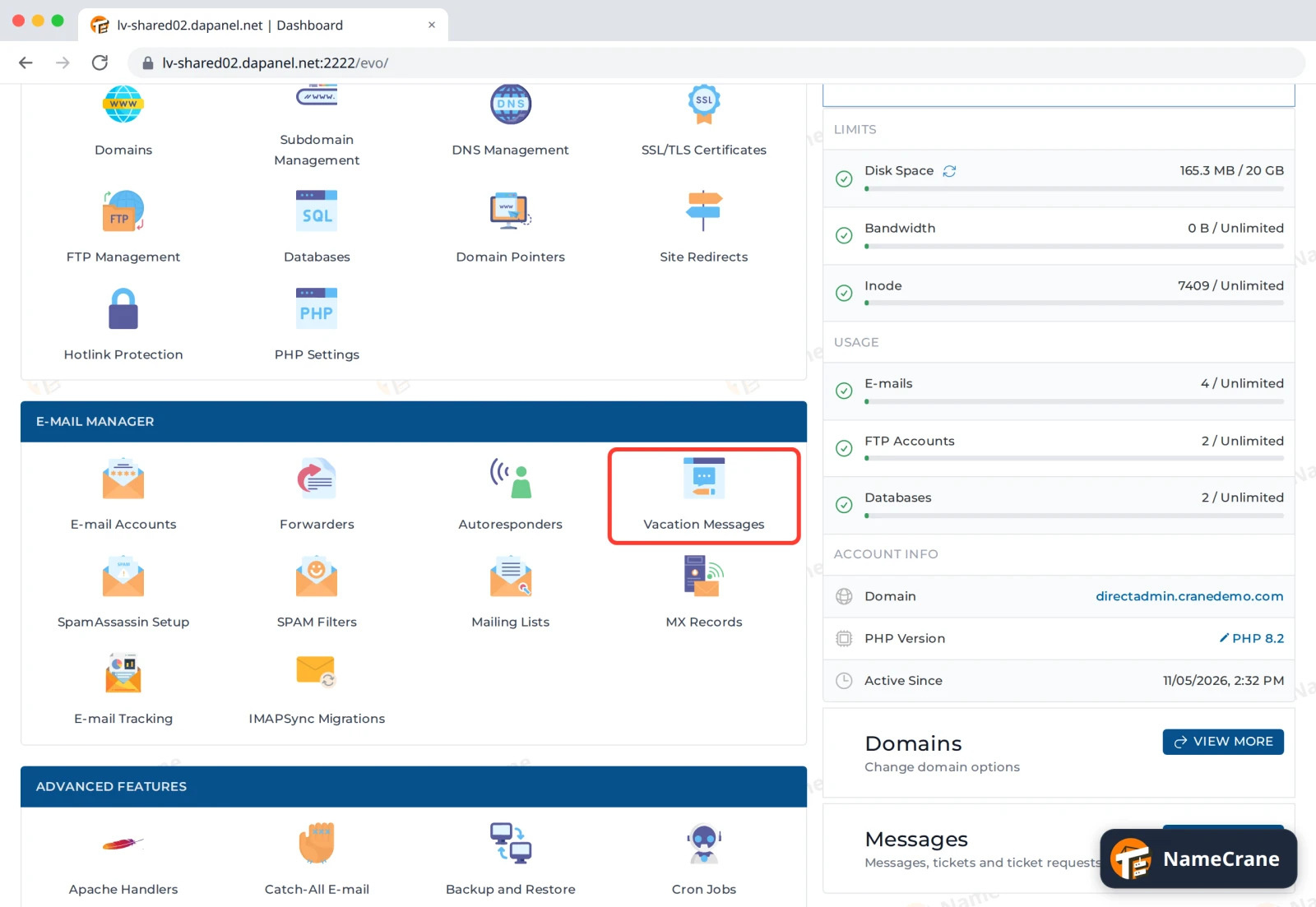
Log in to DirectAdmin. In the E-mail Manager section, click Vacation Messages.
-
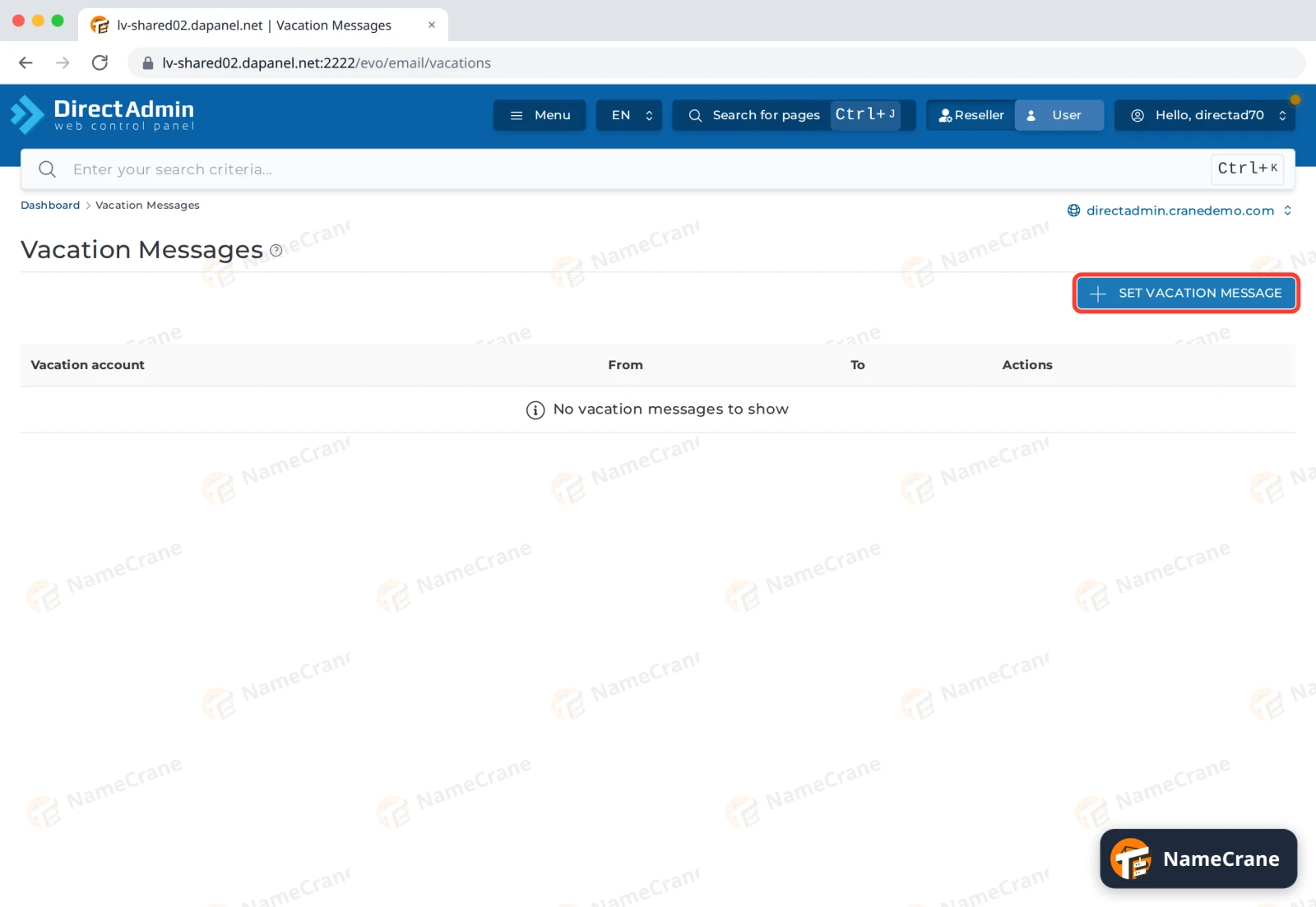
Click Set Vacation Message.
-
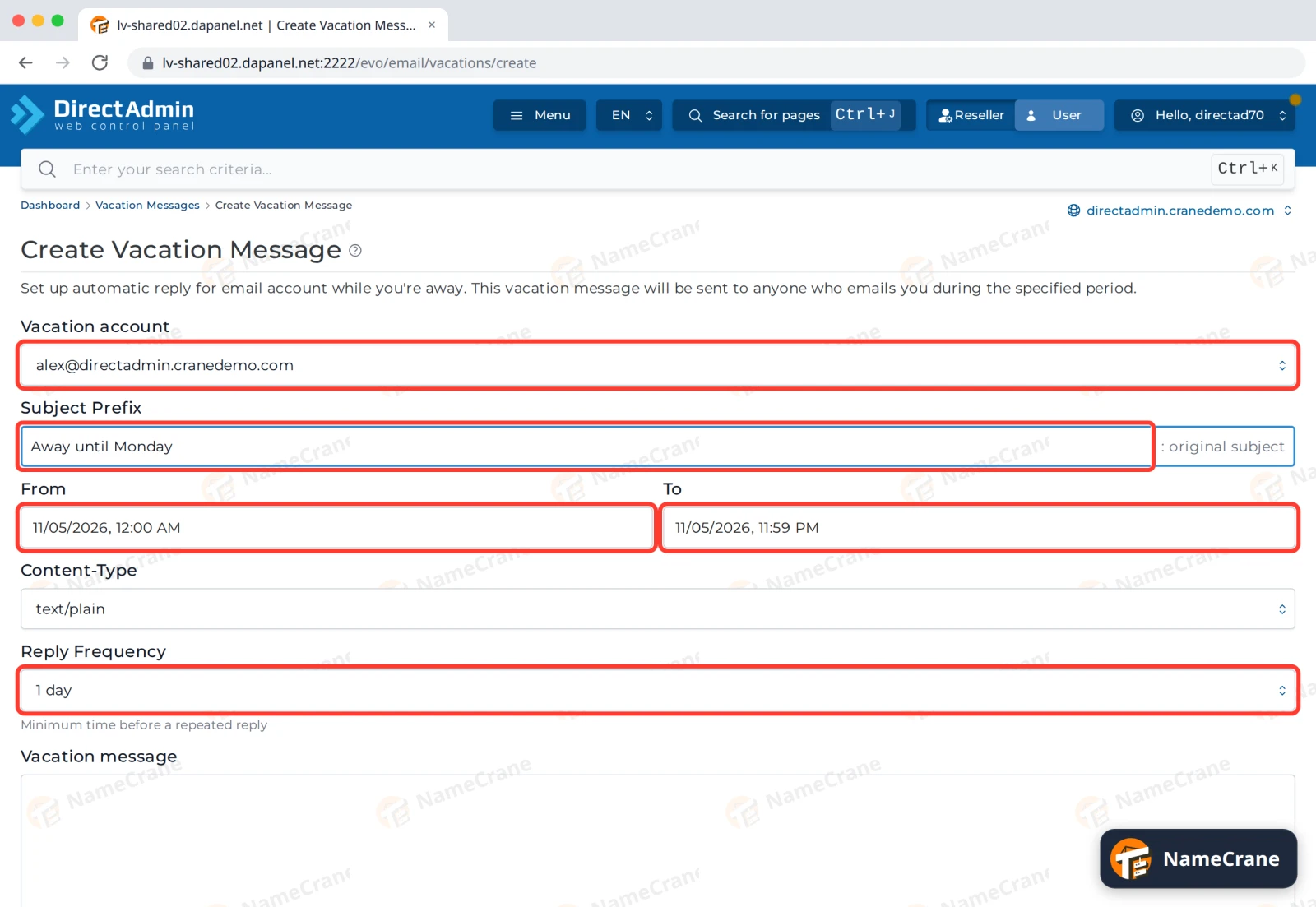
Choose the Vacation account (the email address that’s away). Type a Subject Prefix: replies are sent as your prefix: their original subject. Set From and To to the dates and times you’re away. Reply Frequency stops the same person getting a reply every time they write: 1 day means at most one reply a day each.
-
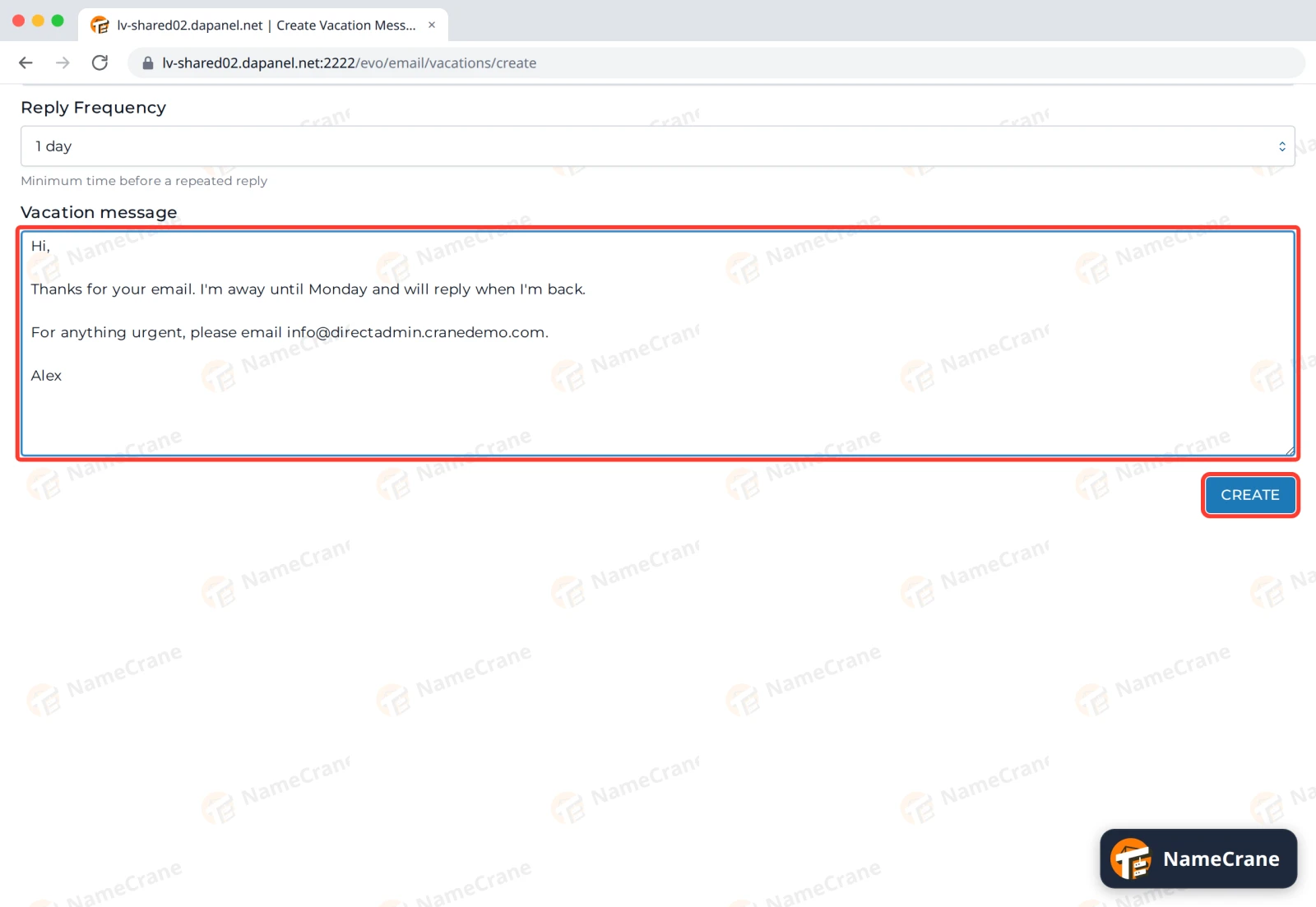
Type your Vacation message, then click Create.
-
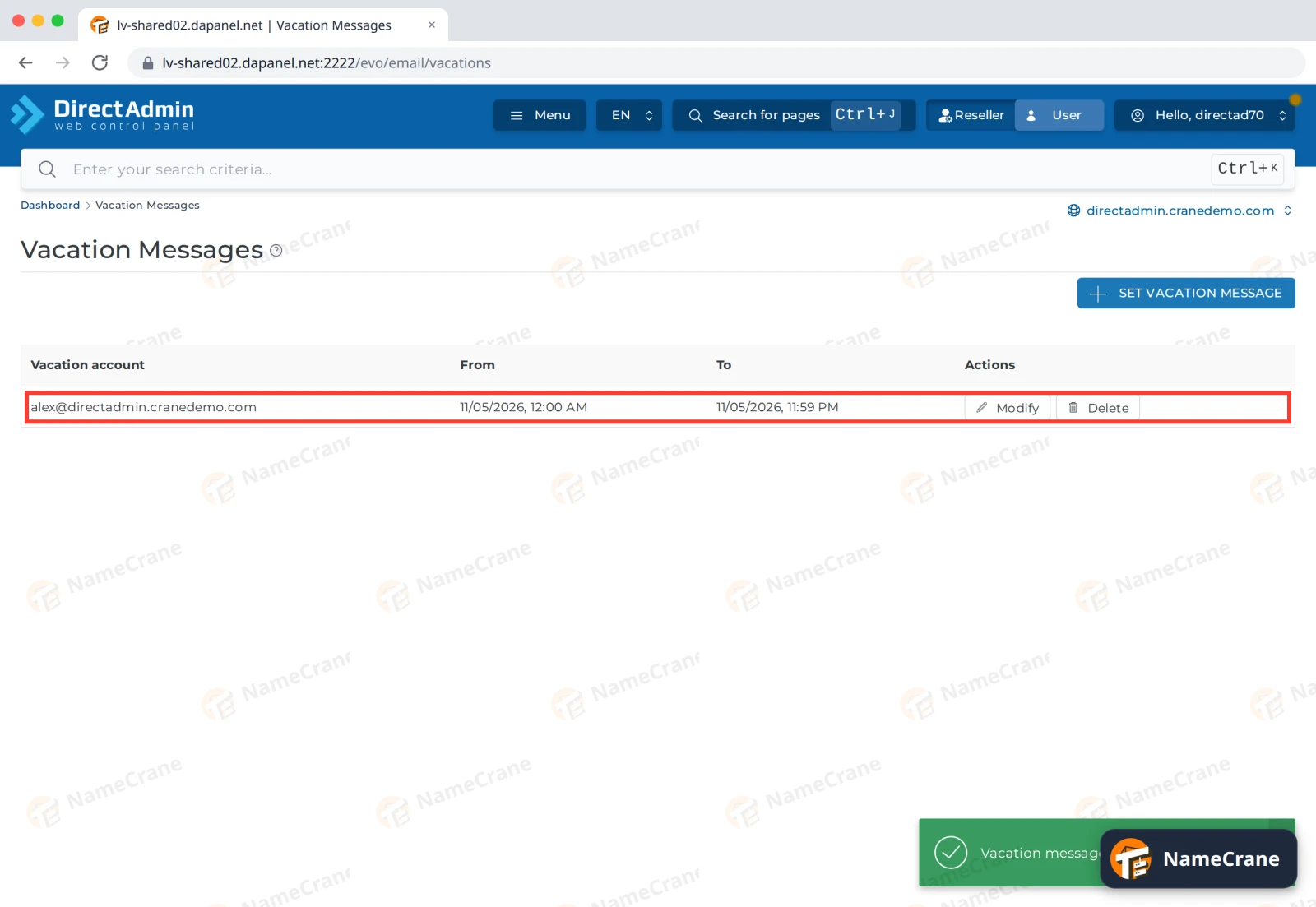
The vacation message appears in the list with its dates. Use Modify to change it, or Delete to stop it early.
In our test, someone who emailed Alex got the reply “Away until Monday: Quick question” within 20 seconds.
Tip: For an address that should always send an automatic reply, such as a
support@address that confirms each request, use Autoresponders in the E-mail Manager section instead. It doesn’t need dates.
Troubleshooting
| Problem | What to do |
|---|---|
| Nobody gets the reply | Check the From and To dates include today, and that you chose the right Vacation account. |
| Someone only got one reply although they wrote twice | That’s Reply Frequency at work: each person gets at most one reply in that time. |
| I’m back early | Click Delete next to the vacation message. |
Snagged on something? Contact support and we’ll get you sorted.