How to Set Up a Cron Job in DirectAdmin
Last updated Changelog
On this page
A cron job runs a command for you on a schedule, such as every 30 minutes or once a day. Apps often ask for one to send emails, clear out old data or run their scheduled tasks. In this example we’ll run WordPress’s scheduled tasks (wp-cron.php) twice an hour.
Steps
-
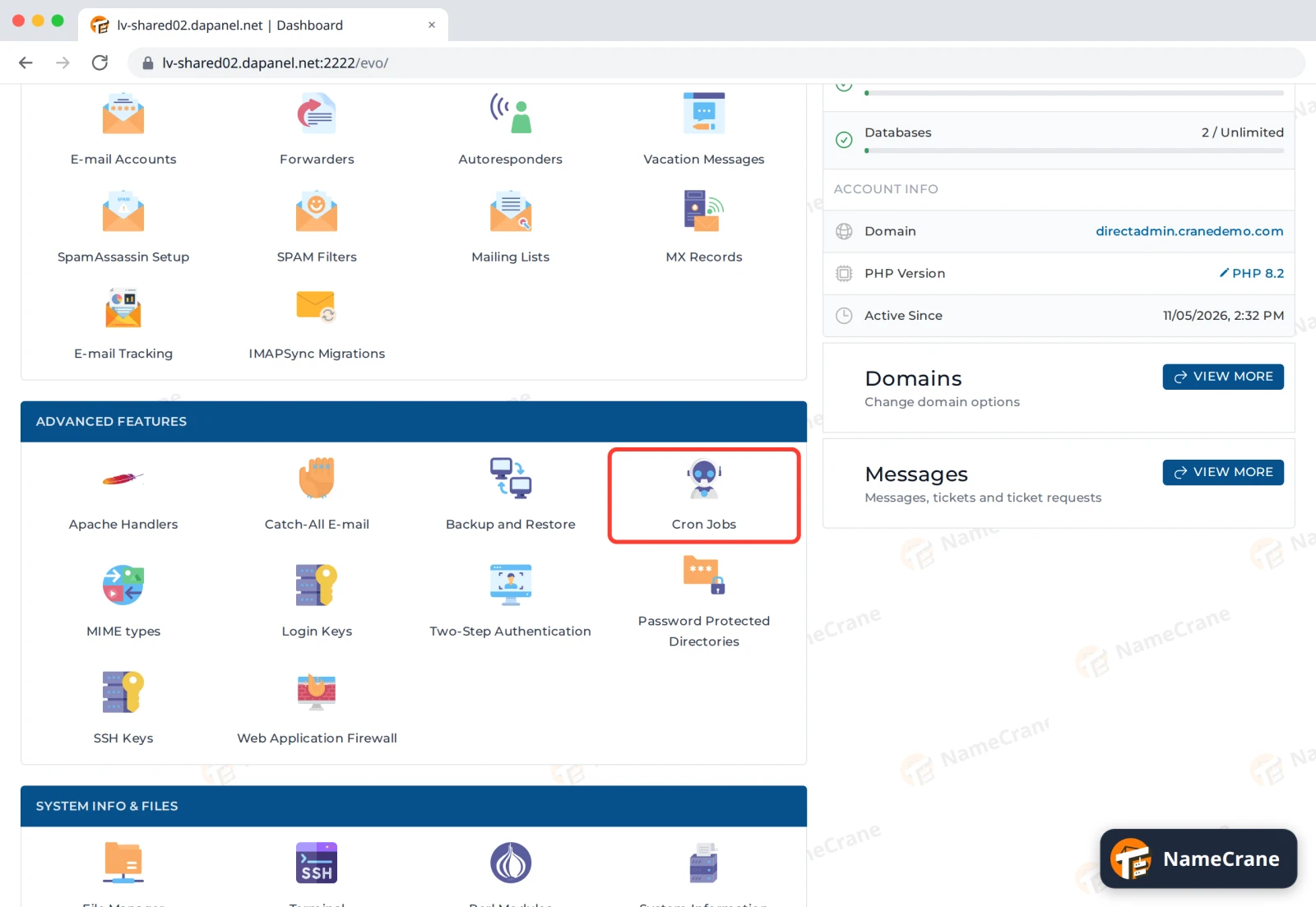
Log in to DirectAdmin. In the Advanced Features section, click Cron Jobs.
-
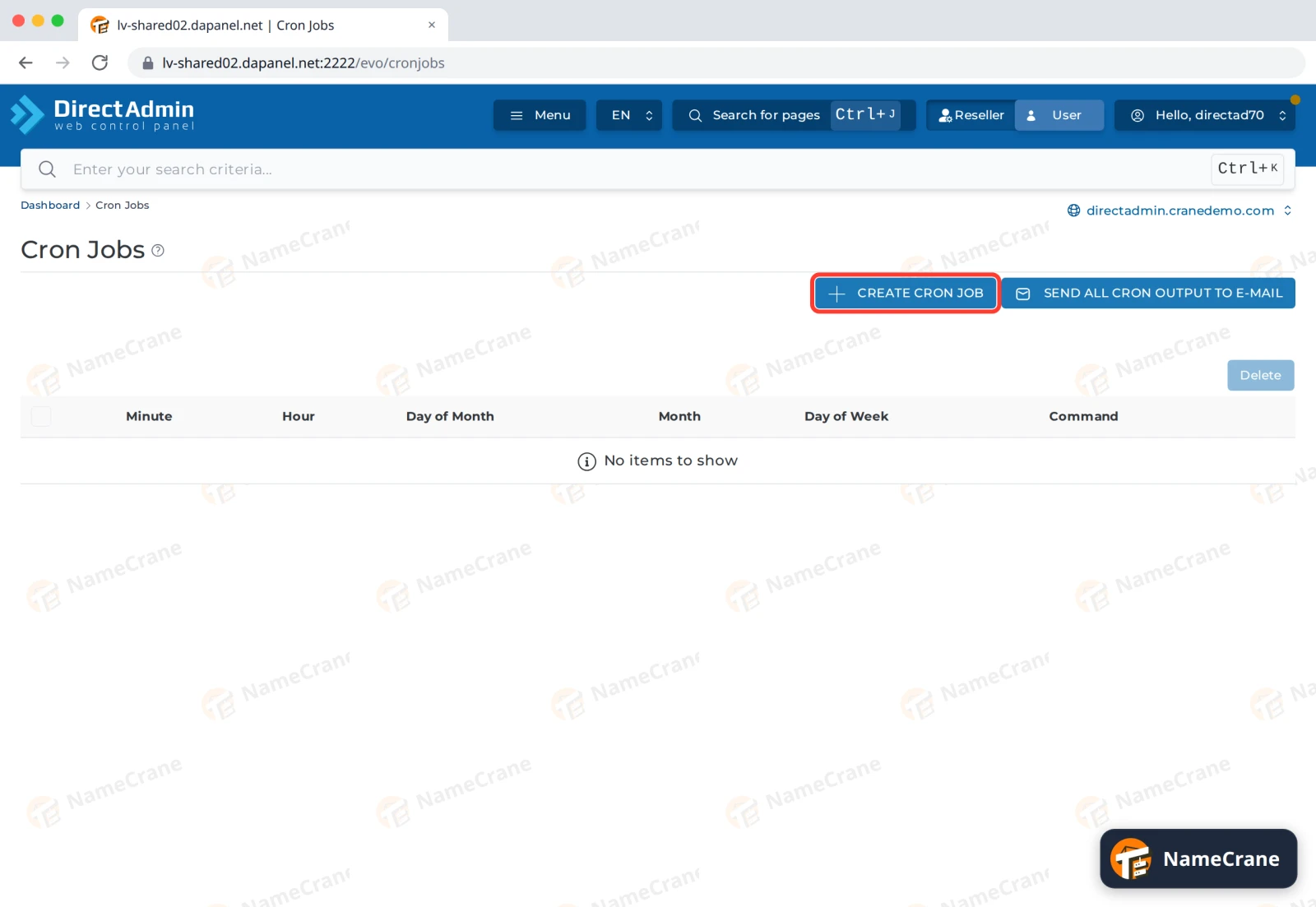
Click Create Cron Job.
-
Set the schedule. Leave a box as
*to mean “every”. For twice an hour, type0,30in Minute and leave the rest as*. Cron job will run describes your schedule in words so you can check it.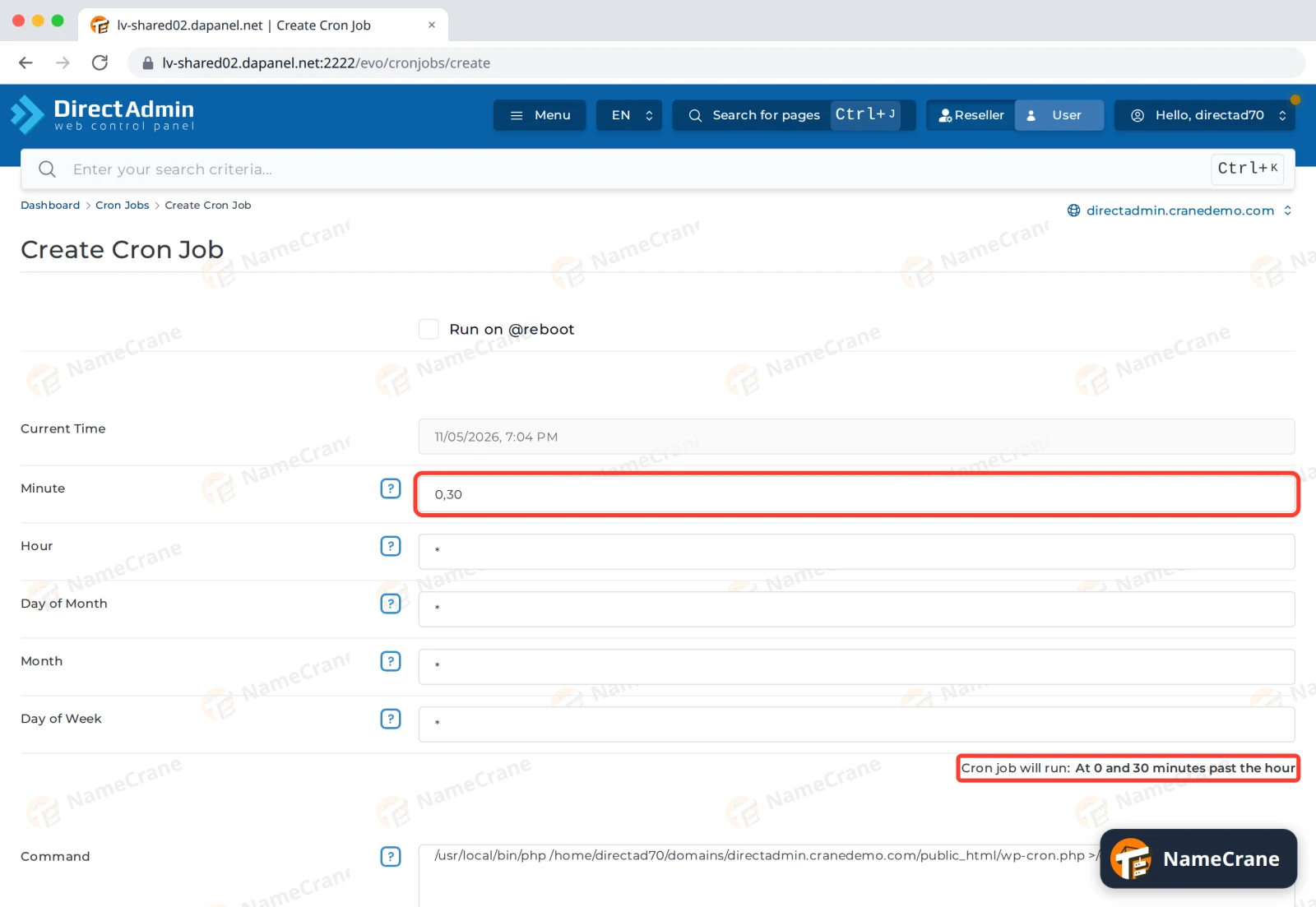
-
In Command, type the command to run. For WordPress:
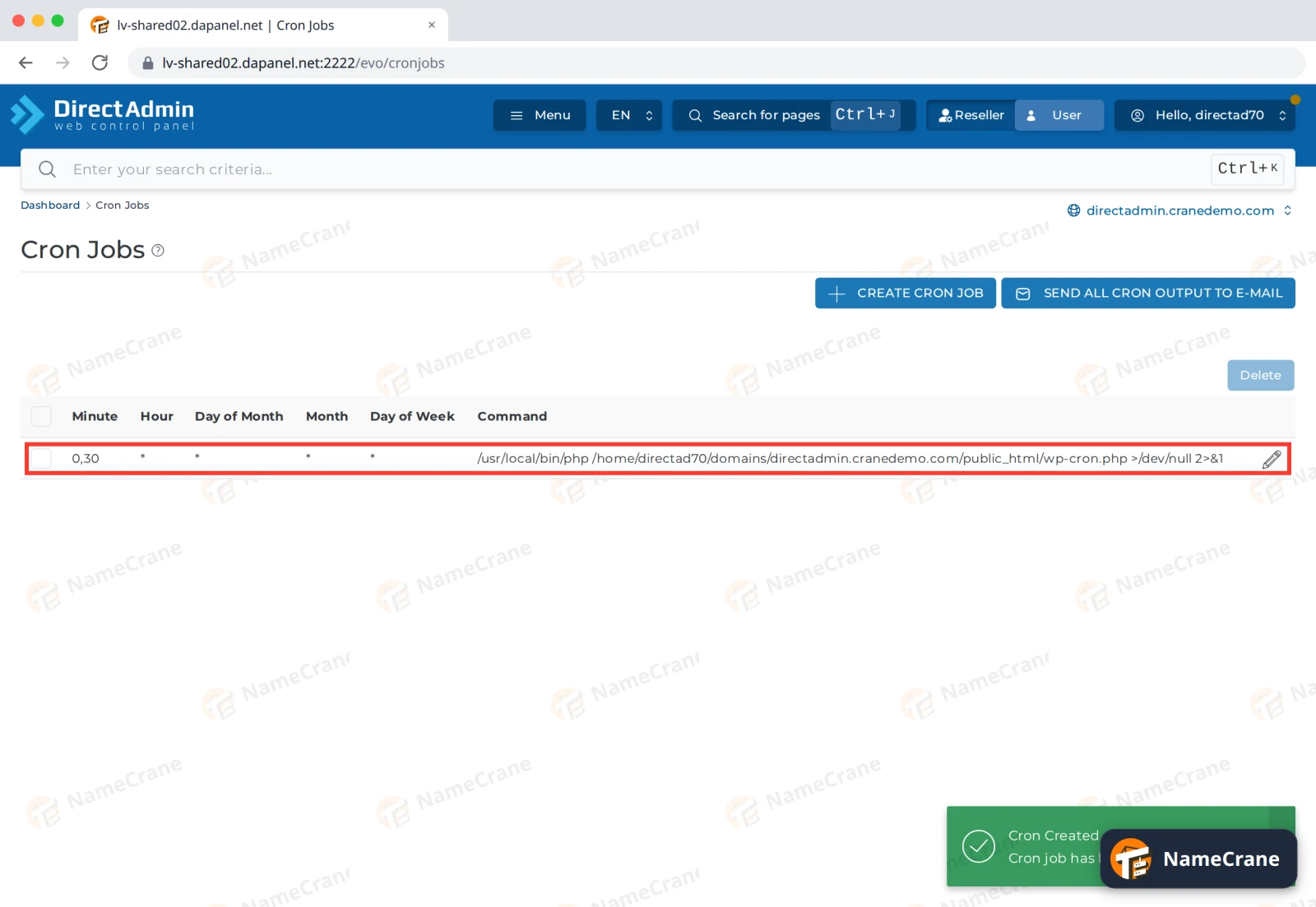
/usr/local/bin/php /home/directad70/domains/directadmin.cranedemo.com/public_html/wp-cron.phpClick Prevent E-mail, which adds
>/dev/null 2>&1to the end so you don’t get an email every time it runs. Then click Create.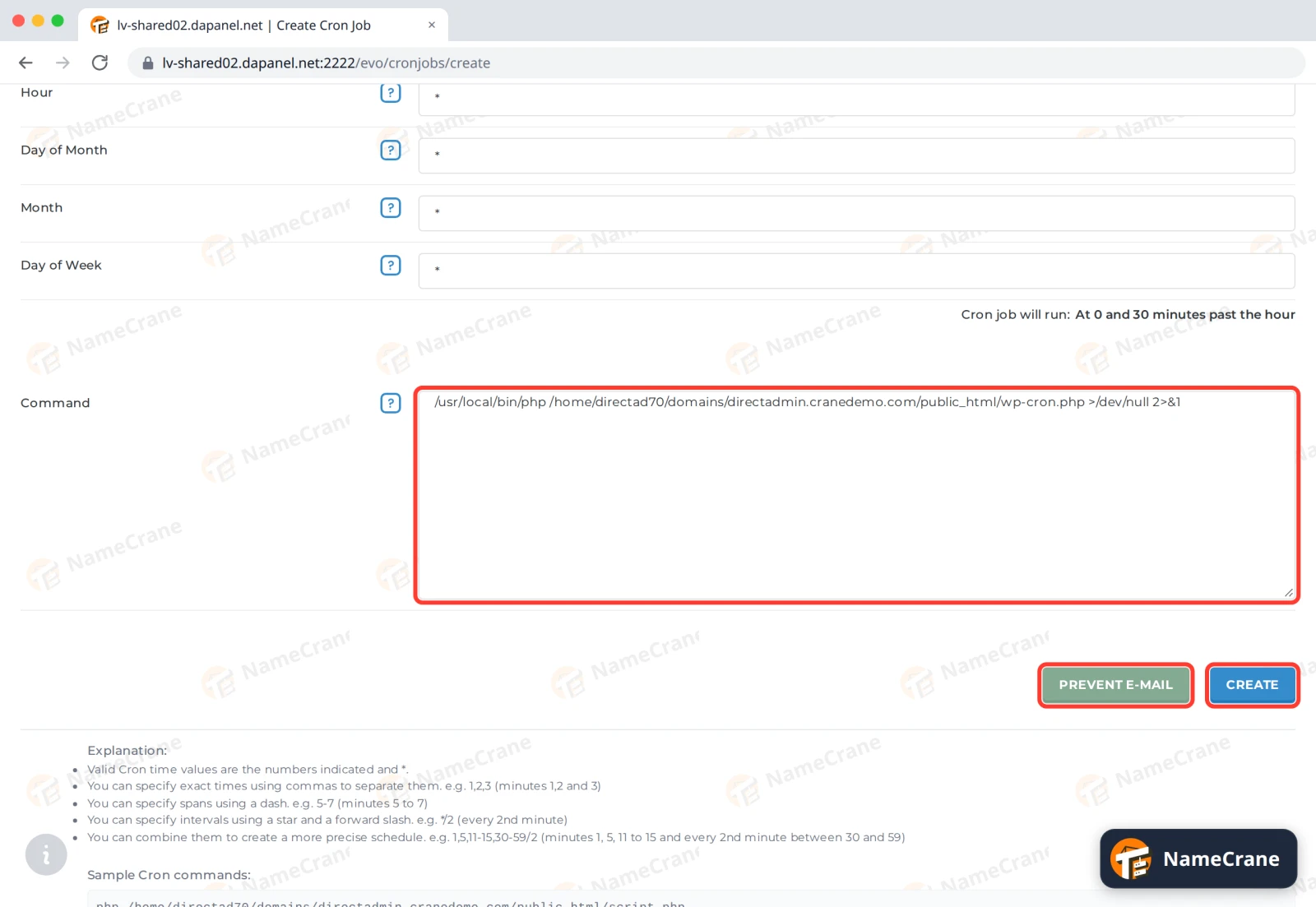
-
The job appears in the list. To change it, click the pencil icon. To remove it, tick it and click Delete.
What the command means
| Part | What it does |
|---|---|
/usr/local/bin/php |
Runs PHP, using the version you picked in PHP version settings. |
/home/directad70/domains/directadmin.cranedemo.com/public_html/wp-cron.php |
The script to run. Replace directad70 with your DirectAdmin username and the domain with yours. The Sample Cron commands at the bottom of the page show your own path. |
>/dev/null 2>&1 |
Throws away the output, so you don’t get an email every time the job runs. |
Note: Times use the server’s time zone. Current Time at the top of the form shows the server’s time now.
Troubleshooting
| Problem | What to do |
|---|---|
| I get an email every time the job runs | Edit the job and click Prevent E-mail. |
| The job doesn’t seem to run | Edit the job, remove >/dev/null 2>&1 for a while, and use Send all cron output to e-mail to get the output. The email shows any error. |
| “Could not open input file” | The path to the script is wrong. Check where the file is in File Manager. |
| The script needs a different PHP version | Change it in PHP version settings. /usr/local/bin/php follows that setting. |
Snagged on something? Contact support and we’ll get you sorted.