How to Create a cPanel Account for a Customer in WHM
Last updated Changelog
On this page
Each of your customers gets their own cPanel account: their own login, their main domain, and the limits of the package you choose. You’ll need at least one package first. See Create a hosting package. In this example we create an account for client.cranedemo.com.
Steps
-
Log in to WHM. Type
Create a New Accountin the search box at the top left, then click Create a New Account under Account Functions.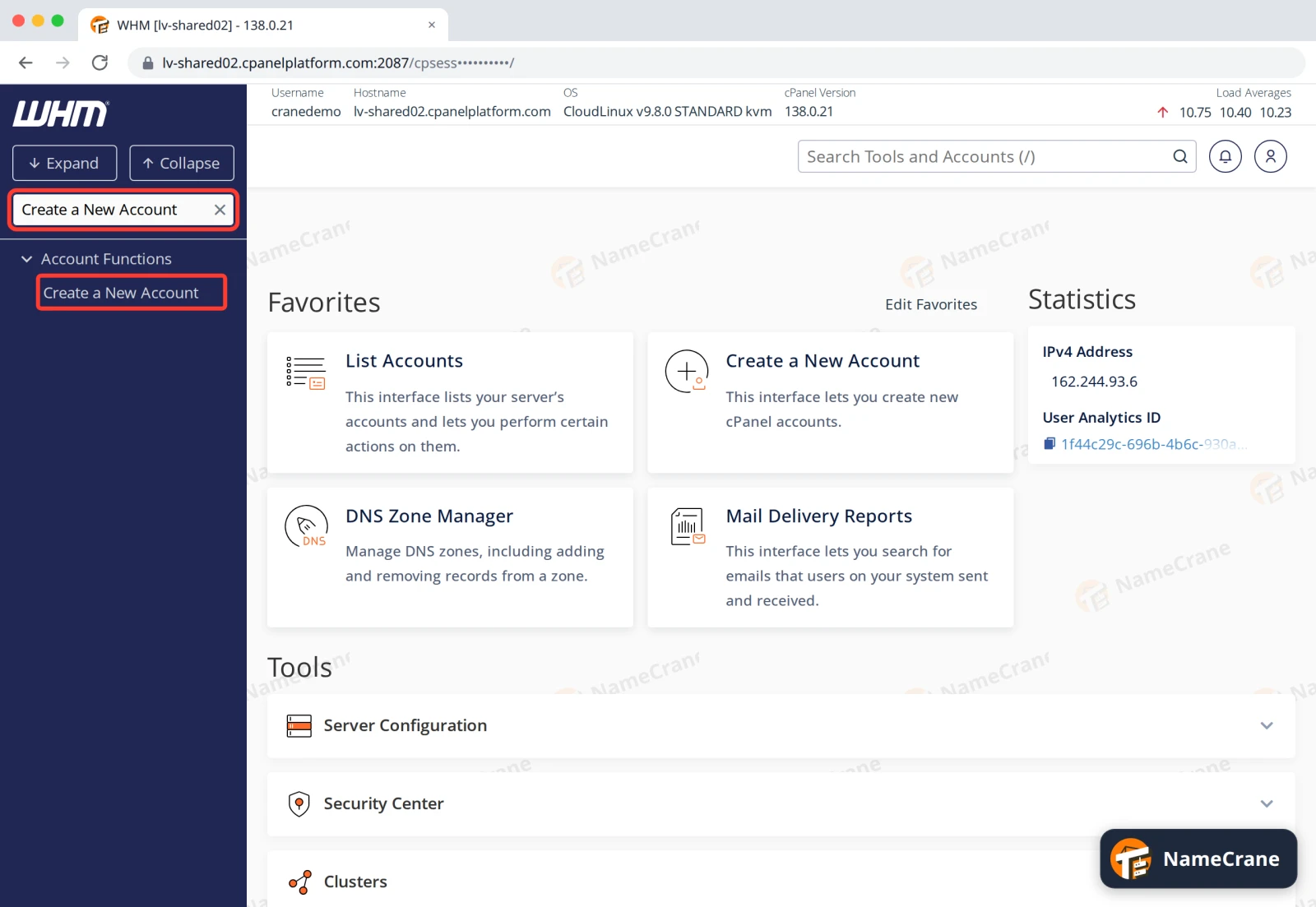
-
Type the customer’s Domain, such as
client.cranedemo.com, withoutwww. WHM fills in a Username from the domain. You can change it, but keep to lowercase letters and numbers, starting with a letter.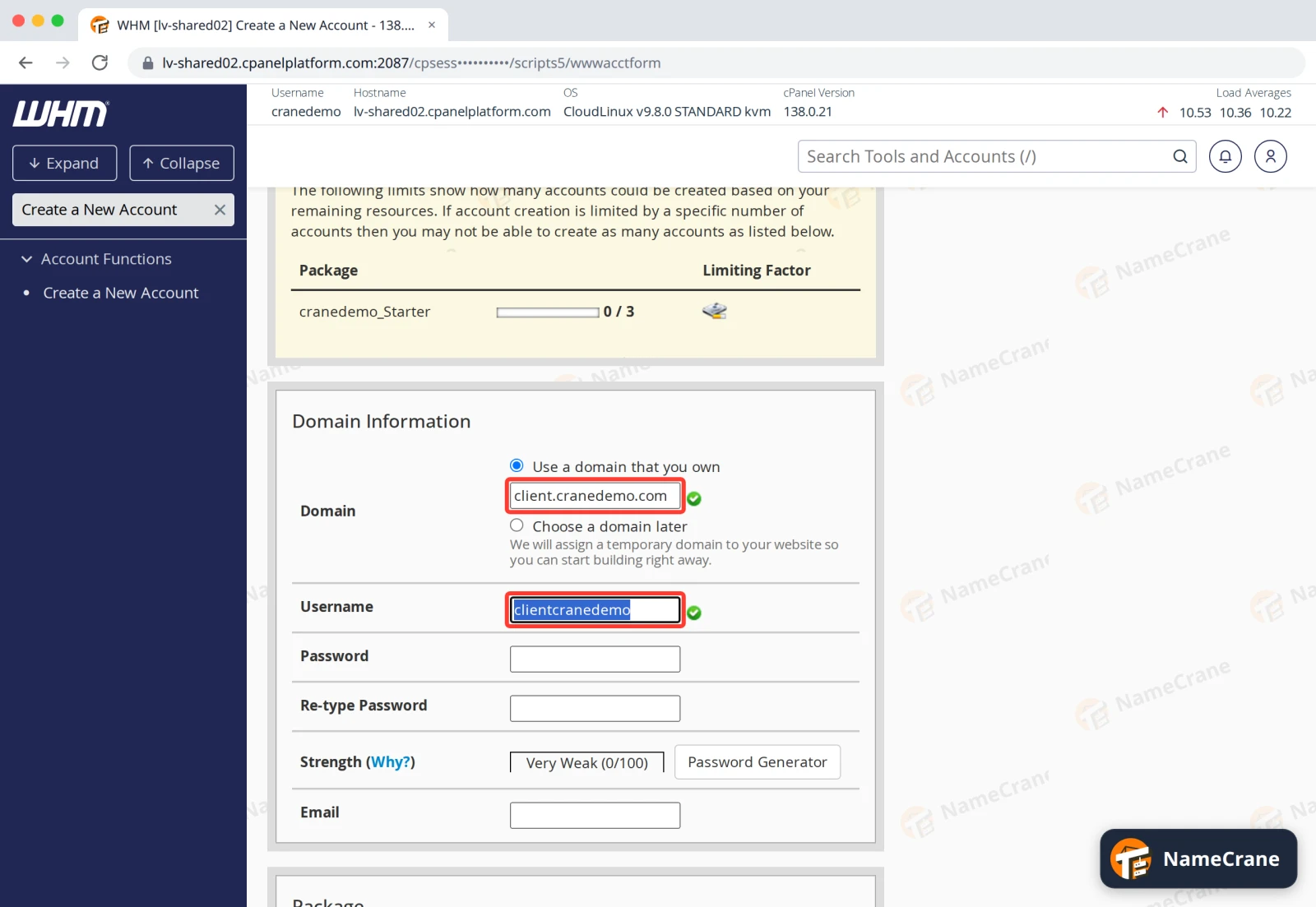
-
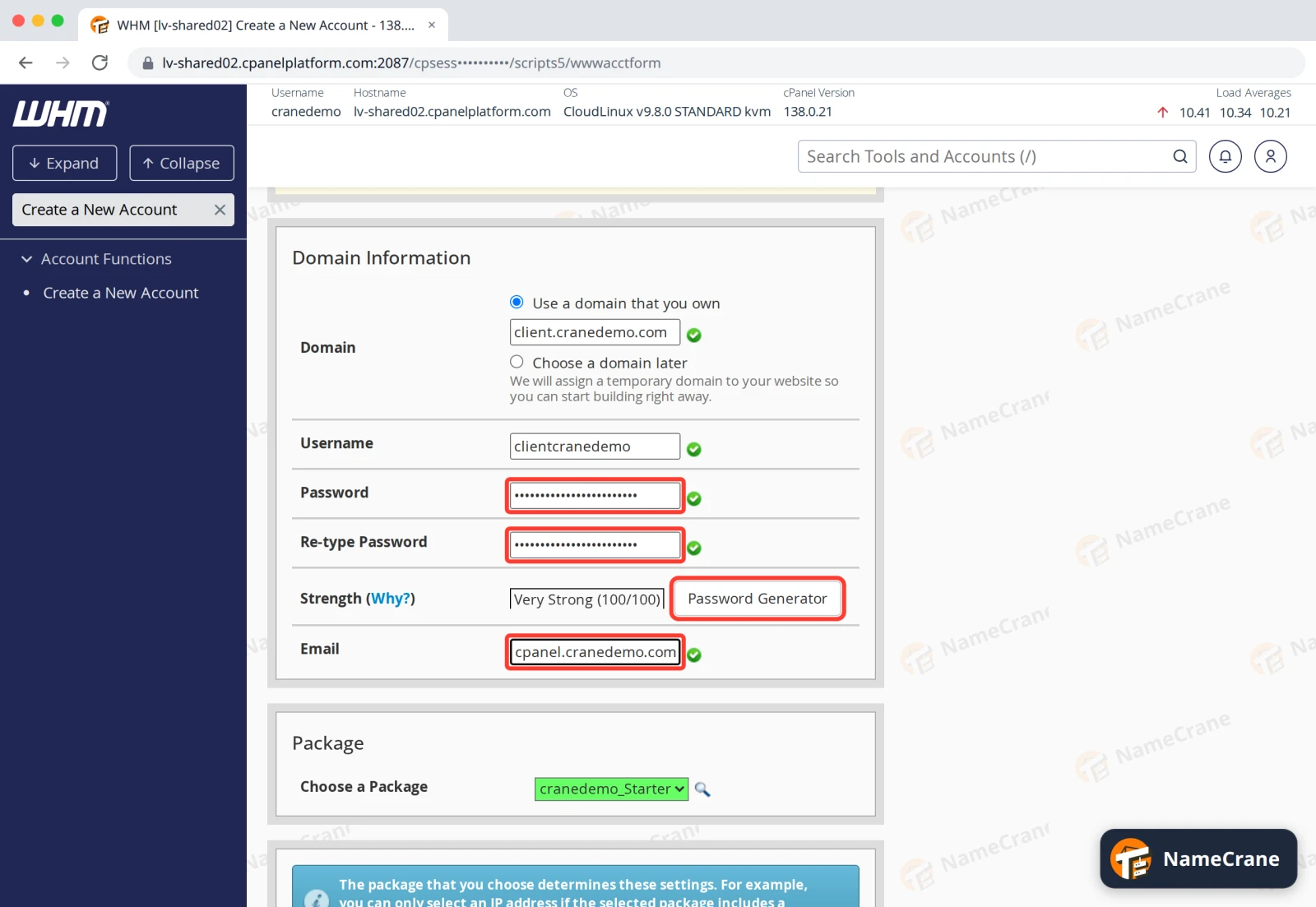
Type a strong Password twice, or click Password Generator to make one. Note it down to give to your customer. Then type the customer’s Email address.
-
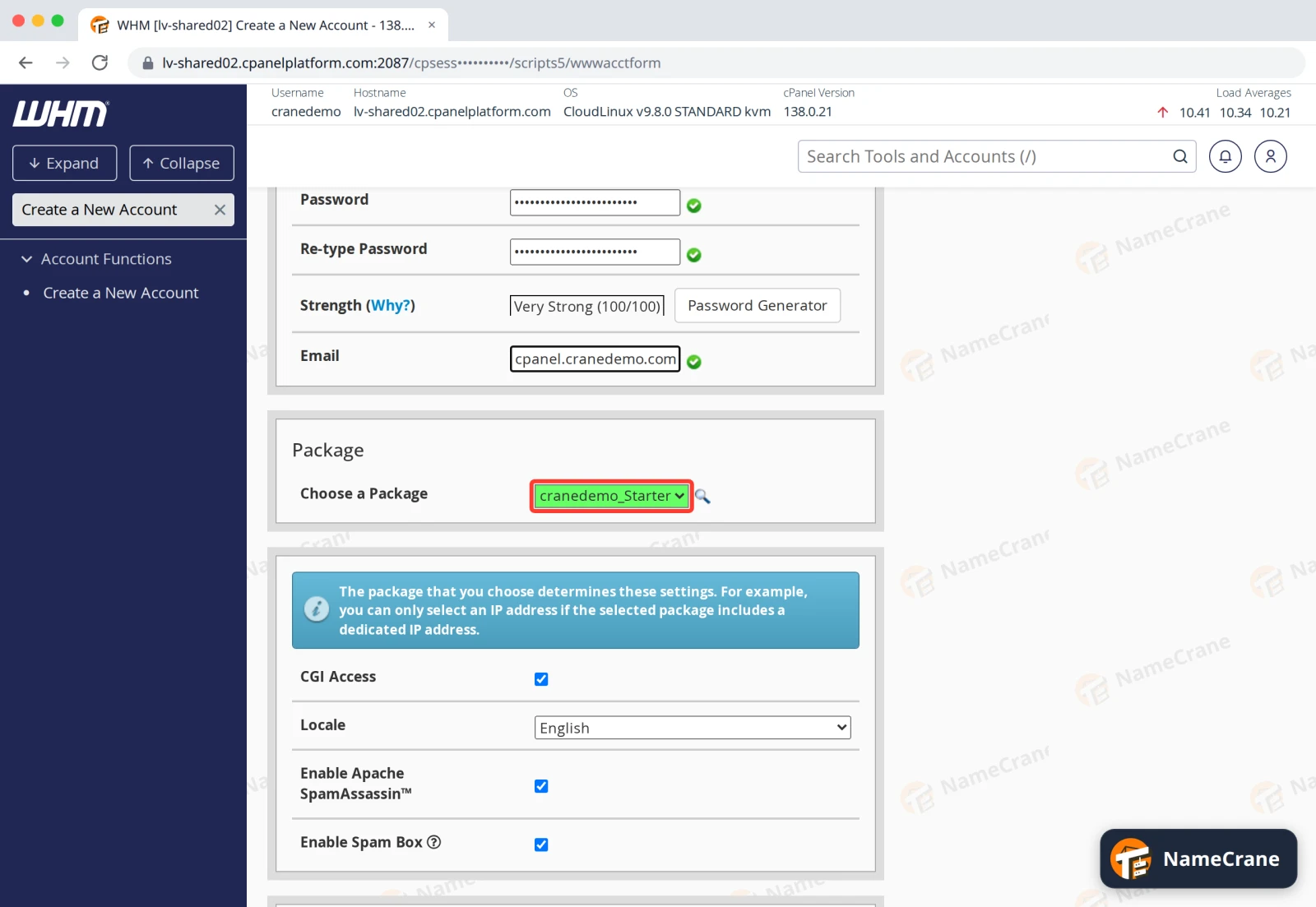
Under Package, choose the plan for this customer.
-
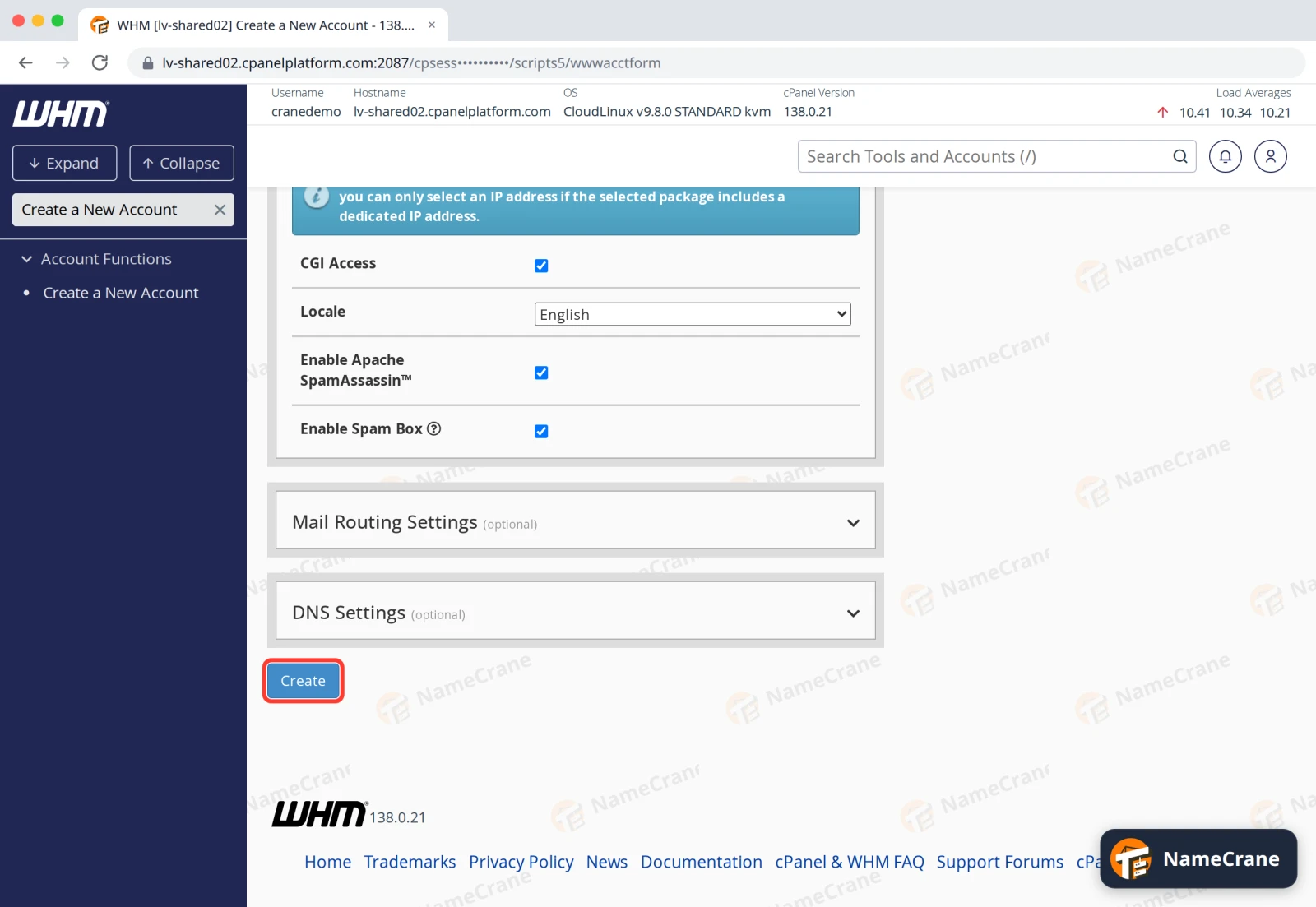
Leave the rest of the settings as they are. Scroll to the bottom and click Create.
-
WHM sets up the account, which takes a few seconds. When it’s done, you’ll see Account Creation Status: ok, followed by a summary of the new account.
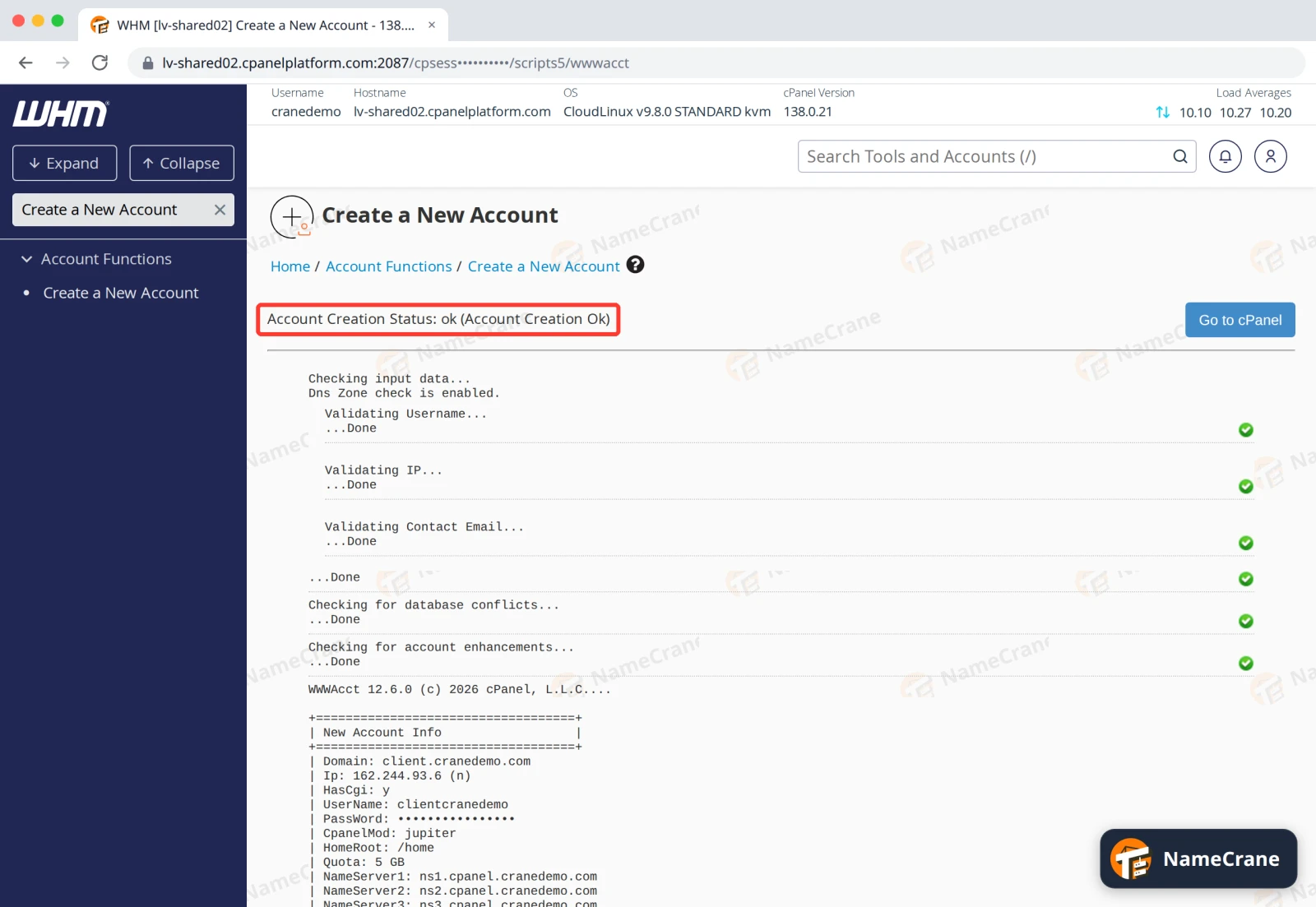
In our test, client.cranedemo.com worked straight away, because its nameservers already pointed to NameCrane. Go to cPanel opens the new account, if you’d like to set things up for your customer.
WHM doesn’t email your customer their login details: send them their domain, username and password yourself. They can then log in to cPanel.
Note: The summary at the bottom of the page includes the account’s password. Don’t share a screenshot of it.
Troubleshooting
| Problem | What to do |
|---|---|
| “is already owned by another user” or “already exists” | That domain is already on our server, in another account. Check it isn’t one of yours under List Accounts. If it isn’t, contact support. |
| The package I want isn’t in the list | Create it first. See Create a hosting package. |
| WHM says I can’t create any more accounts | Your reseller plan sets how many accounts you can have. The table at the top of Create a New Account shows how many are left. Contact support to upgrade. |
| The customer’s website doesn’t load | Their domain’s nameservers need to point to NameCrane. See Point your domain to NameCrane. |
Snagged on something? Contact support and we’ll get you sorted.