How to Check Your Free SSL Certificate and Force HTTPS in cPanel
Last updated Changelog
On this page
Your NameCrane cPanel account gets free SSL certificates automatically through AutoSSL. These are the certificates that put the padlock and https:// on your website, and they also secure your email and webmail. You don’t need to buy or install anything, and they renew by themselves. This guide shows you how to check they’re working, and how to force everyone onto the secure version of your site.
Check your certificates
-
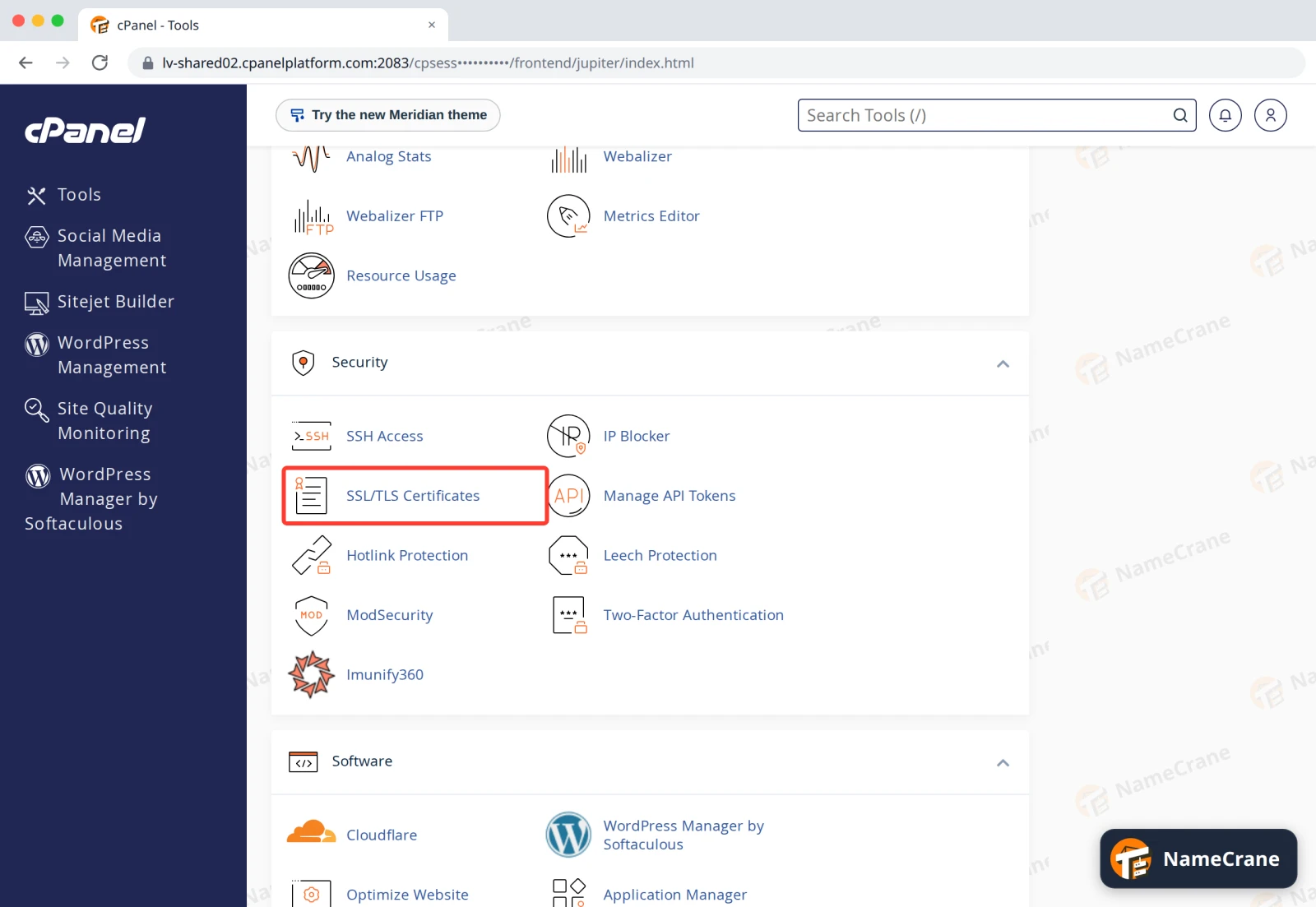
Log in to cPanel. In the Security section, click SSL/TLS Certificates.
-
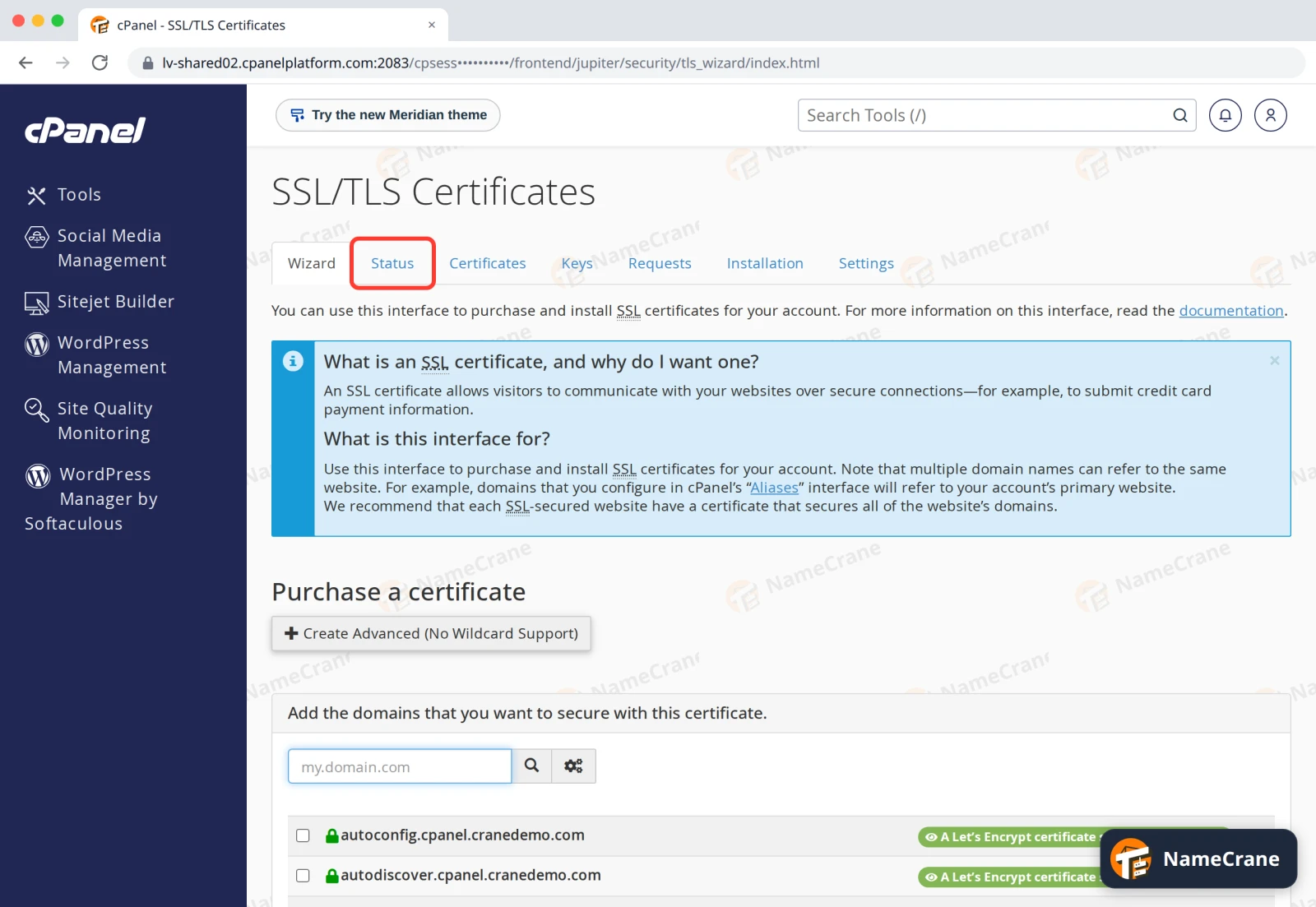
Click the Status tab.
-
Each of your domains and subdomains is listed. AutoSSL Domain Validated means it’s protected. You’ll also see when it expires, and “The certificate will renew via AutoSSL”, so there’s nothing for you to do.
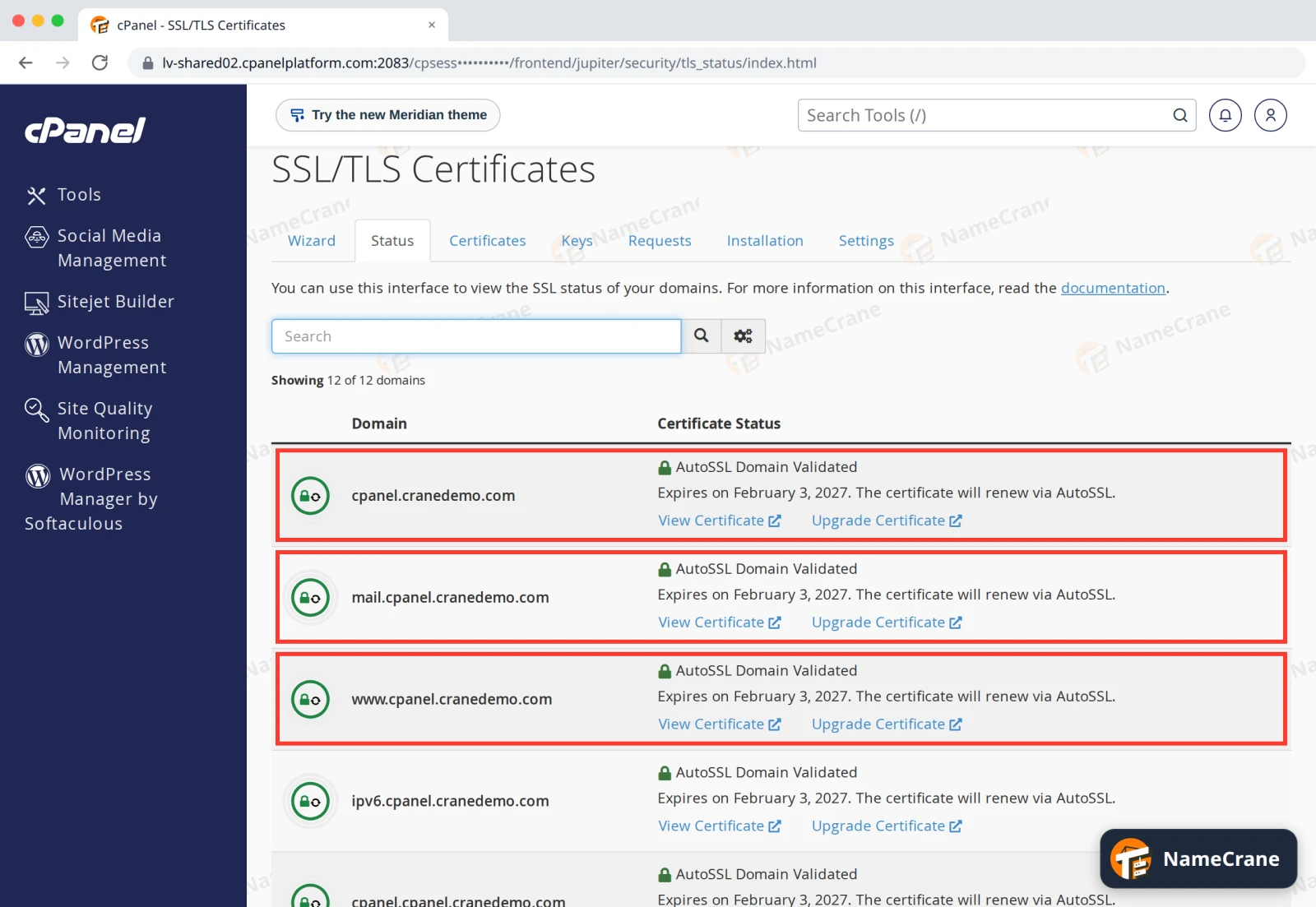
Note: A brand-new domain can take a few hours to get its certificate, and only once the domain points at your NameCrane hosting. If a domain isn’t covered yet, check its DNS, then look again later.
Force HTTPS
Even with a certificate, people who type http:// or click an old link can still land on the insecure version of your site. Turning on Force HTTPS Redirect sends them to https:// automatically.
-
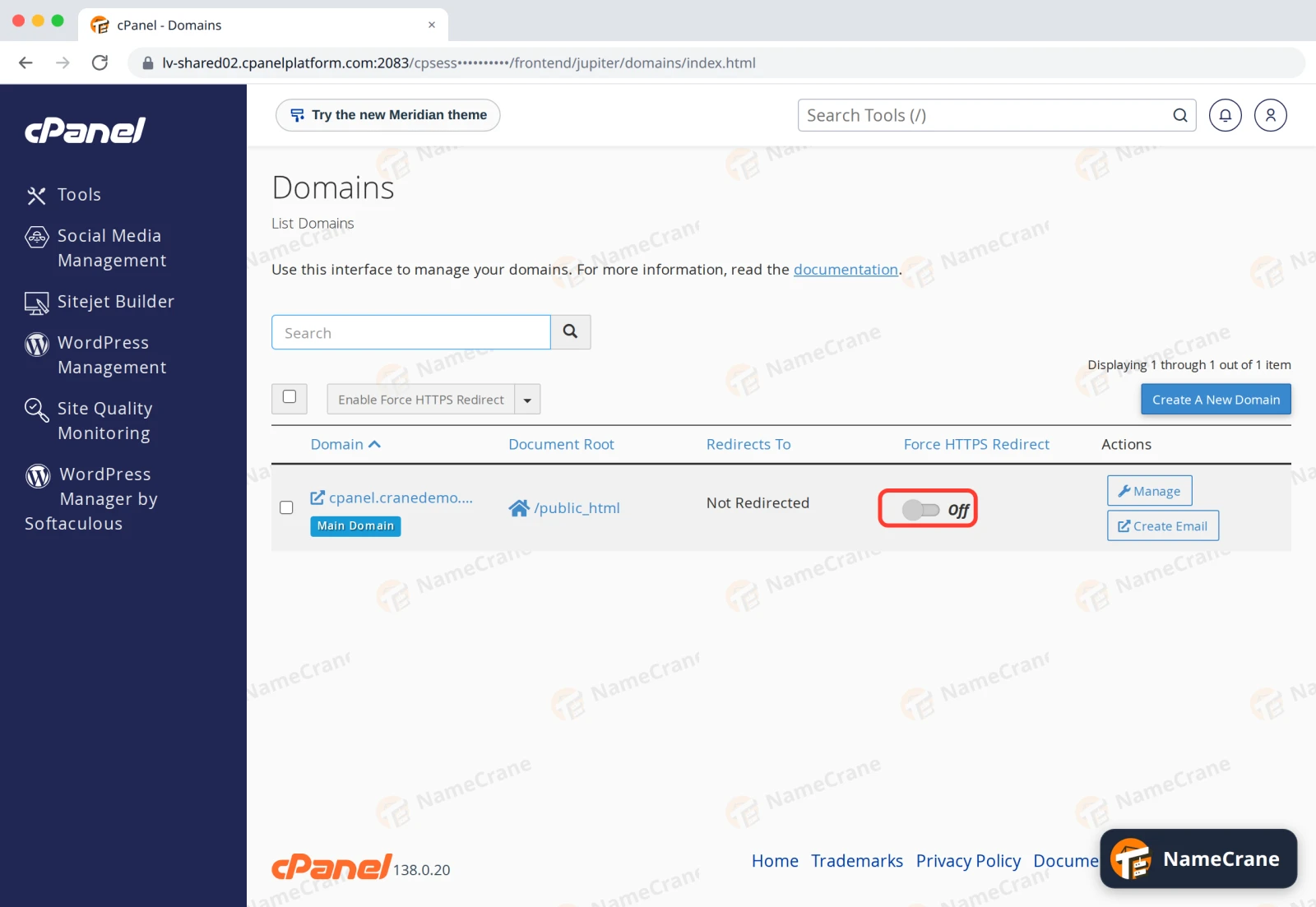
Go back to the cPanel home page and, in the Domains section, click Domains. Find your domain in the list. Its Force HTTPS Redirect switch shows Off.
-
Click the switch. It turns On and cPanel confirms “Force HTTPS Redirect is enabled”.
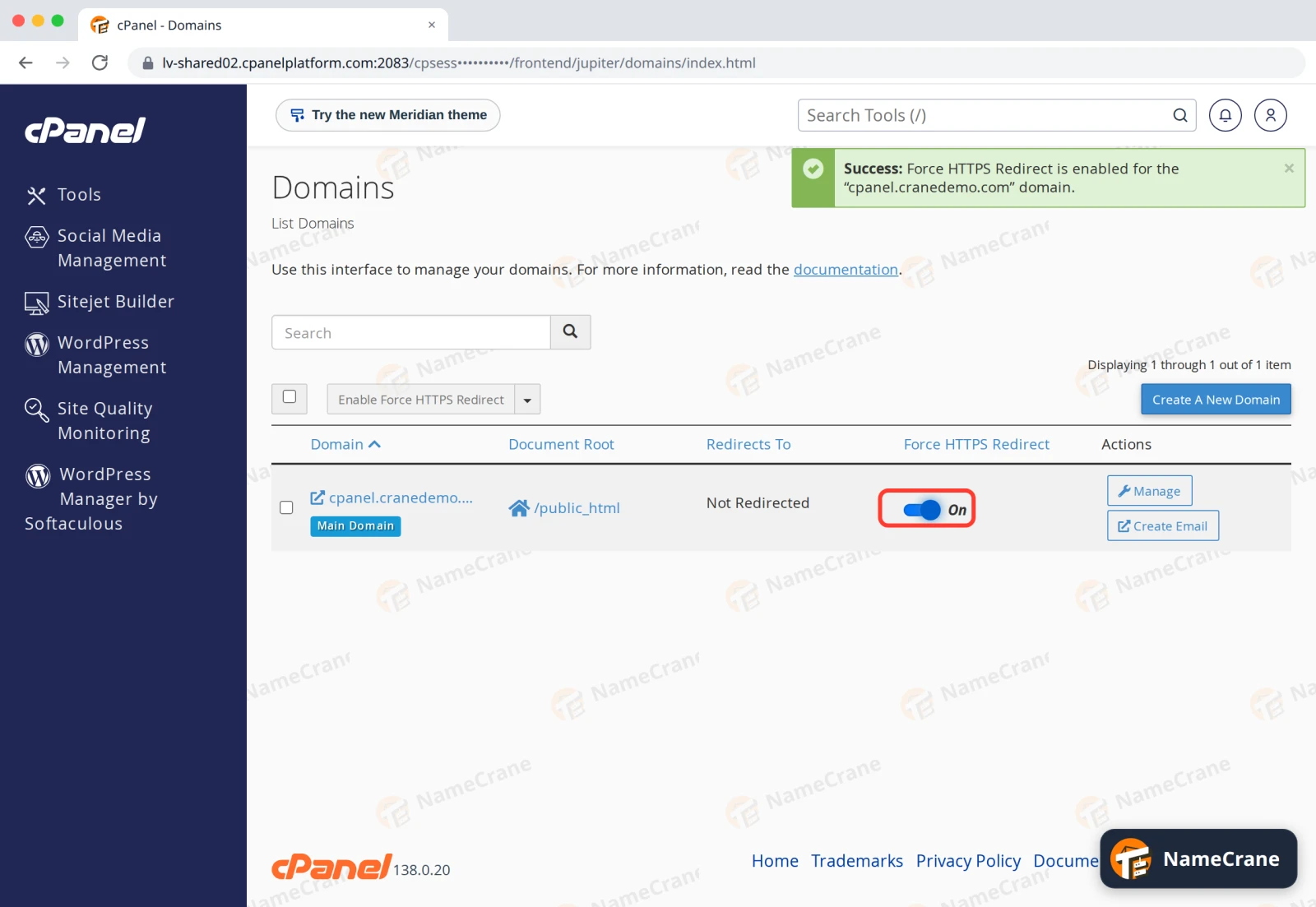
In our test, the redirect started working about a minute after switching it on. After that, http:// addresses were sent straight to https://.
Tip: Only switch this on once the domain’s certificate shows AutoSSL Domain Validated. Otherwise visitors will see a security warning.
Troubleshooting
| Problem | What to do |
|---|---|
| A domain isn’t covered by AutoSSL | Make sure it points at your NameCrane hosting, then wait a few hours. If it still isn’t covered, contact support. |
| The browser still says “Not secure” | Clear your browser cache. If your site loads images or scripts over http://, update those links to https:// (for WordPress, update the site address under Settings › General). |
| I need an organisation-validated or EV certificate | Click Upgrade Certificate next to the domain, or see Install a certificate you bought elsewhere. |
| The site loops between pages after forcing HTTPS | Switch Force HTTPS Redirect off, and check your site or .htaccess doesn’t add its own redirect too. |
Snagged on something? Contact support and we’ll get you sorted.