Getting Started
Last updated Changelog
On this page
We back up your whole account every night with JetBackup: your websites, databases, emails and settings. You can restore anything yourself, at any time, or download a copy. JetBackup looks and works the same in cPanel and DirectAdmin. Our screenshots are from cPanel unless we say otherwise.
Open JetBackup
-
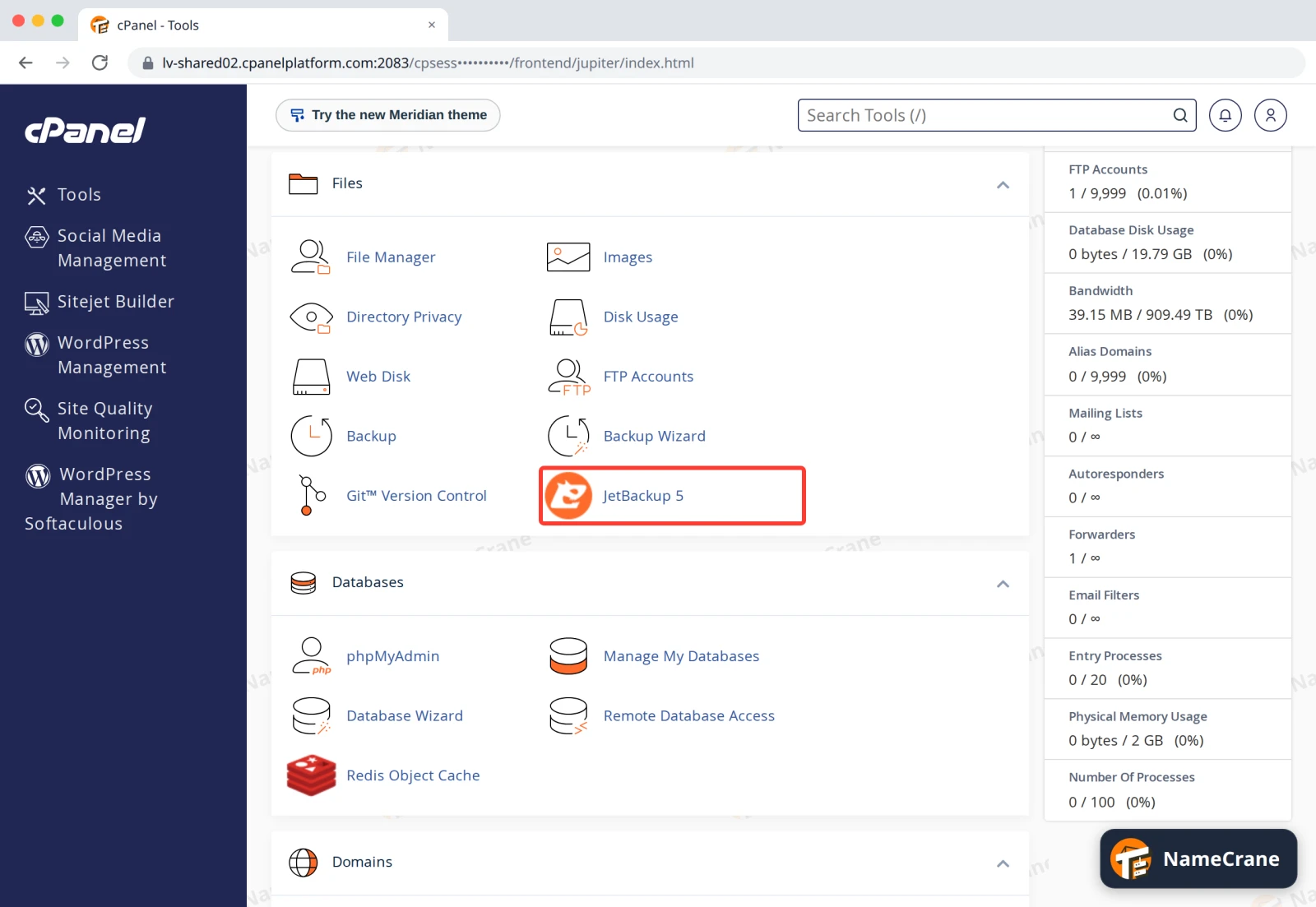
In cPanel: in the Files section, click JetBackup 5.
-
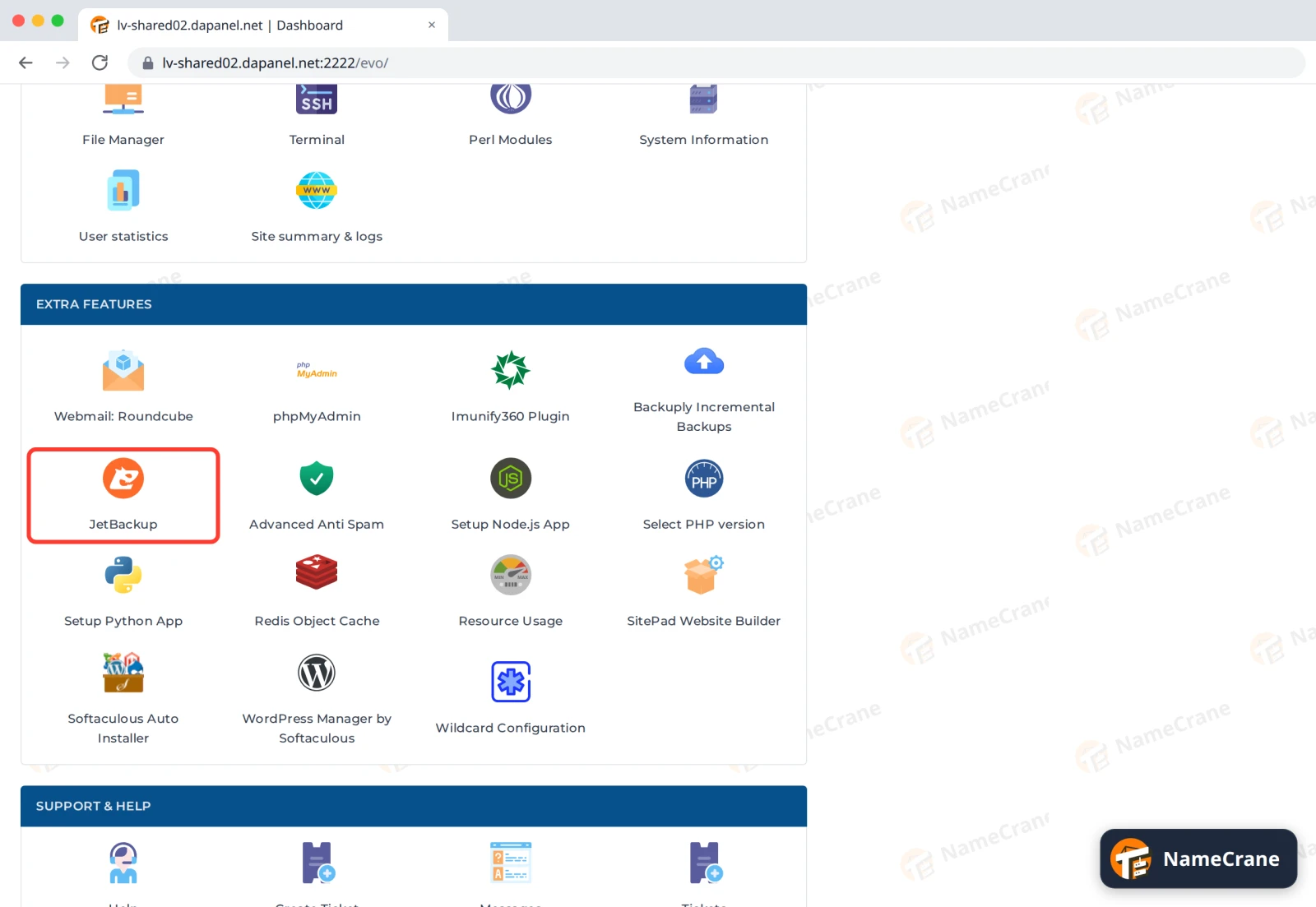
In DirectAdmin: in the Extra Features section, click JetBackup.
The dashboard
-
Under Restore & Download, there’s a tile for each kind of thing you can get back.
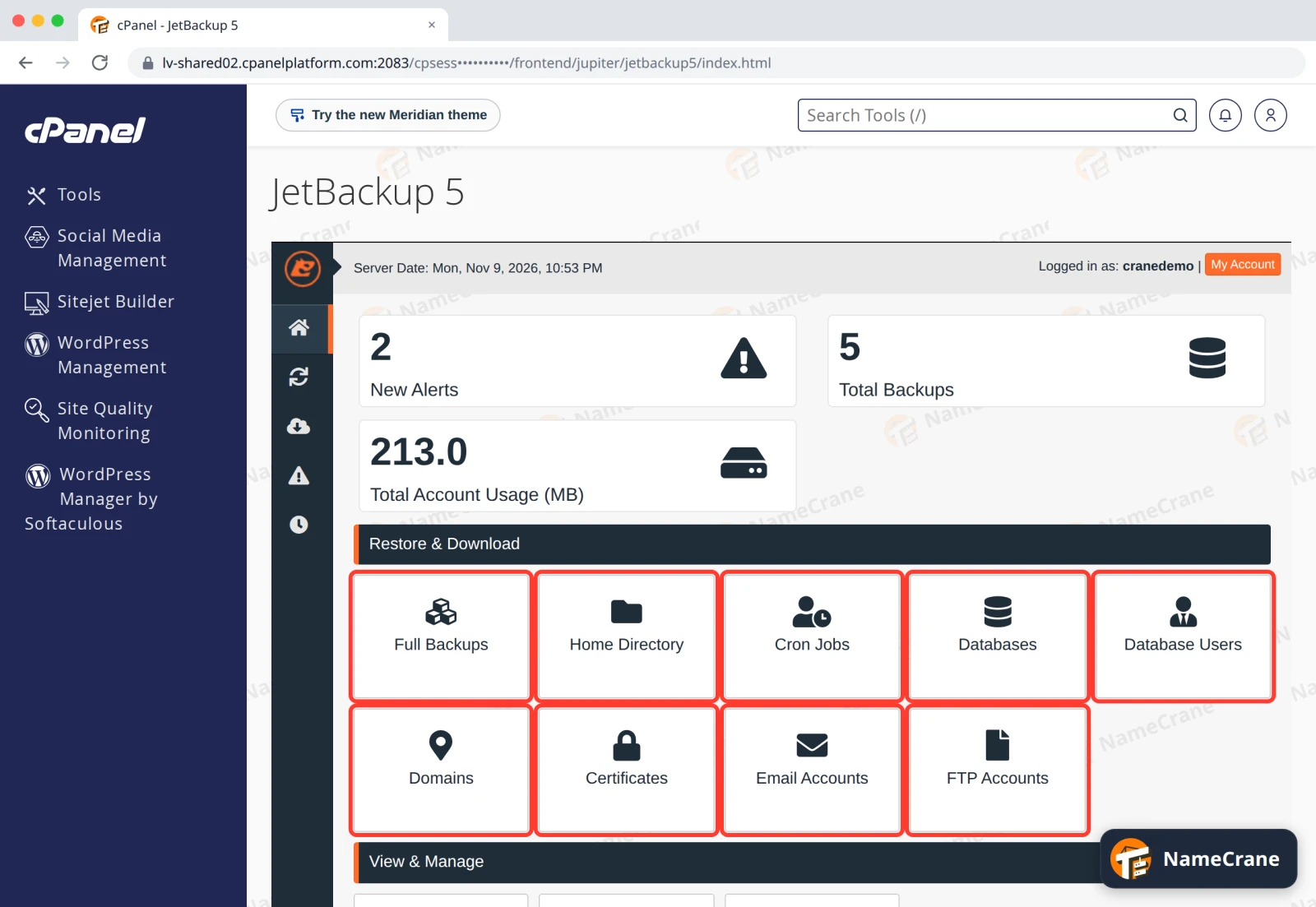
Tile What it brings back Full Backups Your whole account at once. See Restore your whole account. Home Directory Files and folders, including your websites. See Restore files and folders. Cron Jobs Your scheduled tasks. Databases A database’s contents. See Restore a database. Database Users Database users and what they can access. Domains Your domains’ DNS records. Certificates SSL certificates. Email Accounts Mailboxes and their emails. See Restore deleted emails. FTP Accounts FTP logins. -
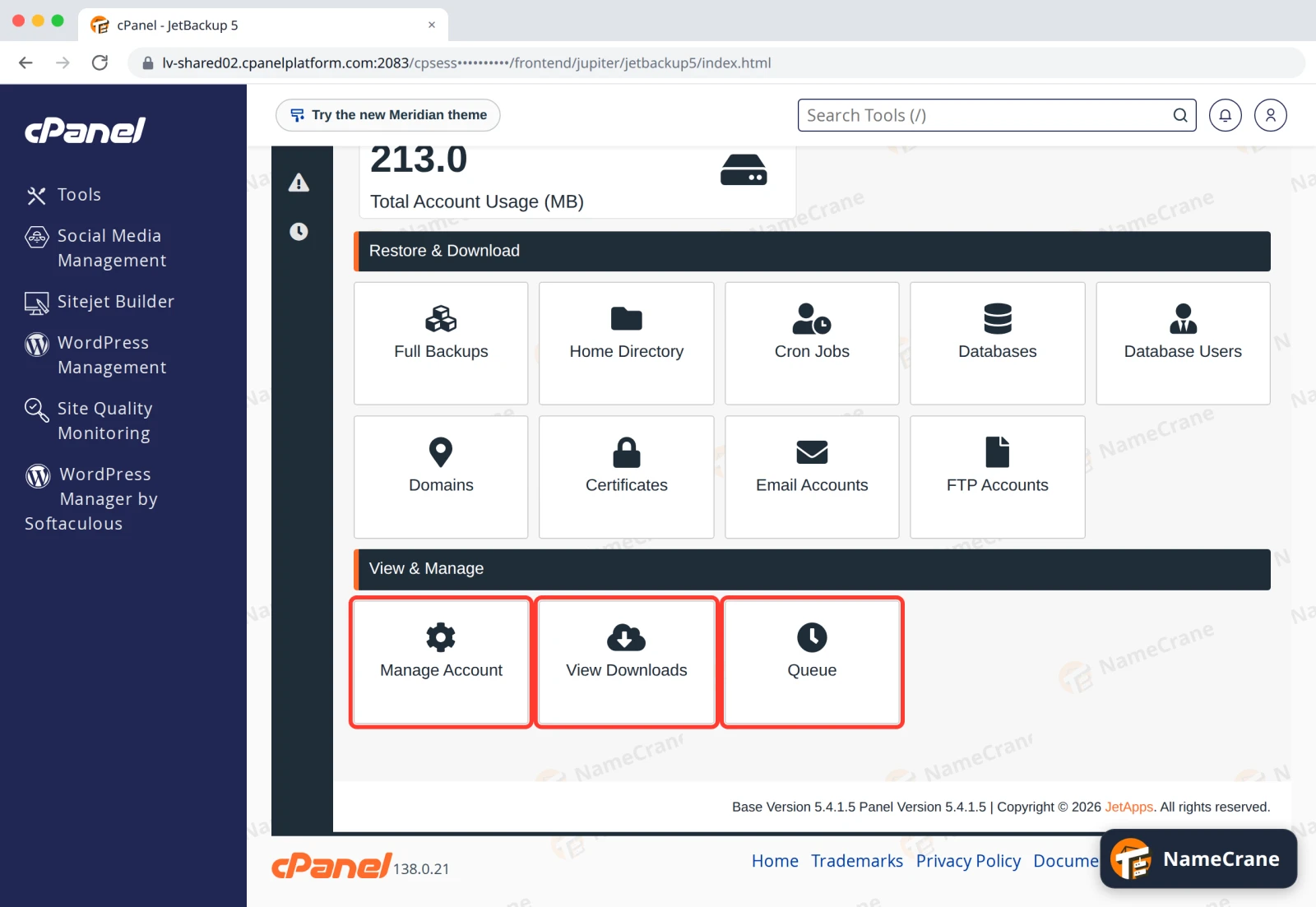
Under View & Manage: Manage Account sets the email address JetBackup writes to, View Downloads lists the copies you’ve downloaded, and Queue shows restores and downloads as they run. See Follow your restores and get email alerts and Download a backup copy.
Your backups
-
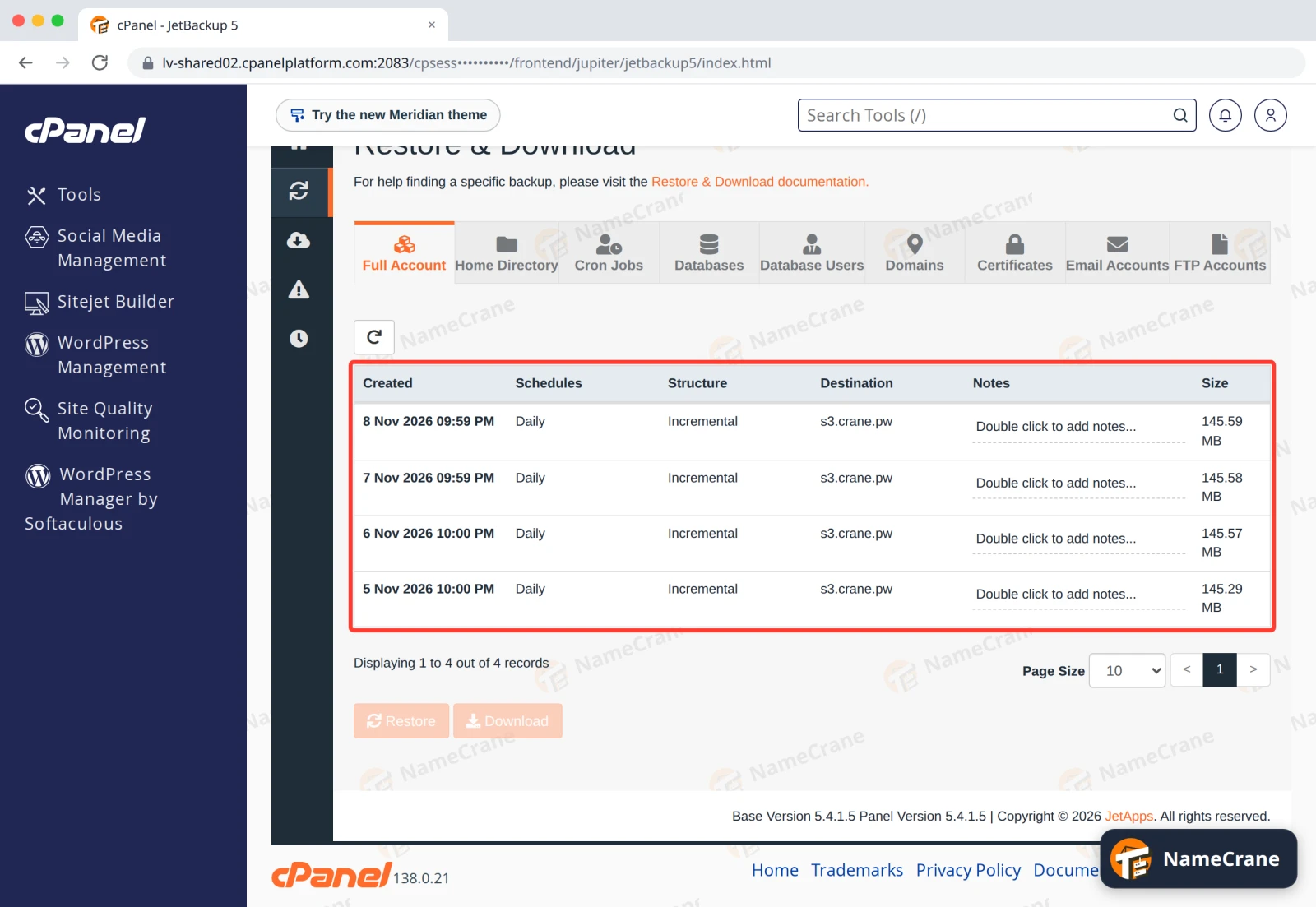
Each section lists your backups, newest first. Created is when the backup was made, Daily means it’s one of our nightly backups, and Destination is the separate storage where we keep it. Every backup in the list is complete, so you can restore from any of them.
-
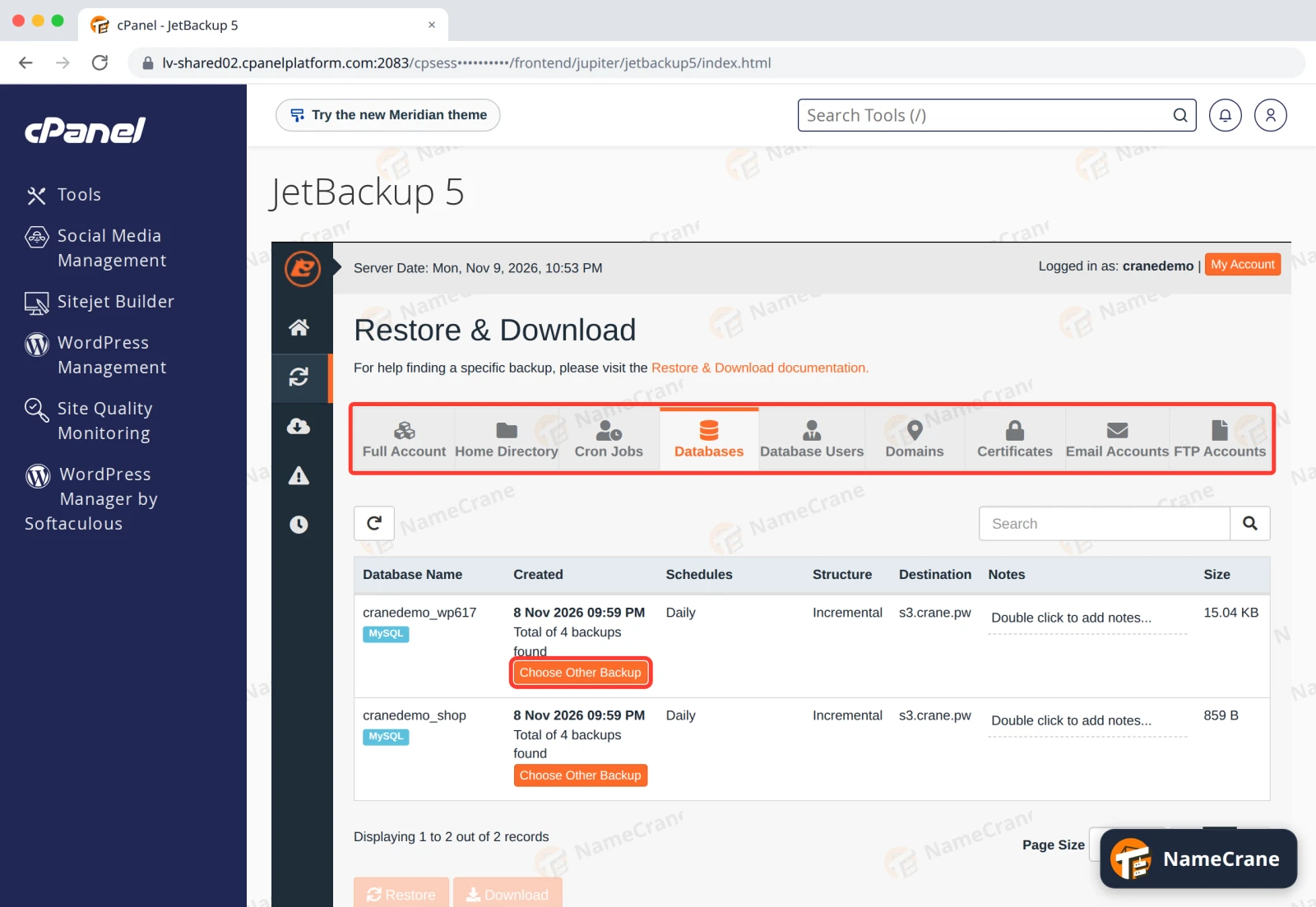
Use the tabs at the top to switch sections. For databases, email accounts and other items, each row shows the newest backup; click Choose Other Backup to pick an older date.
Tip: Backups run once a night. Anything you create and delete on the same day isn’t in a backup, so it can’t be restored.
Before you restore: the Merge option
Most restores ask whether to Merge backup data with live account data:
- Ticked: JetBackup puts back what’s missing and keeps everything newer than the backup.
- Not ticked (the default): JetBackup makes things exactly as they were in the backup, and deletes anything newer.
We tested both. Restoring a mailbox without Merge deleted the emails received since the backup, and restoring a folder without it deleted the files added since. With Merge ticked, the newer emails and files stayed. So tick Merge unless you want everything put back exactly as it was, for example after a hack.
Troubleshooting
| Problem | What to do |
|---|---|
| I can’t find JetBackup | Use the search box at the top of cPanel or DirectAdmin and type JetBackup. |
| The backup list is empty | Your account may be new: the first backup runs on your first night with us. |
| I need something from before the oldest backup | Contact support and tell us what you need and from when. |
Snagged on something? Contact support and we’ll get you sorted.