How to See Your Website's Visitors, Logs and Stats in DirectAdmin
Last updated Changelog
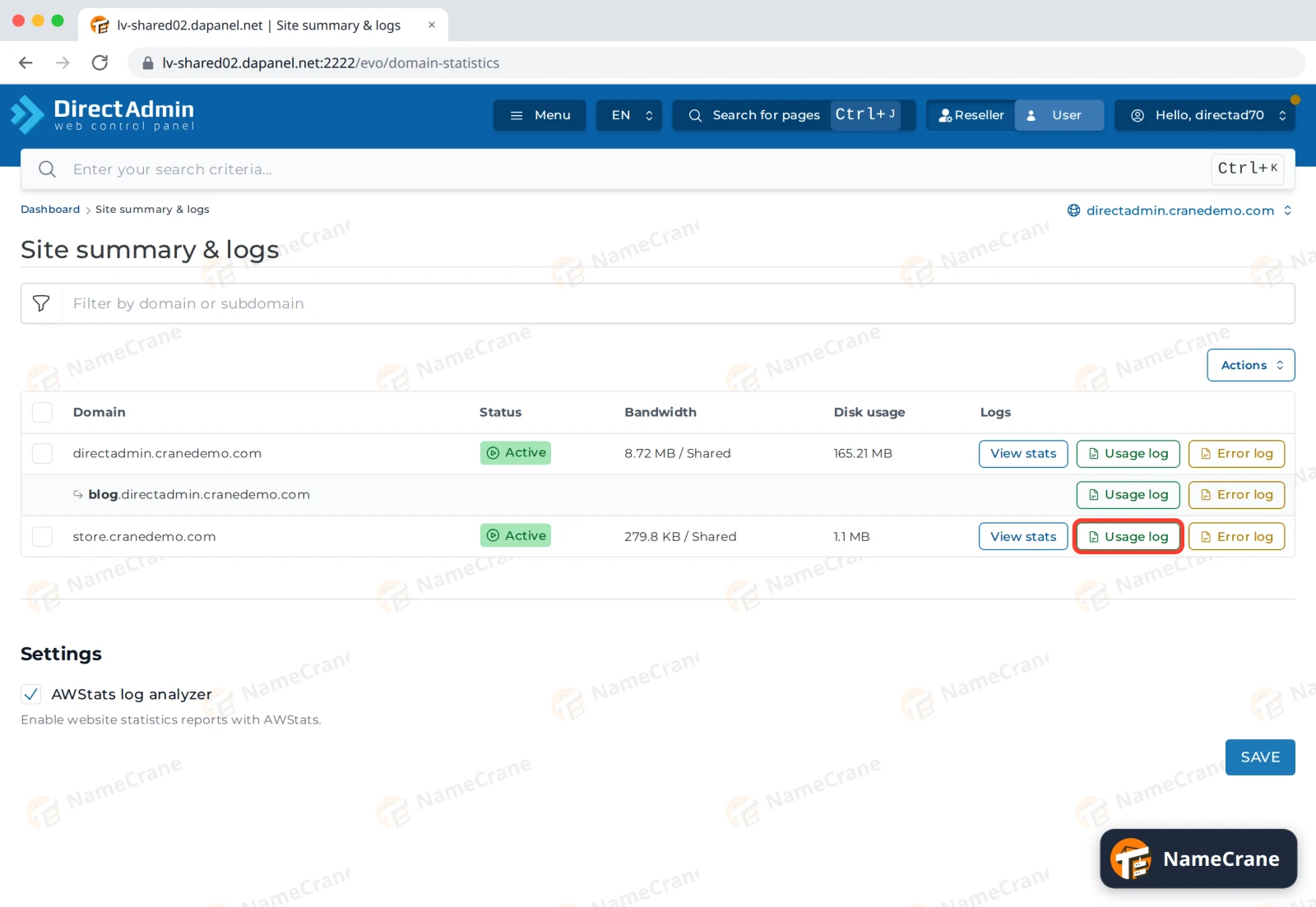
DirectAdmin’s Site summary & logs page shows each of your domains with three links:
| Link | What it shows |
|---|---|
| Usage log | Every visit: IP address, time, page and browser |
| Error log | Problems the web server reports for the domain |
| View stats | Monthly totals from AWStats: visitors, popular pages, countries and more |
See your latest visitors
-
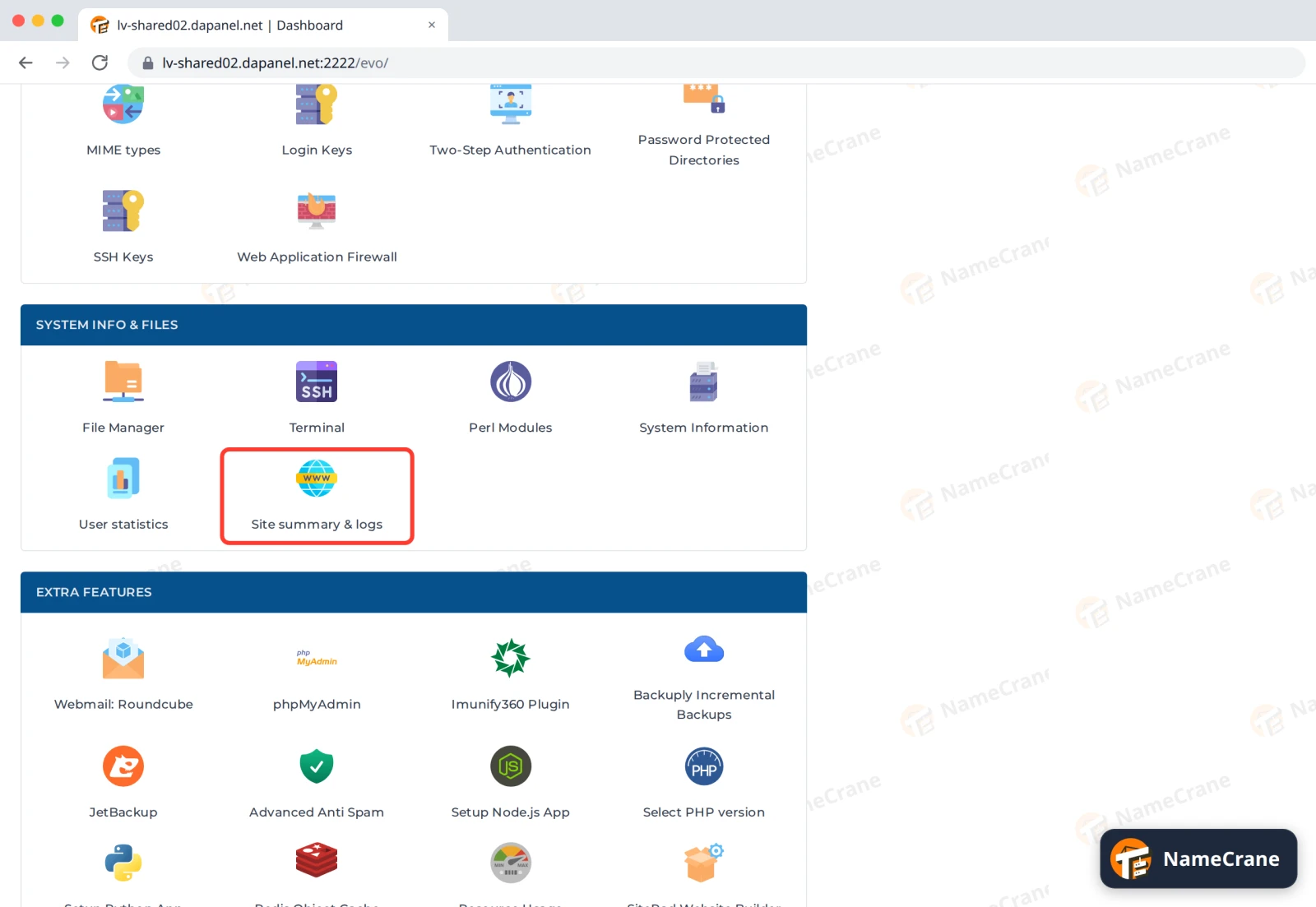
Log in to DirectAdmin and click Site summary & logs in System Info & Files.
-
Click Usage log next to your domain.
-
The log lists visits oldest first, so the newest are at the bottom. To see only the latest visits, click Tail, type how many lines you want in Tail size (lines), and click RELOAD LOG.
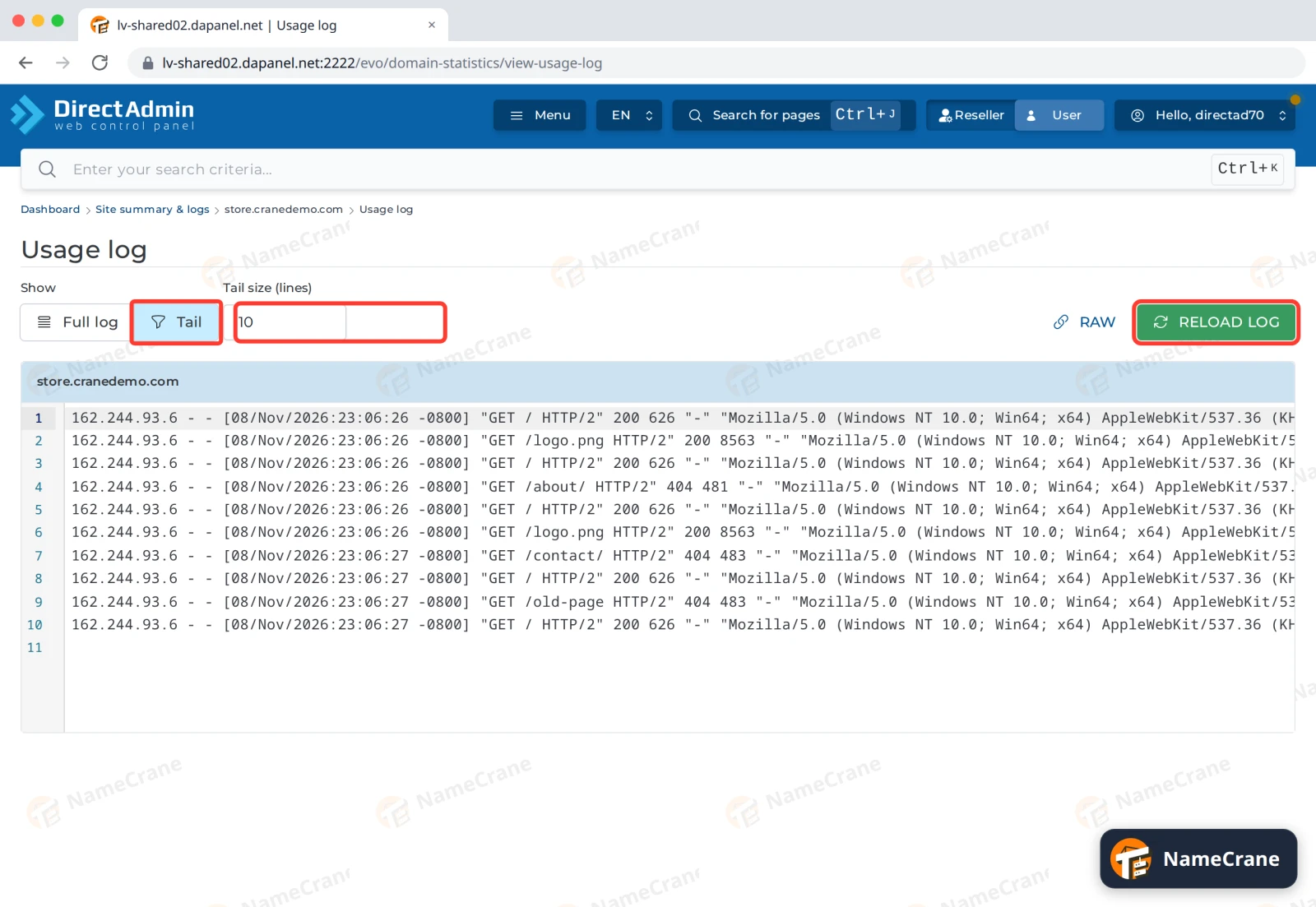
Each line starts with the visitor’s IP address, then the date and time and the page they asked for, such as GET /about/. The number after it tells you what happened:
| Number | Meaning |
|---|---|
200 |
The page loaded |
301 or 302 |
The visitor was redirected |
403 |
Access was blocked |
404 |
The page or file doesn’t exist |
500 |
Something went wrong on the site |
The end of the line shows the visitor’s browser.
Tip: Found an address that’s causing trouble? See Block an IP address.
Read your monthly stats
-
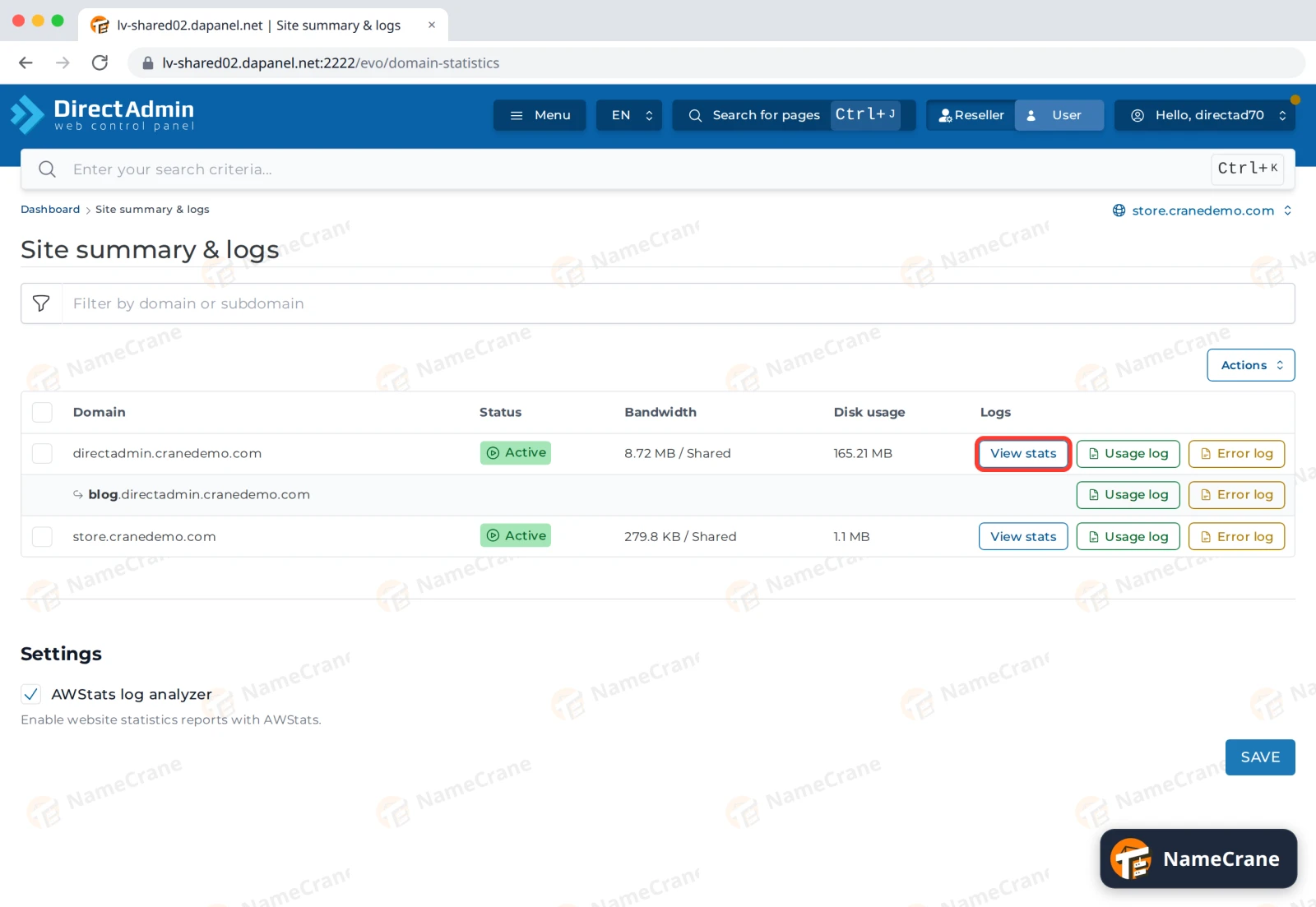
On the Site summary & logs page, click View stats next to your domain.
-
Summary shows this month’s unique visitors, visits, pages and data used. The menu on the left jumps to more detail, such as countries, popular pages and browsers.
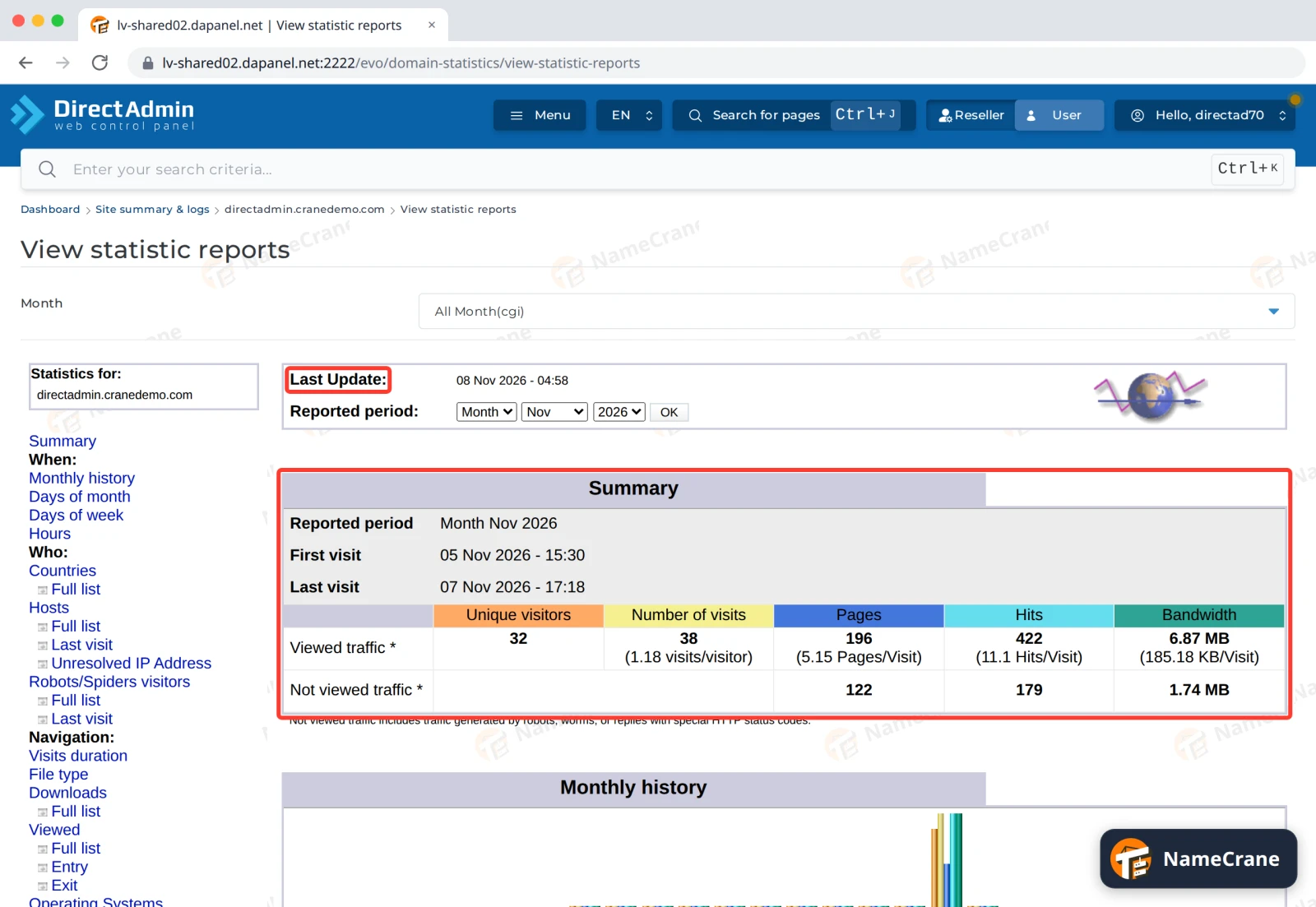
AWStats isn’t live. Last Update at the top shows when it last counted your visits: in our test, it updated once a day. Not viewed traffic is mostly robots and search engines.
Older logs
DirectAdmin keeps this month’s logs as .tar.gz files. In File Manager, open domains, then your domain, then logs. Download them to keep your own records.
Troubleshooting
| Problem | What to do |
|---|---|
| There’s no View stats link | Make sure AWStats log analyzer is ticked under Settings on the Site summary & logs page, and click Save. Check again the next day. |
| AWStats shows old numbers | It updates once a day. Check Last Update at the top. |
| My site shows an error, but the Error log is empty | Contact support and we’ll check the server’s logs for you. |
| I see my own visits in the log | That’s normal. They have your own IP address. |
Snagged on something? Contact support and we’ll get you sorted.