How to Get DMARC and TLS Reports in MXFilter
Last updated Changelog
On this page
Big mail providers send reports about email that uses your domain. MXFilter can collect them for you:
| Report | What it tells you |
|---|---|
| DMARC | Who’s sending email as your domain, and whether it passes SPF and DKIM. Use it to spot fakes, and before you tighten your DMARC policy. |
| TLS | Whether email sent to you arrives encrypted, and when senders hit certificate or encryption problems |
Each one needs a DNS record on your domain. If your domain uses NameCrane’s nameservers, add it in cPanel or in DirectAdmin.
Turn on DMARC reports
-
Open MXFilter from your control panel: from cPanel or from DirectAdmin. Then click Settings in the menu.
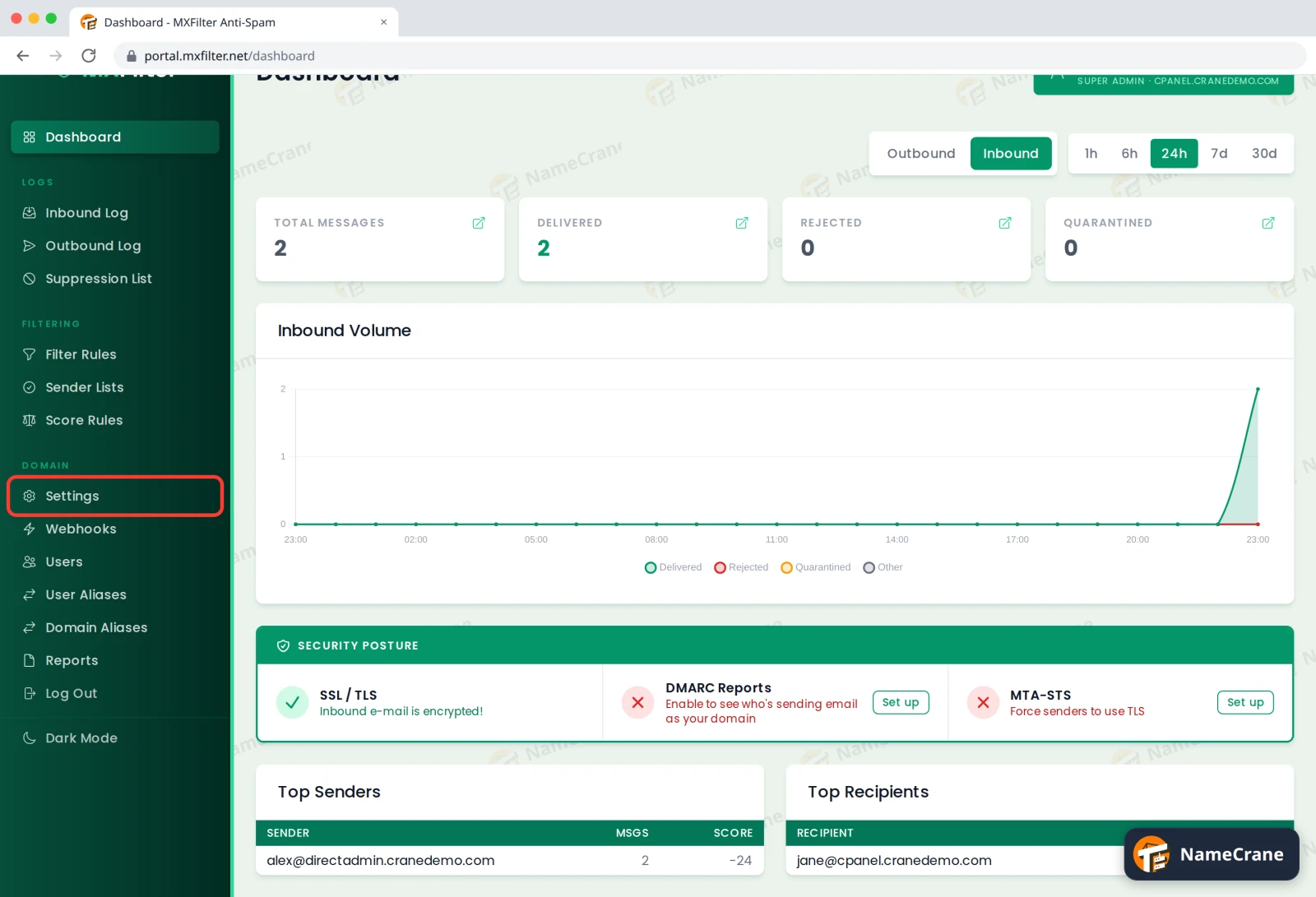
-
Scroll to DMARC Reporting and click Enable DMARC Reporting.
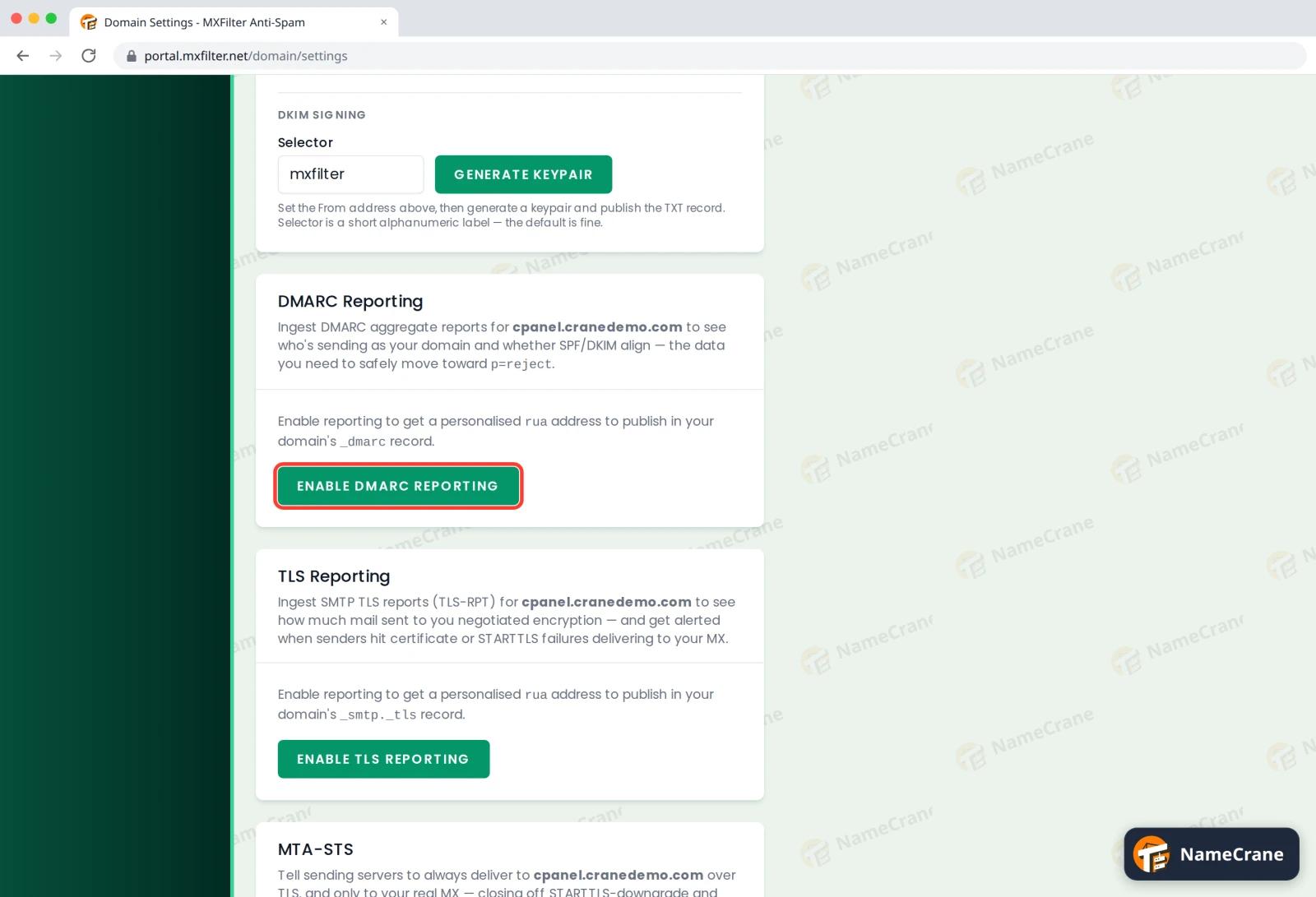
-
MXFilter shows a TXT record for
_dmarc.yourdomain.com, with a report address made just for you. Copy the Value exactly as shown.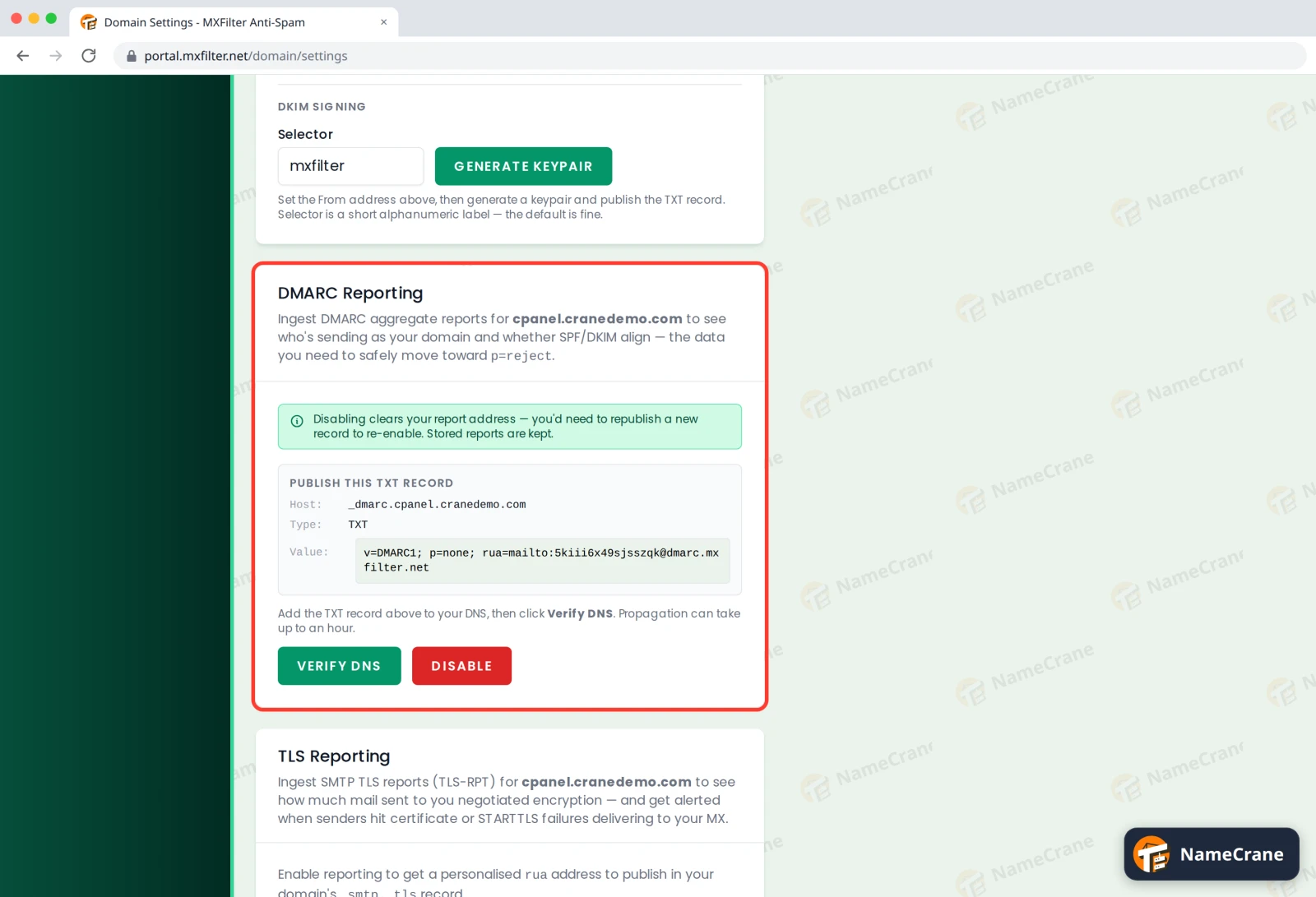
-
In your DNS, change your existing
_dmarcrecord to this value. Don’t add a second one, because a domain with two DMARC records has none that work. If you don’t have a_dmarcrecord yet, add it. -
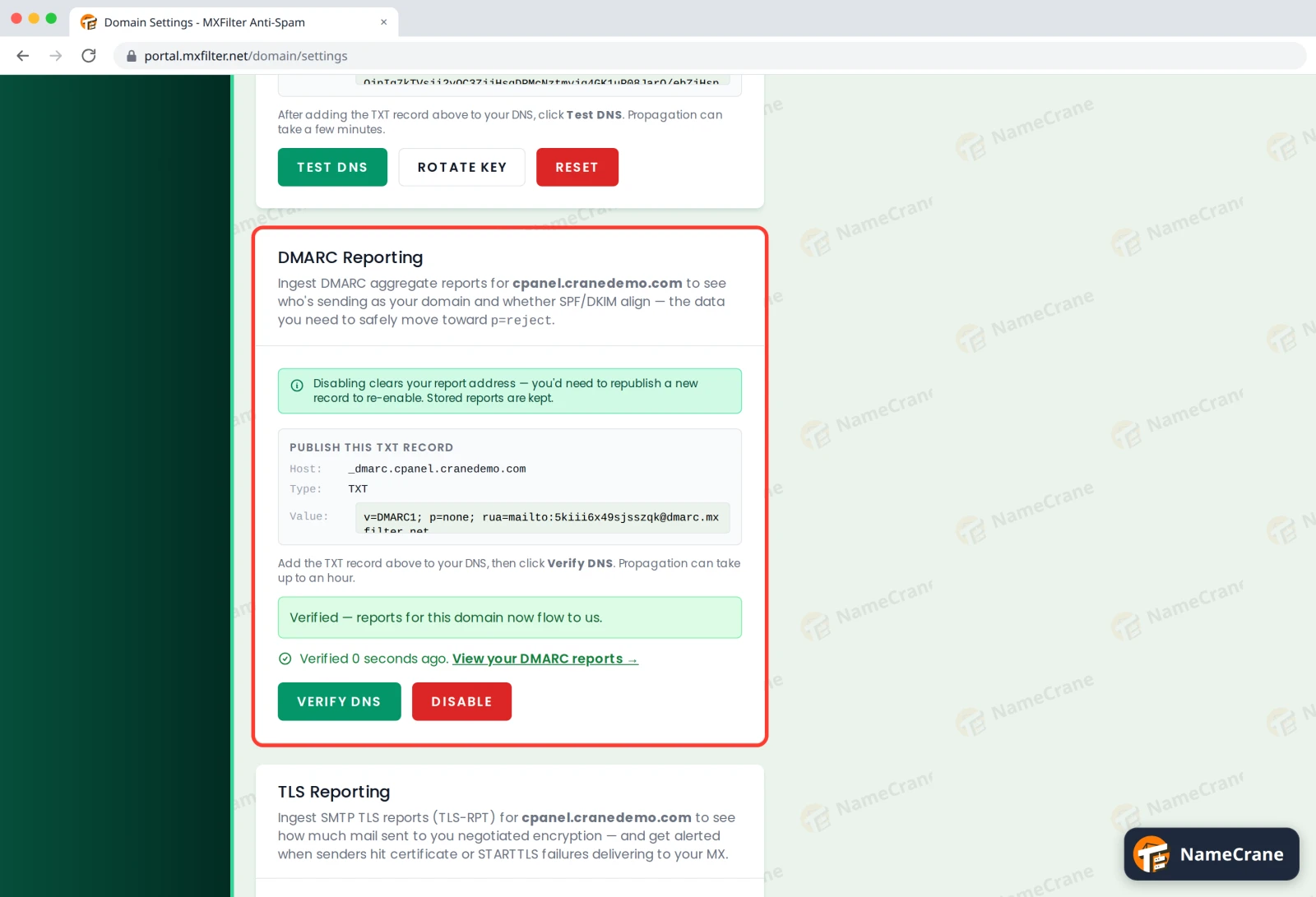
Back in MXFilter, click Verify DNS. When it shows Verified, you’re done. In our test, it verified straight away.
Turn on TLS reports
-
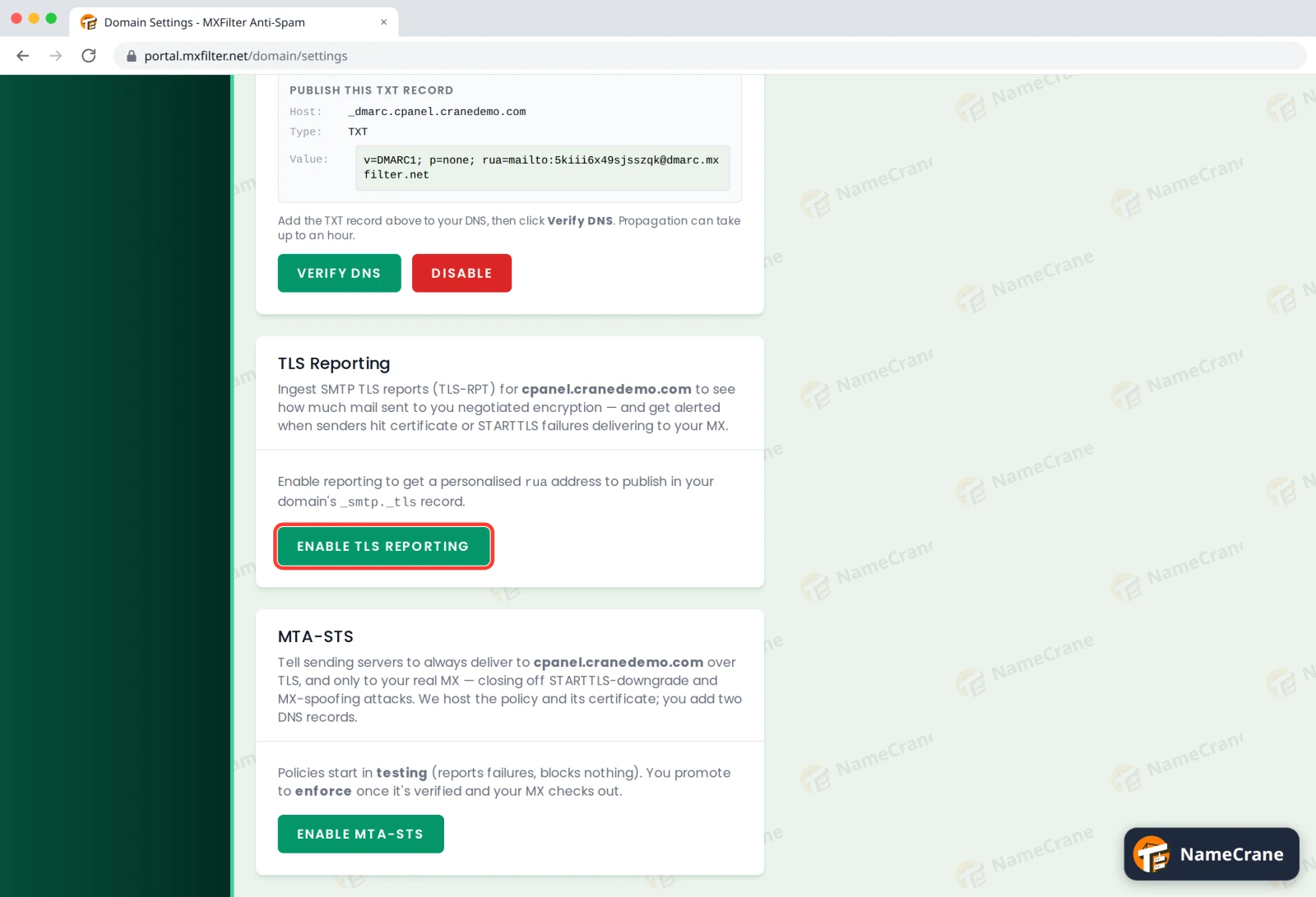
On the same Settings page, scroll to TLS Reporting and click Enable TLS Reporting.
-
MXFilter shows a TXT record for
_smtp._tls.yourdomain.com. Add it to your DNS.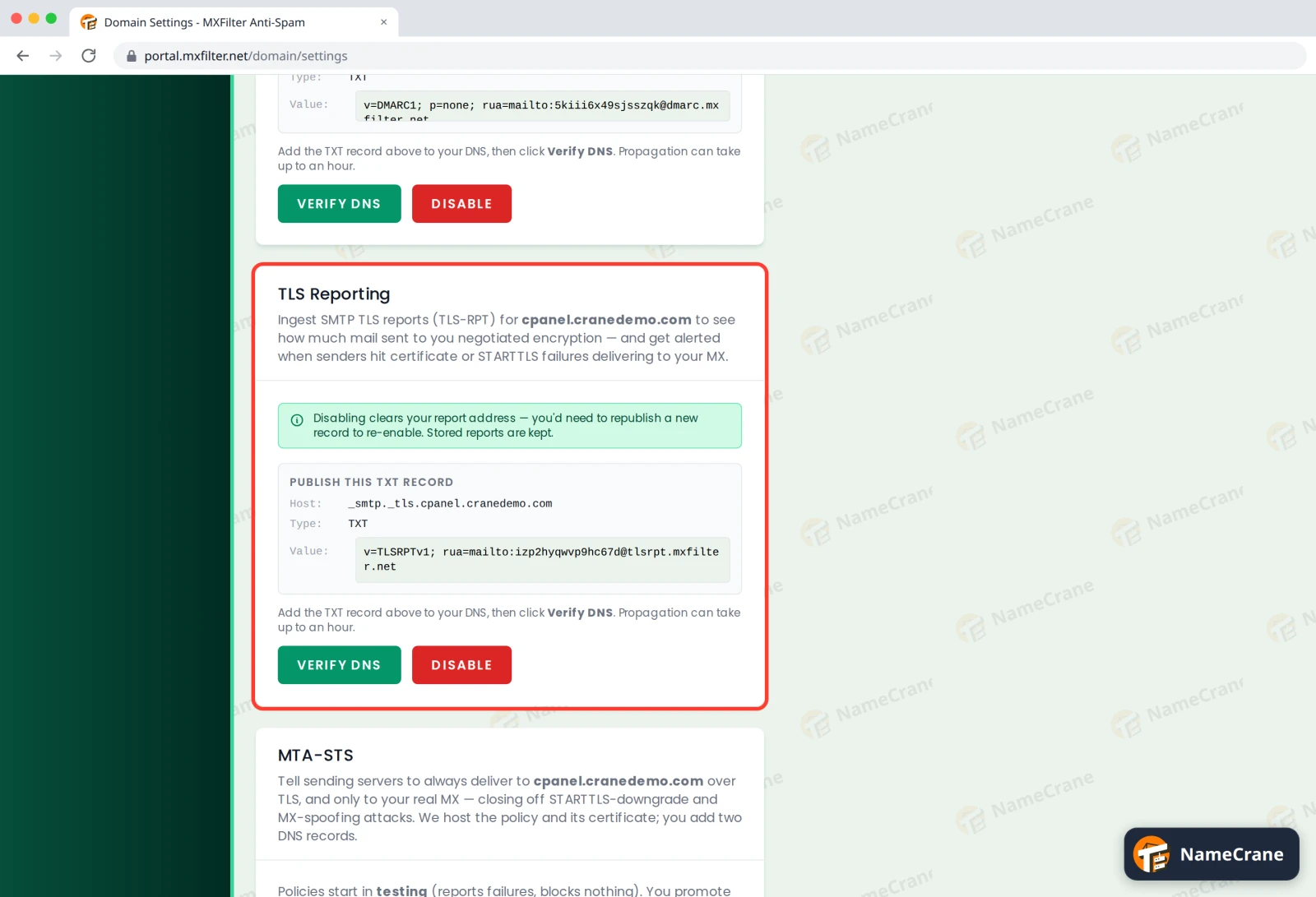
-
Click Verify DNS until it shows Verified.
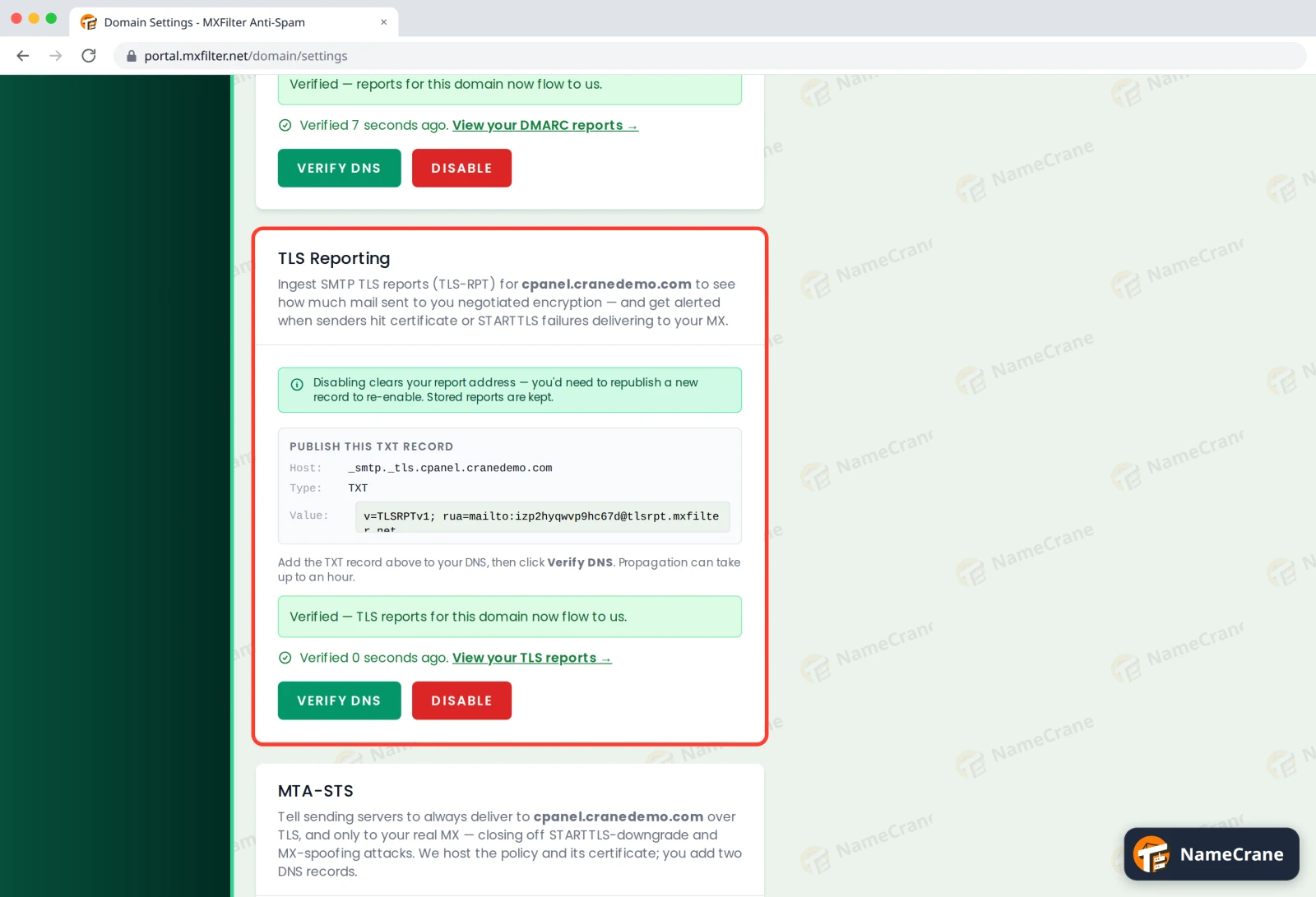
Mail providers usually send these reports once a day, so give it a day or two. Then click View your DMARC reports or View your TLS reports under each section to read them.
Note: Disable clears your personal report address. Reports you already have are kept, but to turn reporting back on you’ll need to publish the new record MXFilter gives you.
Troubleshooting
| Problem | What to do |
|---|---|
| Verify DNS doesn’t find the record | DNS changes can take up to an hour. Check the record’s name: many DNS editors add your domain for you, so type just _dmarc or _smtp._tls. |
I have two _dmarc records |
Delete the old one and keep only the one with MXFilter’s report address. |
| No reports yet | Reports come from the sending side, usually once a day. If your domain sends and receives very little email, they can take a few days. |
Snagged on something? Contact support and we’ll get you sorted.