How to Block Email by Content Type or Attachment in MXFilter
Last updated Changelog
On this page
Beyond spam scores, MXFilter can recognise what an email is about and what’s attached to it. You can use this to keep categories like marketing mail or crypto promotions out of your inbox, and to stop risky attachment types that are often used to spread malware.
Note: All of these options save as soon as you change them.
Before you start
- Open MXFilter from your control panel: from cPanel or from DirectAdmin, then click Settings in the menu.
Block categories of email
-
Find Content Category Blocking. For each category, choose Off, Quarantine or Reject. All categories are Off by default.
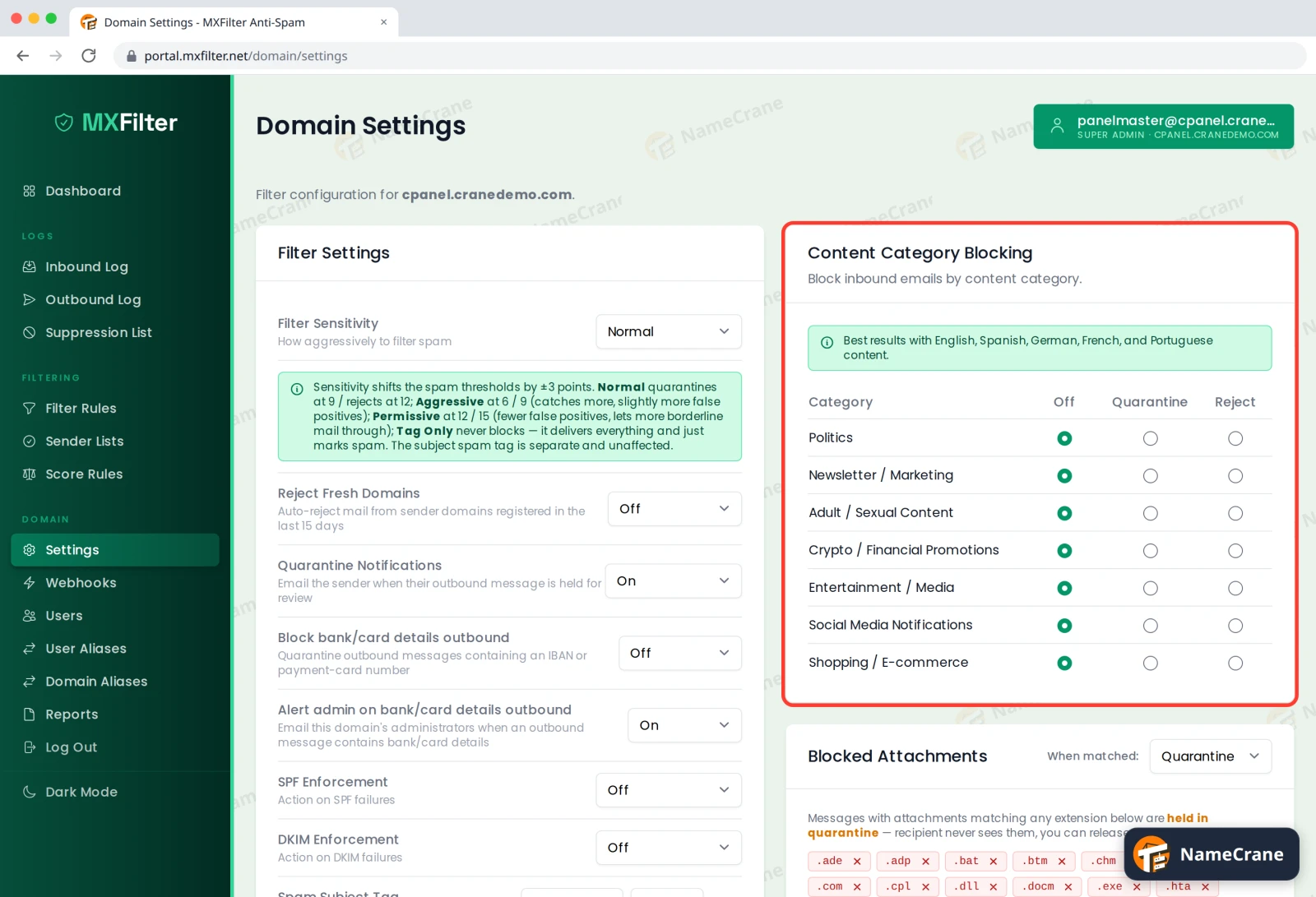
The categories are Politics, Newsletter / Marketing, Adult / Sexual Content, Crypto / Financial Promotions, Entertainment / Media, Social Media Notifications and Shopping / E-commerce.
Tip: Use Quarantine rather than Reject to start with. Categories are a best guess, and you can release anything caught by mistake. Detection works best on English, Spanish, German, French and Portuguese email.
Block risky attachments
-
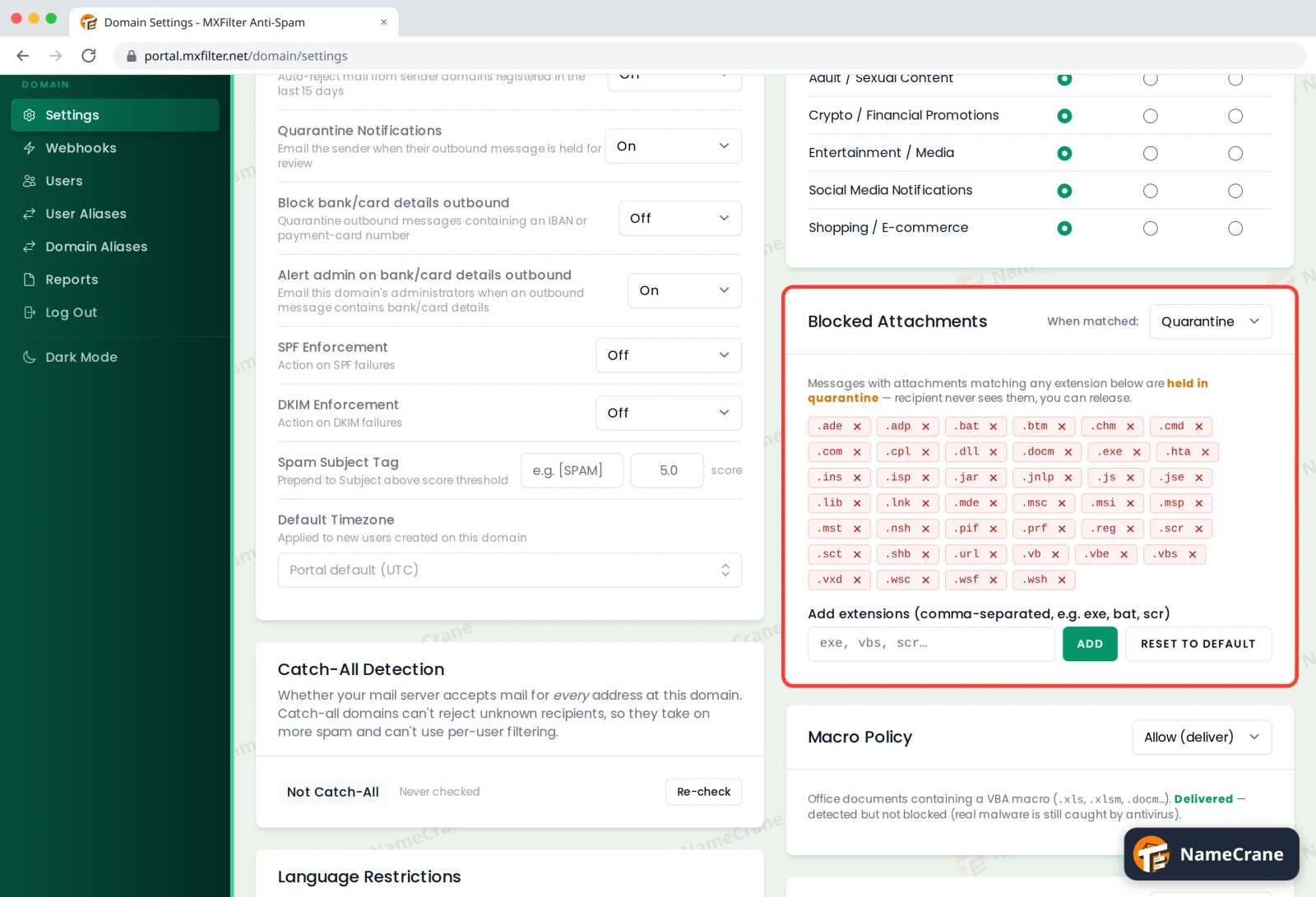
Under Blocked Attachments, MXFilter already lists file types that are commonly dangerous, such as
.exe,.bat,.jsand.vbs.- When matched: choose Quarantine (held, and you can release it) or Reject.
- To block more types, type them in the box separated by commas (for example
iso, img) and click Add. - To remove one, click the × next to it. Reset to default restores the original list.
Macros and viruses
-
Two more settings sit below:
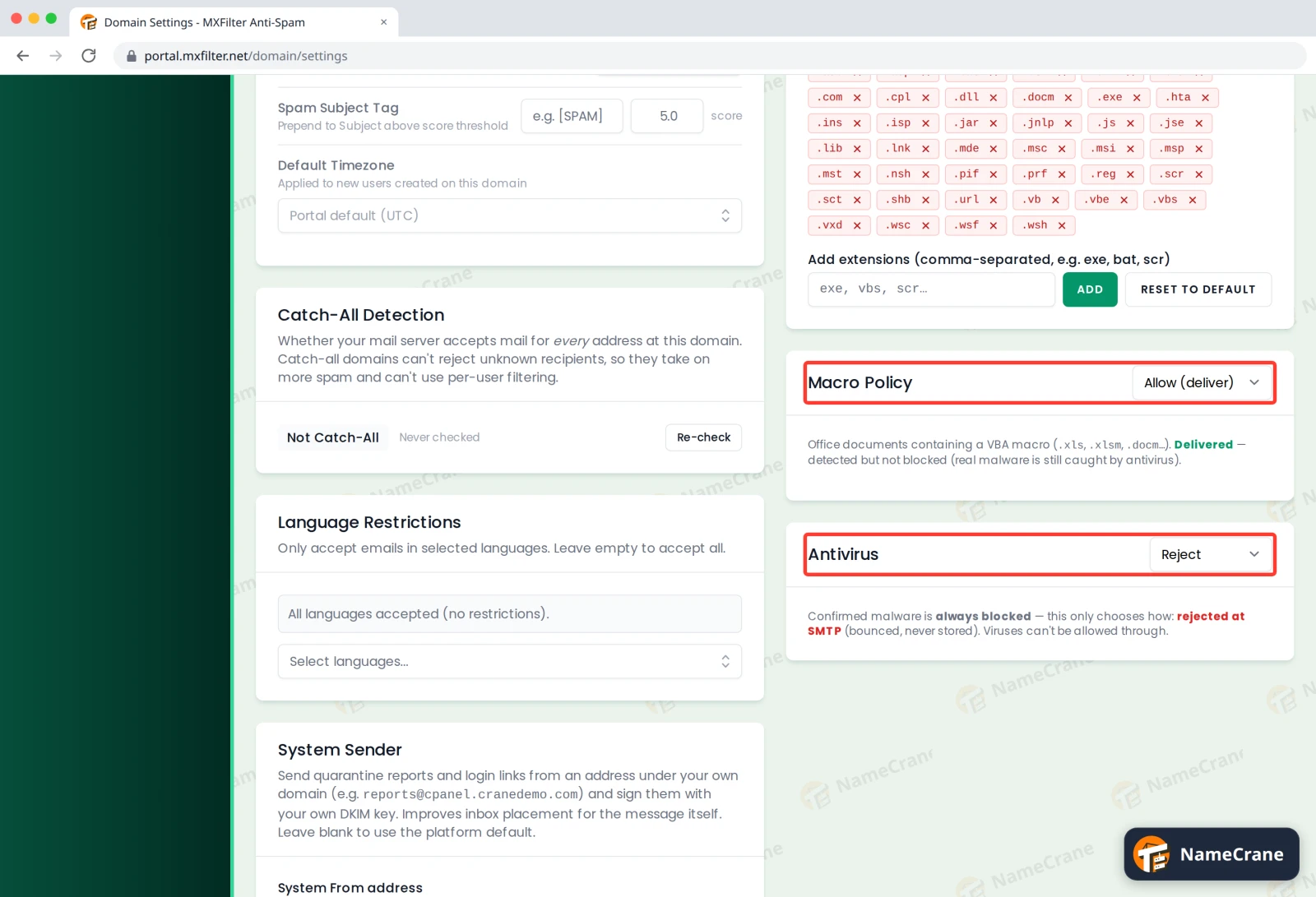
- Macro Policy: what to do with Office documents containing macros (such as
.xlsmor.docm). The default, Allow (deliver), lets them through, but real malware is still caught by the virus scanner. Choose Quarantine or Reject to be stricter. - Antivirus: confirmed malware is always blocked. This only chooses how: Reject bounces it so it’s never stored, while Quarantine keeps a copy. Viruses can never be allowed through.
- Macro Policy: what to do with Office documents containing macros (such as
Troubleshooting
| Problem | What to do |
|---|---|
| A newsletter I signed up for is being held | Release it, then allow the sender so it isn’t caught again. |
| A customer can’t send us a file type we need | Remove that extension from Blocked Attachments, or ask them to send it as a .zip. |
| A genuine spreadsheet with macros was quarantined | Release it from quarantine. If this happens often, set Macro Policy back to Allow (deliver). |
Snagged on something? Contact support and we’ll get you sorted.