How to Use Google Workspace or Microsoft 365 Email With Your DirectAdmin Domain
Last updated Changelog
You can host your website with us and use Google Workspace or Microsoft 365 for your email. DirectAdmin has ready-made MX Templates for both, so it’s a few clicks. In this example we switch store.cranedemo.com to Google Workspace.
Warning: After the switch, new email for the domain goes to Google or Microsoft, not to the mailboxes on your NameCrane hosting. Copy anything you need from those mailboxes first. MXFilter no longer filters this domain’s incoming mail either; Google and Microsoft use their own spam filtering.
Before you start
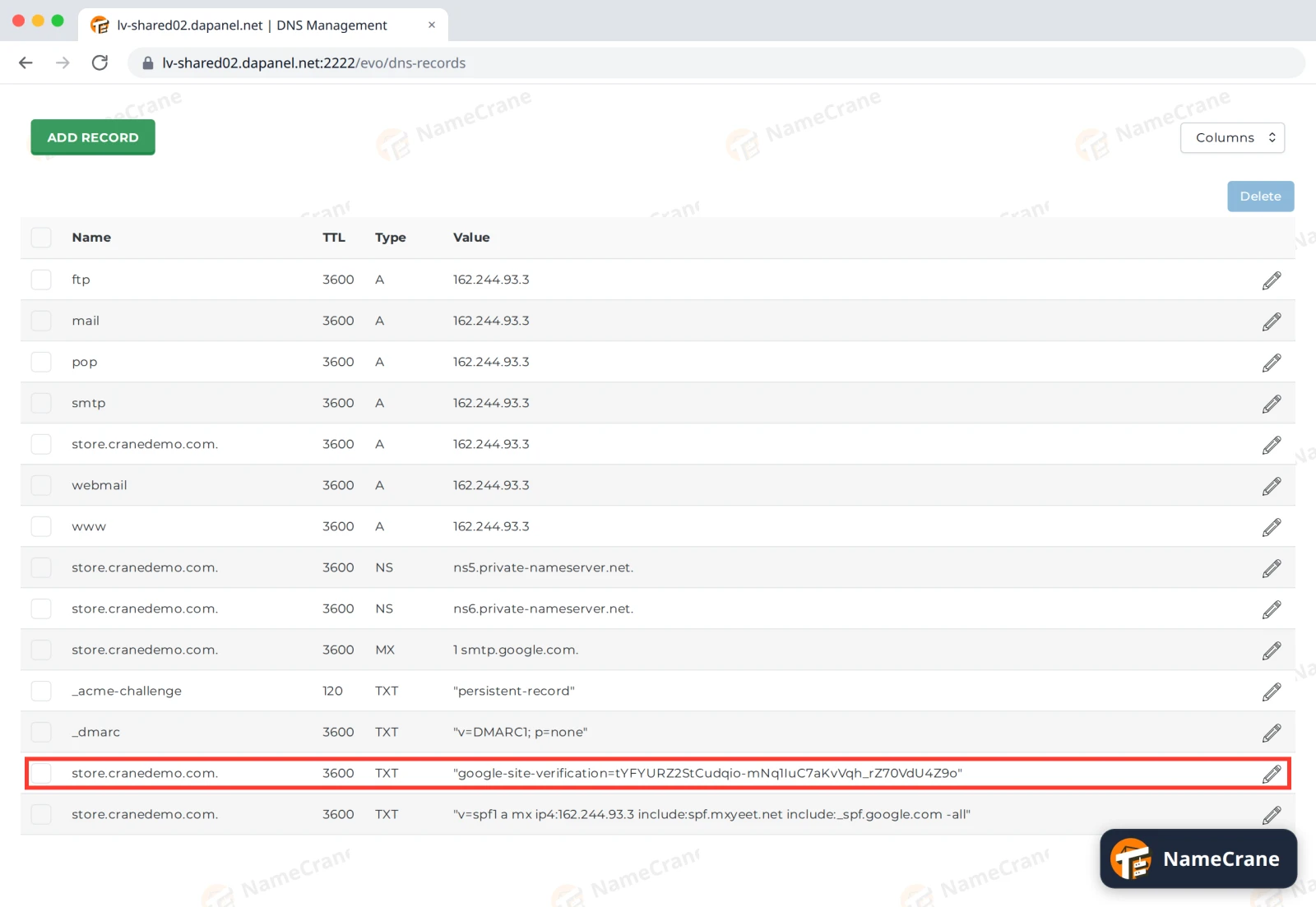
Sign up for Google Workspace or Microsoft 365 and add your domain there. They’ll ask you to prove you own it with a TXT record, such as google-site-verification=… or MS=ms…. Add it in DNS Management for your domain. See Add or change a DNS record.
Steps
-
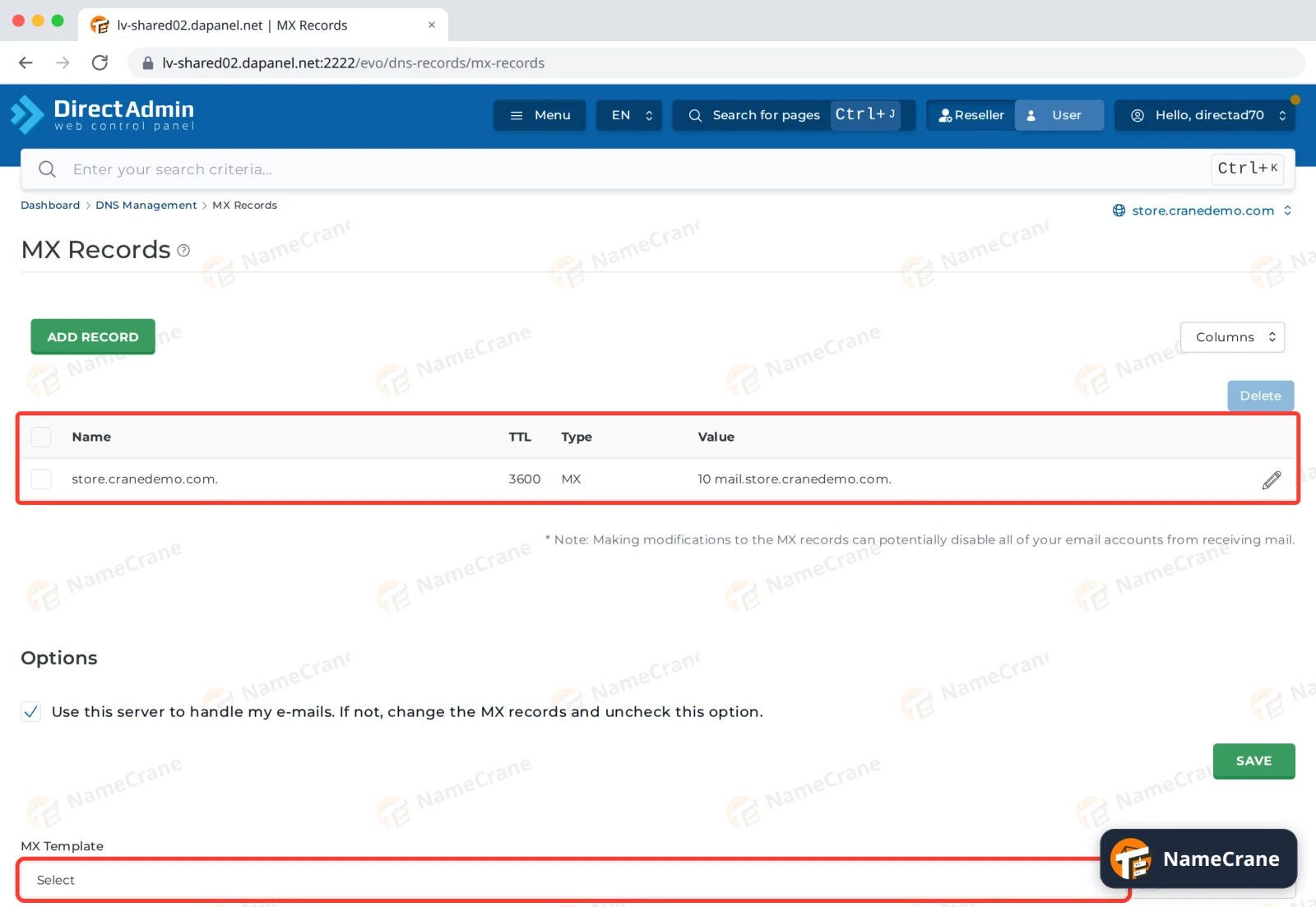
Log in to DirectAdmin and open MX Records. Use the domain switcher at the top right to pick your domain. Under Options, find MX Template.
-
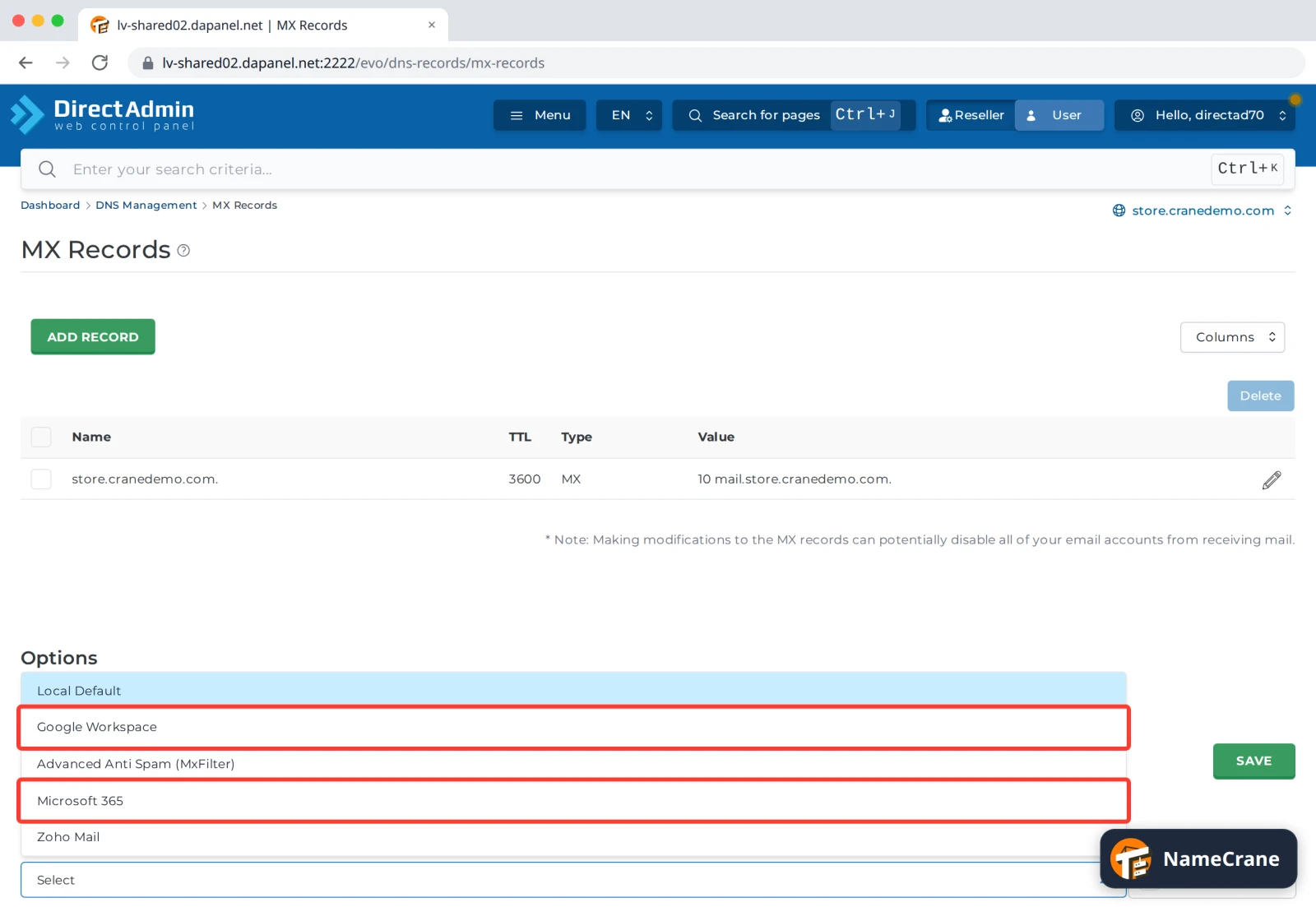
Choose Google Workspace or Microsoft 365 and click SAVE.
-
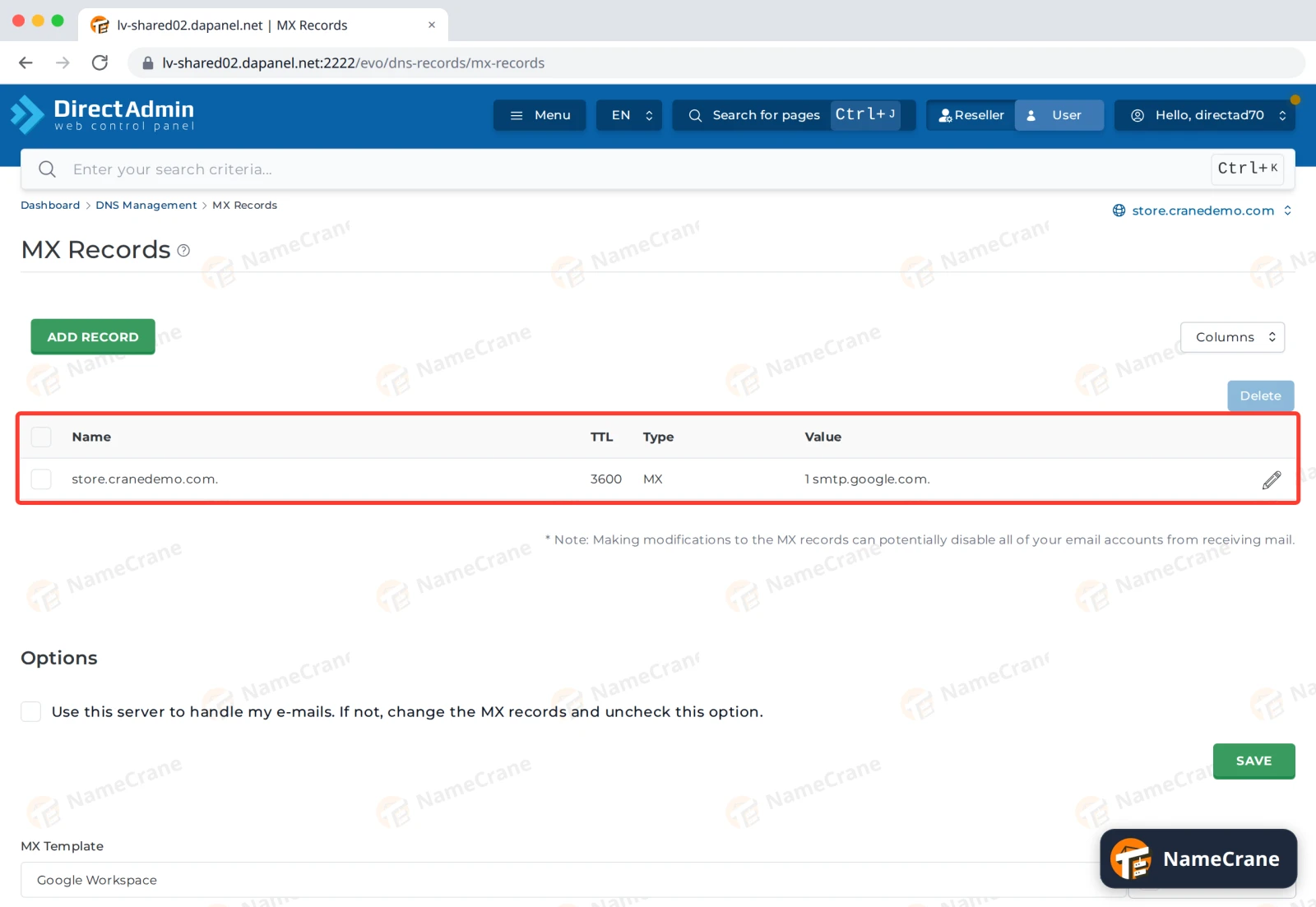
DirectAdmin replaces your MX records and tidies up the rest for you. We tested both templates:
Google Workspace Microsoft 365 MX record 1 smtp.google.com0 yourdomain-com.mail.protection.outlook.comSPF record adds include:_spf.google.comadds include:spf.protection.outlook.comAlso adds autodiscover→autodiscover.outlook.comIt also unticks Use this server to handle my e-mails, so email from other sites on our servers goes to your new provider too.
-
Go back to Google or Microsoft and click Verify. Once DNS has updated, usually within an hour, your email arrives there.
Note: The templates also change the end of your SPF record from
~allto-all. This tells other servers to reject email that doesn’t come from your listed senders. If you send email from anywhere else, such as a newsletter service, add it to your SPF record too. See Set up SPF, DKIM and DMARC.
Switch back to NameCrane email
Open MX Records, choose Advanced Anti Spam (MxFilter) as the MX Template and click SAVE. That puts your email back on NameCrane, filtered by MXFilter. See Point your MX records to MXFilter.
Troubleshooting
| Problem | What to do |
|---|---|
| Google or Microsoft says it can’t verify the domain | Check the TXT record is on the right domain and copied exactly. DNS can take up to an hour to update. |
| Email from my own website (contact forms) never arrives | Check Use this server to handle my e-mails is unticked on MX Records. |
| My email is marked as spam | Check your SPF record includes your new provider, and set up DKIM in Google or Microsoft. |
| I still get some email on NameCrane | Senders may still have your old MX records saved. It stops within a day. |
Snagged on something? Contact support and we’ll get you sorted.