How to Create a Hosting Account for a Customer as a DirectAdmin Reseller
Last updated Changelog
On this page
Each of your customers gets their own DirectAdmin user: their own login, their main domain, and the limits of the package you choose. You’ll need at least one package first. See Create a hosting package.
Steps
-
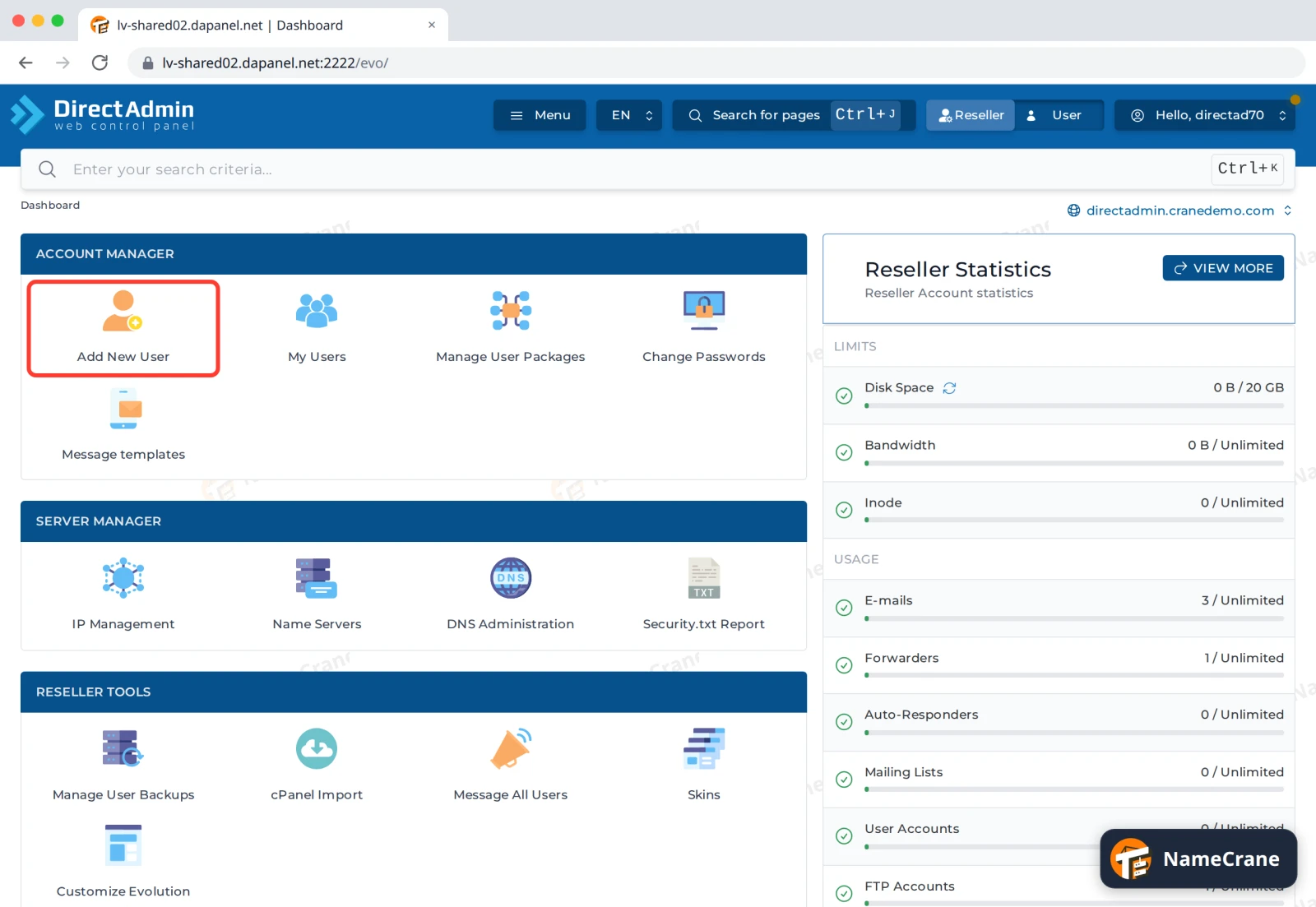
Log in to DirectAdmin and click Reseller in the top bar. In the Account Manager section, click Add New User.
-
Fill in the customer’s details:
- Username: their login name, such as
customer. Lowercase letters and numbers only. - Email: the customer’s email address.
- Password: type a strong password, or click the dice icon to generate one. Note it down to give to your customer.
- Domain: their main domain, such as
customer.cranedemo.com, withoutwww.
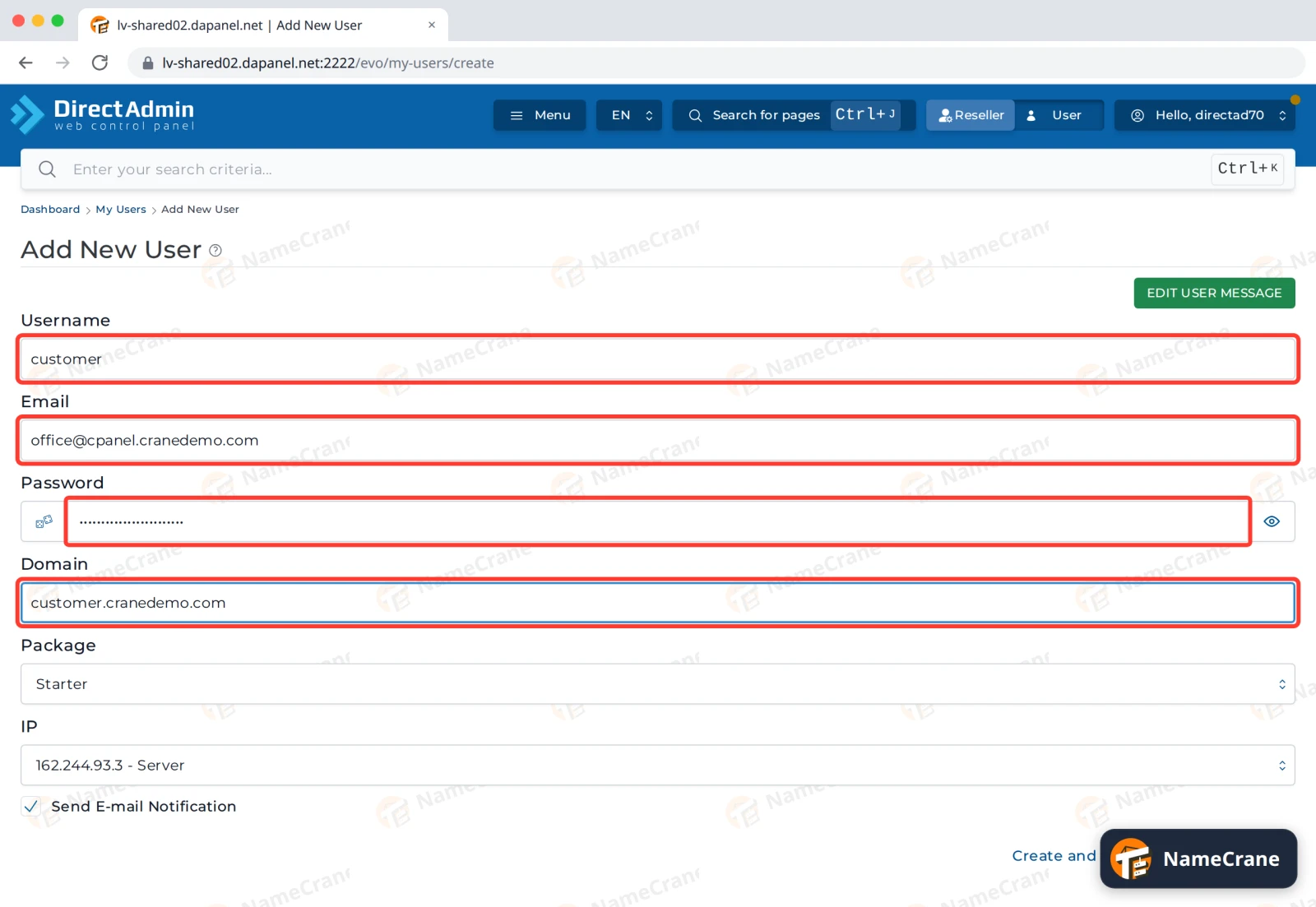
- Username: their login name, such as
-
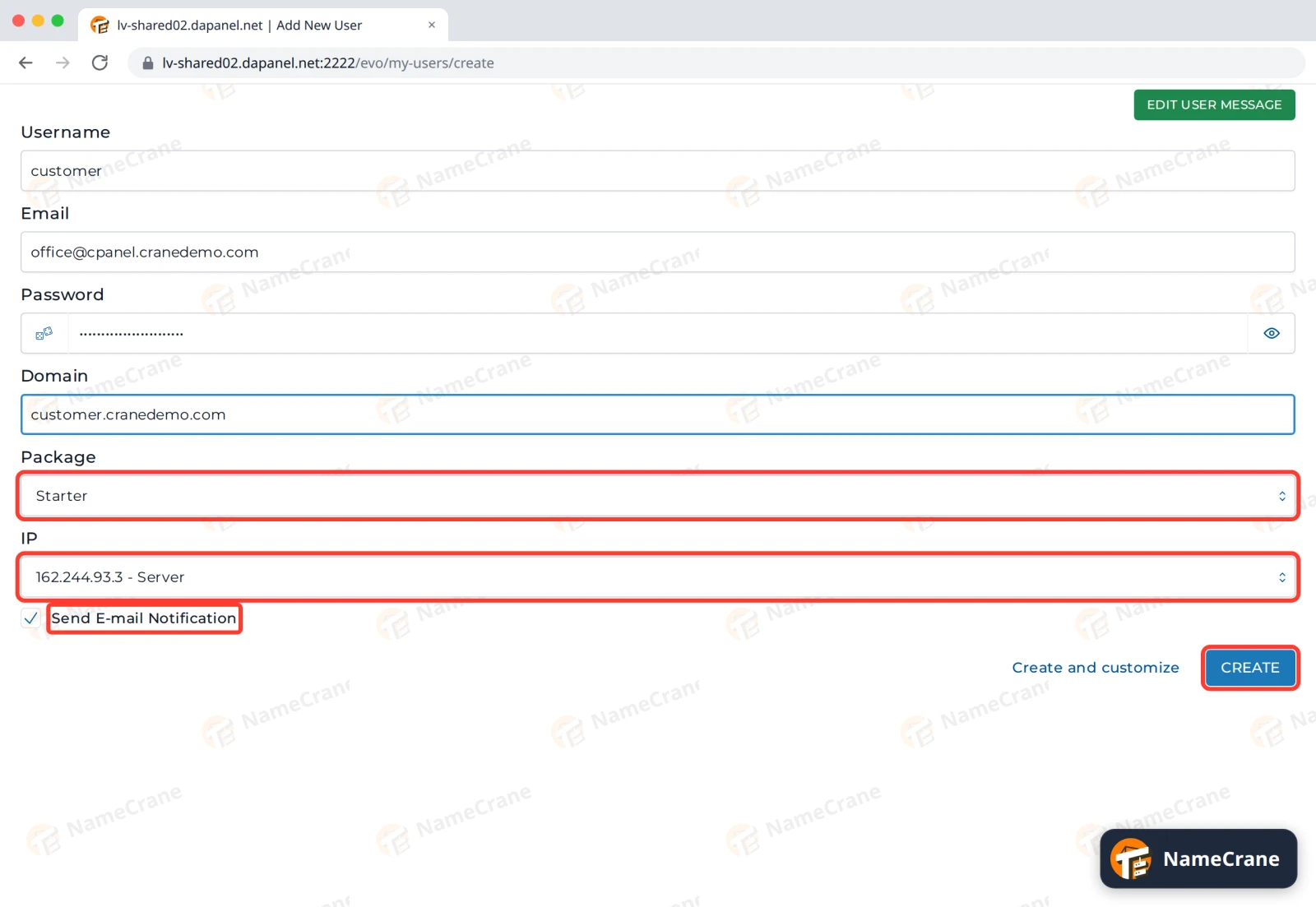
Choose the Package, and leave IP on the shared server address. Leave Send E-mail Notification ticked to email the customer their account details. Edit User Message at the top lets you change what that email says. Then click Create.
-
DirectAdmin creates the account, which takes a few seconds. The new user appears under My Users, with their domain and package.
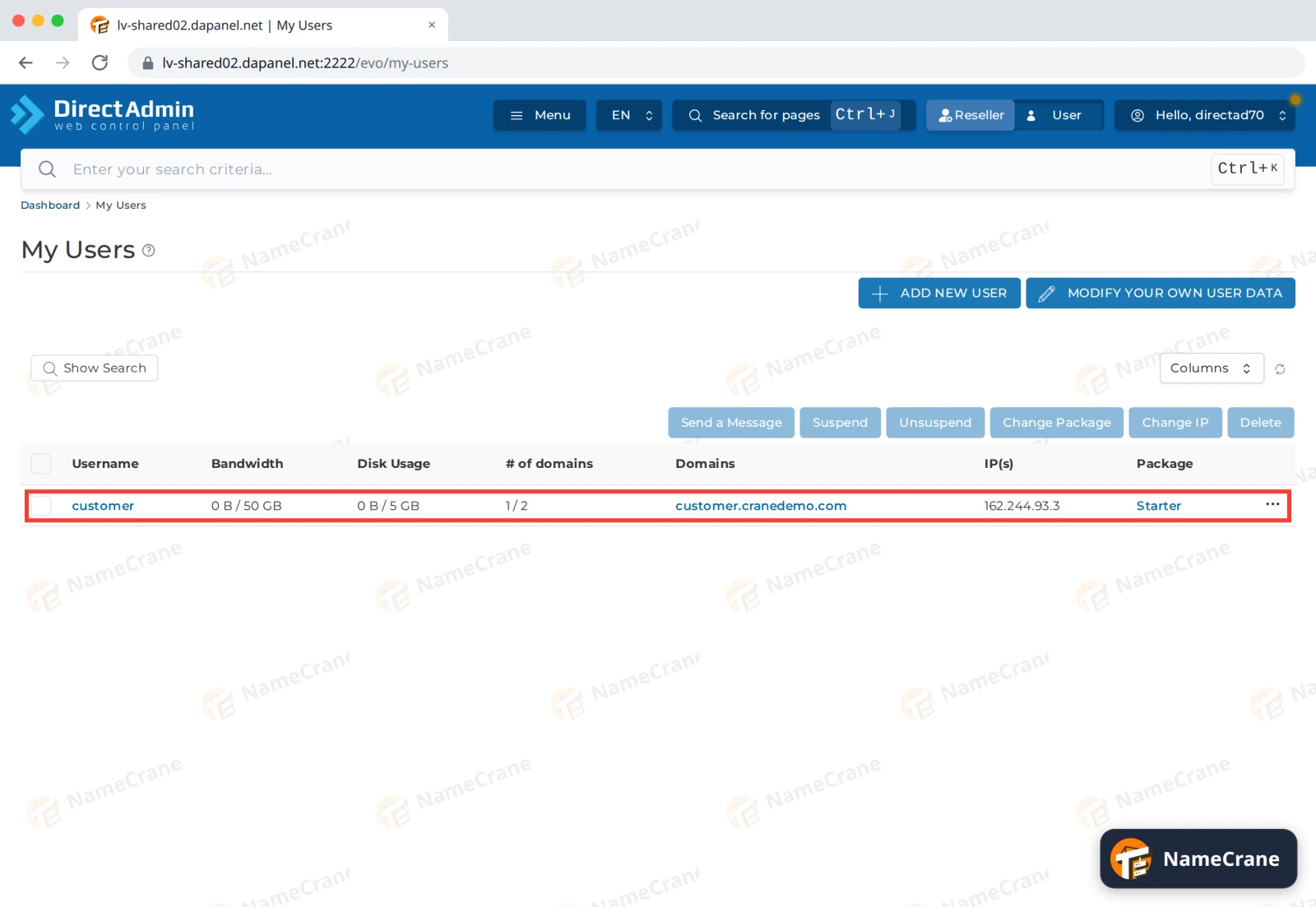
In our test, customer.cranedemo.com worked straight away, because its nameservers already pointed to NameCrane. Your customer can now log in to DirectAdmin with their username and password.
Tip: From My Users, tick a user to Suspend, Unsuspend, Change Package or Delete them. Click a username to see and change that account’s details.
Troubleshooting
| Problem | What to do |
|---|---|
| Username or Domain shows “Already Exists” | That username or domain is already on the server. Choose another username. For a domain, check it isn’t already in one of your accounts under My Users. |
| The customer’s website doesn’t load | Their domain’s nameservers need to point to NameCrane. See Point your domain to NameCrane. |
| The customer didn’t get the welcome email | Ask them to check their spam folder. You can also send them the username and password yourself. |
Snagged on something? Contact support and we’ll get you sorted.