How to Catch Email Sent to Addresses That Don't Exist in DirectAdmin
Last updated Changelog
On this page
Catch-All E-mail decides what happens to email sent to an address at your domain that doesn’t exist, such as a typo like jnae@ instead of jane@. By default it’s off, so those emails aren’t delivered. You can collect them in one mailbox instead, so nothing gets lost.
Steps
-
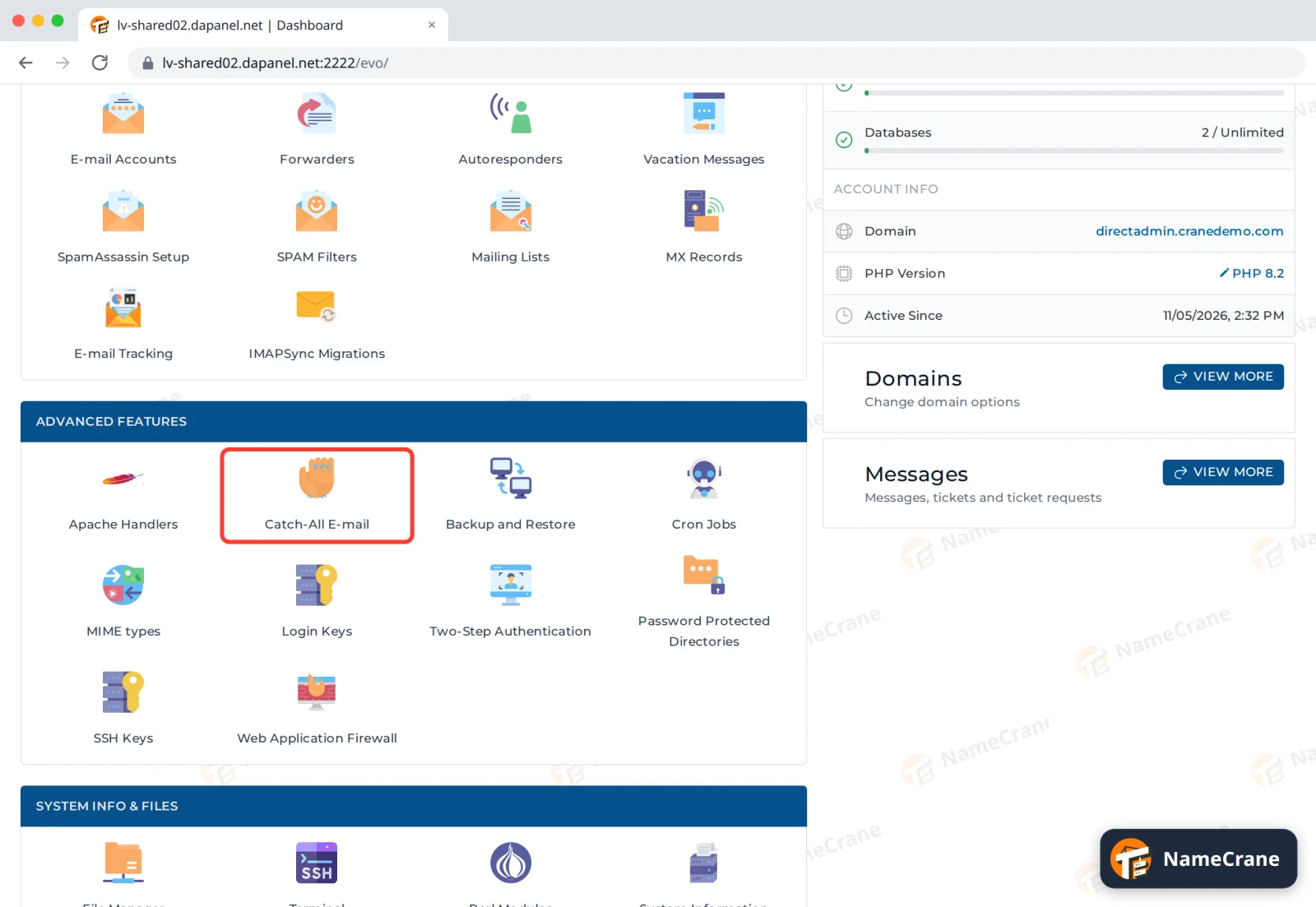
Log in to DirectAdmin. In the Advanced Features section, click Catch-All E-mail. If you have more than one domain, pick the right one at the top right of the page.
-
Select Custom email address and type the address that should receive these emails. It can be one of your own mailboxes or an address at another provider. Click SAVE. DirectAdmin confirms with Catch-All email updated successfully.
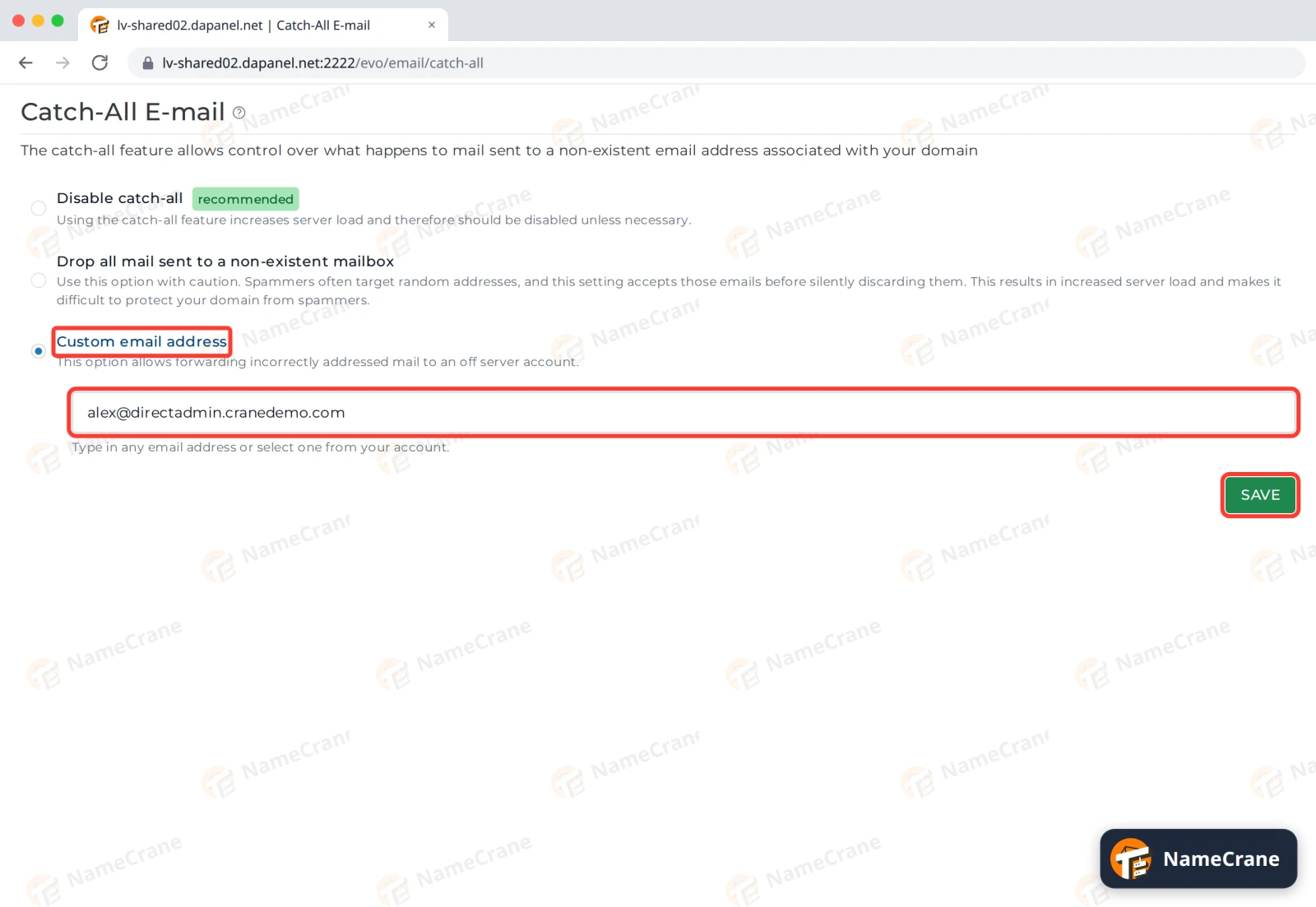
In our test, an email to a made-up address at directadmin.cranedemo.com arrived in Alex’s inbox within a minute.
The options
| Option | What happens to email for an address that doesn’t exist |
|---|---|
| Disable catch-all (recommended) | It isn’t delivered. This is the default. |
| Drop all mail sent to a non-existent mailbox | It’s accepted, then deleted without telling the sender. |
| Custom email address | It goes to the address you type. |
Tip: Spammers often send to made-up addresses. If you catch everything, you get that spam too. Once you’ve caught the emails you were missing, consider creating a proper email account or forwarder for them, and switching back to Disable catch-all.
Troubleshooting
| Problem | What to do |
|---|---|
| I have more than one domain | The setting is per domain. Pick each domain at the top right of the page and set it separately. |
| Emails to a real address are going to the catch-all | The catch-all only gets email for addresses with no mailbox or forwarder. Check the spelling under E-mail Accounts and Forwarders. |
Snagged on something? Contact support and we’ll get you sorted.