How to Change Your Spam Filter Sensitivity in MXFilter
Last updated Changelog
MXFilter gives every email a spam score, and your Filter Sensitivity decides what score gets an email quarantined or rejected. If too much spam is getting through, make it stricter. If genuine email keeps getting caught, relax it. This page also covers a few related options on the same screen.
Note: Settings save as soon as you change them. There’s no Save button for these options.
Before you start
- Open MXFilter from your control panel: from cPanel or from DirectAdmin.
Change the sensitivity
-
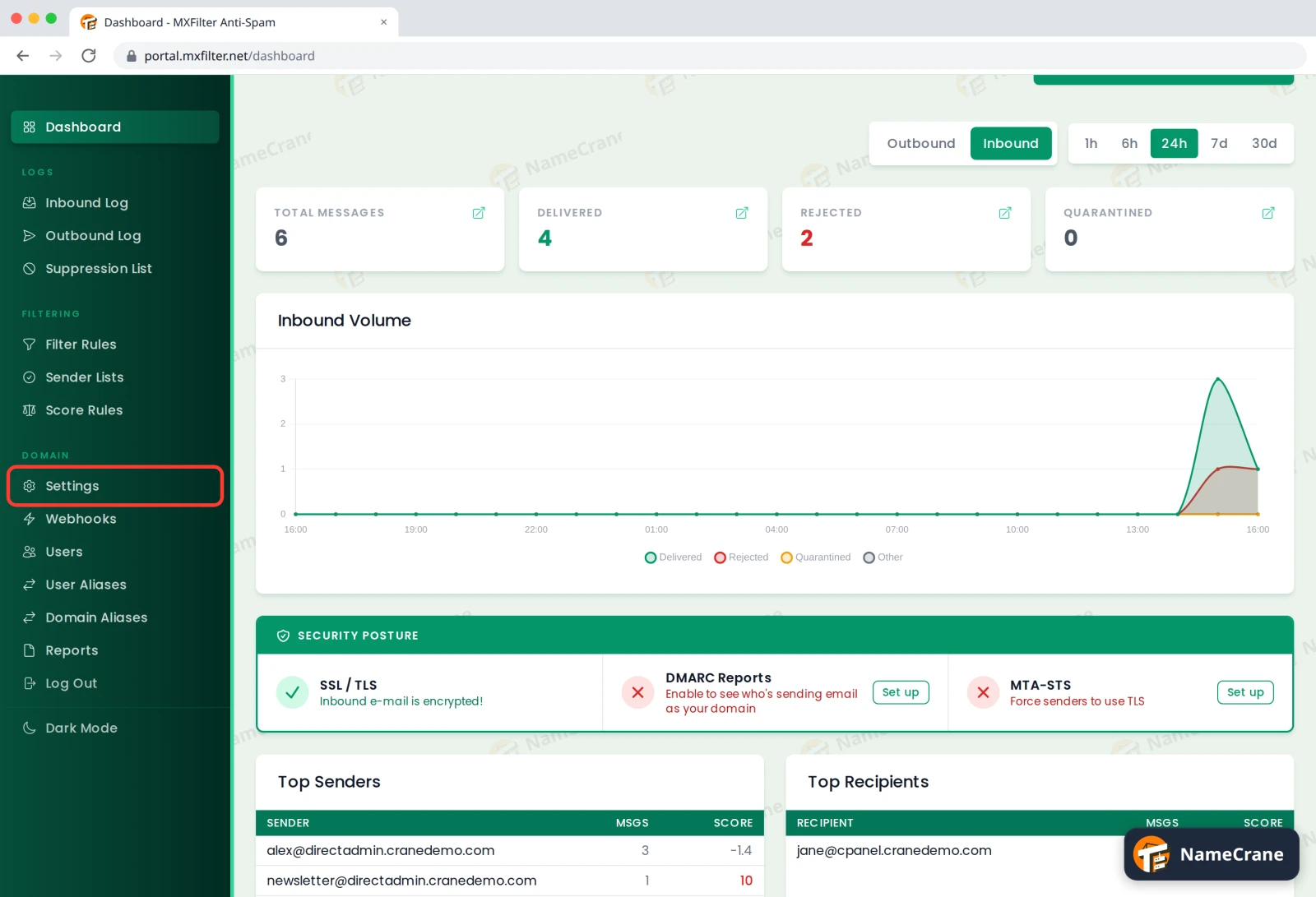
In the MXFilter menu, under Domain, click Settings.
-
Under Filter Settings, choose a level from the Filter Sensitivity menu.
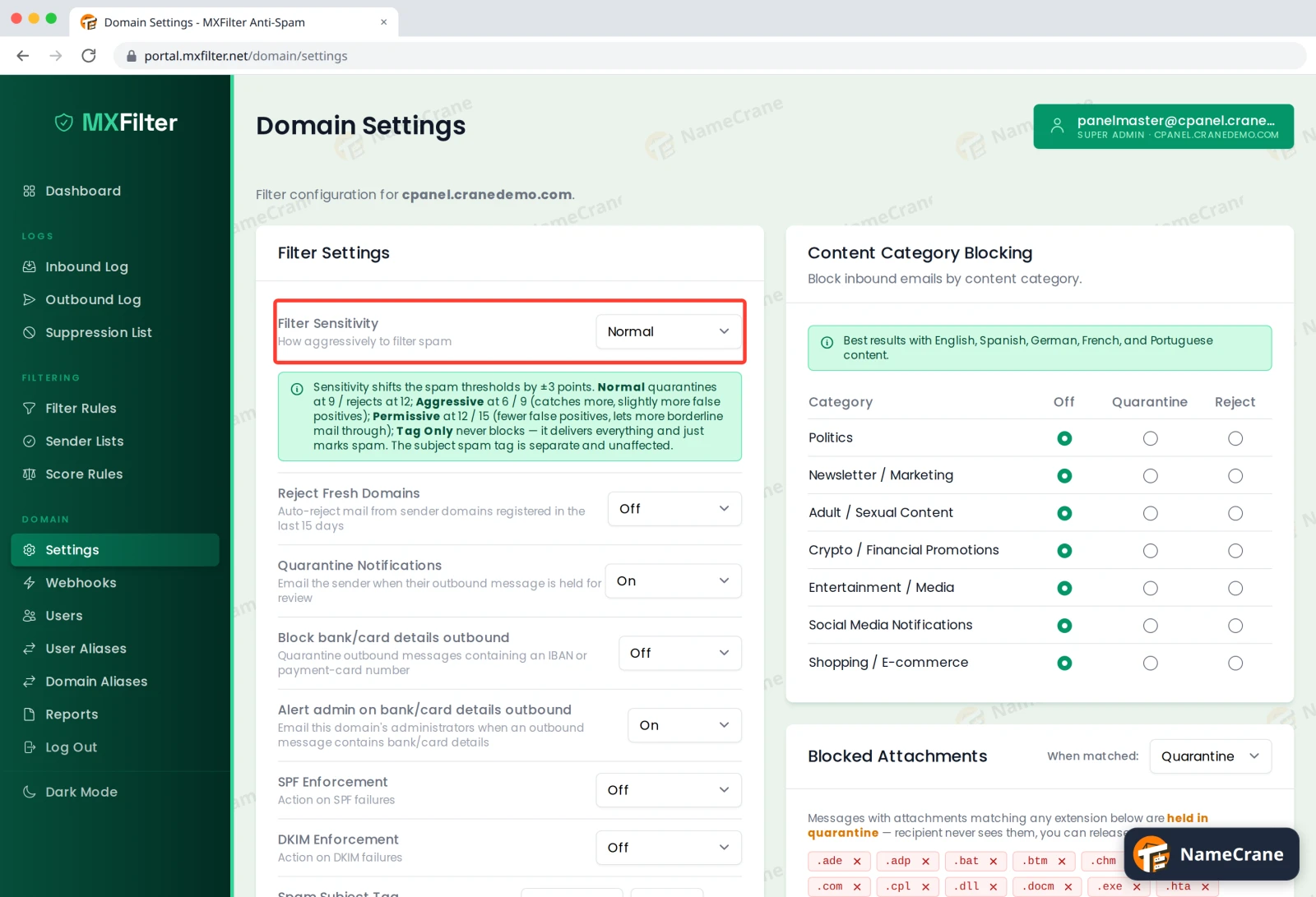
| Level | Quarantined at | Rejected at | Good for |
|---|---|---|---|
| Normal | 9 | 12 | Most people. This is the default. |
| Aggressive | 6 | 9 | Catching more spam, with a slightly higher chance of catching genuine email. |
| Permissive | 12 | 15 | Fewer false alarms, but more borderline spam gets through. |
| Tag Only | never | never | Delivering everything and just marking spam, so your mail app can sort it. |
Tip: Want to see what score a message got? Open it in the Inbound Log. To adjust things for one sender instead of everyone, use score rules.
Other spam options
-
Two more options sit in the same list:
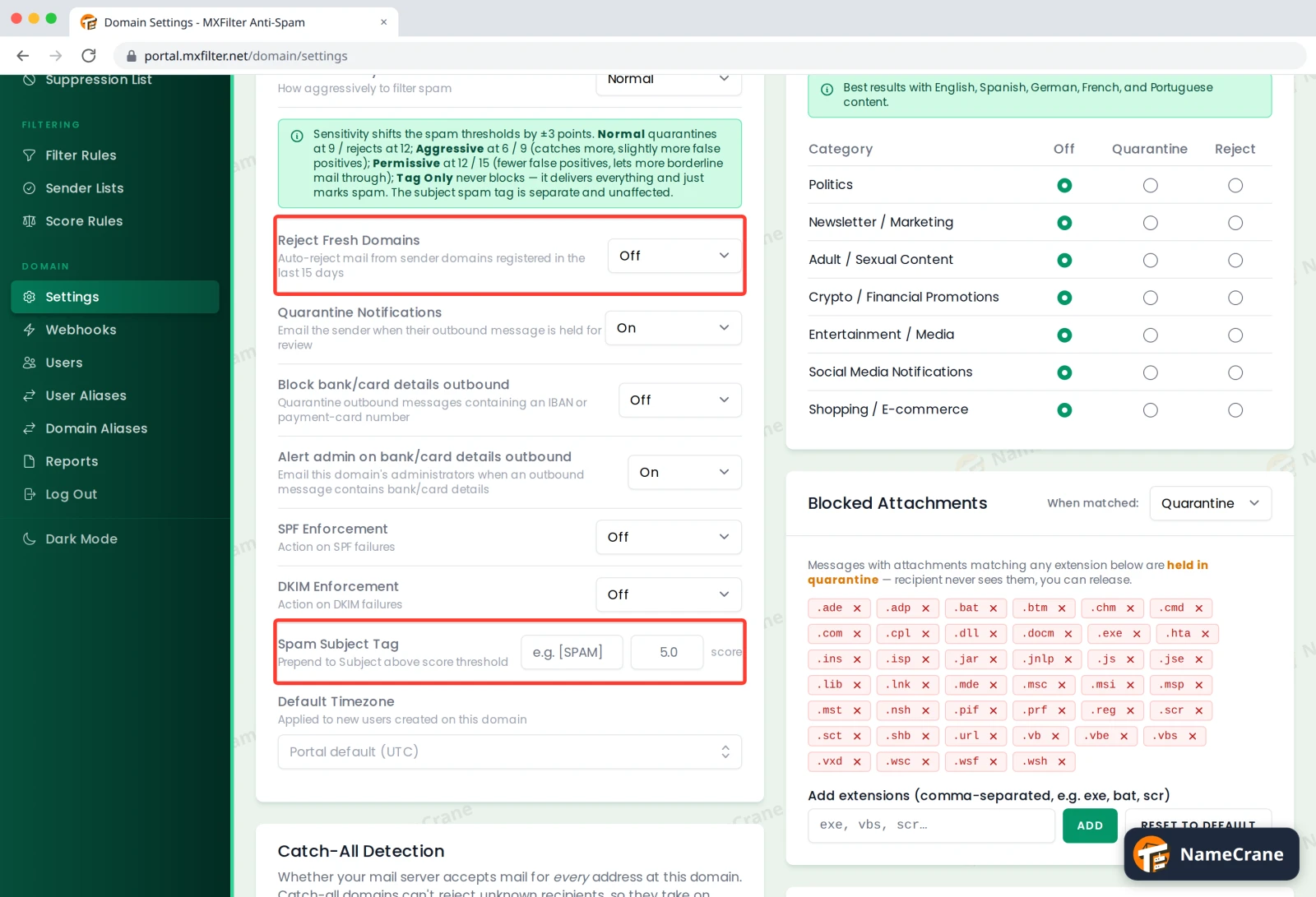
- Reject Fresh Domains: when On, mail from domains registered in the last 15 days is rejected automatically. Spammers often use brand-new domains.
- Spam Subject Tag: enter a tag such as
[SPAM]and a score. Delivered email scoring above that number gets the tag added to its subject, so you can spot it or filter it in your mail app. It saves when you click away from the box. Clear the box to turn tagging off.
-
Further down, Language Restrictions lets you accept email only in the languages you choose. Click Select languages… and pick them. Leave it empty to accept every language, which is the default.
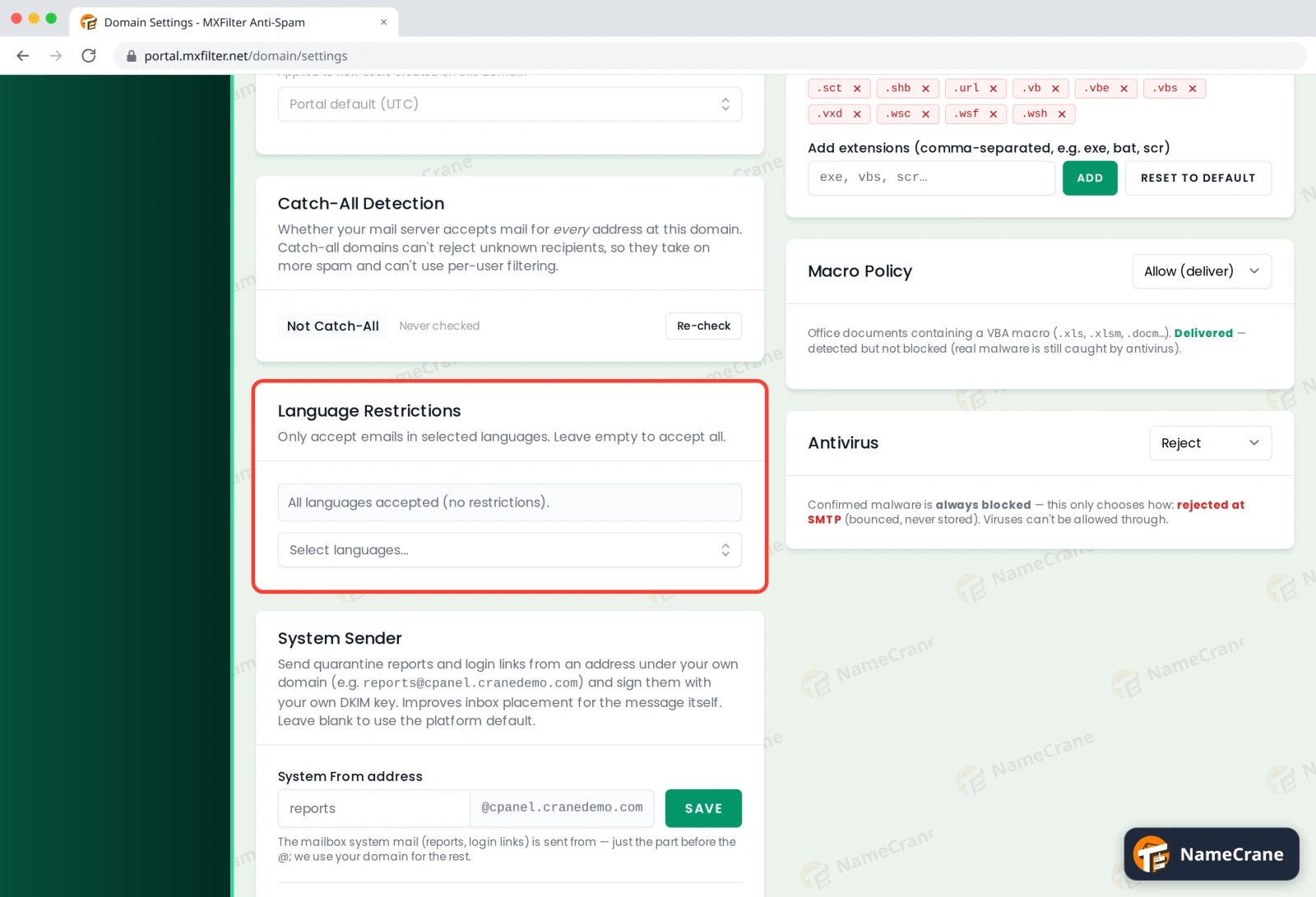
Warning: Only restrict languages if you’re sure you never get genuine email in others, for example from overseas customers or suppliers.
Troubleshooting
| Problem | What to do |
|---|---|
| Genuine email is being quarantined | Release it from quarantine, then try Permissive, or allow the sender. |
| Too much spam reaches my inbox | Switch to Aggressive and check back in a few days. Also consider content category blocking. |
| My change didn’t stick | Reload the page to check. Text boxes save when you click away from them. |
Snagged on something? Contact support and we’ll get you sorted.