How to Create a MySQL Database and User in DirectAdmin
Last updated Changelog
On this page
Most websites and apps (WordPress, shops, forums) store their content in a MySQL database. Your app needs a database and a database user with a password. DirectAdmin creates both together and gives the user full access to the database.
Tip: Installing WordPress or another app with Softaculous? It creates the database for you, so you can skip this guide. See Install WordPress.
Steps
-
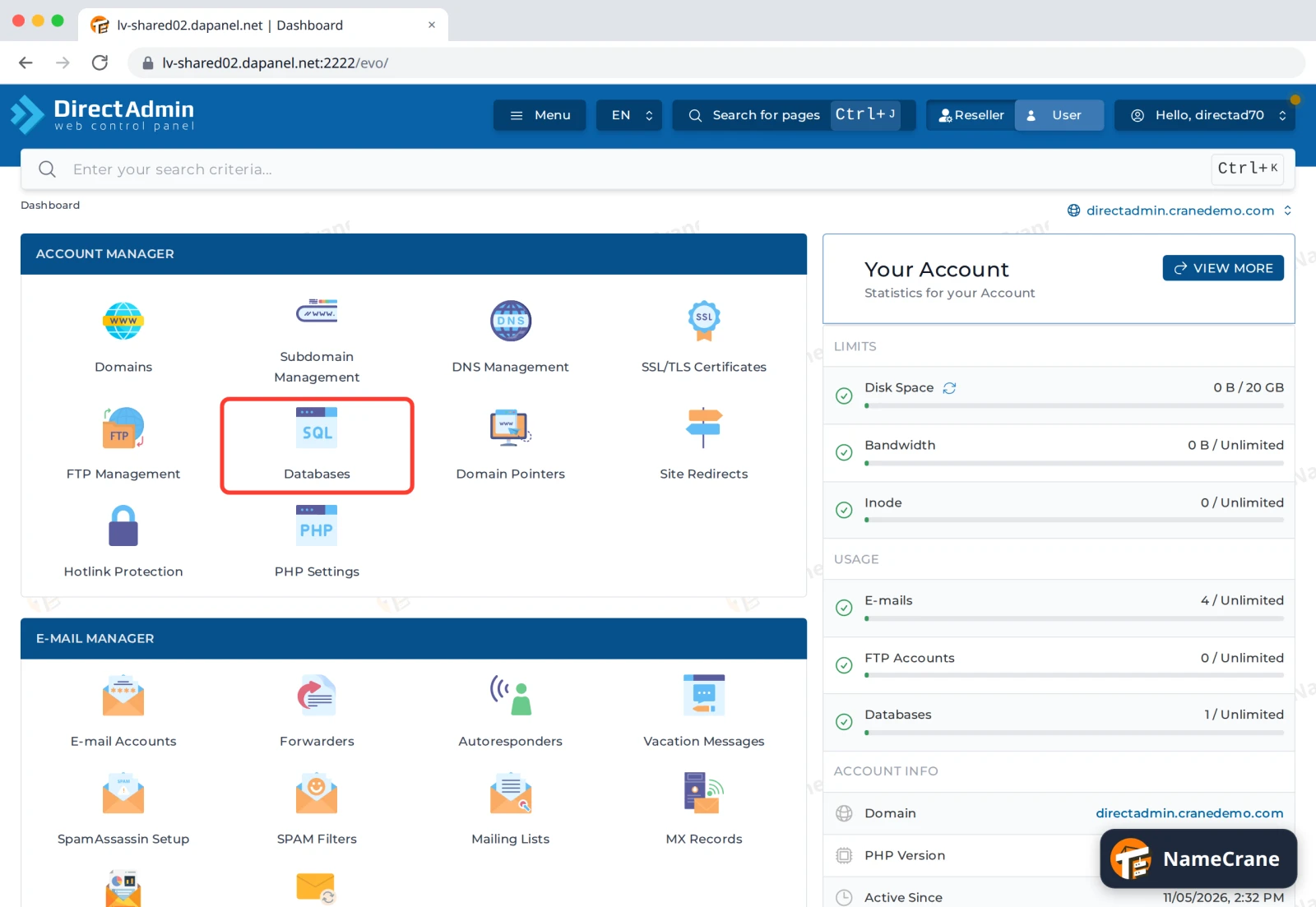
Log in to DirectAdmin. In the Account Manager section, click Databases.
-
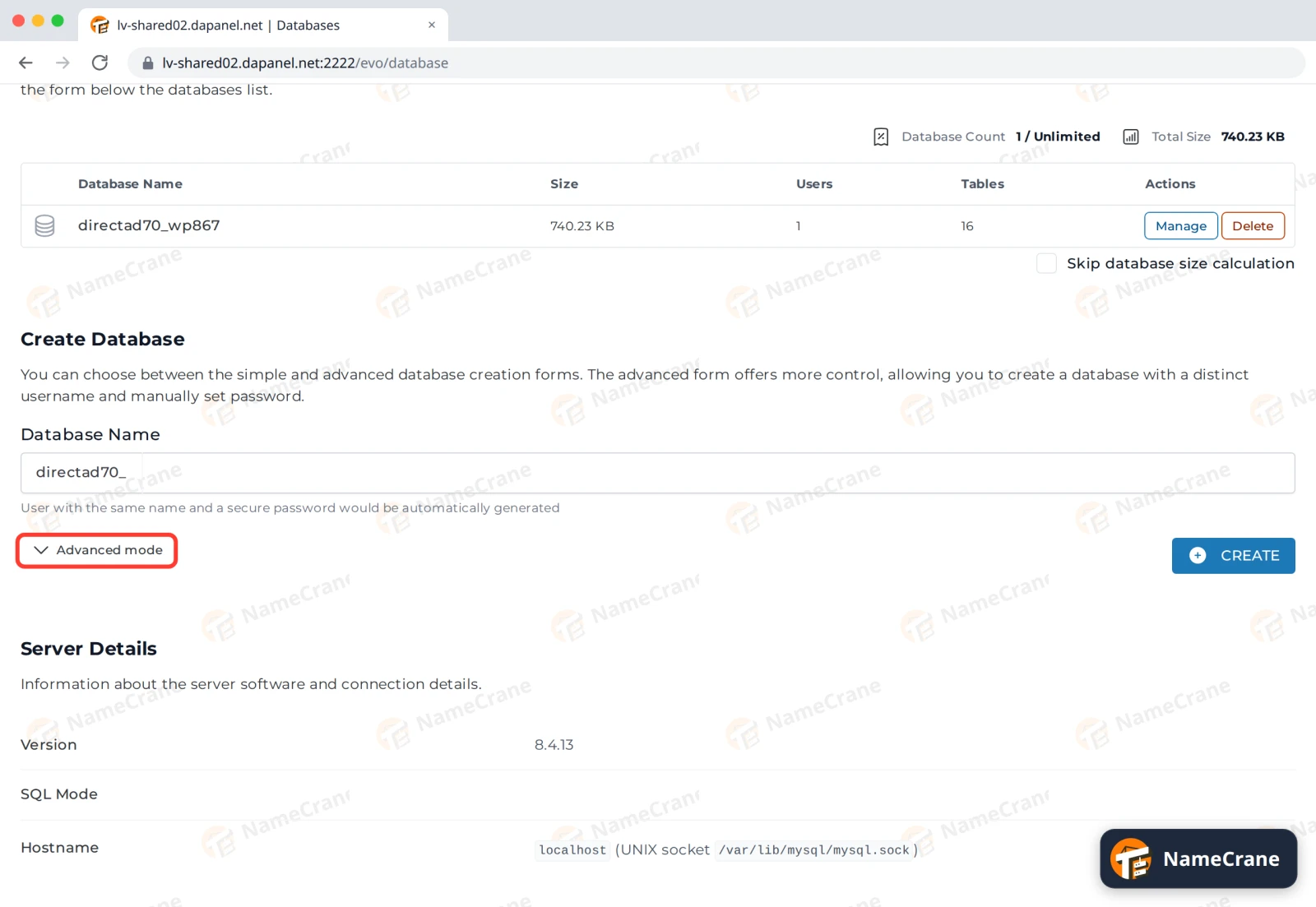
Scroll down to Create Database and click Advanced mode. This lets you choose the username and password yourself.
-
Type a Database Name and a User name. DirectAdmin adds your account name at the front, so
shopbecomesdirectad70_shop. Enter a strong Password, or click the dice icon to generate one. Note the password down, then click Create.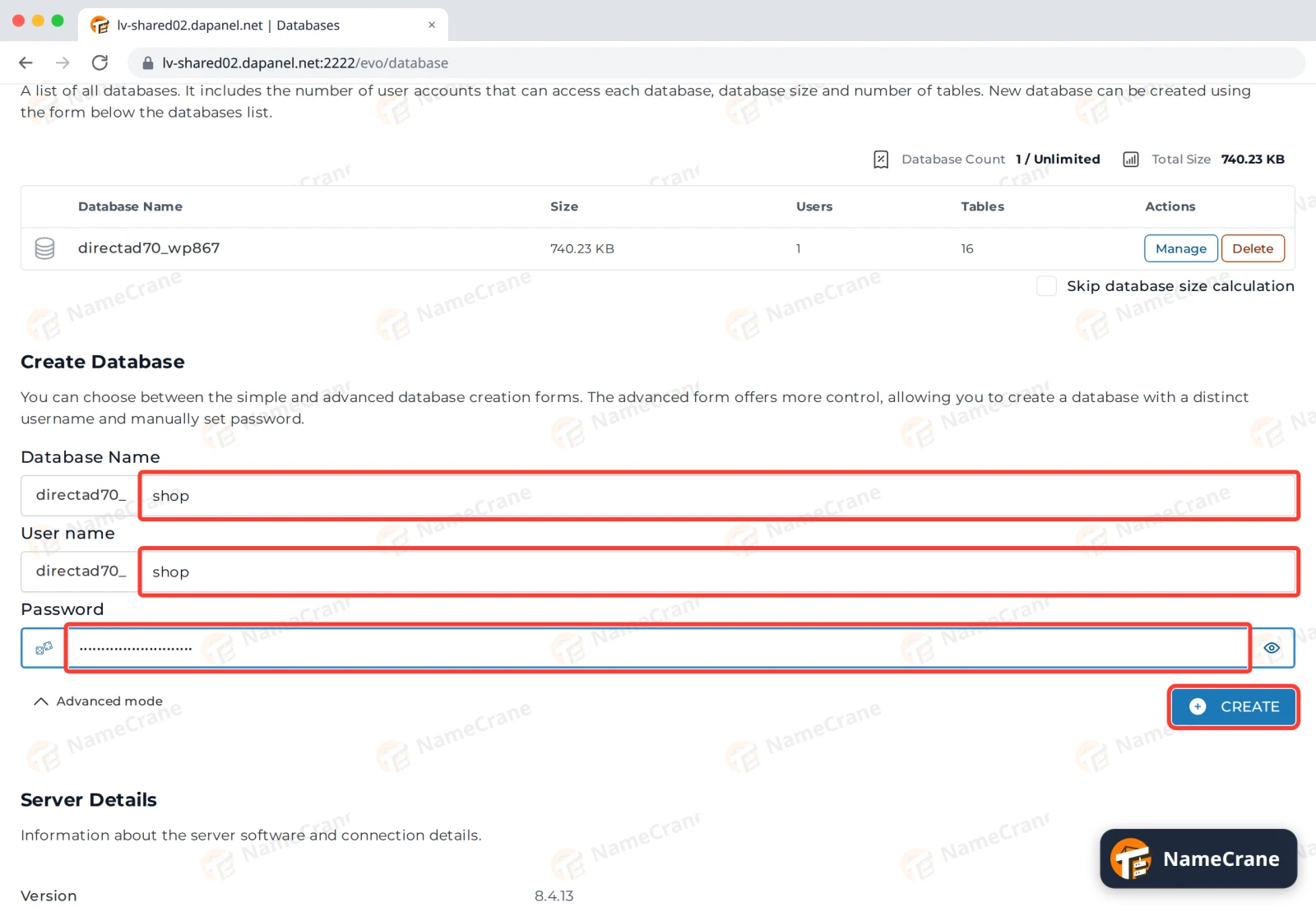
-
DirectAdmin shows Database created with the connection details. The password is only shown here once, so copy it somewhere safe before you click Dismiss.
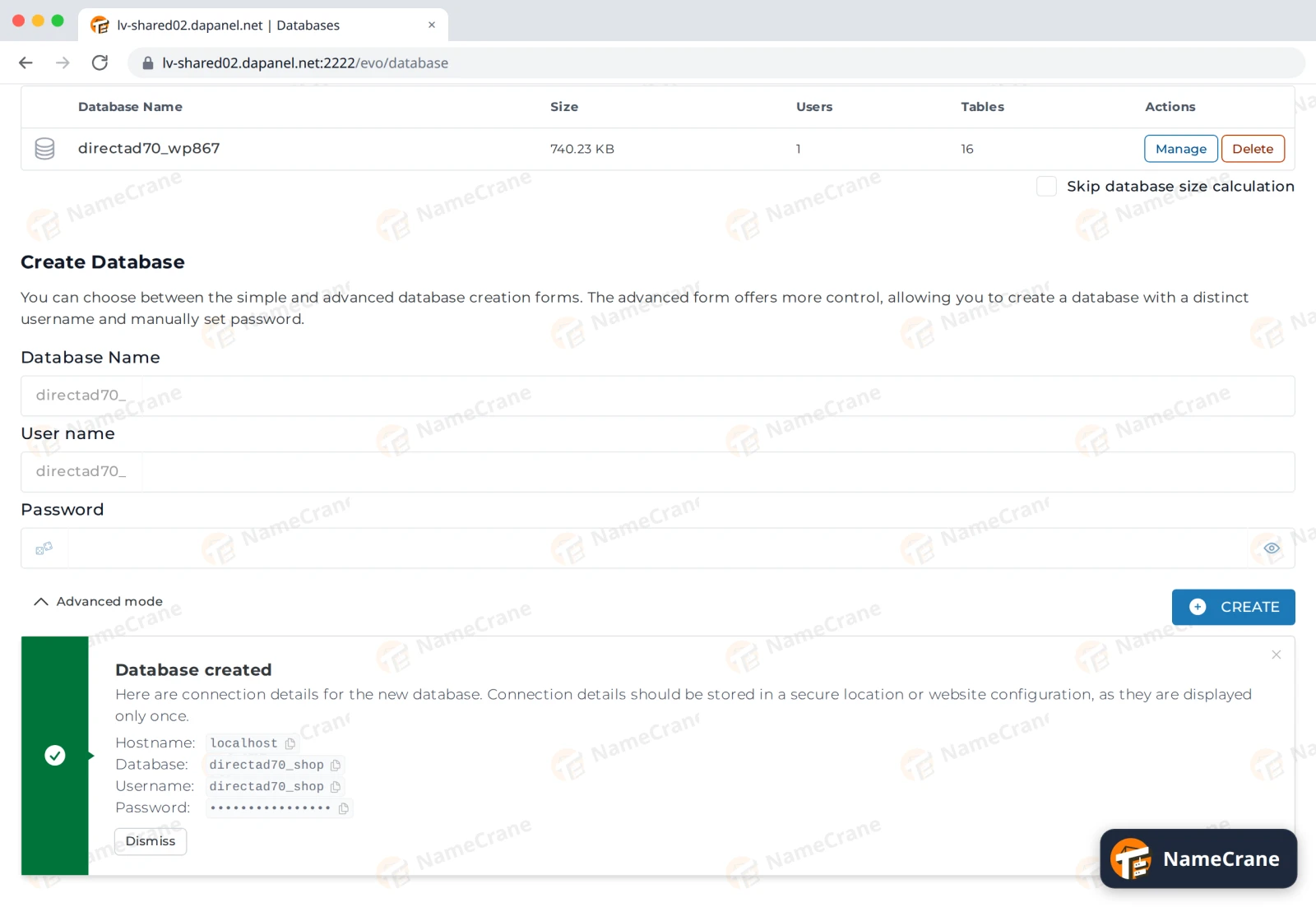
Note: Without Advanced mode, you only type the database name. DirectAdmin then makes a user with the same name and a random password, and shows them once in the Database created box.
Connecting your app
Most apps ask for these four details:
| Setting | What to enter |
|---|---|
| Database name | The full name with prefix, such as directad70_shop |
| Username | The full username with prefix, such as directad70_shop |
| Password | The password you set in step 3 |
| Host | localhost (for apps on your NameCrane hosting) |
Troubleshooting
| Problem | What to do |
|---|---|
| “Access denied for user” | Check you’re using the full username and database name, including the prefix. On the Databases page, click Manage next to the database and check the user is listed under User Access. |
| I forgot the database password | On the Databases page, click Manage Users, then Manage next to the user. Under Password Management, type a New Password and click Change Password. Then update your app’s settings. |
| I need to connect from my own computer | Click Manage Users, then Manage next to the user. Under Allowed Hosts, add your IP address and click Add Host. |
| I want to open the database in phpMyAdmin | Click phpMyAdmin at the top of the Databases page. It opens in a new tab, already logged in. See Import and export a database. |
Snagged on something? Contact support and we’ll get you sorted.