How to Send MXFilter Email Events to Your Own System with Webhooks
Last updated Changelog
On this page
A webhook sends the result of each email to a web address you choose, the moment MXFilter knows it. Use it to feed a security tool, keep an audit trail, or trigger your own alerts. You’ll need a web address (https://) that can receive the data, such as a small script on your website. There’s a tested example below.
Steps
-
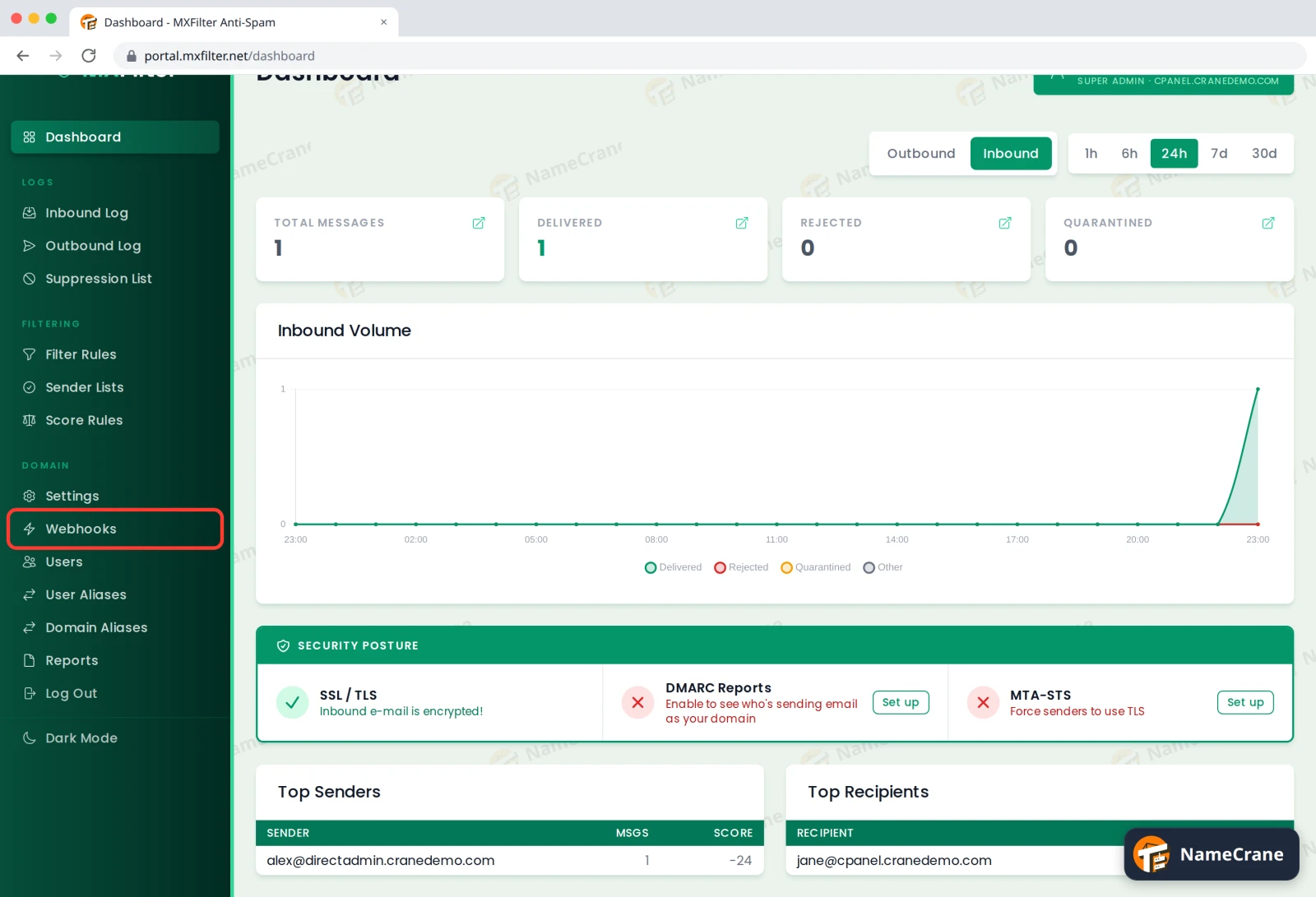
In the MXFilter menu, under Domain, click Webhooks.
-
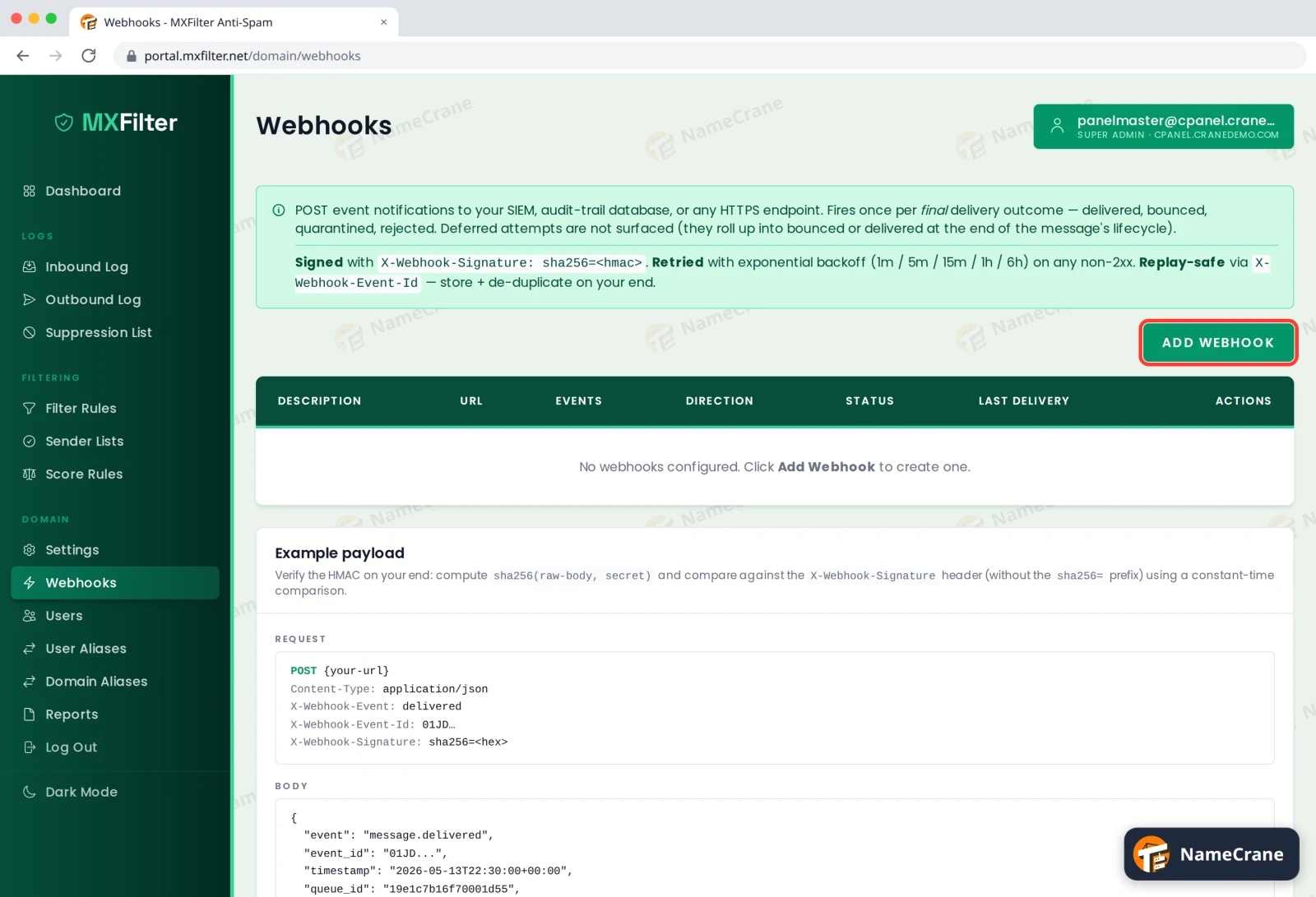
Click Add Webhook.
-
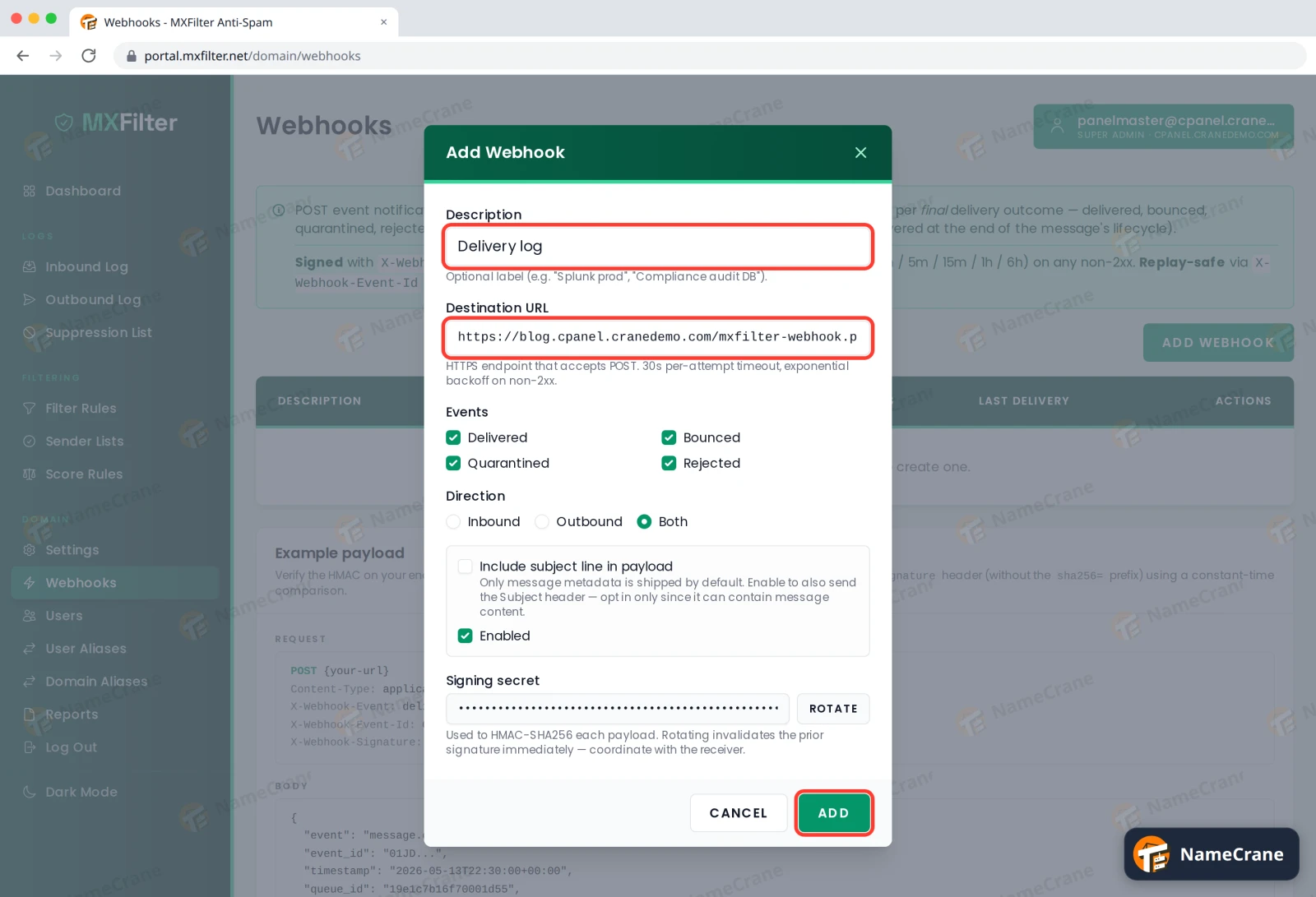
Fill in the form, then click Add:
- Description: a name to recognise it by, such as
Delivery log. - Destination URL: your web address. It must start with
https://. - Events: which results to send: Delivered, Bounced, Quarantined and Rejected.
- Direction: email you receive (Inbound), email you send (Outbound), or Both.
- Include subject line in payload: leave it off unless you need it, because subjects can contain private details.
- Signing secret: copy it now. Your script needs it to check that each message really came from MXFilter.
- Description: a name to recognise it by, such as
-
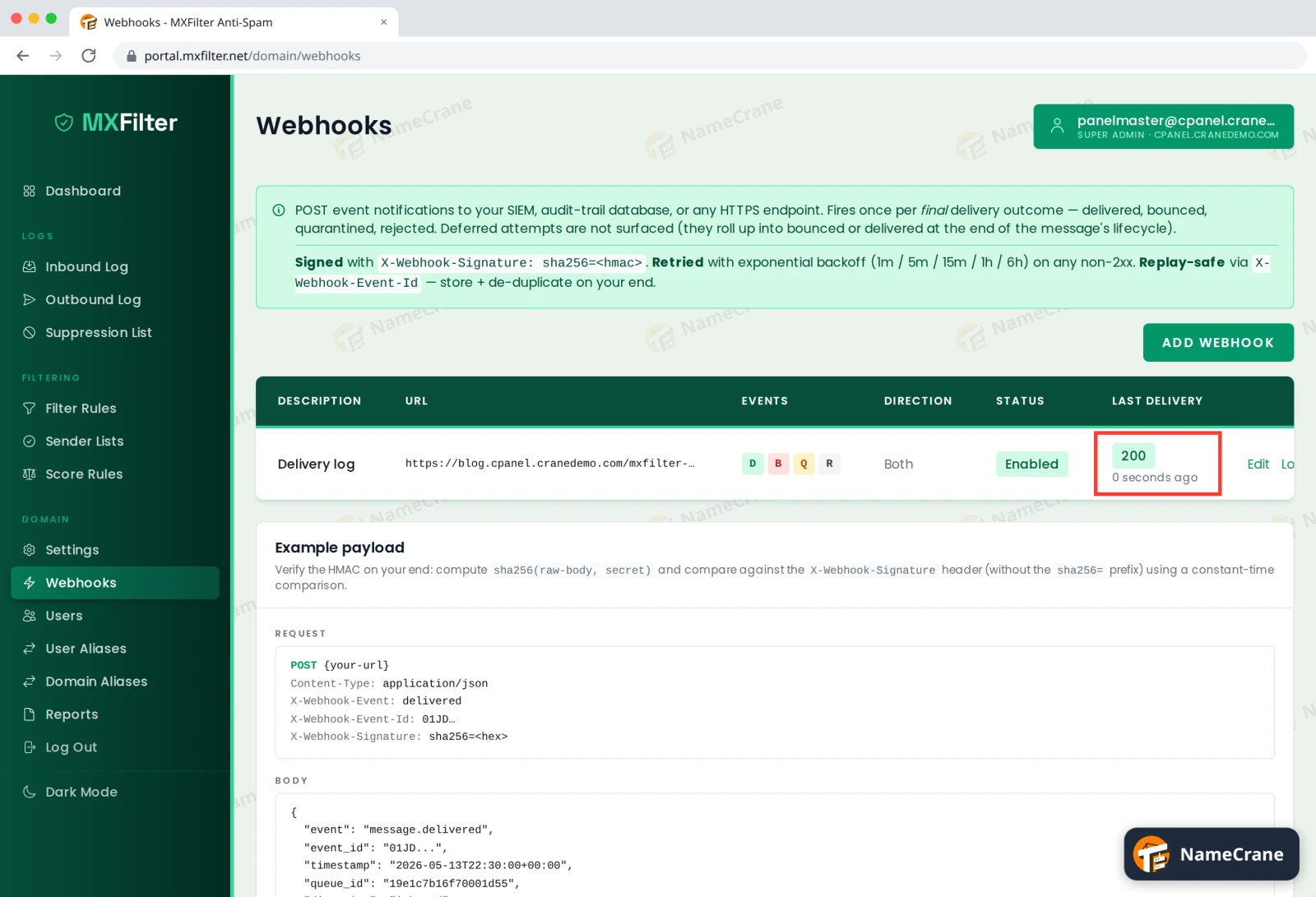
As email comes in, Last Delivery shows your server’s answer. 200 means it arrived safely. In our test, the first event reached our script within 15 seconds of sending an email.
What MXFilter sends
Each event is a POST with a JSON body, sent once per email when its final result is known. Emails that are still being retried aren’t sent until they’re finally delivered or bounced.
| Field | What it holds |
|---|---|
event |
What happened, such as message.delivered |
event_id |
A unique ID for this event |
timestamp |
When it happened |
direction |
inbound or outbound |
from, to |
The sender and the list of recipients |
rspamd_score, rspamd_action |
The spam score and what MXFilter decided |
size_bytes |
The email’s size |
delivery_response |
The receiving server’s reply |
The X-Webhook-Signature header holds sha256= followed by a signature, and X-Webhook-Event-Id holds the event’s ID.
Check the signature
Always check the signature before trusting an event. This PHP script does that, and it’s the same check our test script used:
<?php
$secret = 'paste-your-signing-secret-here';
$body = file_get_contents('php://input');
$expected = 'sha256=' . hash_hmac('sha256', $body, $secret);

if (!hash_equals($expected, $_SERVER['HTTP_X_WEBHOOK_SIGNATURE'] ?? '')) {
    http_response_code(401);
    exit('bad signature');
}

$event = json_decode($body, true);
// Save $event here. Use $event['event_id'] to skip events you've already saved.
http_response_code(200);
echo 'ok';
In our test, an event with a wrong signature got a 401 and a real one got a 200.
Tip: If your server doesn’t answer with a
2xxcode within 30 seconds, MXFilter tries again after 1 minute, 5 minutes, 15 minutes, 1 hour and 6 hours. So the same event can arrive more than once: use itsevent_idto skip copies.
Troubleshooting
| Problem | What to do |
|---|---|
Last Delivery shows 401, 403 or 500 |
Your script turned the event down. Check it uses the right signing secret, and that it checks the body exactly as it arrived, before decoding the JSON. |
| Nothing arrives | Check the webhook shows Enabled, and that the Events and Direction you ticked match the email you’re testing with. Your address must be reachable from the internet over https://. |
| Signatures stopped matching | Someone clicked Rotate on the signing secret. The old secret stops working straight away, so put the new one in your script. |
| I get the same event twice | That’s a retry. Skip events whose event_id you’ve already saved. |
Snagged on something? Contact support and we’ll get you sorted.