How to Change Your PHP Version and Settings in DirectAdmin
Last updated Changelog
On this page
Your website’s code runs on PHP, and the version matters. Newer versions are faster and get security fixes, and apps like WordPress need at least PHP 7.4. In DirectAdmin you choose the version, and adjust settings like the maximum upload size, in Select PHP version.
Note: Use Select PHP version (in Extra Features) to change PHP. It’s the setting your site actually runs on. The PHP Version shown on the dashboard, and the separate PHP Settings page, can show a different version.
Change your PHP version
-
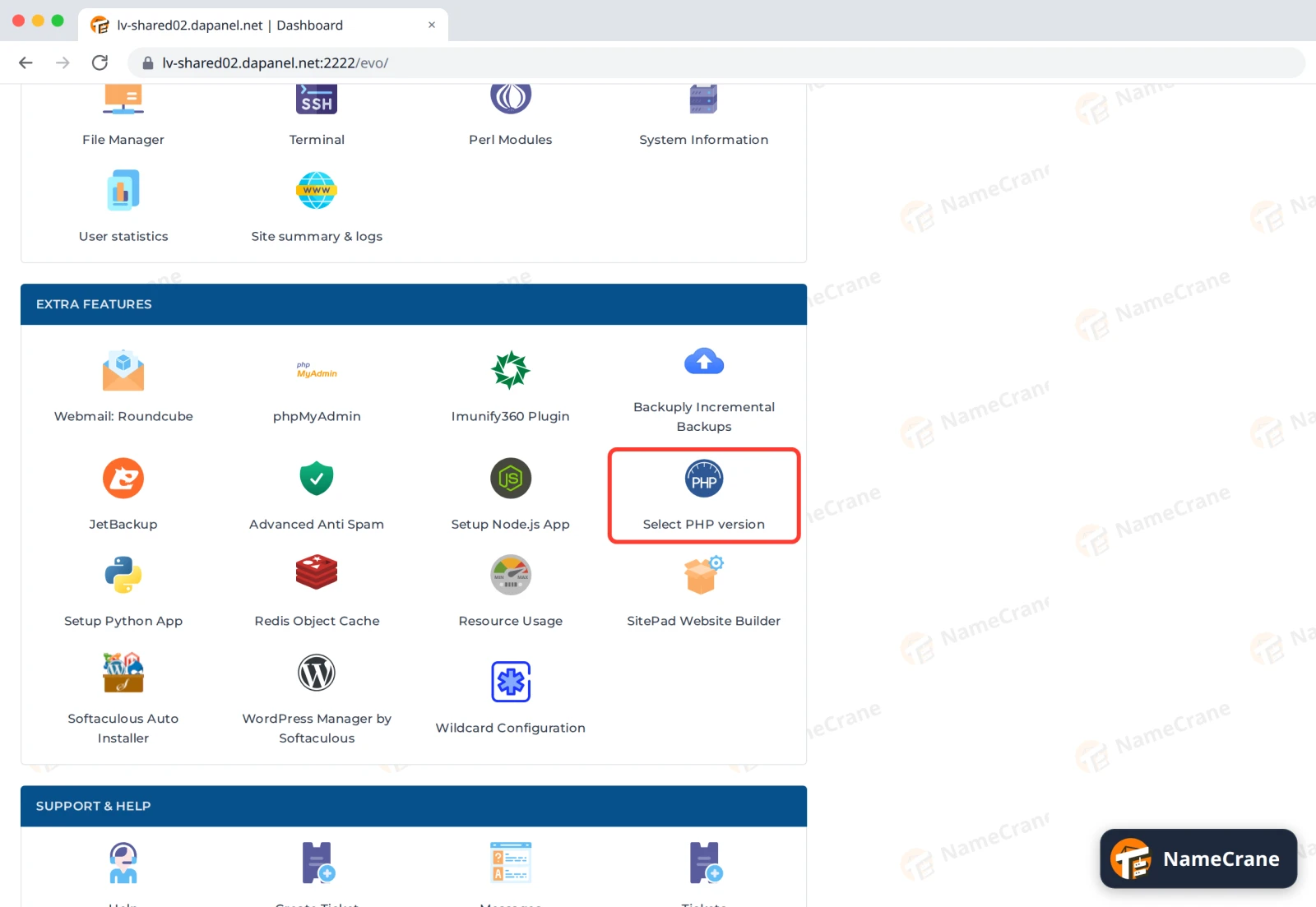
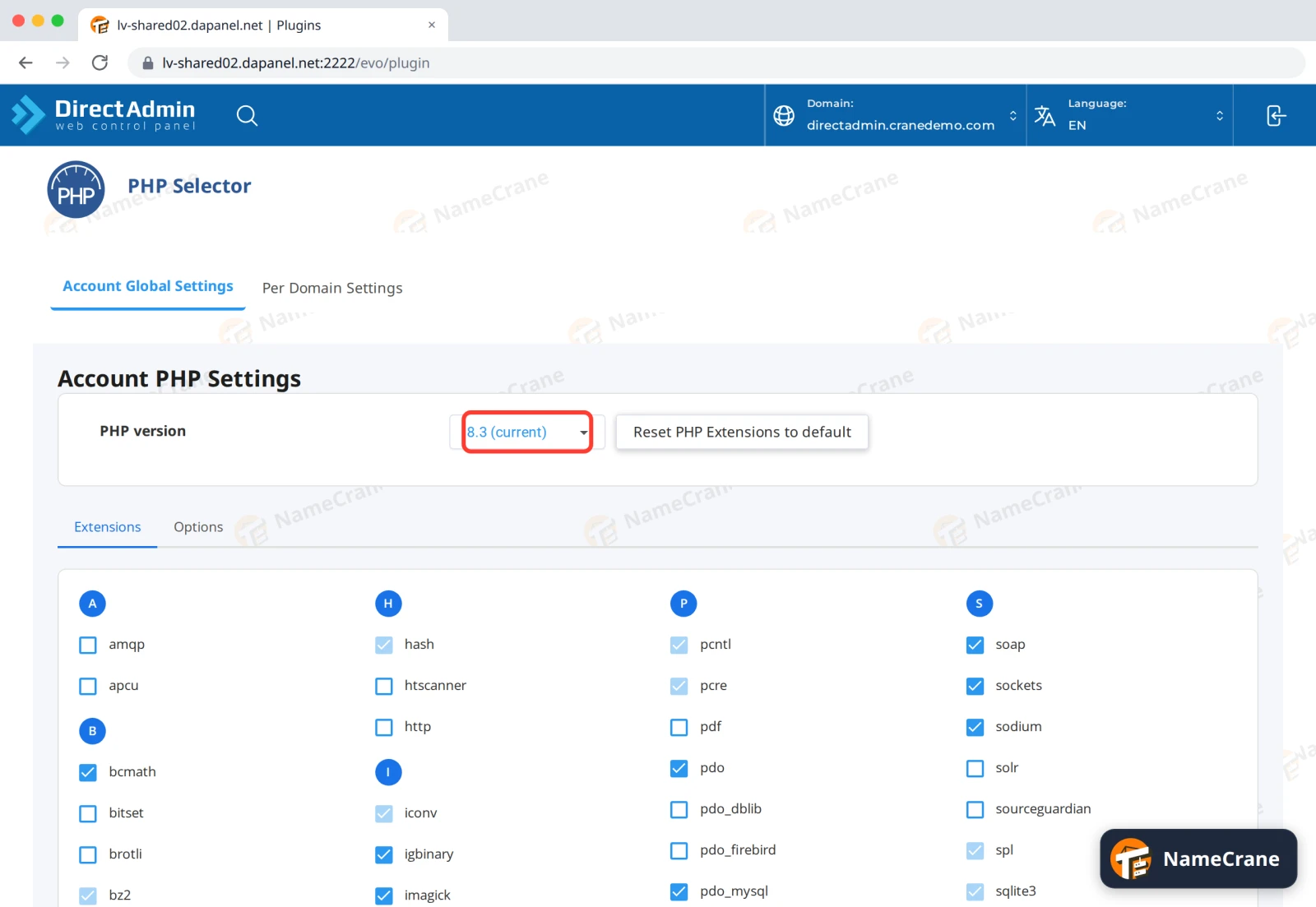
Log in to DirectAdmin. In the Extra Features section, click Select PHP version.
-
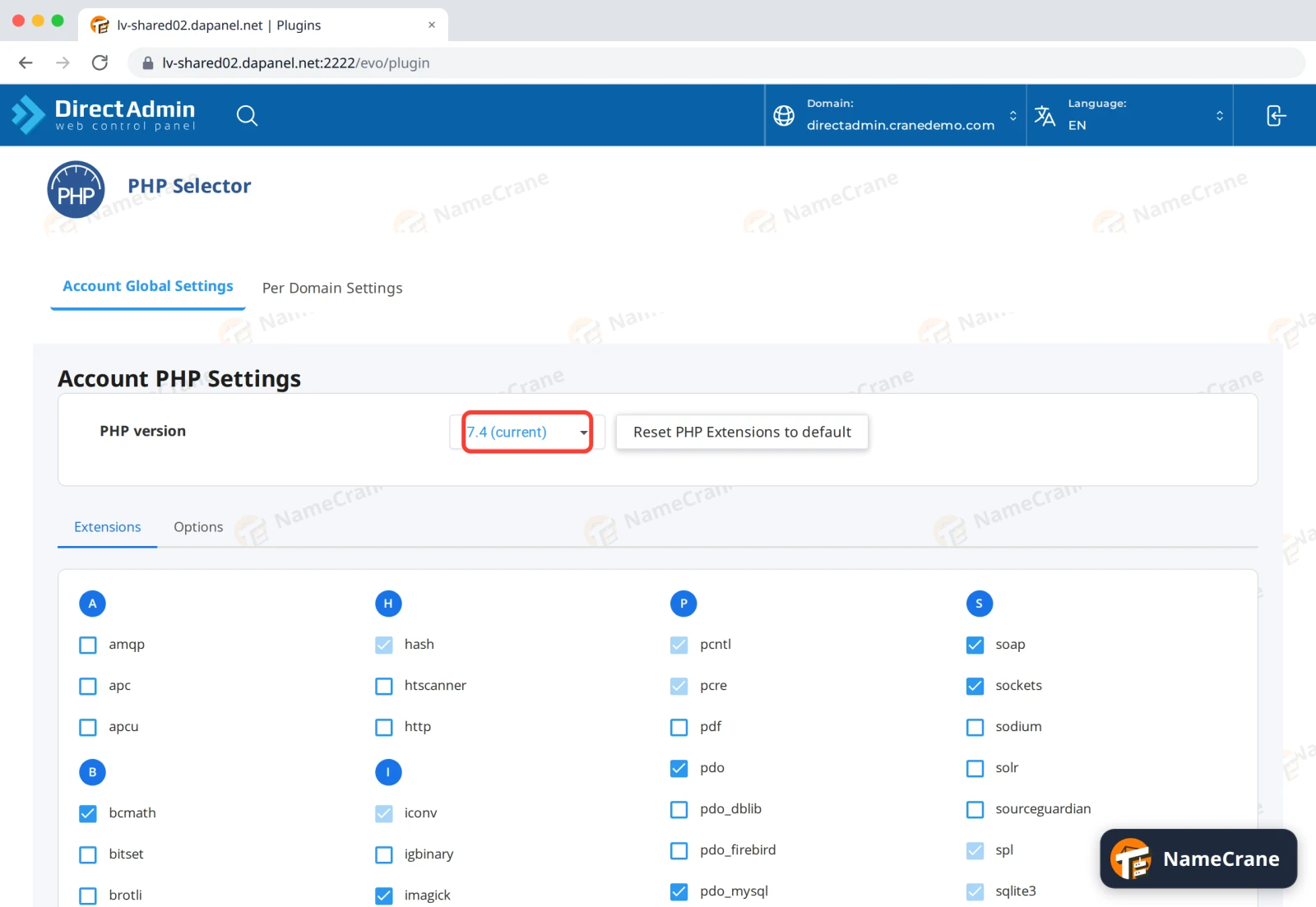
Under Account Global Settings, the PHP version box shows the version your sites use now, marked (current). Click it.
-
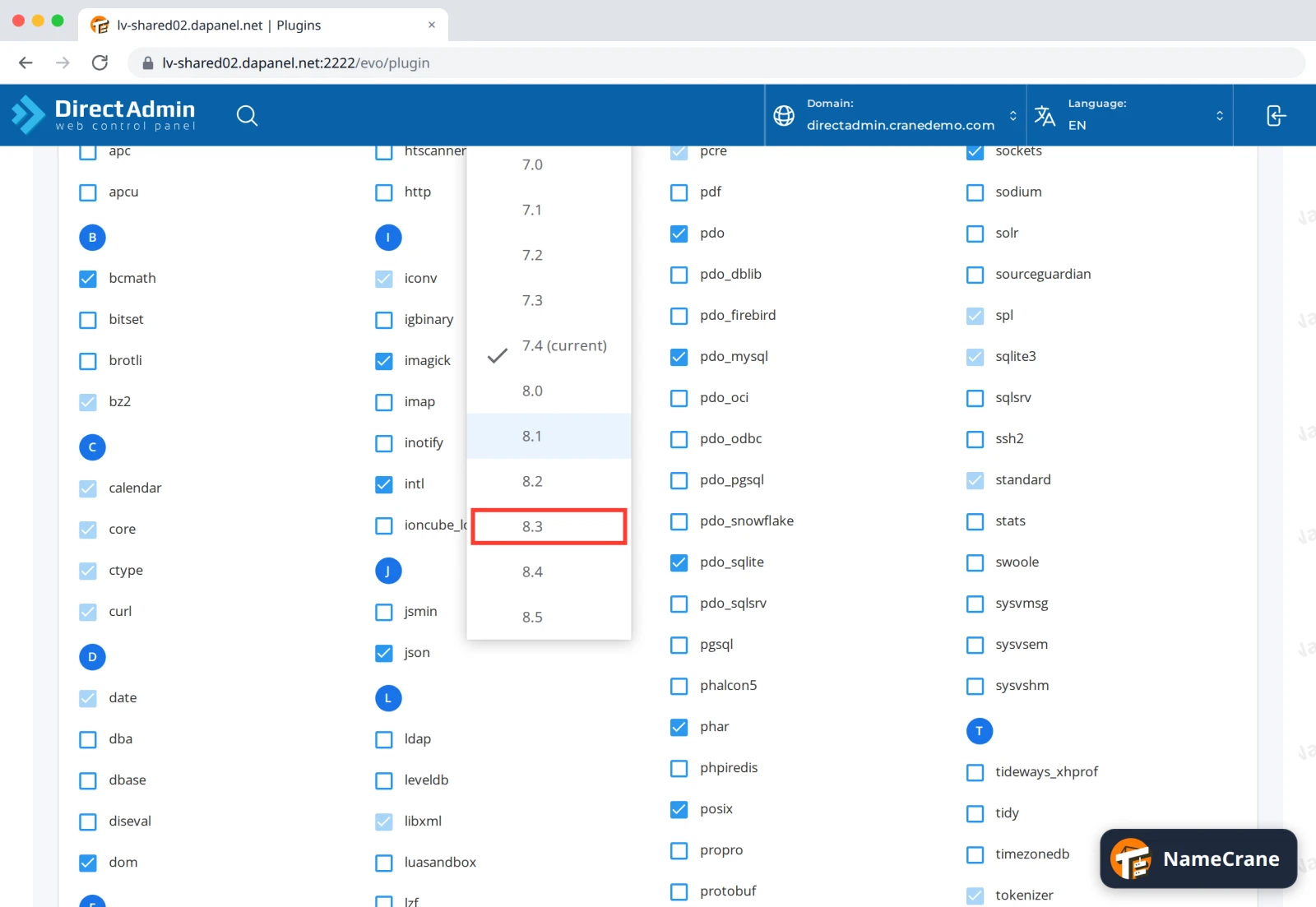
Choose the version you want. We recommend 8.3: it’s current, fast, and supported by WordPress and most apps.
-
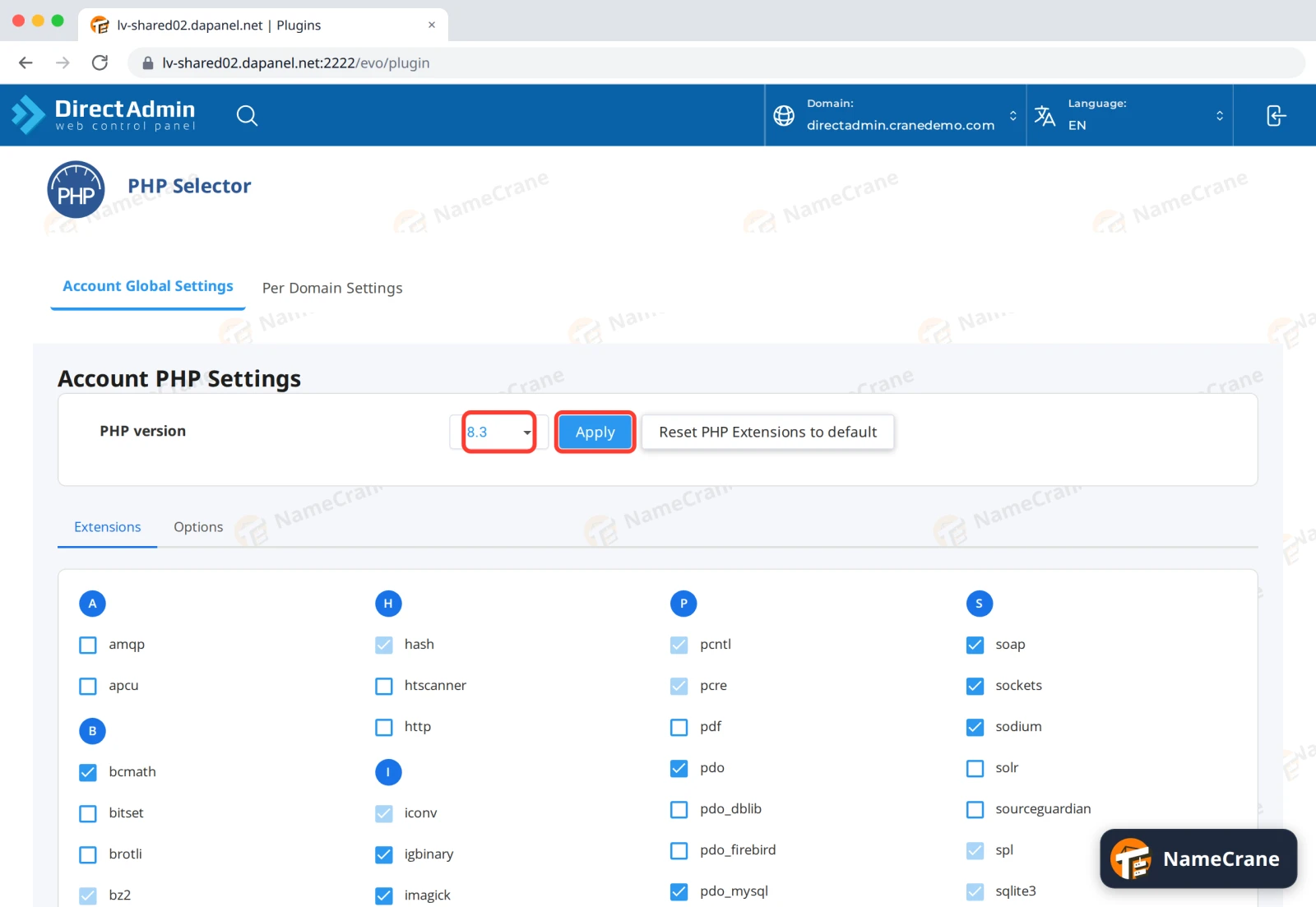
Click Apply.
-
The box now shows 8.3 (current). In our test, the site was running PHP 8.3 straight away.
Tip: Changing PHP version can occasionally break an old site or plugin. After switching, check your site. If something’s wrong, switch back the same way and contact the site’s developer.
Change PHP settings
-
Click the Options tab. Click a value to change it, and it saves straight away. For bigger uploads, such as WordPress themes or media, set upload_max_filesize and post_max_size to the same size, for example
64M.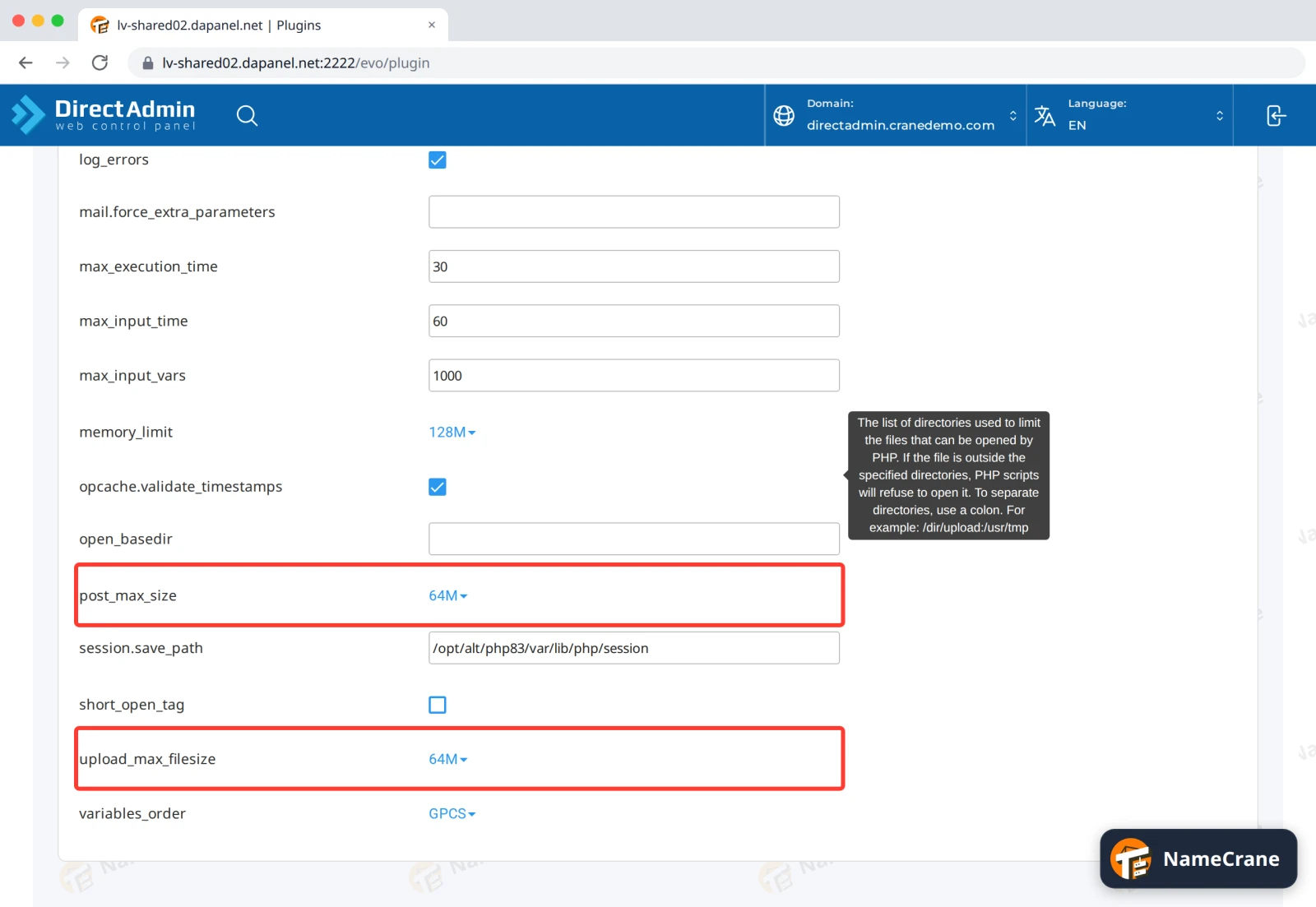
| Setting | What it controls | Default |
|---|---|---|
| upload_max_filesize | Largest single file you can upload | 2M |
| post_max_size | Largest form submission, including uploads. Set it the same as or bigger than upload_max_filesize | 8M |
| memory_limit | How much memory one script can use | 128M |
| max_execution_time | Seconds a script can run before it’s stopped | 30 |
| max_input_vars | How many form fields a page can send (raise it for big WordPress menus) | 1000 |
Note: To run a different PHP version or setting on one domain only, use the Per Domain Settings tab. The Extensions tab lets you switch on extra features your app needs, such as
redisfor the Redis object cache.
Troubleshooting
| Problem | What to do |
|---|---|
| “PHP version is less than the required 7.4.0” when installing an app | Switch to 8.3 as above, then try the install again. |
| My site shows an error after switching | Switch back to the previous version, then ask the site’s developer to update it for the newer version. |
| WordPress says “the uploaded file exceeds the upload_max_filesize” | Raise upload_max_filesize and post_max_size on the Options tab. |
| The dashboard still shows the old version | That’s DirectAdmin’s own setting. Your site uses the version in Select PHP version. |
Snagged on something? Contact support and we’ll get you sorted.