How to Delete a Customer's Account as a DirectAdmin Reseller
Last updated Changelog
On this page
When a customer leaves for good, delete their account. This deletes everything in it: website files, email, databases and the domain’s DNS records. It can’t be undone, so if the customer only needs a break, suspend the account instead. In this example we delete a test account, oldclient (oldclient.cranedemo.com).
Important: Make sure there’s a backup first. The customer can download a full copy of their account from DirectAdmin: see Download a backup.
Steps
-
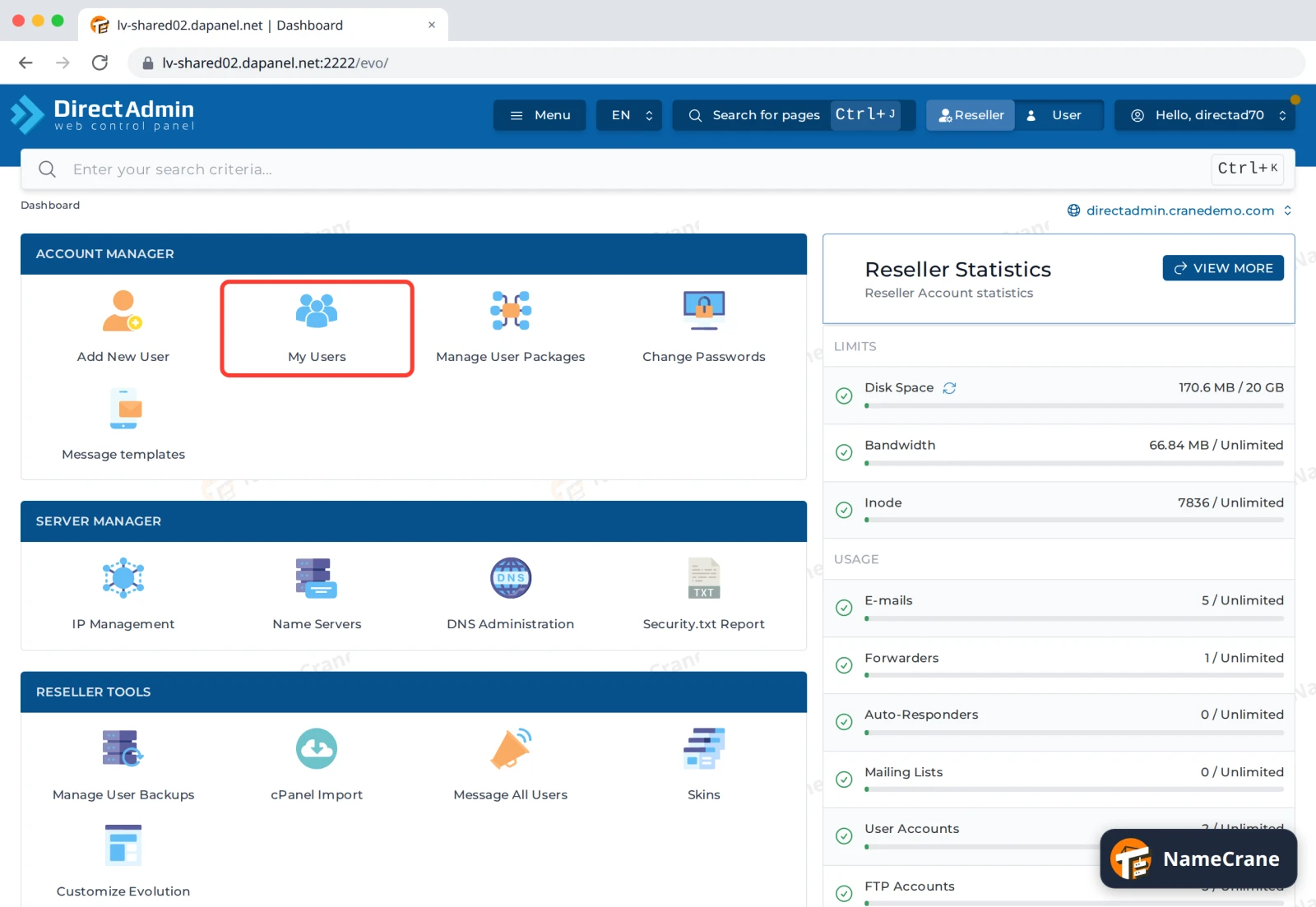
Log in to DirectAdmin and click Reseller in the top bar. Under Account Manager, click My Users.
-
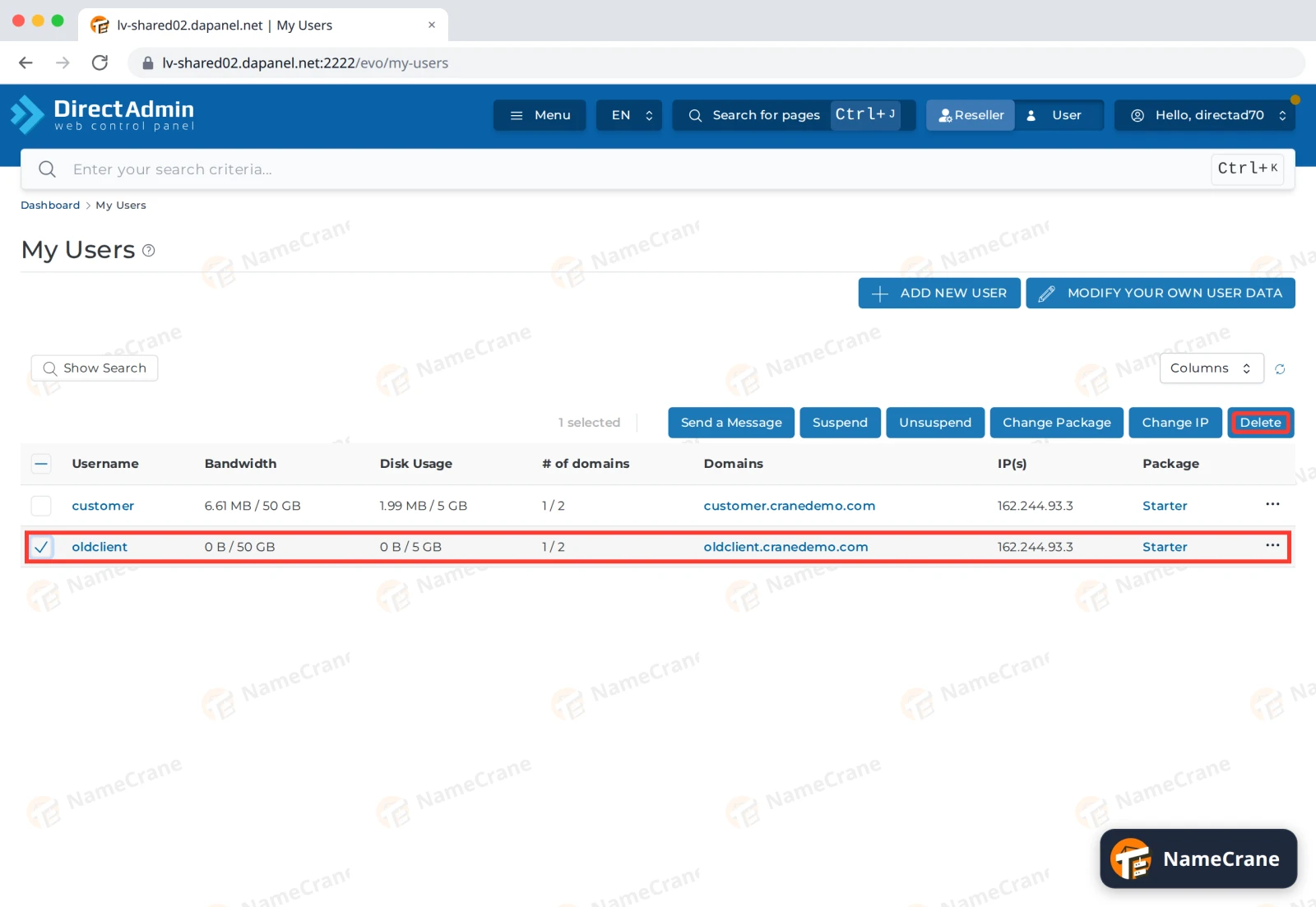
Tick the customer’s row, and only that row. Then click Delete.
-
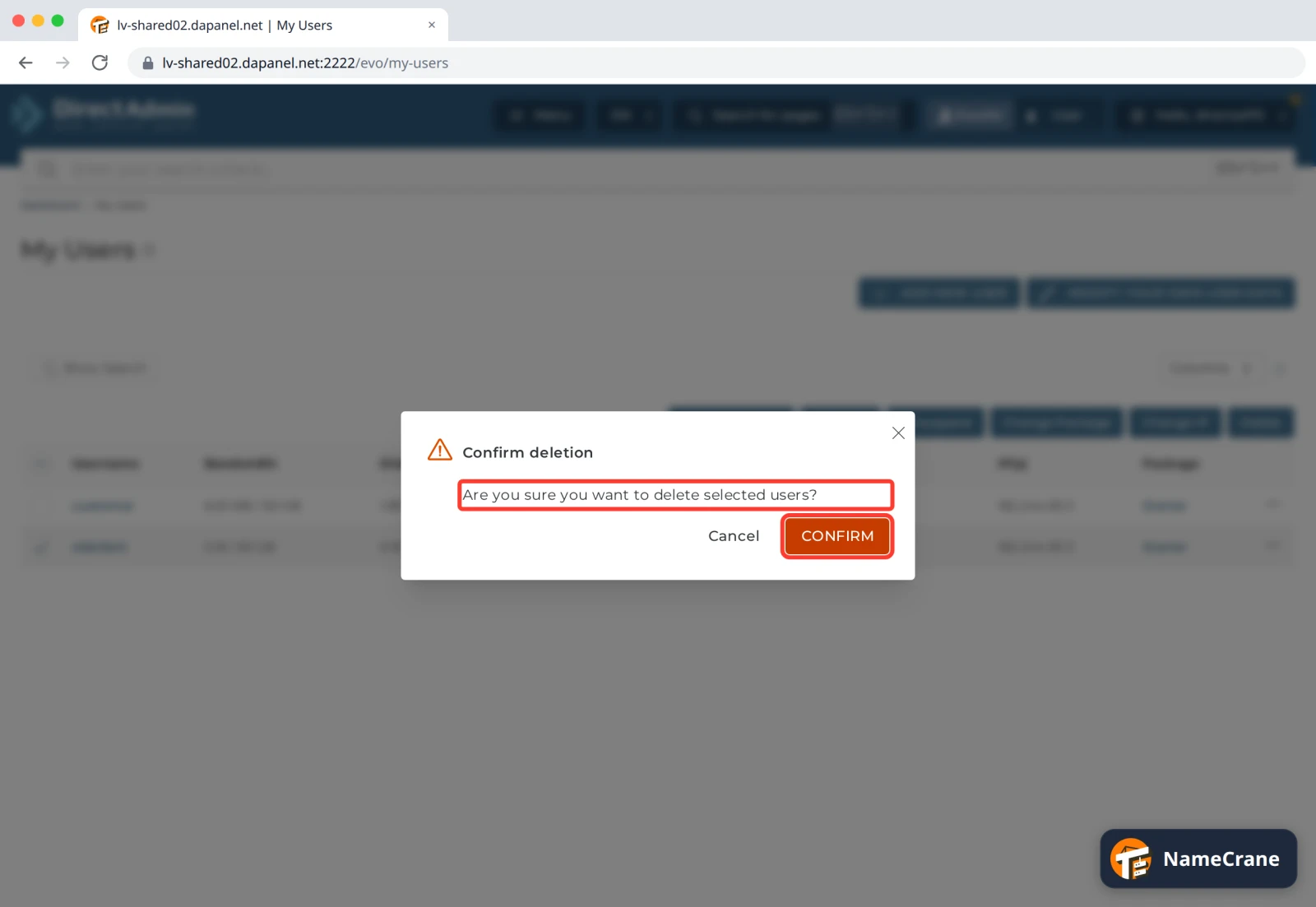
DirectAdmin asks Are you sure you want to delete selected users? It doesn’t repeat the username, so check the ticked row before you go on. Click CONFIRM.
-
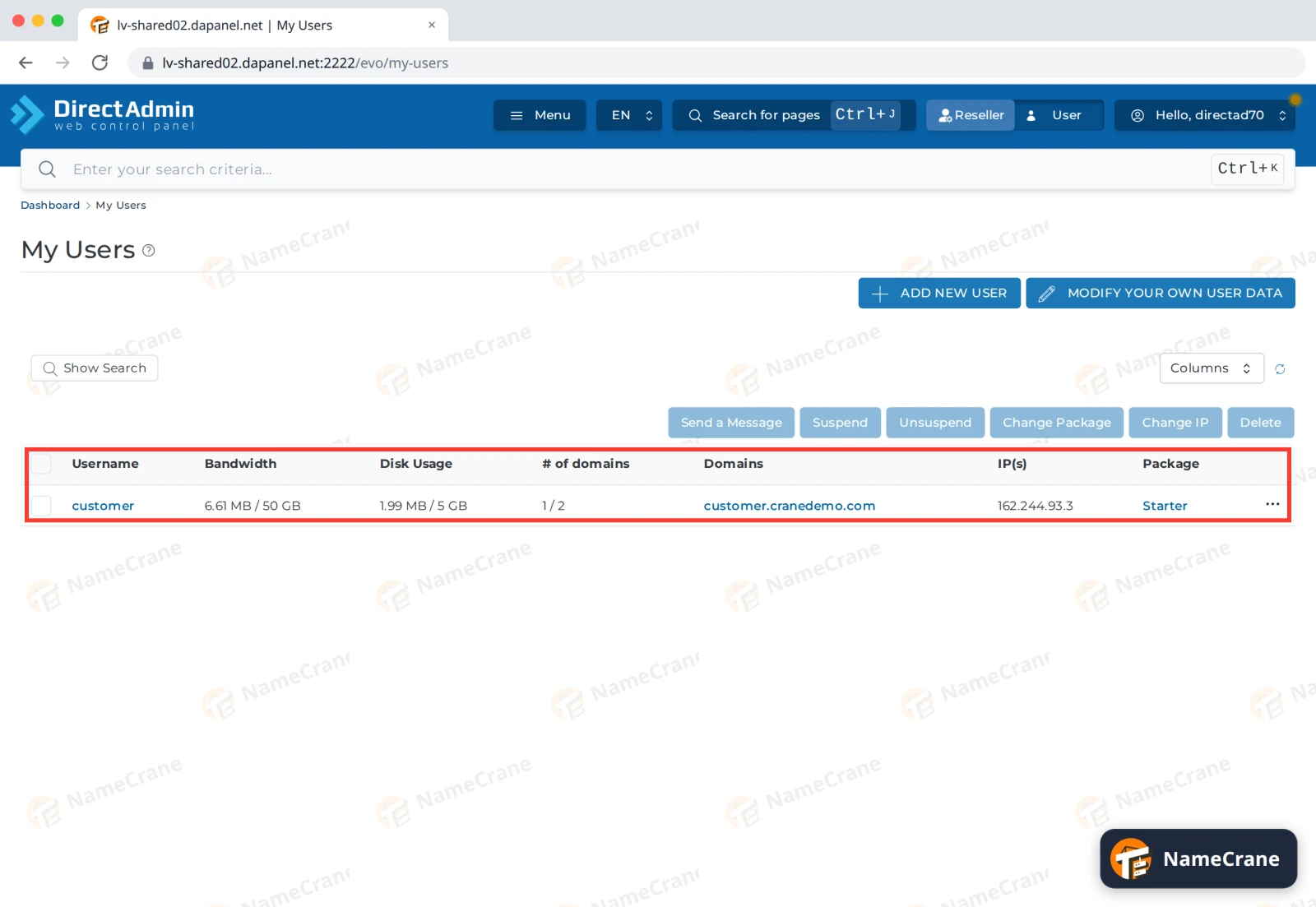
DirectAdmin shows User deleted. Close the message, and the customer is gone from My Users. In our test it took a few seconds.
The account no longer counts towards your reseller plan’s limits. In our test, its domain’s DNS records were gone from our nameservers within two minutes.
Troubleshooting
| Problem | What to do |
|---|---|
| I deleted the wrong account | Contact support straight away. We can’t promise to get it back, but the sooner we know, the better. |
| Delete is greyed out | No row is ticked. Tick the customer’s row first. |
| The customer’s domain still shows DNS records hours later | Contact support and we’ll clear them. |
Snagged on something? Contact support and we’ll get you sorted.