How to Protect Outgoing Email in MXFilter
Last updated Changelog
On this page
MXFilter also checks the email your domain sends. Three settings help you avoid sensitive information leaving by accident, and keep your team informed when something is held.
Before you start
- Open MXFilter from your control panel: from cPanel or from DirectAdmin, then click Settings in the menu.
Steps
-
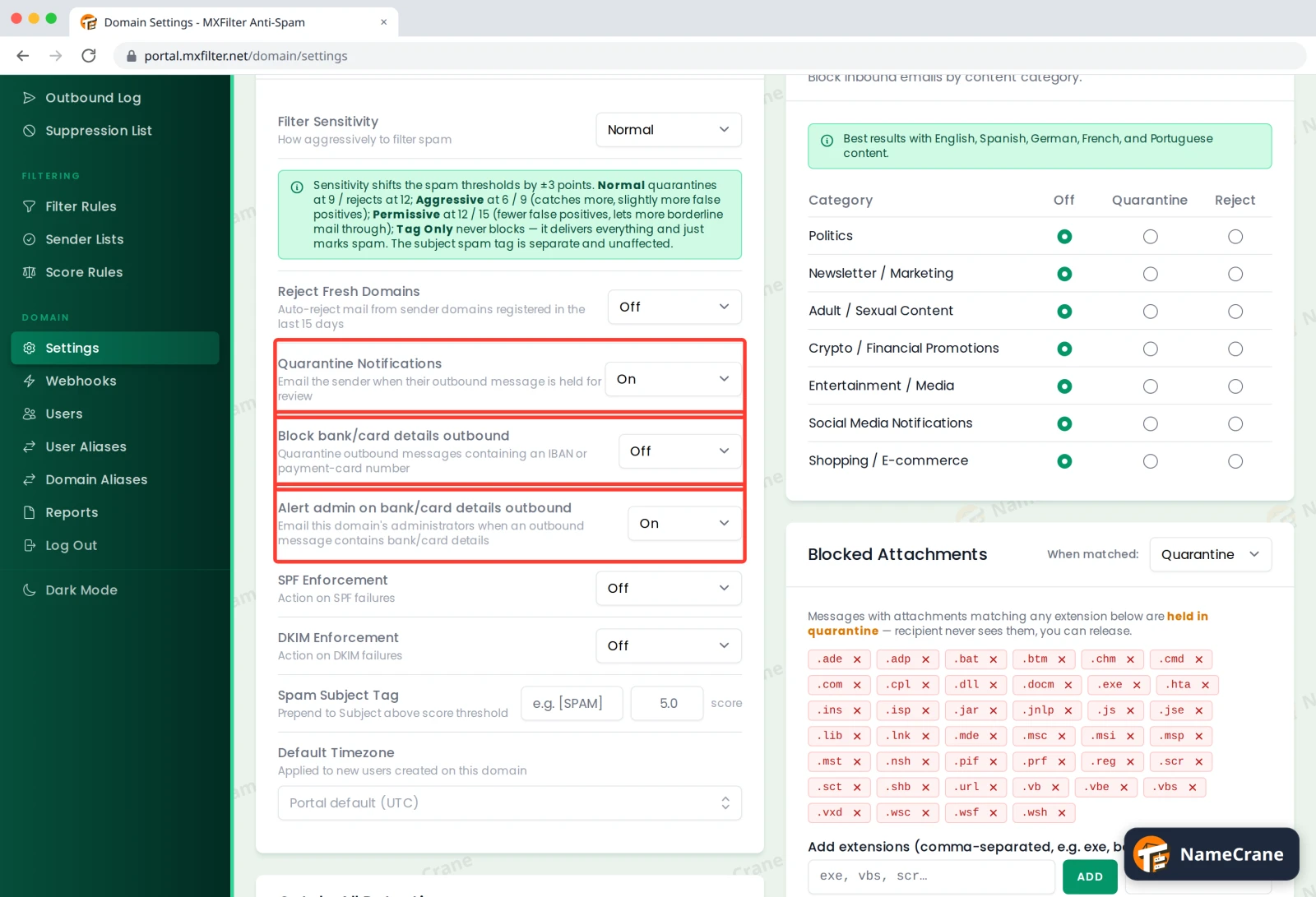
Under Filter Settings, find the three outbound options and switch each one On or Off. Changes save straight away.
| Setting | What it does | Default |
|---|---|---|
| Quarantine Notifications | Emails the sender when one of their outgoing messages is held for review, so they know it hasn’t gone. | On |
| Block bank/card details outbound | Holds outgoing email containing an IBAN (bank account number) or a payment card number. | Off |
| Alert admin on bank/card details outbound | Emails your domain’s administrators when an outgoing message contains bank or card details. | On |
Tip: If you handle payments or invoices, turn on Block bank/card details outbound so a card number can’t be emailed by mistake. An admin can still review and release a held message if it was meant to be sent.
Troubleshooting
| Problem | What to do |
|---|---|
| An invoice with our own bank details was held | That’s the block working as designed. An administrator can review and release it, or switch the block off if you regularly send your bank details. |
| Admin alerts aren’t arriving | Check who is set up as an administrator under Users. |
Snagged on something? Contact support and we’ll get you sorted.