How to Send MXFilter Reports from Your Own Email Address
Last updated Changelog
On this page
MXFilter emails your team quarantine reports and login links. By default they come from MXFilter’s own address. You can send them from an address on your own domain instead, such as reports@yourdomain.com, signed with your own DKIM key. Your team will recognise the sender, and the emails are more likely to reach the inbox.
You’ll add one DNS record. If your domain uses NameCrane’s nameservers, add it in cPanel or in DirectAdmin.
Steps
-
Open MXFilter from your control panel: from cPanel or from DirectAdmin. Click Settings in the menu and scroll to System Sender.
-
In System From address, type the part before the
@, such asreports. MXFilter adds your domain. Click Save.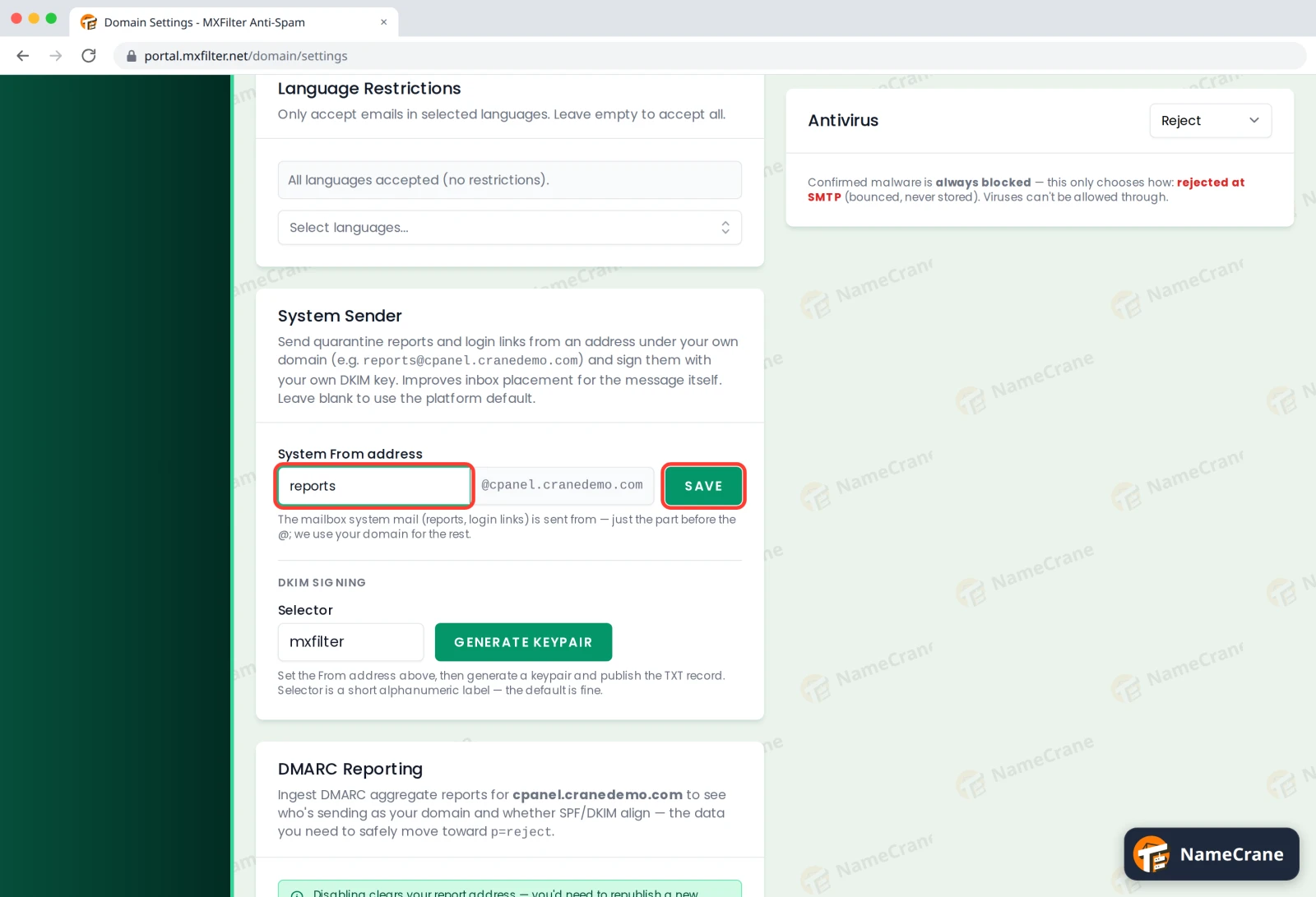
-
Under DKIM Signing, leave the Selector as it is and click Generate Keypair.
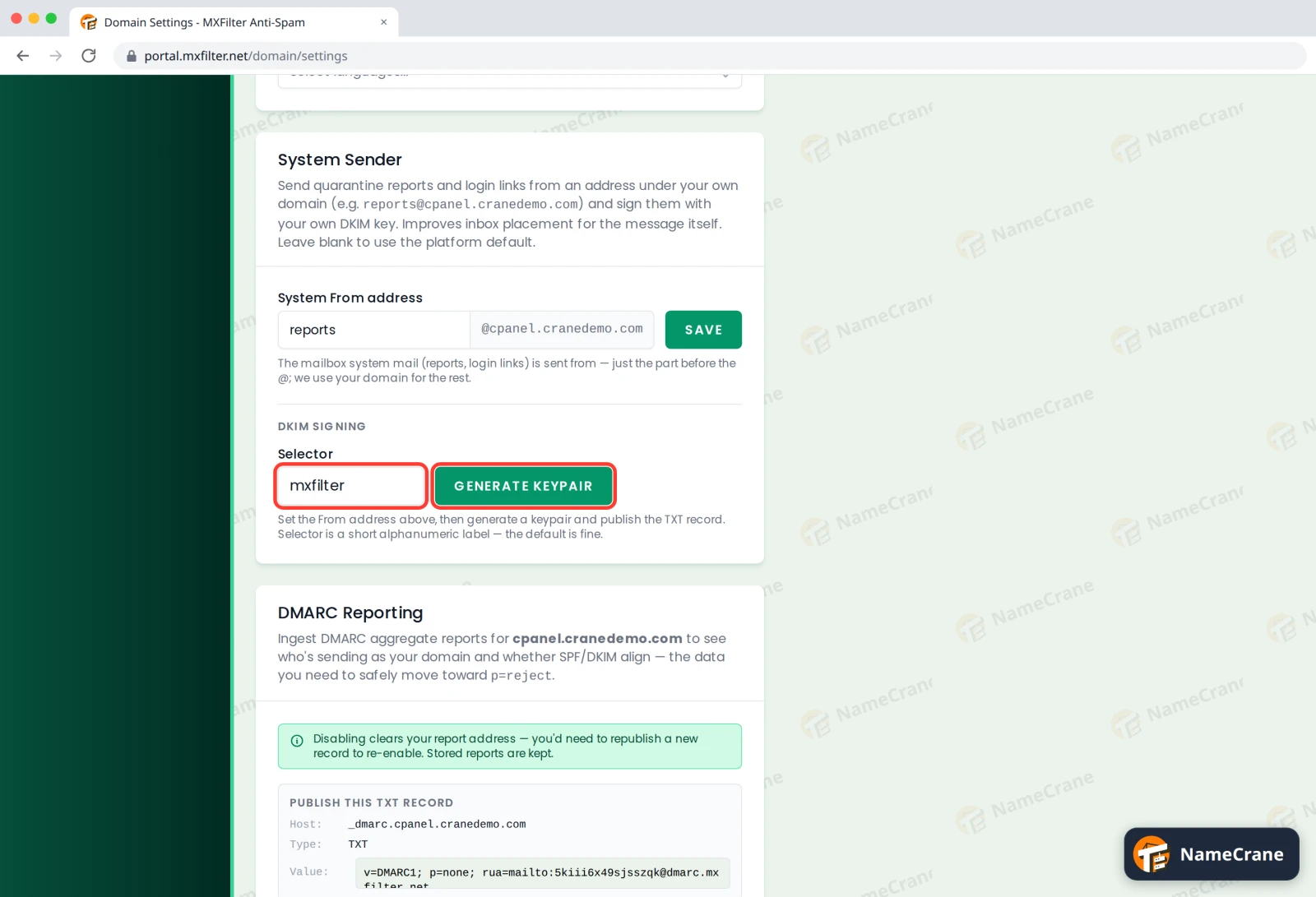
-
MXFilter shows a TXT record for
mxfilter._domainkey.yourdomain.com. Copy the whole Value into a new TXT record in your DNS.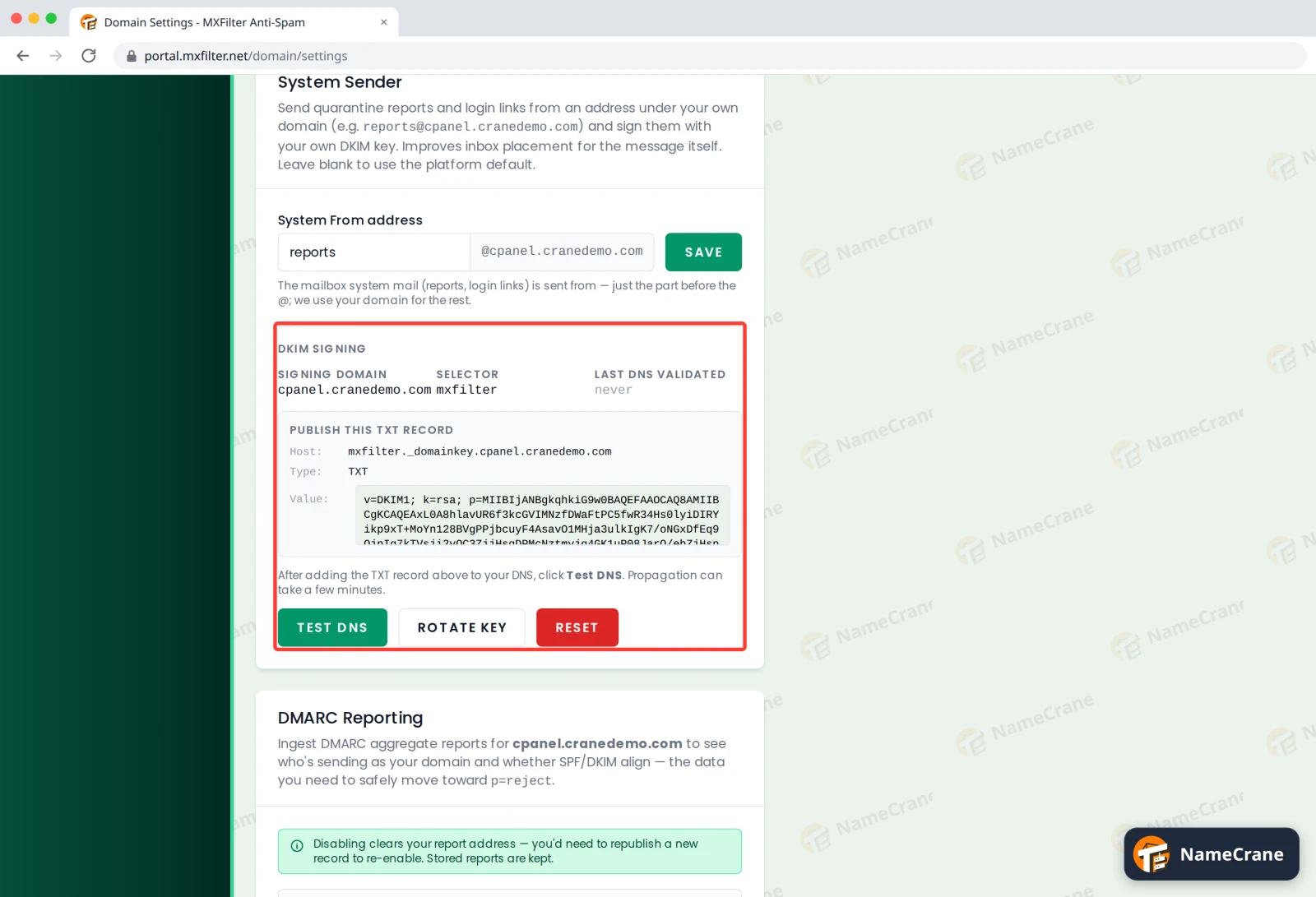
-
Click Test DNS. When it says the record matches — DNS looks good, you’re done. In our test, it matched straight away.
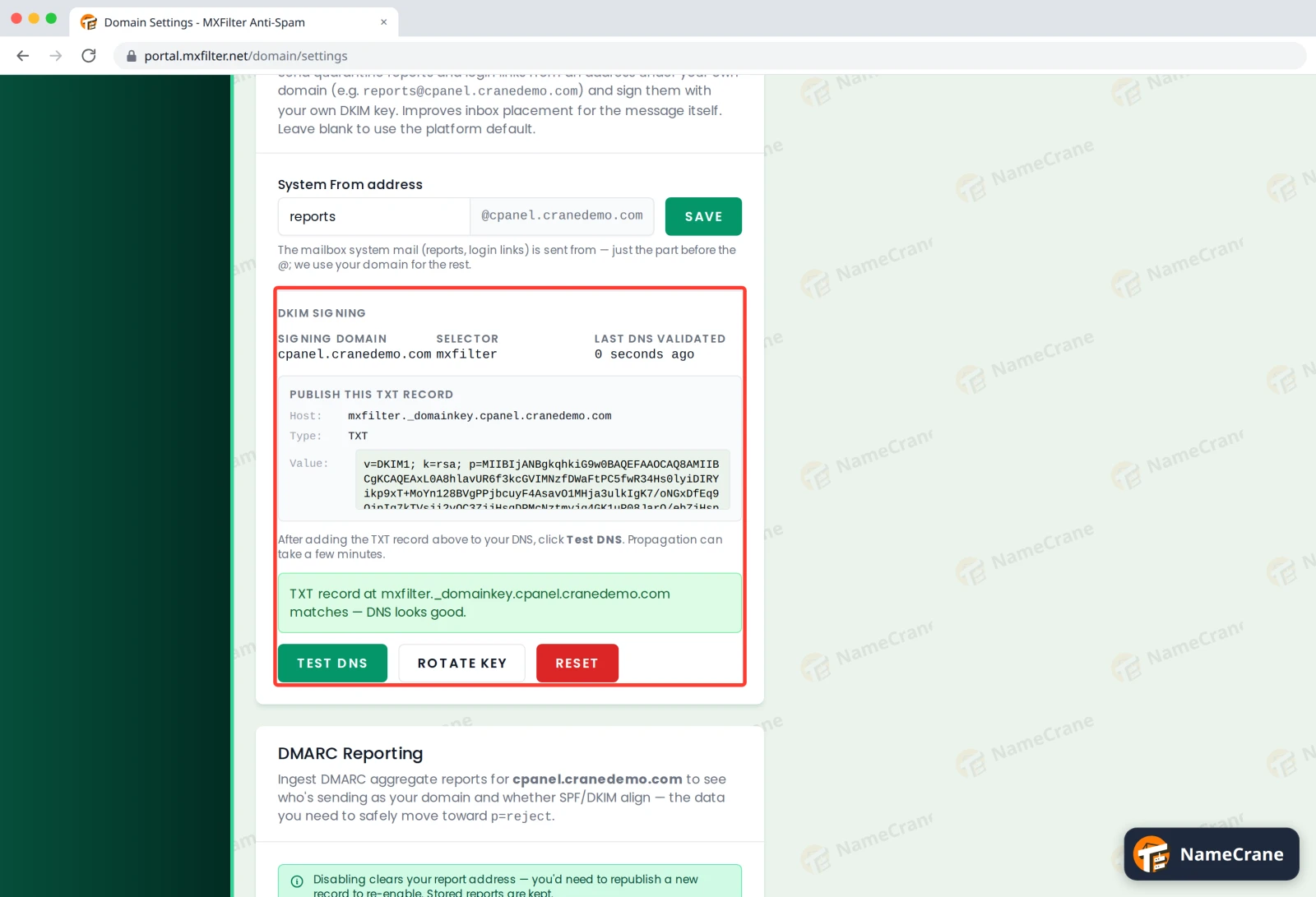
Tip: Make the address a real mailbox or a forwarder, so replies from your team don’t bounce.
Your domain’s other DKIM keys keep working. This one has its own name (the selector mxfilter), so it doesn’t replace the key your hosting uses for your own email.
Troubleshooting
| Problem | What to do |
|---|---|
| Test DNS says the record doesn’t match | Copy the value again: it’s long, so it’s easy to miss a piece. DNS changes can take a few minutes. |
| My DNS editor says the value is too long | Paste it in one go. Most editors split long values for you. If yours doesn’t, contact support. |
| I want MXFilter’s own address back | Clear System From address and click Save. |
| I clicked Rotate Key | That makes a new key. Put the new value in your mxfilter._domainkey record and click Test DNS again. |
Snagged on something? Contact support and we’ll get you sorted.