How to Create a Subdomain in DirectAdmin
Last updated Changelog
On this page
A subdomain is an address in front of your domain, such as blog.yourdomain.com or shop.yourdomain.com. It can run a separate website, for example a blog next to your main site, without registering another domain.
Steps
-
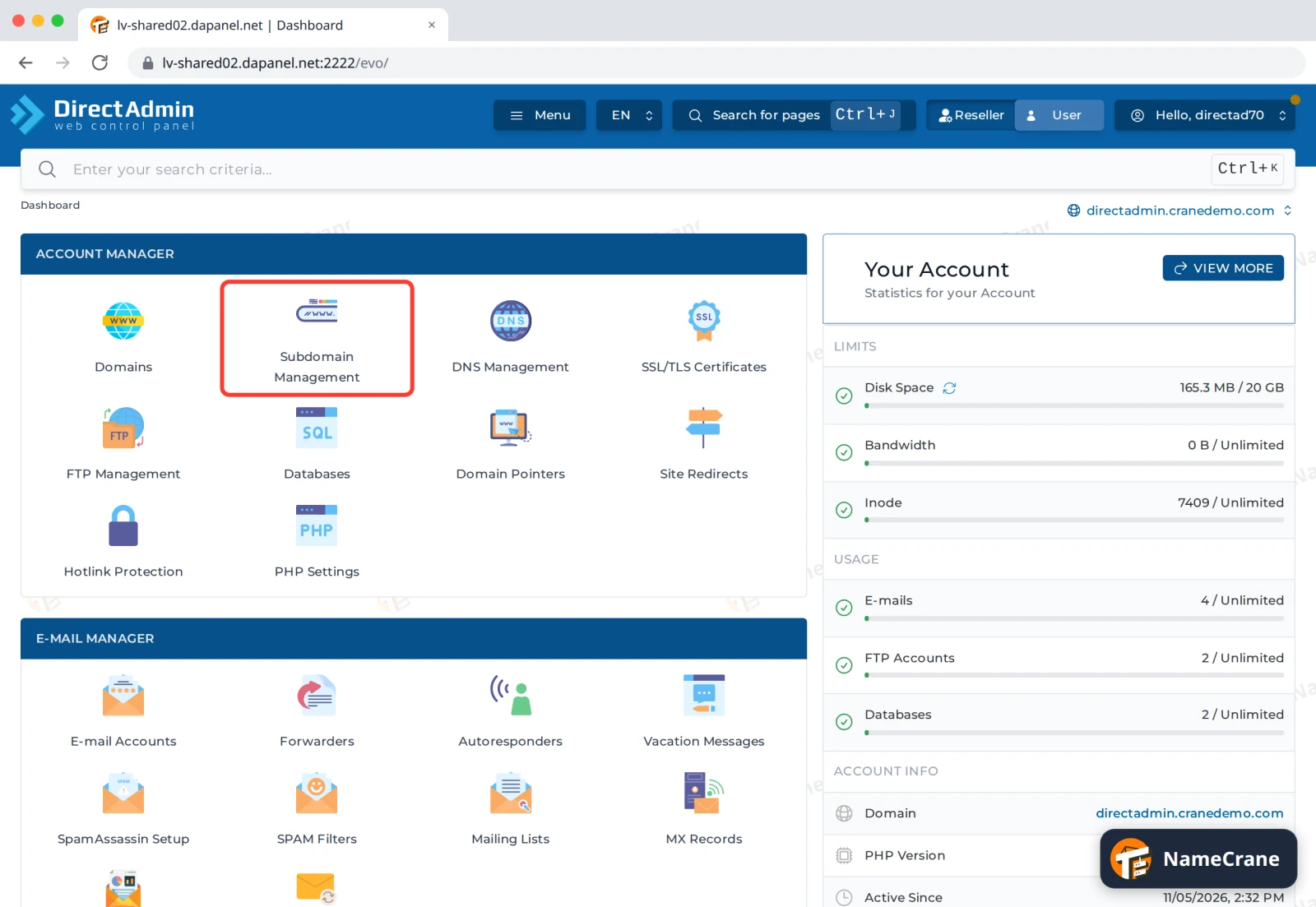
Log in to DirectAdmin. In the Account Manager section, click Subdomain Management.
-
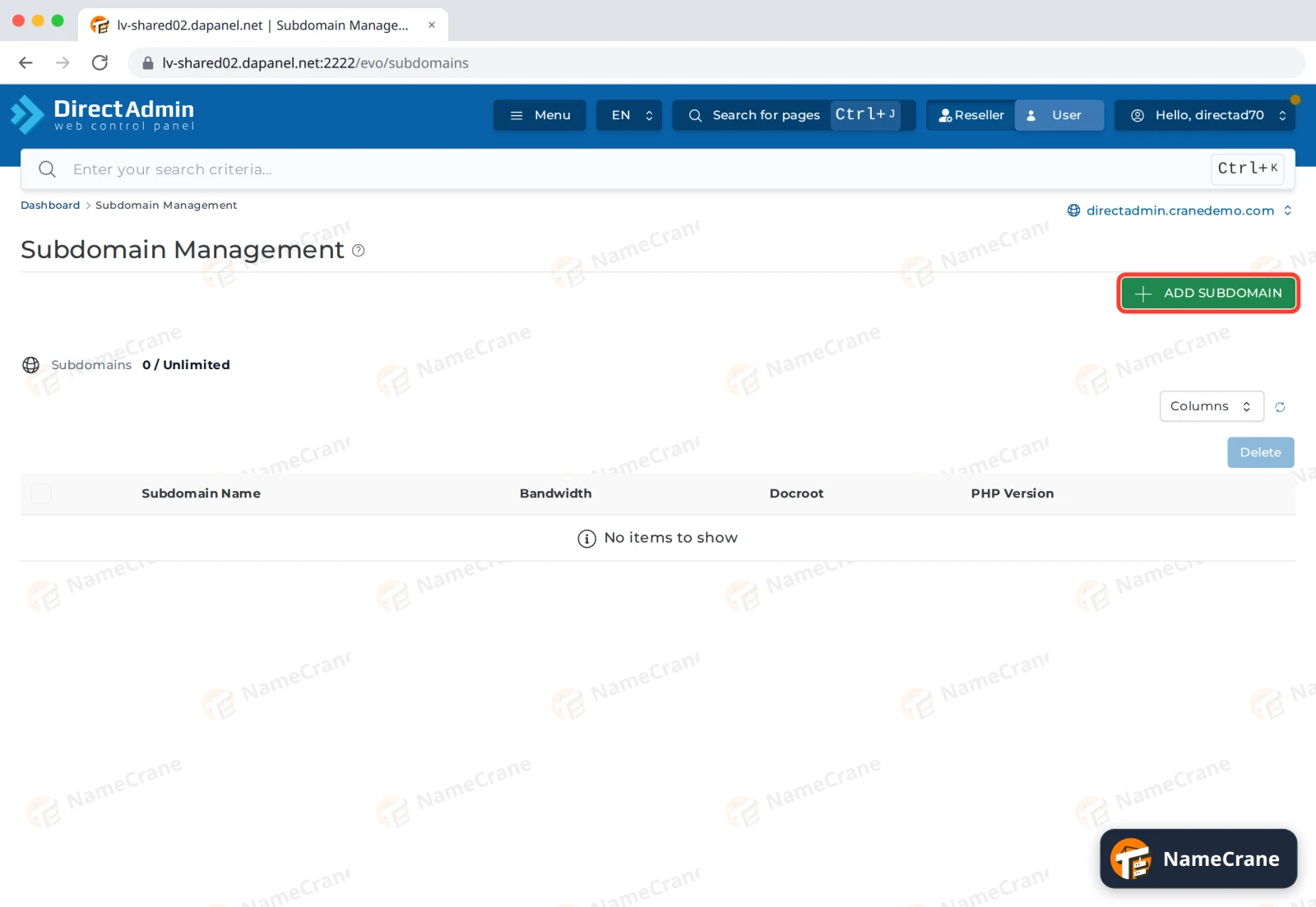
Click Add Subdomain.
-
Type the part in front of your domain, such as
blog. Leave Document Root on Default, which gives the subdomain its own folder. Click Add Subdomain.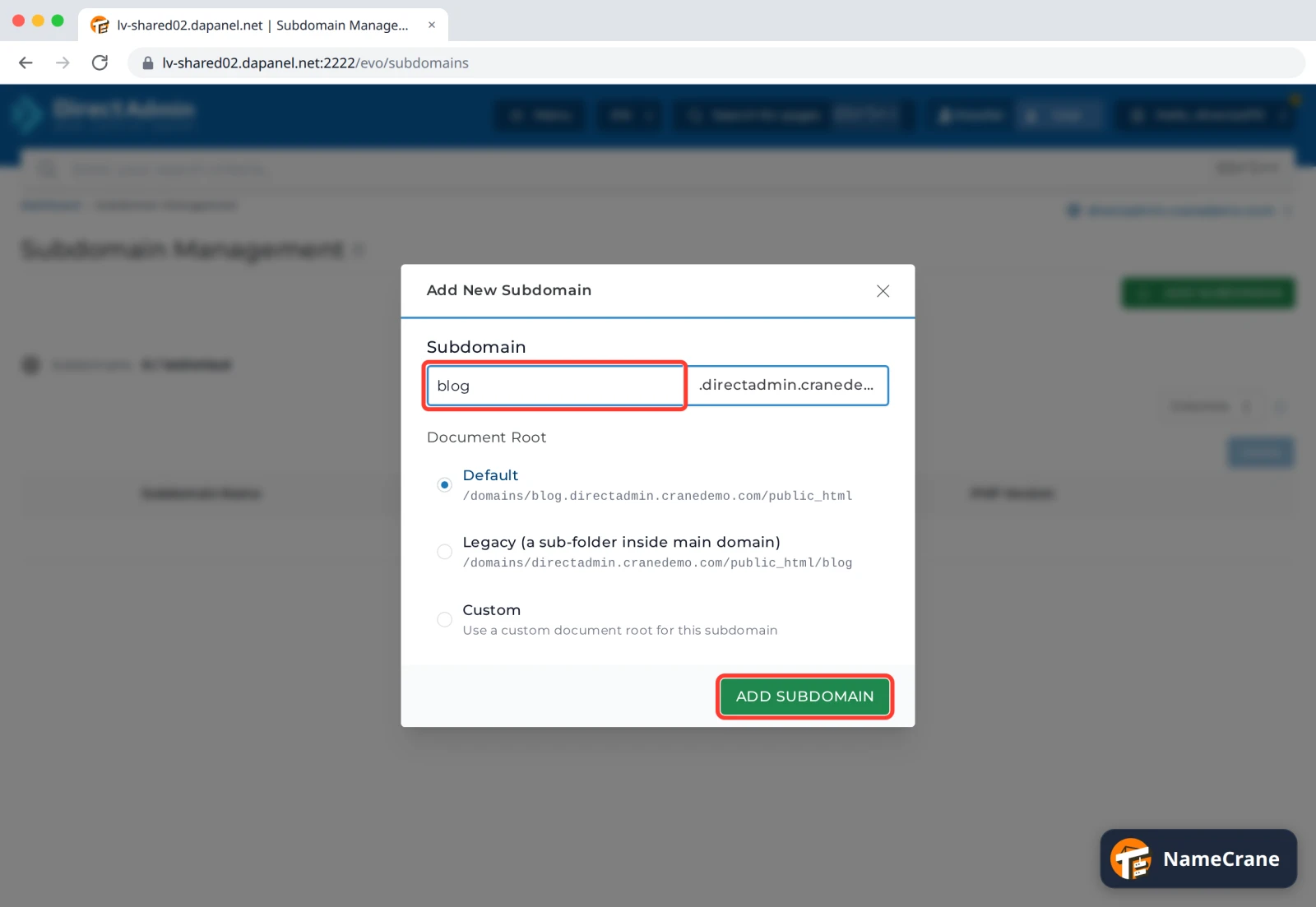
-
DirectAdmin shows Subdomain Created, and the subdomain appears in the list with its folder.
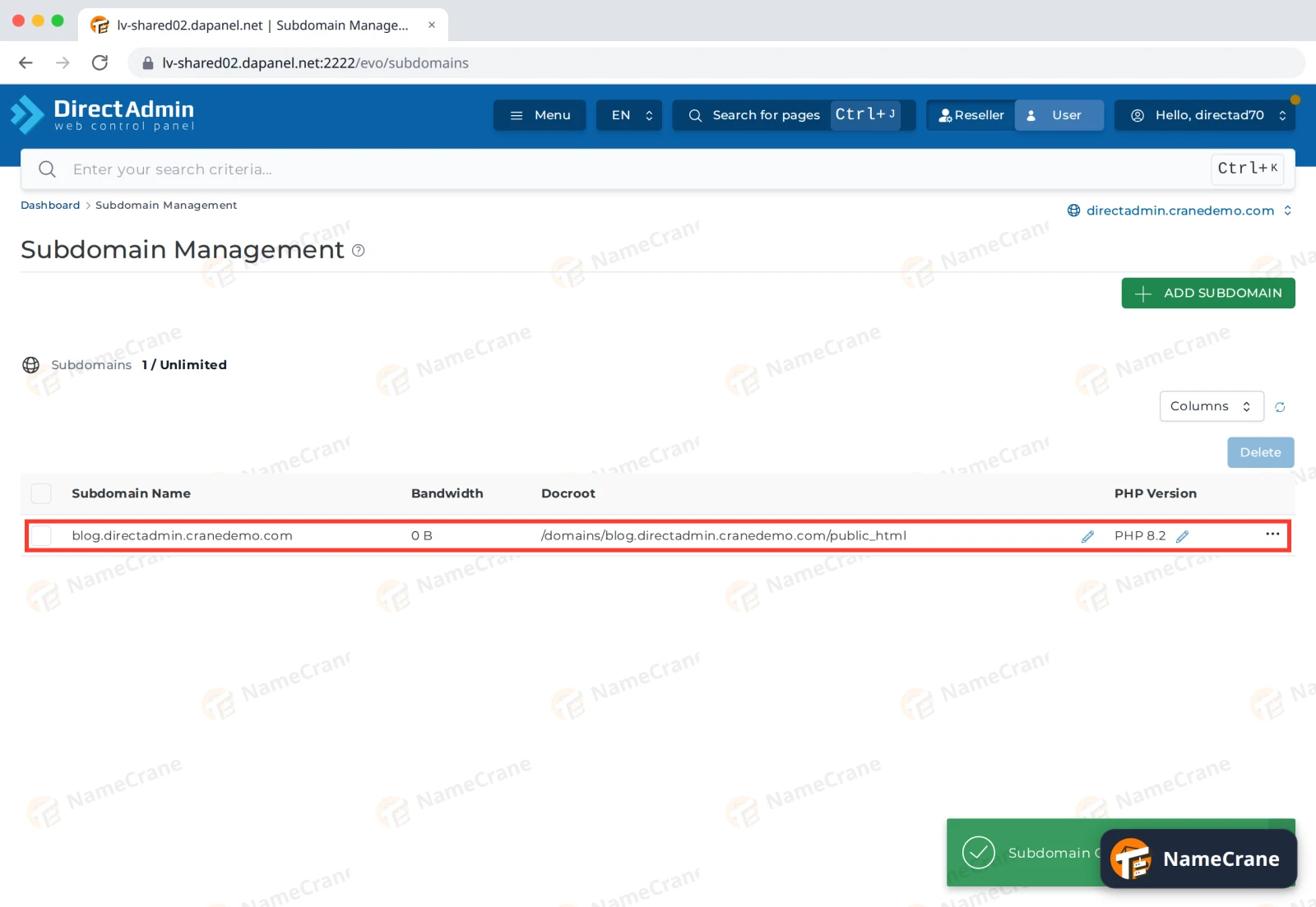
In our test, https://blog.directadmin.cranedemo.com worked a few minutes later, with a valid SSL certificate and a placeholder page. Upload your site to the subdomain’s folder (domains › blog.yourdomain.com › public_html) with File Manager, or install WordPress on it.
Document Root options
| Option | Where the files go |
|---|---|
| Default | Its own folder: domains/blog.yourdomain.com/public_html |
| Legacy | A folder inside your main website: domains/yourdomain.com/public_html/blog |
| Custom | Any folder you choose |
Troubleshooting
| Problem | What to do |
|---|---|
| The subdomain shows “Apache is functioning normally” or doesn’t load | DirectAdmin takes a few minutes to switch the new subdomain on. Wait, then try again. |
| It doesn’t work at all | If your domain’s DNS is hosted somewhere else (such as Cloudflare), add an A record for the subdomain there, pointing to the same IP address as your main domain. |
| I want to delete a subdomain | Tick it in the list and click Delete. |
Snagged on something? Contact support and we’ll get you sorted.