How to Restore Files and Folders with JetBackup
Last updated Changelog
On this page
Deleted a file by mistake, or an edit broke a page? Restore just that file or folder from one of our nightly backups. In this example we deleted one page of our site, members/index.html, and got it back from the night before. Our screenshots are from cPanel; it works the same in DirectAdmin.
Steps
-
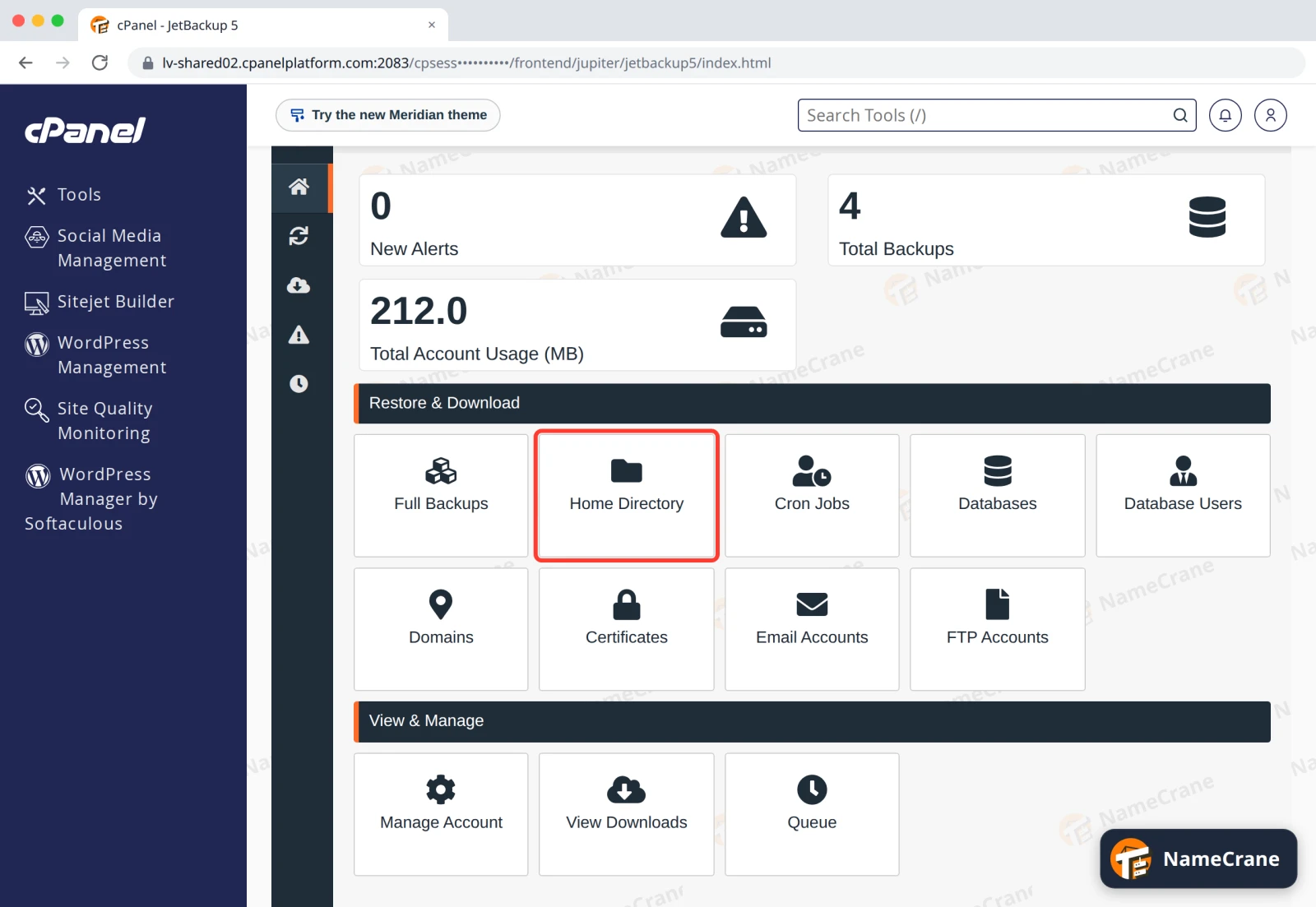
Open JetBackup (see how to open it) and click Home Directory.
-
Click a backup from before the problem happened. The newest is at the top. The row turns orange and says All Files/Directories Selected. Click Change Files Selection to choose only what you need.
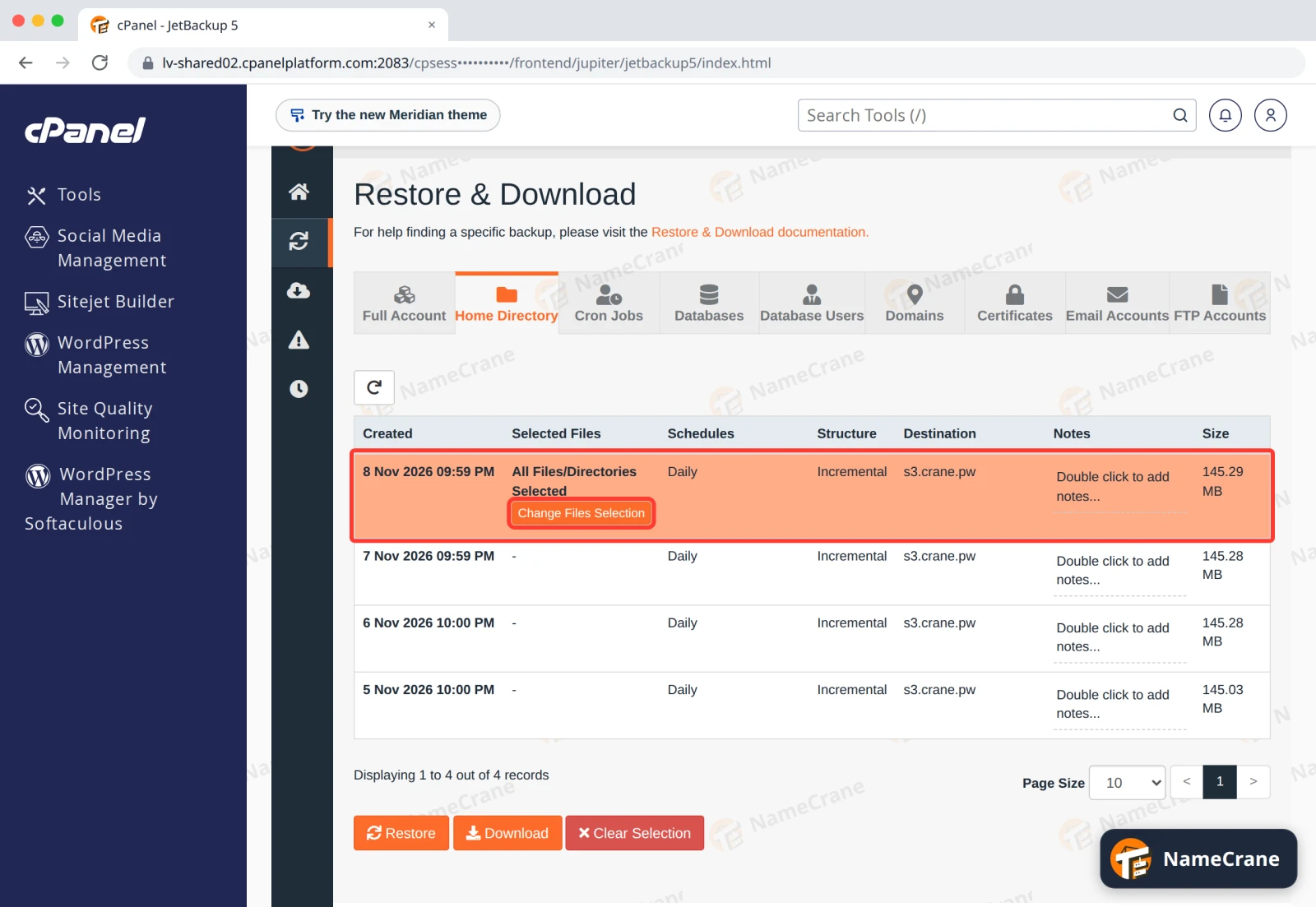
Warning: If you don’t change the selection, JetBackup restores your whole home folder from that backup.
-
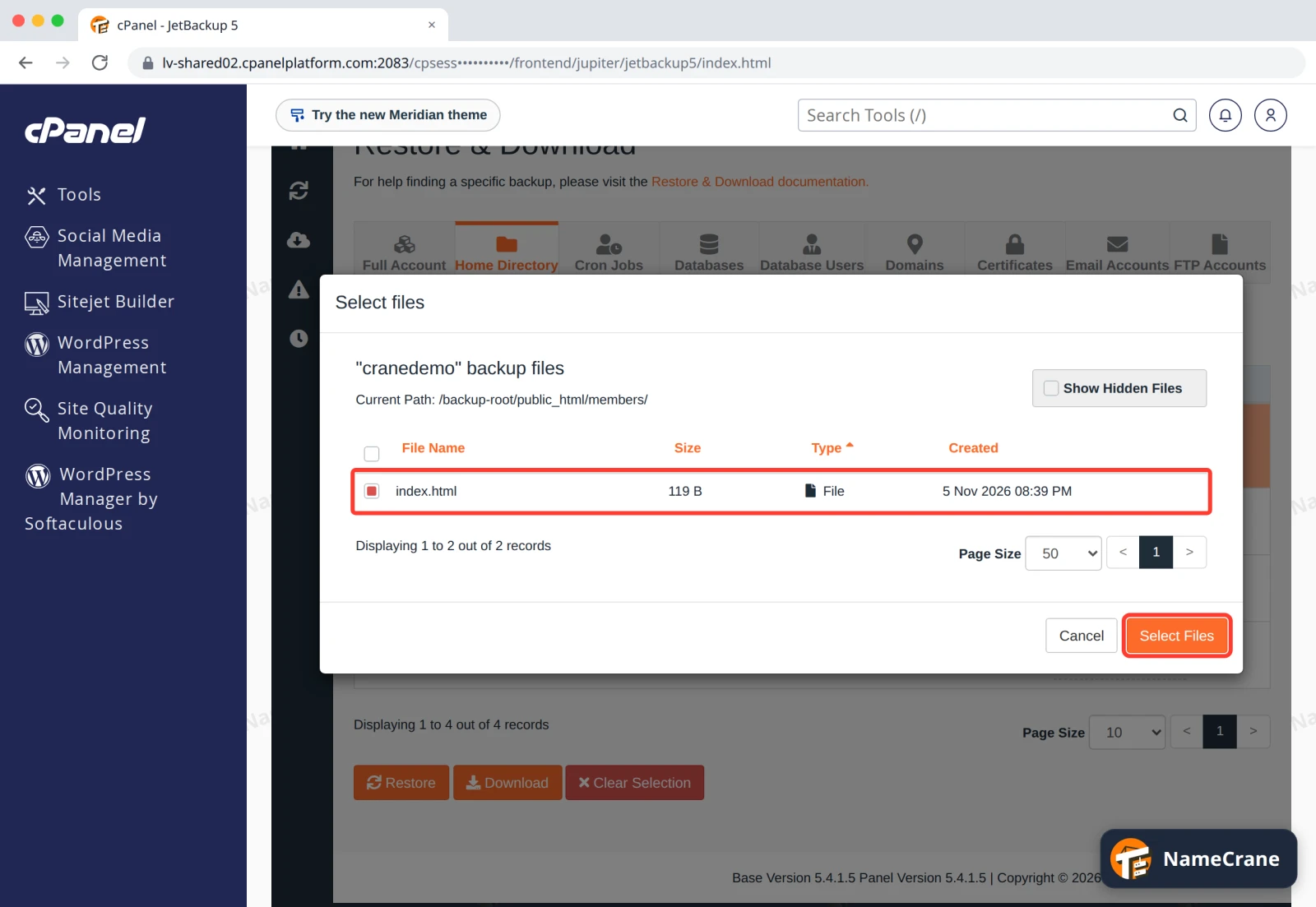
Click folder names to open them. Your websites are in public_html in cPanel, and in domains › your domain › public_html in DirectAdmin. Tick the files or folders you want back, and click Select Files.
-
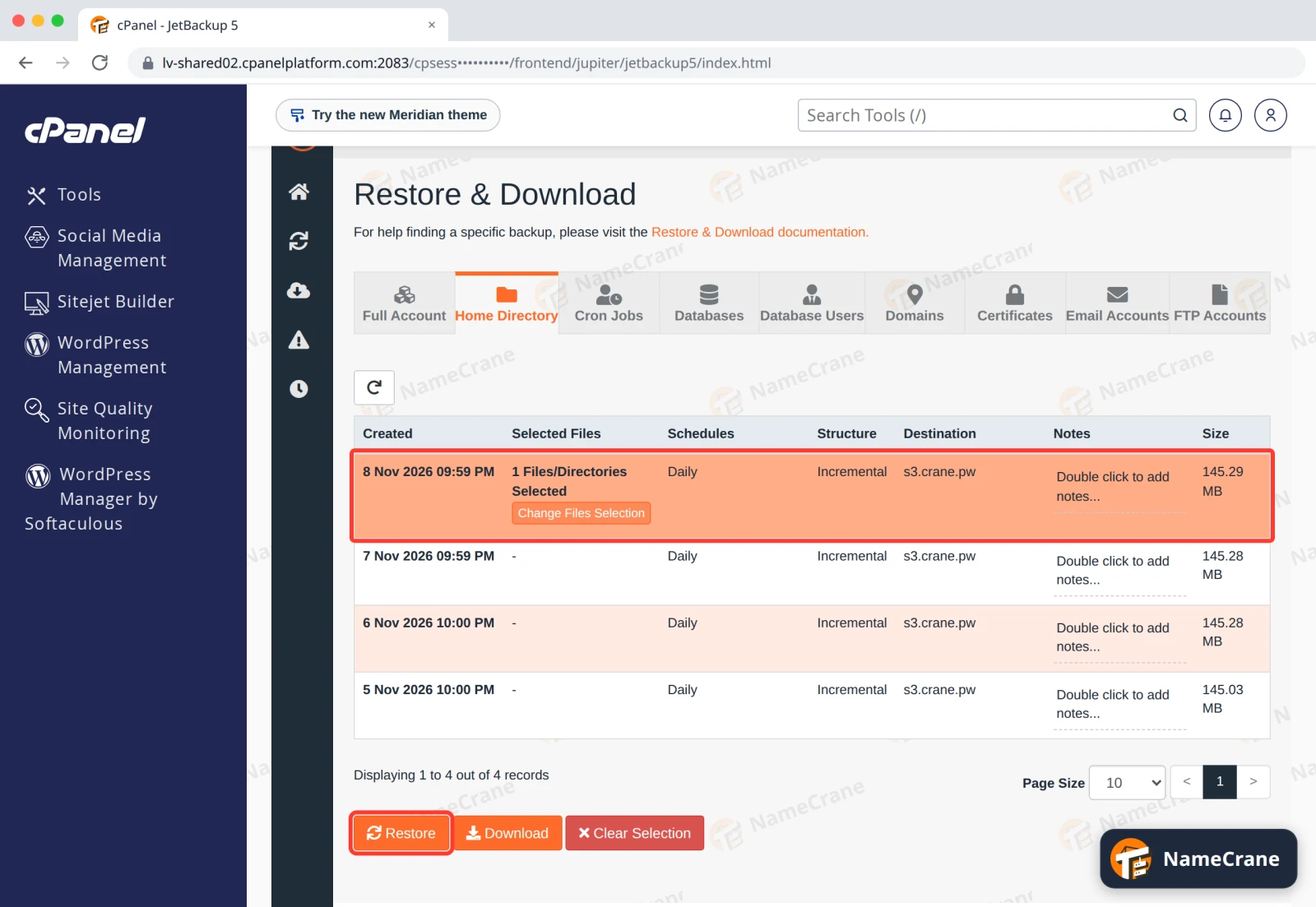
The backup row now shows how many items you picked. Click Restore.
-
In the Restore Summary, tick Merge backup data with live account data, then click Restore Selected Items.
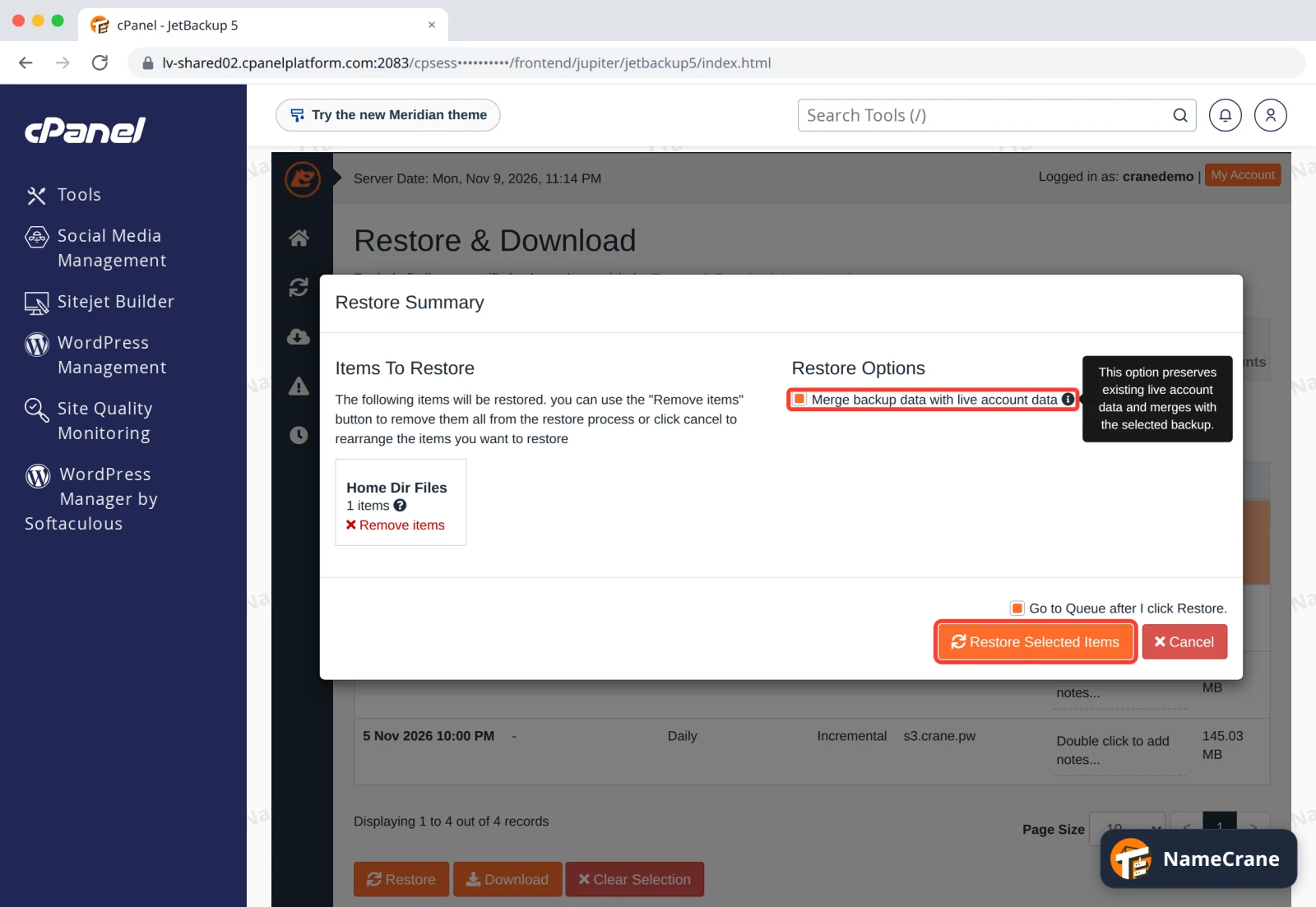
Warning: Without Merge, a restored folder goes back exactly to how it was in the backup: JetBackup deletes any files in it that are newer than the backup. We tested it, and a file we’d added after the backup was gone. With Merge ticked, it stayed.
-
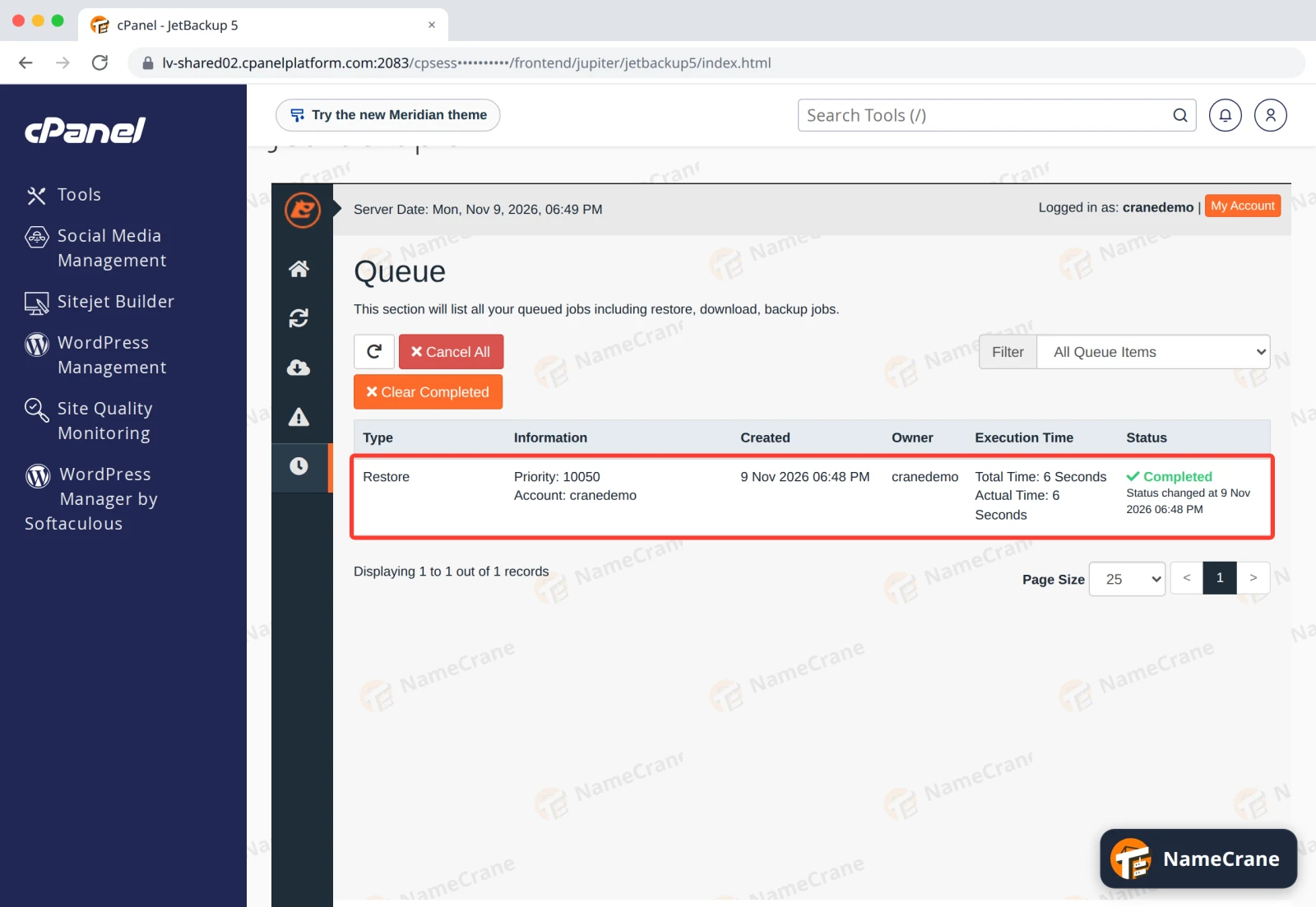
JetBackup opens the Queue. When the Status says Completed, your files are back. Ours took 6 seconds.
The restored file was identical to the one we deleted, with its original date.
Troubleshooting
| Problem | What to do |
|---|---|
| The file isn’t in the backup | It was created after that backup ran. Backups run every night, so anything from today is only in tonight’s backup. |
I can’t see files starting with a dot, like .htaccess |
Make sure Show Hidden Files, at the top of the Select files window, is ticked. |
| I need a WordPress site back the way it was | Restore its folder here, then its database from Databases, both from the same date. See Restore a database. |
| The restore shows Failed in the Queue | Contact support with the date of the backup and what you tried to restore. |
Snagged on something? Contact support and we’ll get you sorted.