Find Your Way Around WHM
Last updated Changelog
WHM has a lot of tools, but as a reseller you’ll mostly use a handful: creating accounts and packages, and looking after your customers. This tour shows where they are.
Find a tool
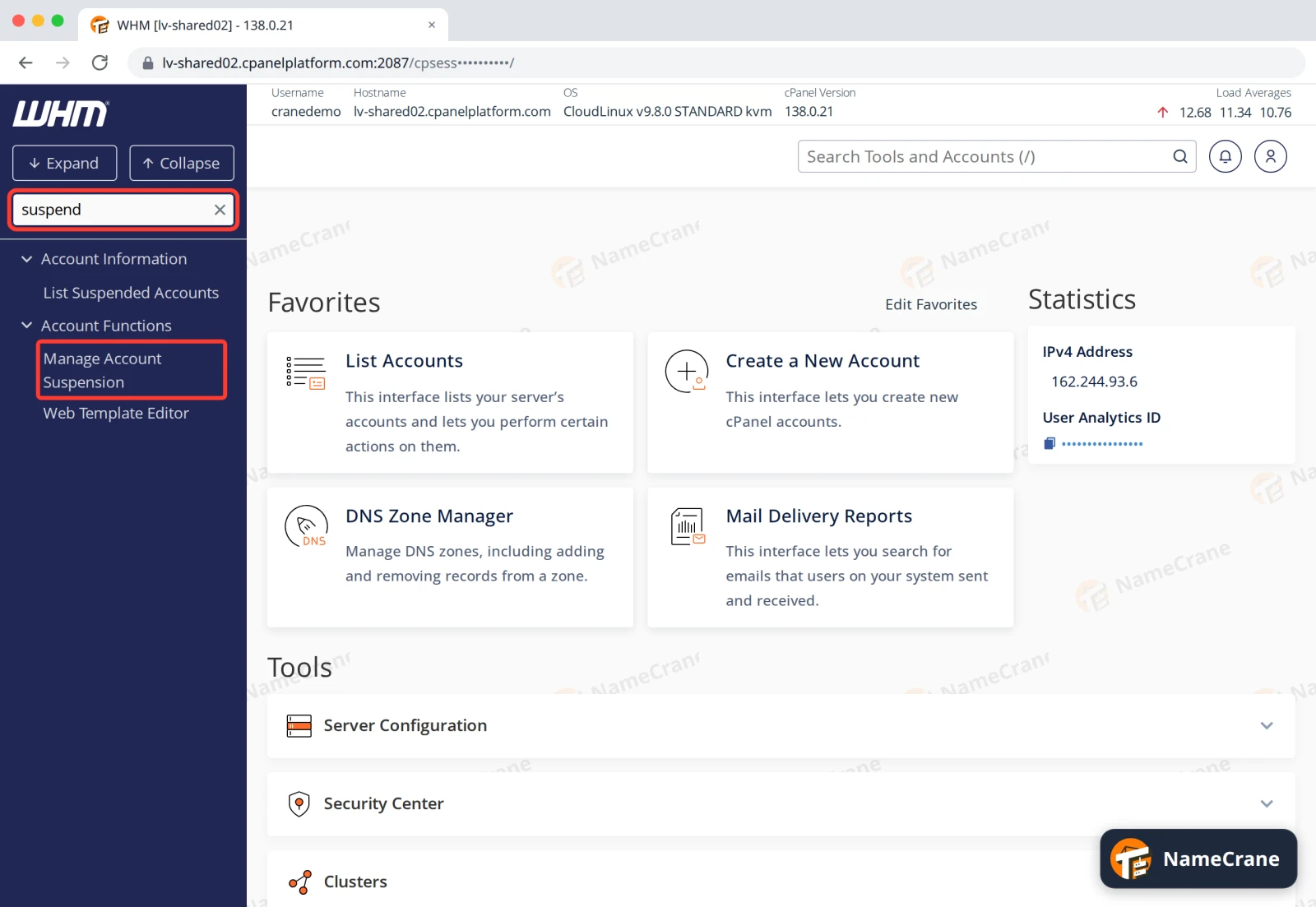
Type in Search Tools at the top left of the menu, and the menu shows only matching tools. For example, type suspend to find Manage Account Suspension. Press Ctrl + / to jump to the search box.
The main menu groups
The menu on the left groups the tools. These are the ones you’ll use most:
| Group | What’s in it |
|---|---|
| Account Information | List Accounts, and lists of suspended accounts |
| Account Functions | Create, suspend, upgrade and terminate accounts, and change passwords |
| Packages | Add and edit the hosting plans you sell |
| DNS Functions | Your customers’ DNS zones |
Click a group to open it, or use Expand and Collapse at the top to open or close them all.
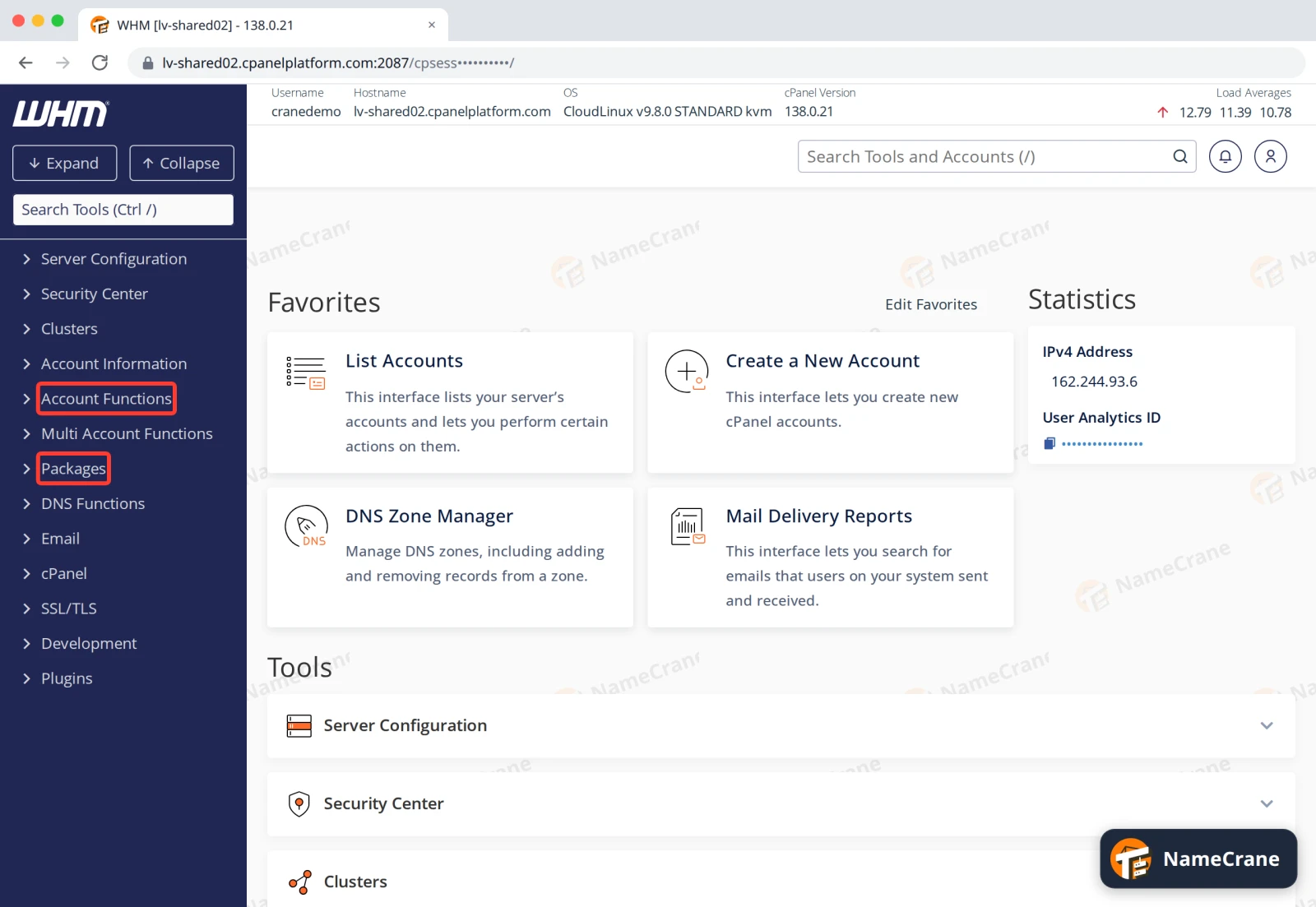
Statistics on the home page shows your IPv4 Address. Your customers’ domains point to this address.
Your customers’ accounts
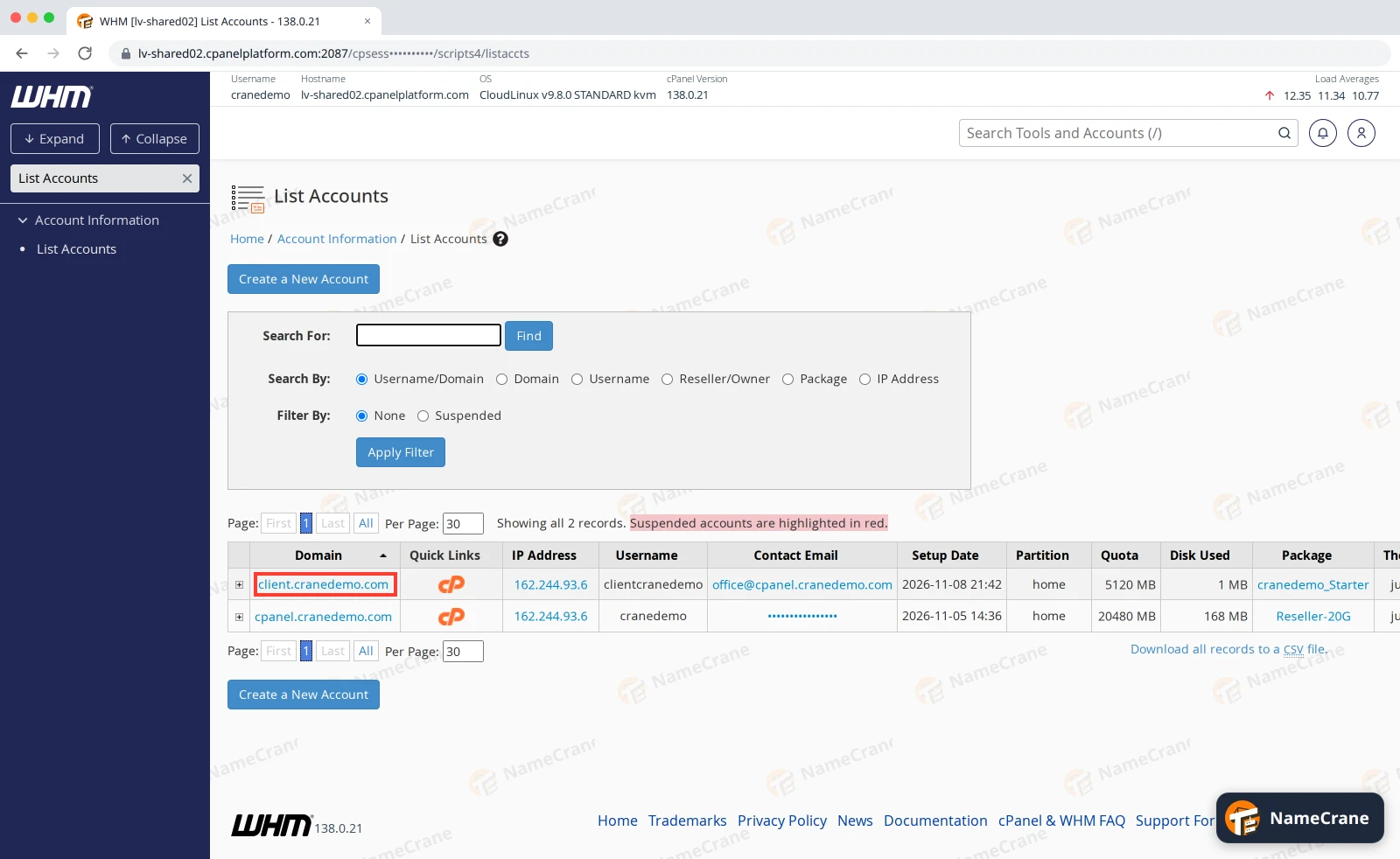
List Accounts (under Account Information) shows every account you’ve created, with its domain, username, contact email, disk use and package. Use Search For to find one, and Filter By › Suspended to show only suspended accounts. Suspended accounts are highlighted in red.
What to do next
| To do this | See |
|---|---|
| Set up a hosting plan | Create a hosting package |
| Add a customer | Create a cPanel account |
| Put your own nameservers on your accounts | Custom nameservers |
| Show your own logo and colours in your customers’ cPanel | Branding |
Snagged on something? Contact support and we’ll get you sorted.