How to Create an Email Account in DirectAdmin
Last updated Changelog
On this page
Every NameCrane hosting plan lets you create email addresses on your own domain, such as hello@yourdomain.com. Each one gets its own mailbox, password and storage, and you can read it in webmail or any email app.
Steps
-
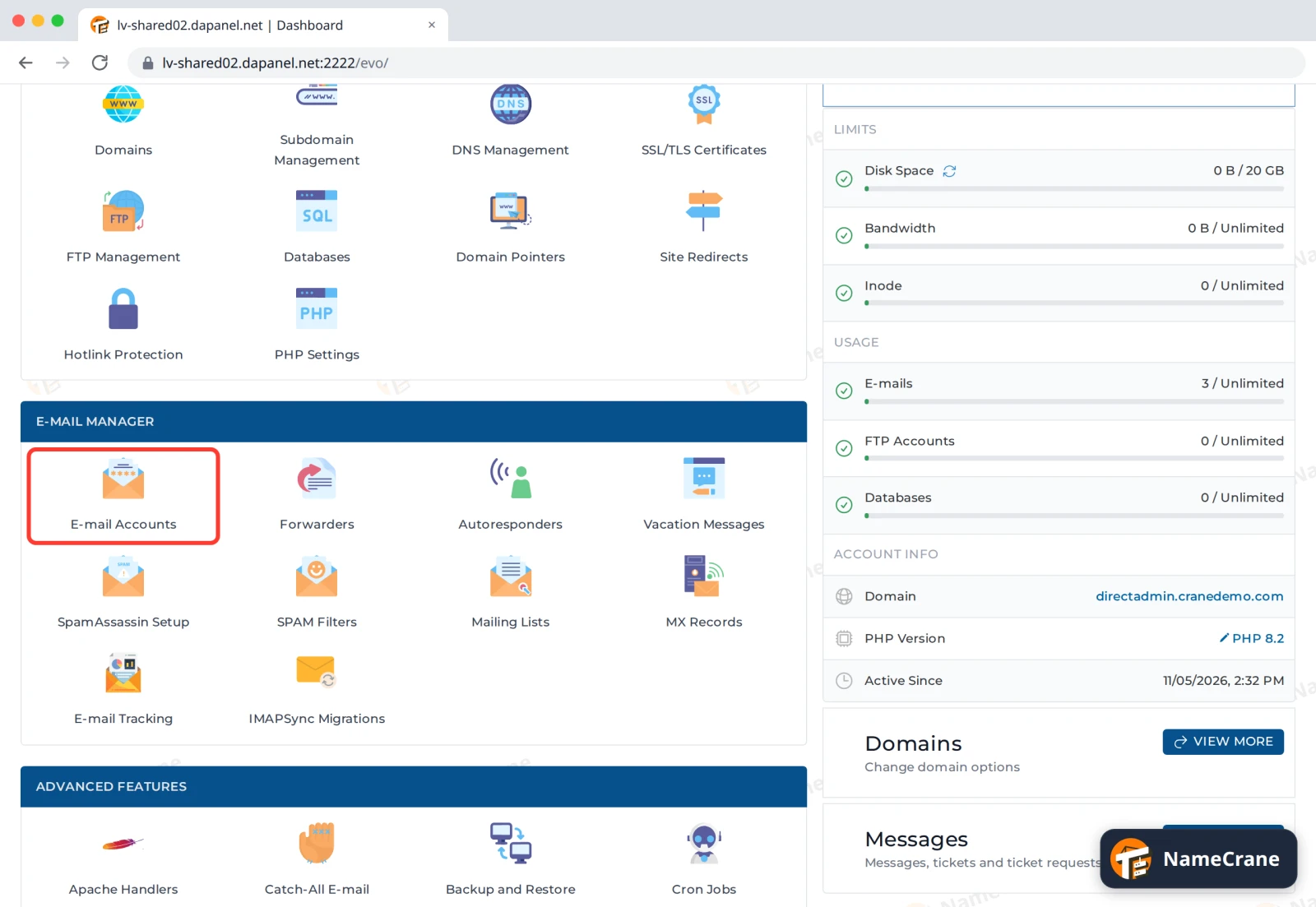
Log in to DirectAdmin. In the E-mail Manager section, click E-mail Accounts.
-
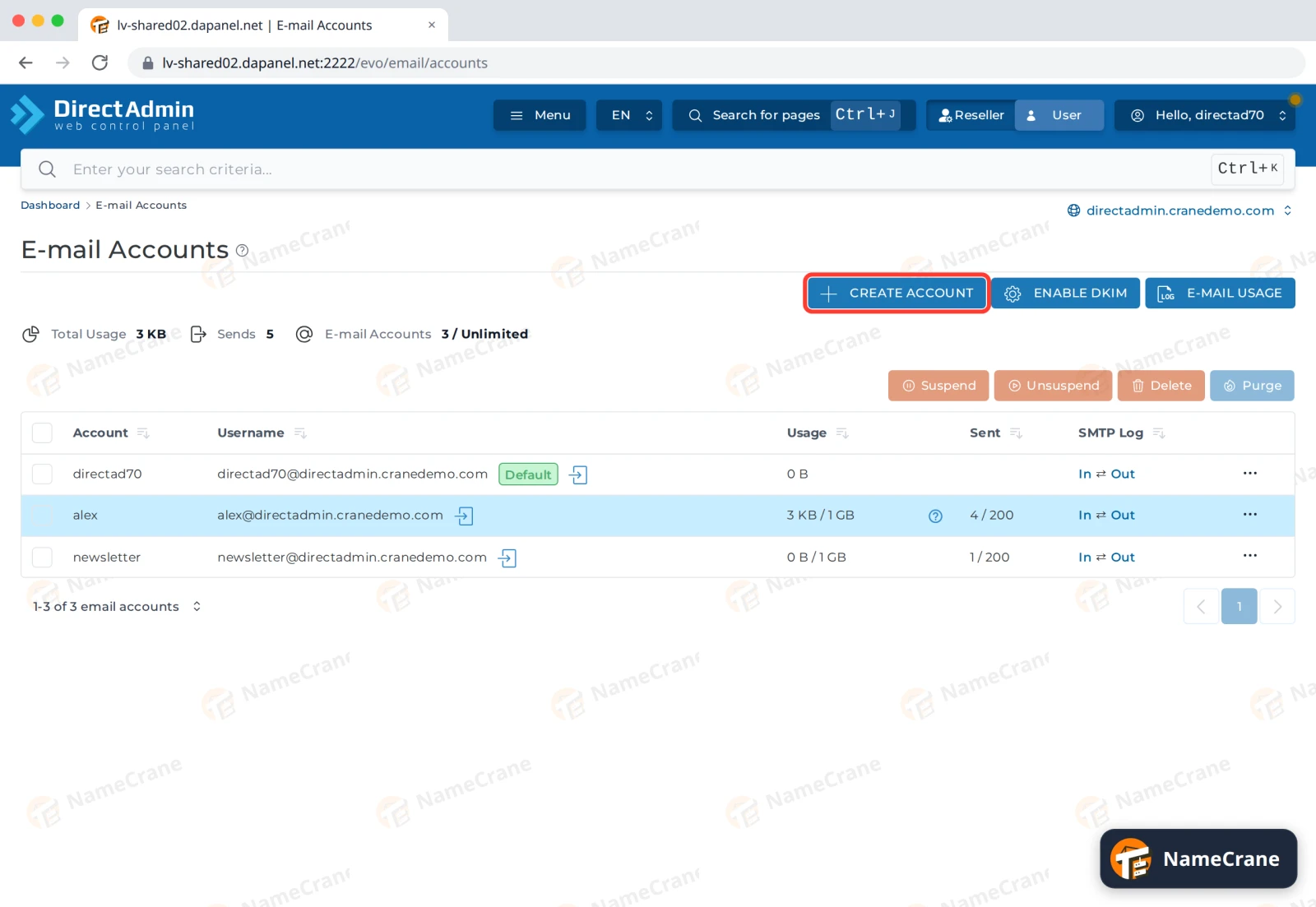
Click Create Account.
-
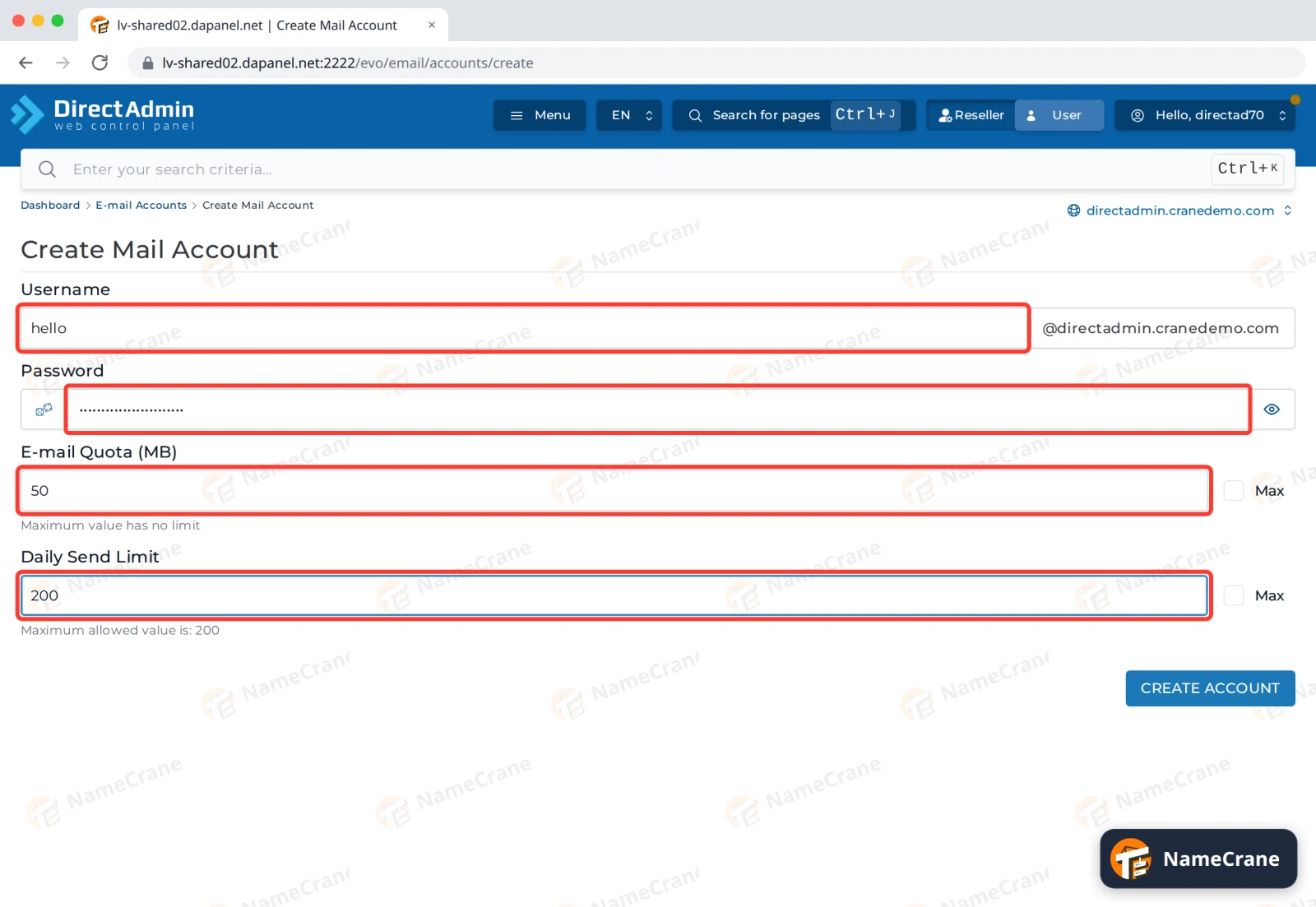
Fill in the details:
- Username: the part before the @, such as
hello. If you have more than one domain, switch to the right one with the domain menu at the top right first. - Password: type a strong password, or click the dice icon to generate one. Click the eye icon to see it.
- E-mail Quota (MB): how much storage the mailbox gets. Tick Max for as much as your plan allows.
- Daily Send Limit: how many emails it can send per day. The maximum allowed is shown underneath.
- Username: the part before the @, such as
-
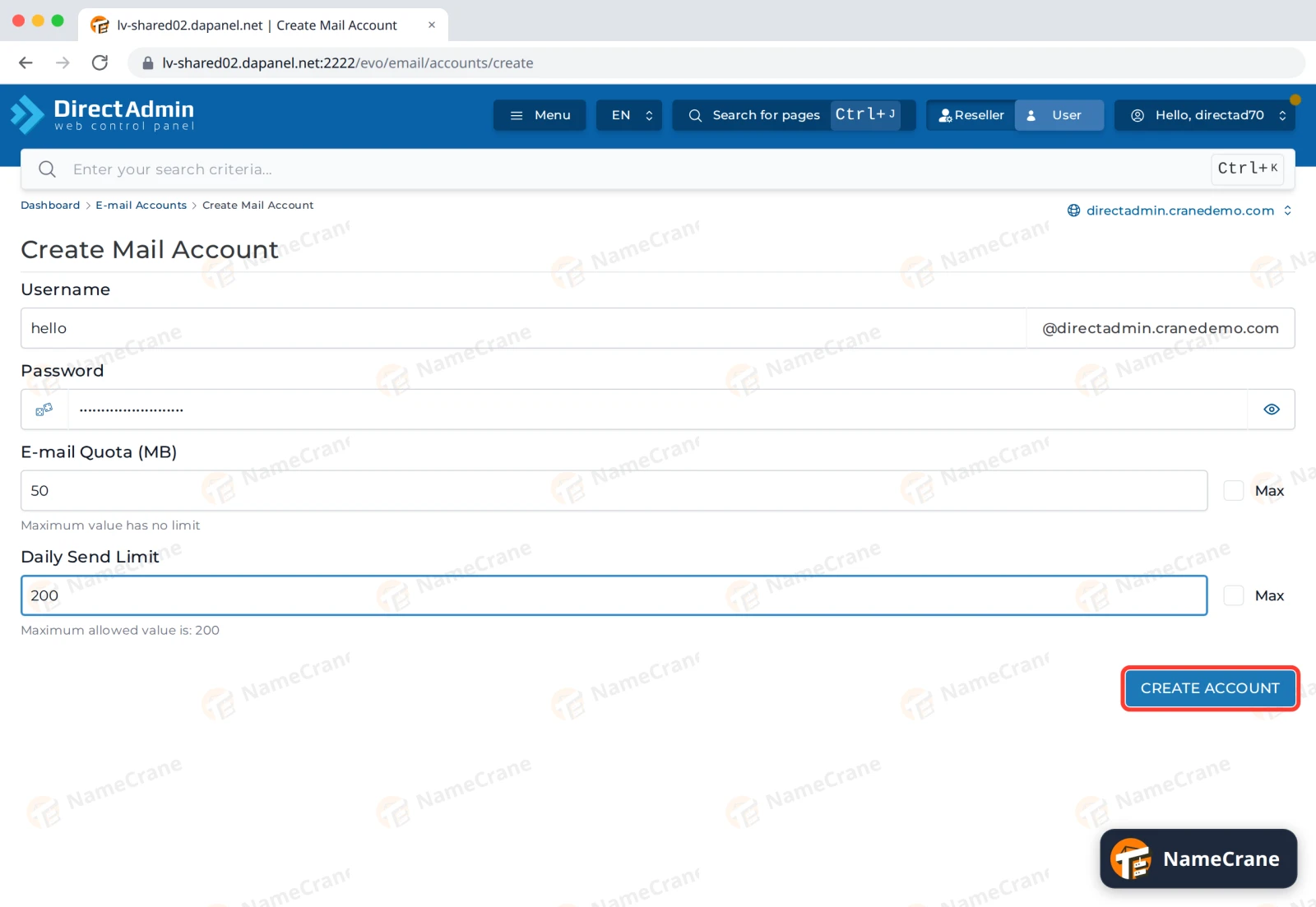
Click Create Account.
-
DirectAdmin confirms the account and shows the settings to use in your email app: your full email address as the username,
mail.yourdomain.comfor incoming (POP/IMAP) and outgoing (SMTP, port 587) mail.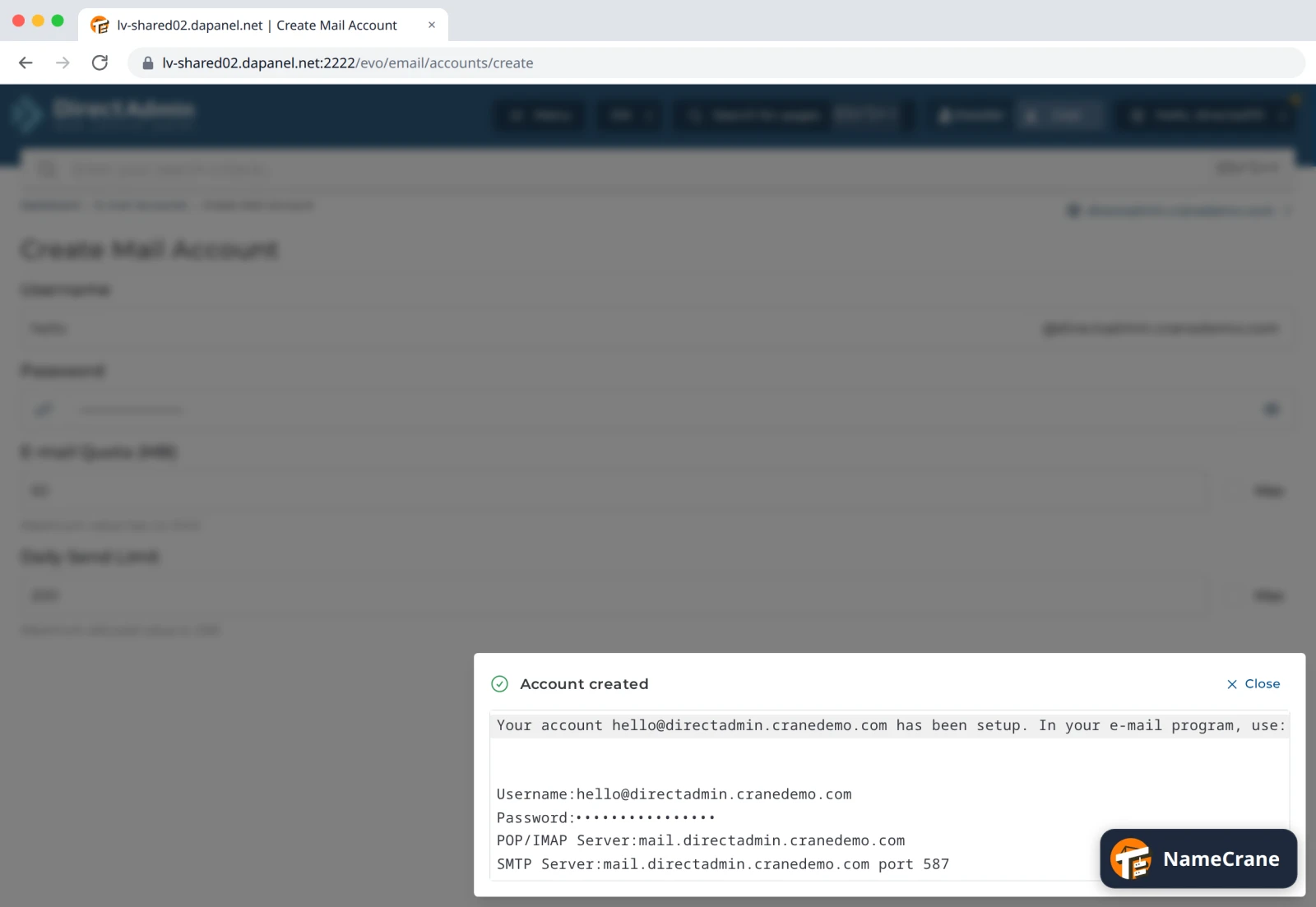
Note: This box shows your new password in plain text, so close it before sharing your screen. We’ve hidden it in the picture above.
Next, set up the mailbox on your phone or computer.
Troubleshooting
| Problem | What to do |
|---|---|
| Nothing happens when I click Create Account | Check every box is filled in, including Daily Send Limit. |
| I get an error when creating it | The address may already exist. Check the E-mail Accounts list, and change the password there instead. |
| The account was created on the wrong domain | Delete it, switch domains with the menu at the top right, and create it again. |
Snagged on something? Contact support and we’ll get you sorted.