How to Redirect a Page or Domain in cPanel
Last updated Changelog
On this page
A redirect sends visitors from one address to another as soon as they open it. Use one when you move a page, change domain, or want a short address that leads somewhere else. In this example yourdomain.com/news sends visitors to the blog at blog.yourdomain.com.
Steps
-
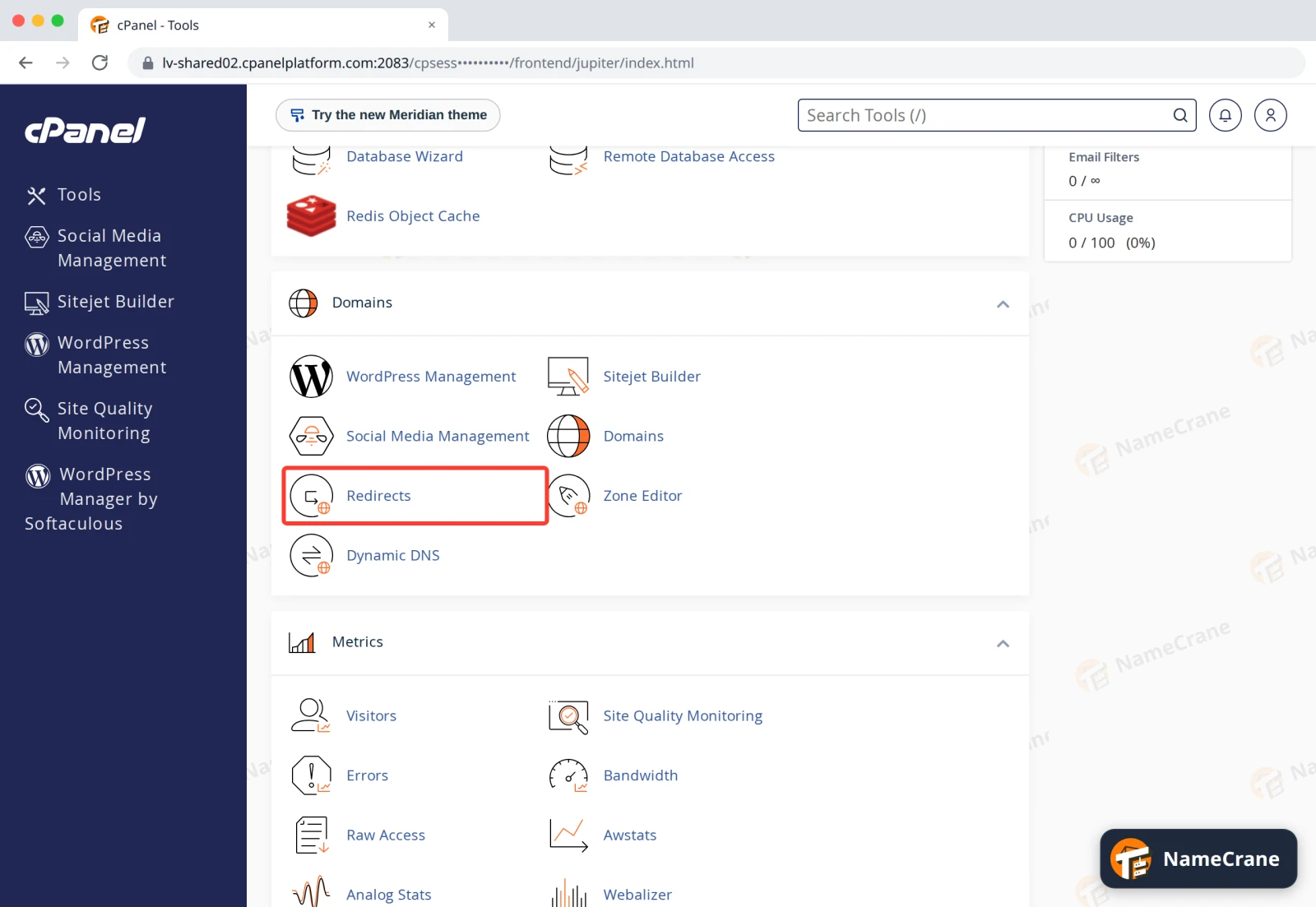
Log in to cPanel. In the Domains section, click Redirects.
-
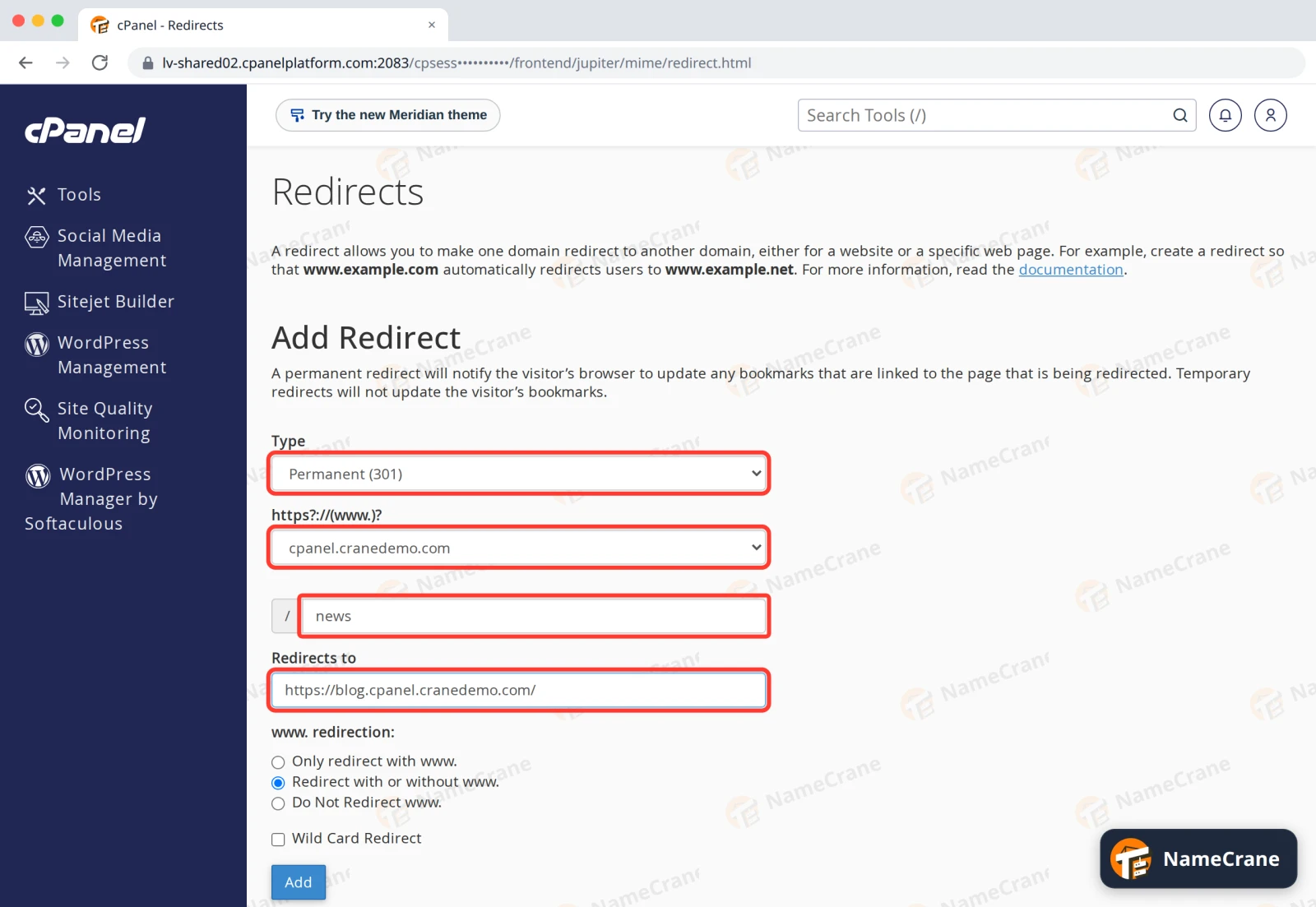
Fill in the redirect:
- Type: Permanent (301) if the old address is gone for good (search engines move it over to the new one), or Temporary (302) for a short-term change.
- https?://(www.)?: the domain to redirect from. All Public Domains applies it to every domain on your account.
- / (the box after it): the page or folder to redirect, such as
news. Leave it empty to redirect the domain’s home page. - Redirects to: the full new address, starting with
https://.
-
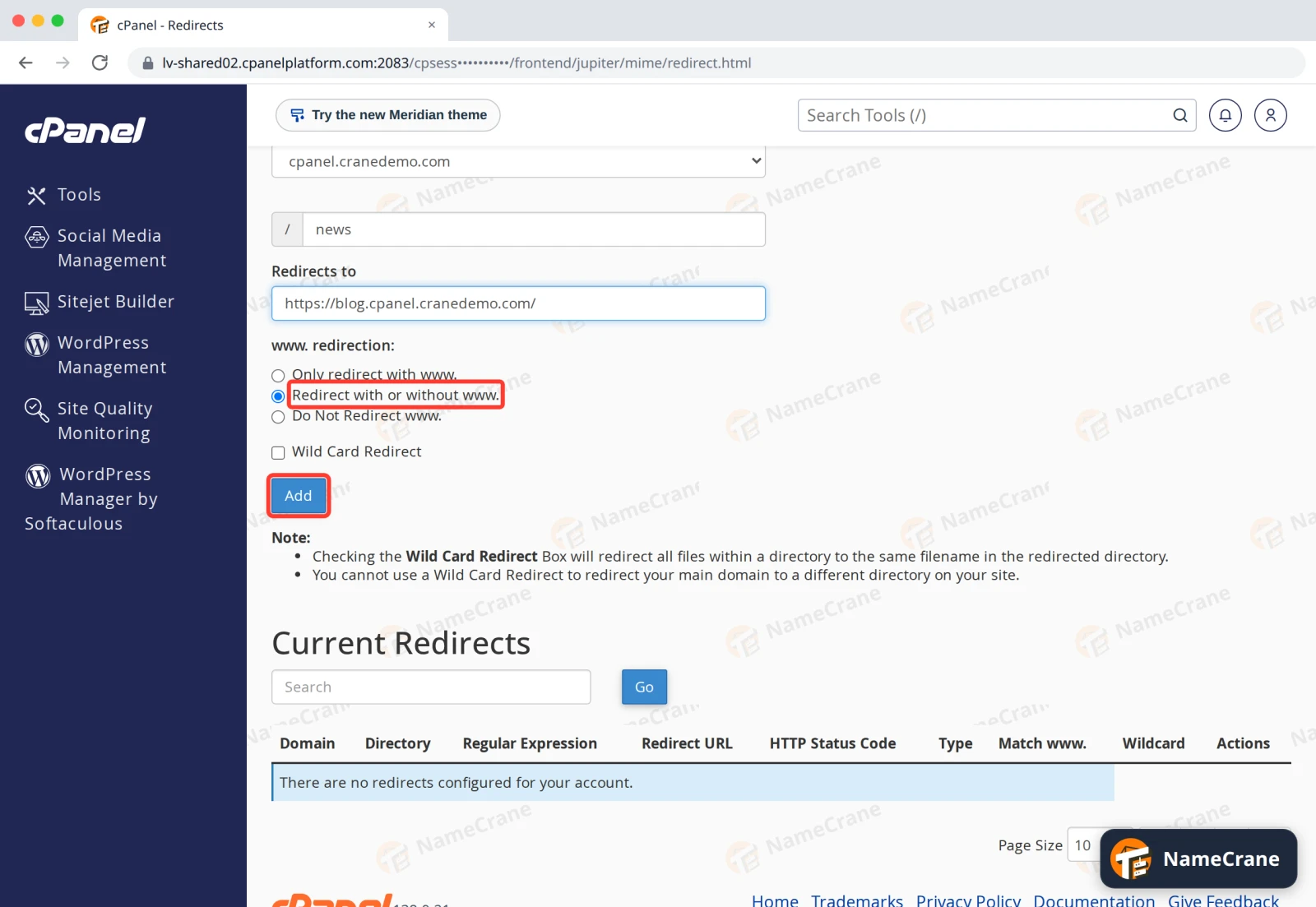
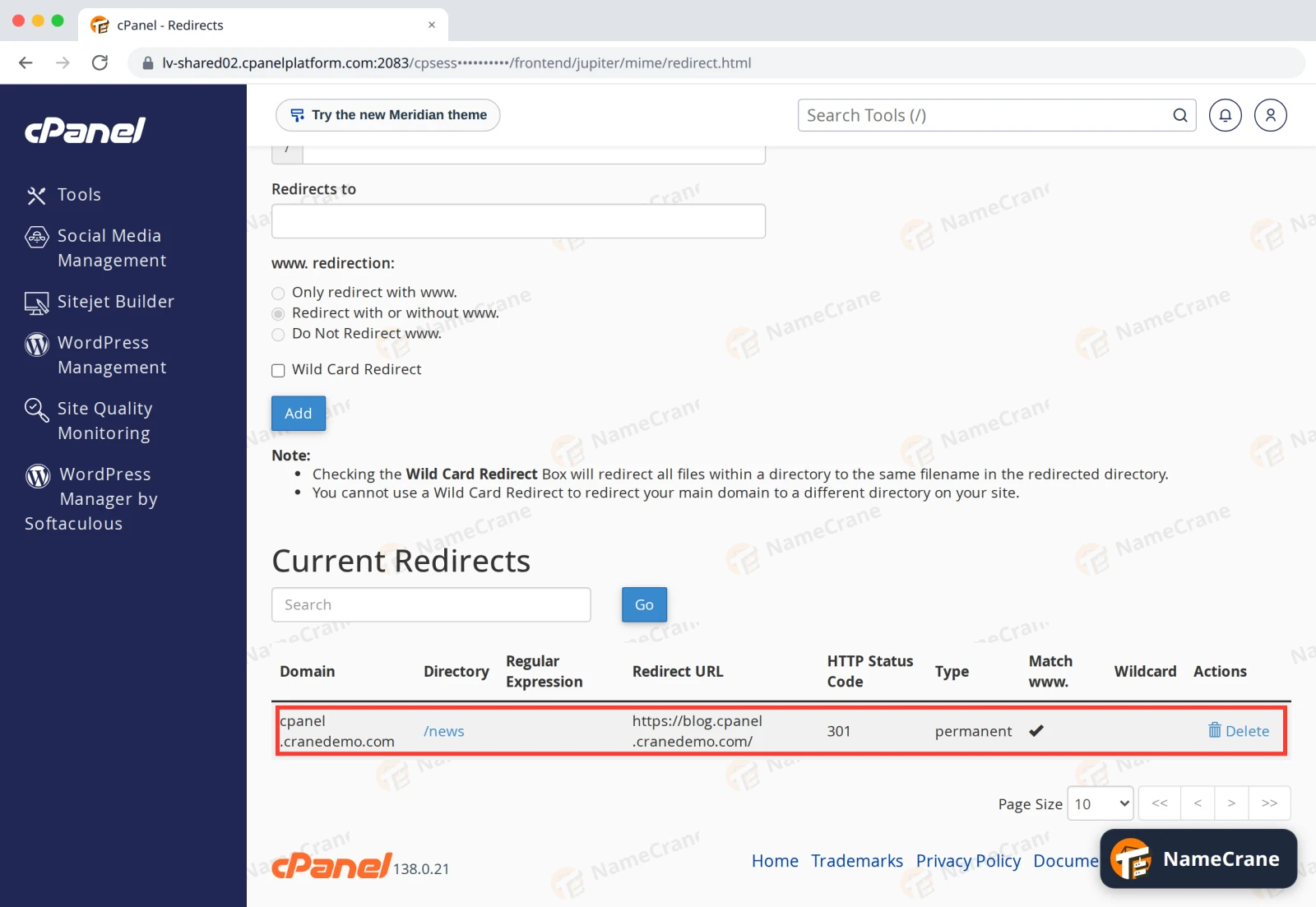
Leave www. redirection on Redirect with or without www. so both versions of your address work. Click Add.
-
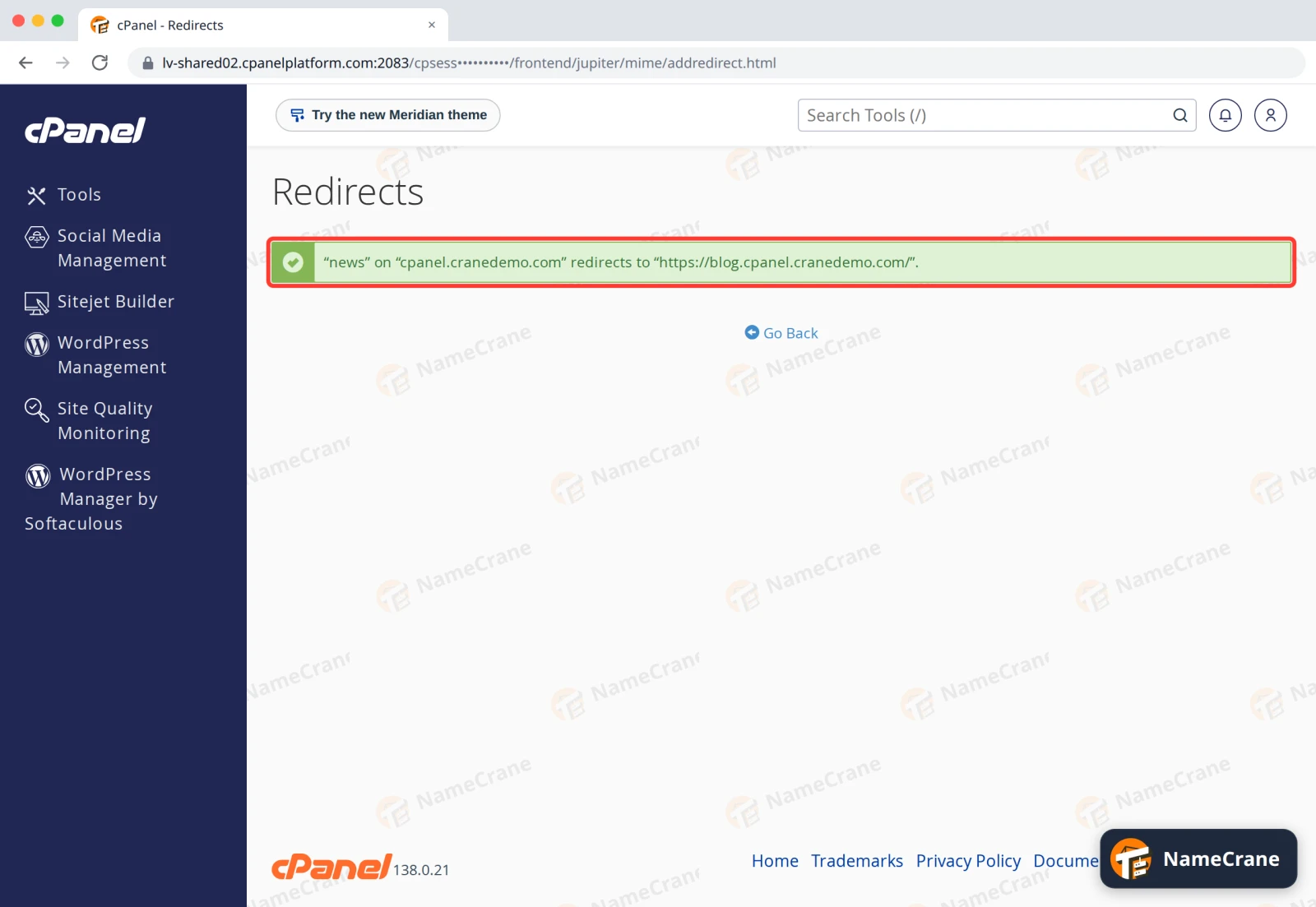
cPanel confirms the redirect.
-
Click Go Back. Your redirect is listed under Current Redirects, with Delete to remove it.
Note: On a WordPress site, cPanel’s redirect doesn’t work at first: WordPress answers the address before the redirect can. Open File Manager, edit the
.htaccessfile in your website folder, and move the lines cPanel added below# END WordPress(theRewriteCondandRewriteRulelines for your redirect) to the very top of the file. Save, and the redirect works.
Troubleshooting
| Problem | What to do |
|---|---|
| The old address shows a “Page not found” instead of redirecting | If the site runs WordPress, move cPanel’s lines to the top of .htaccess (see the note above). |
| The redirect still happens after I deleted it | Wait a minute for the server to pick up the change. Browsers also remember permanent (301) redirects, so try a private window or clear your browser’s cache. |
| I want to send the whole site to a new domain | Leave the / box empty, choose Permanent (301) and tick Wild Card Redirect. Every page then goes to the same page on the new domain, so yourdomain.com/contact opens newdomain.com/contact. |
Snagged on something? Contact support and we’ll get you sorted.