How to Suspend and Unsuspend a Customer in WHM
Last updated Changelog
Suspending a customer switches off their website and stops them logging in to cPanel, without deleting anything. It’s the usual step for an unpaid invoice or a site that’s causing trouble. Unsuspend them and everything comes back as it was. In this example we suspend our test customer, clientcranedemo (client.cranedemo.com).
Suspend a customer
-
Log in to WHM. Type
suspenin the search box at the top left, then click Manage Account Suspension under Account Functions.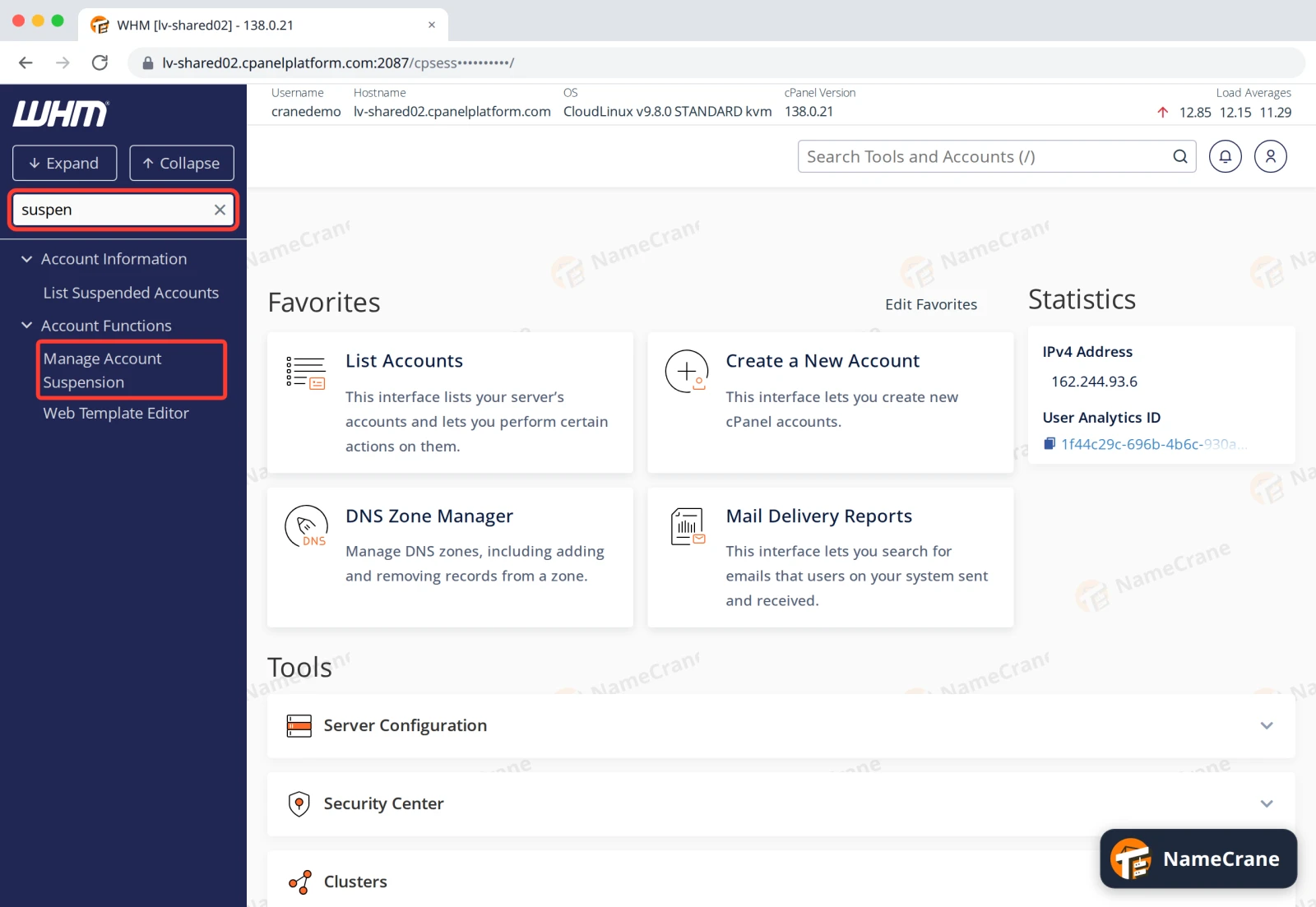
-
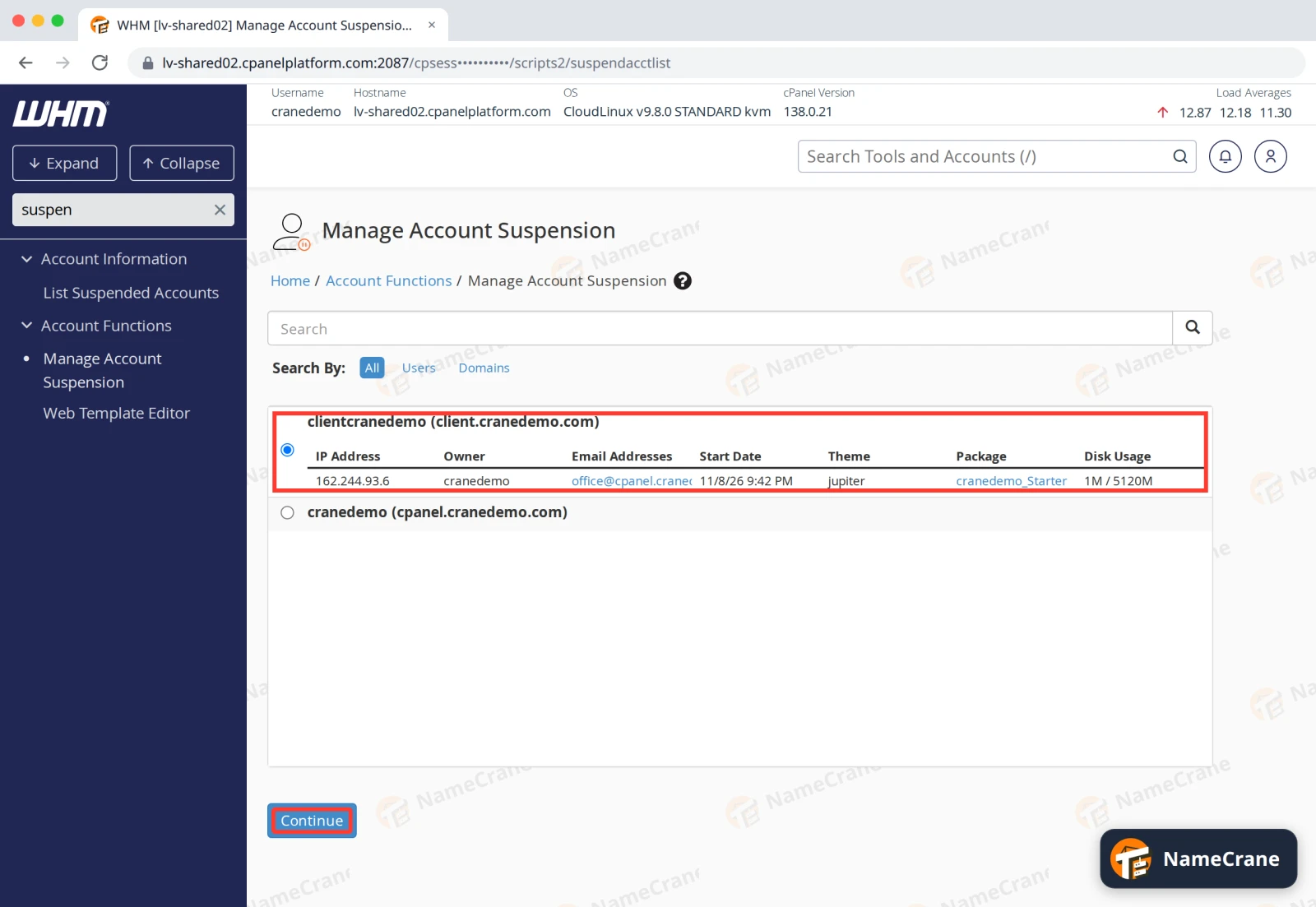
Choose the customer’s account and click Continue.
-
Type a Reason for Suspension, such as
Unpaid invoice, and click Suspend. You’ll see the reason again when you unsuspend.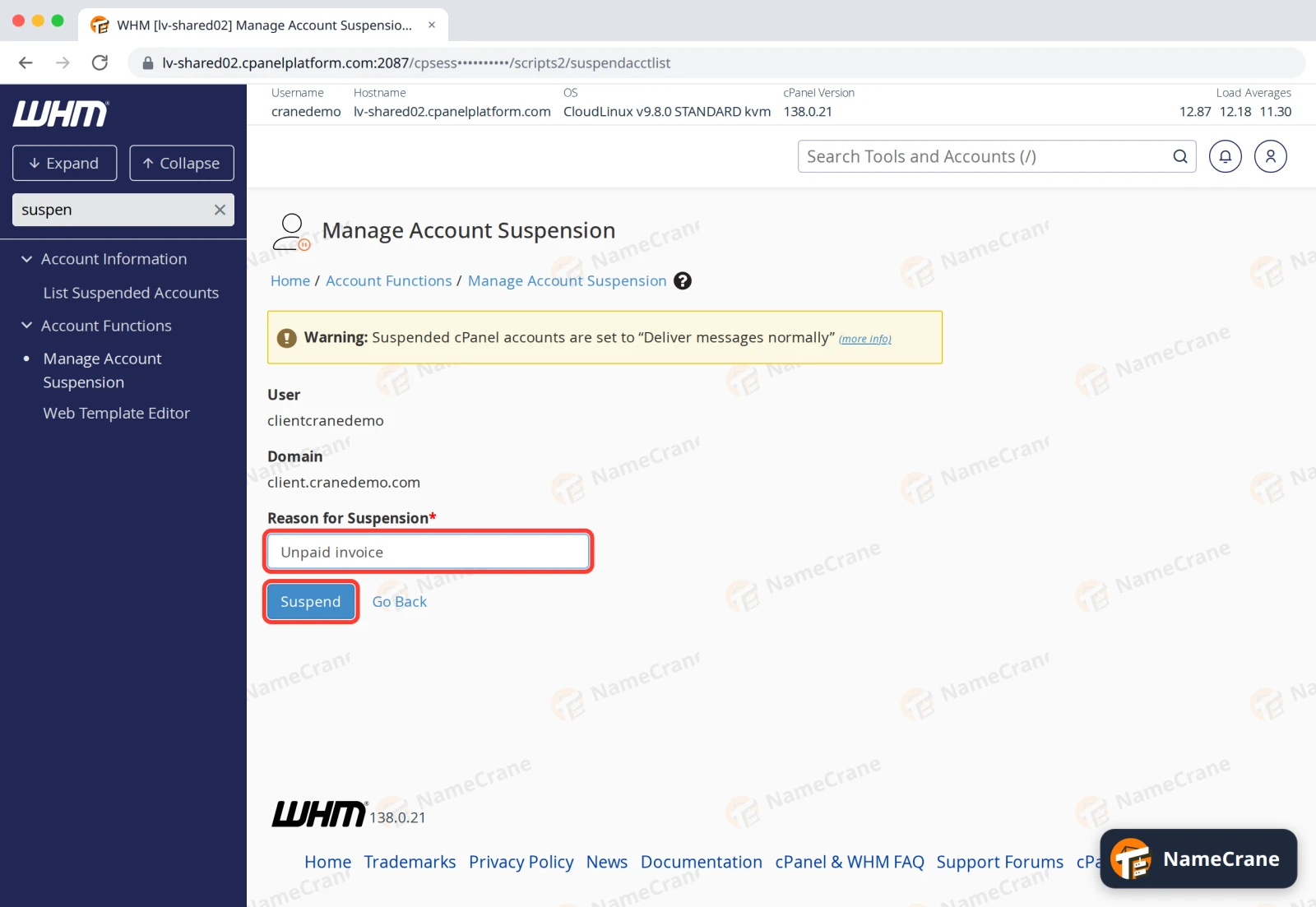
-
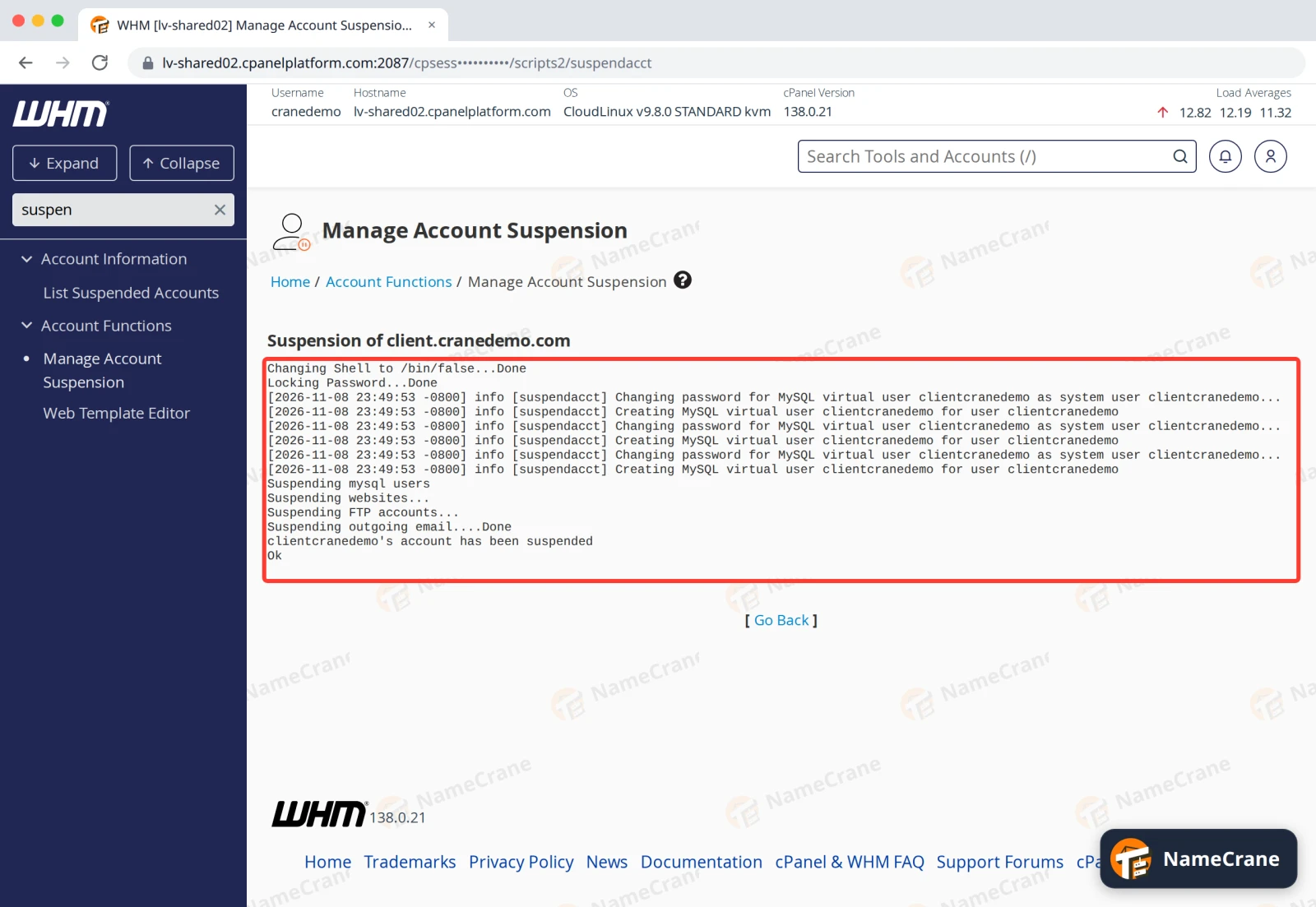
WHM lists what it switched off and ends with account has been suspended.
What your customer sees
- Visitors to their website get a page titled Account Suspended. In our test it showed straight away.
- The customer can’t log in to cPanel. The login page just says The login is invalid, so tell them about the suspension yourself.
- Email to their addresses still arrives in their mailboxes, but they can’t send email.
Their files, databases and email accounts stay as they were.
Unsuspend a customer
Open Manage Account Suspension again, choose the account and click Continue. The page shows Suspended and your reason. Click Unsuspend. In our test, the website was back straight away.
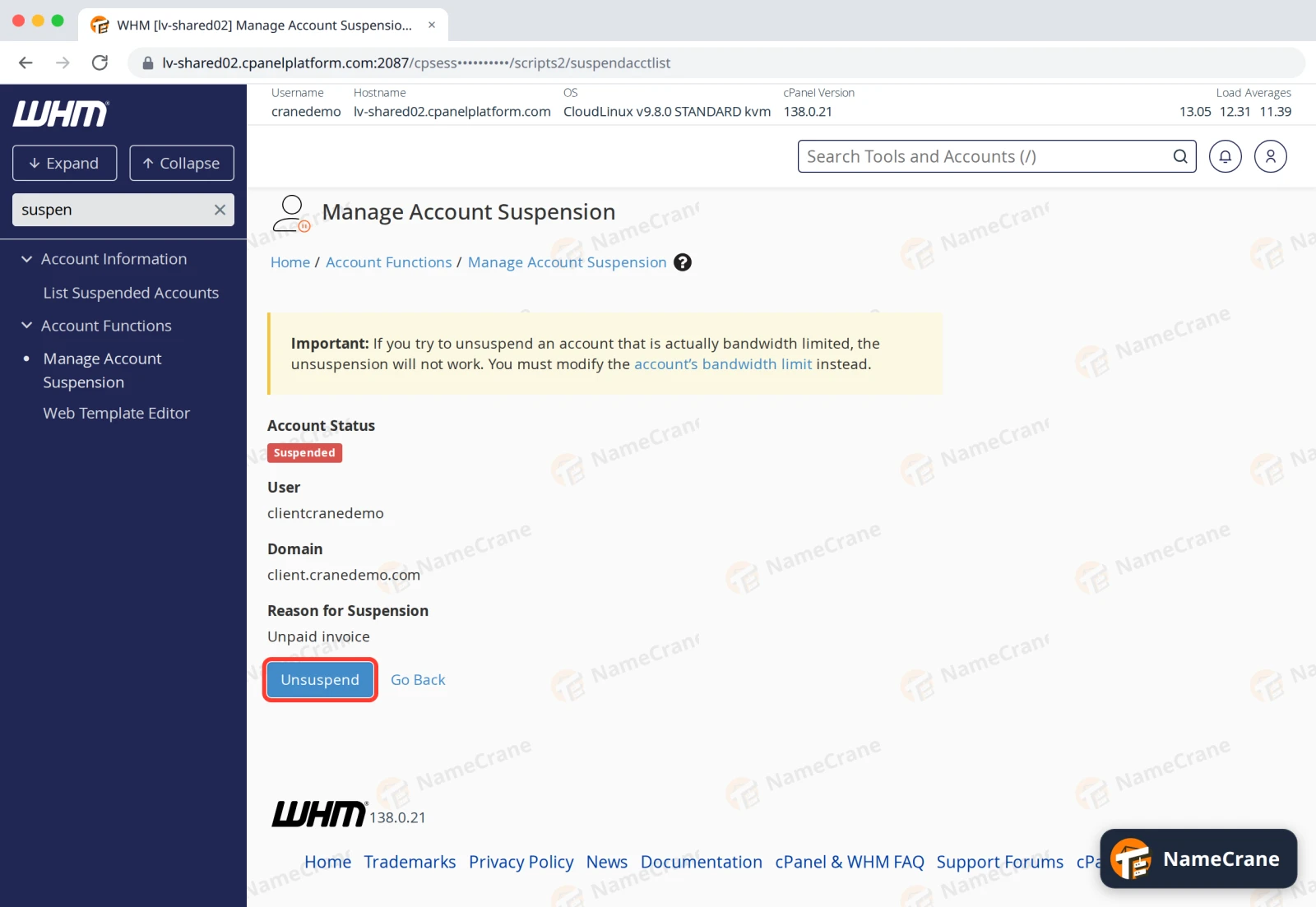
Tip: To see all your suspended customers, click List Suspended Accounts under Account Information.
Troubleshooting
| Problem | What to do |
|---|---|
| The website still shows after I suspended it | Your browser may be showing a saved copy. Reload with Ctrl + F5. |
| Unsuspending doesn’t work | If the account was suspended for going over its bandwidth limit, raise the limit instead. WHM shows a note about this on the unsuspend page. |
| The customer can’t log in after I unsuspended them | Check they’re using the right password. If they’ve forgotten it, see Reset a customer’s password. |
Snagged on something? Contact support and we’ll get you sorted.