Filter Settings
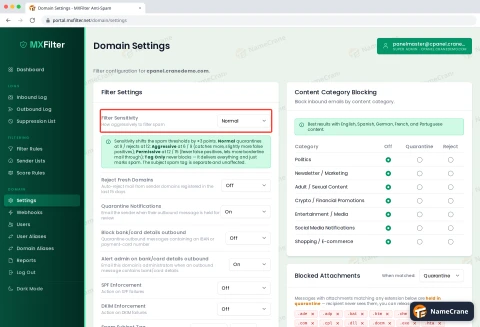
How to Change Your Spam Filter Sensitivity in MXFilter
Choose how strict MXFilter is with spam, tag spam subjects, and block brand-new domains or foreign-language mail.
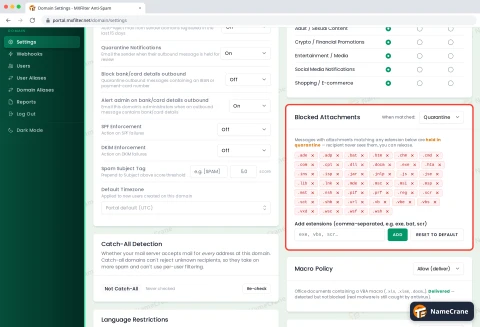
How to Block Email by Content Type or Attachment in MXFilter
Quarantine or reject whole categories of email, such as marketing or crypto promotions, and dangerous attachment types.
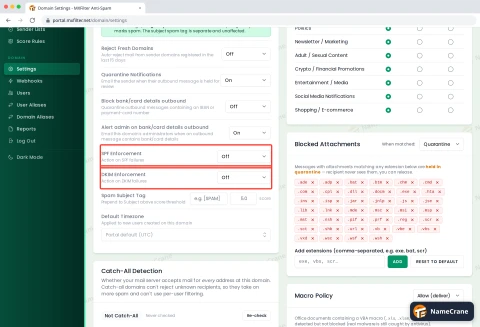
How to Set SPF and DKIM Enforcement in MXFilter
Decide what MXFilter does with incoming email that fails SPF or DKIM checks, which is a common sign of forged senders.
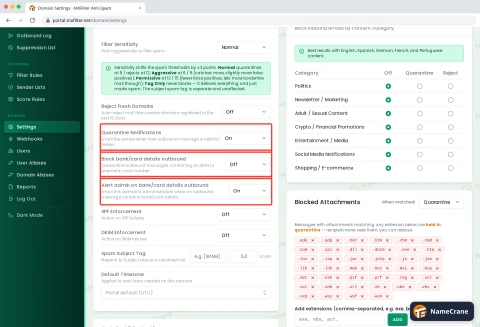
How to Protect Outgoing Email in MXFilter
Hold outgoing email that contains bank or card details, alert your admins, and let senders know when their message is held.
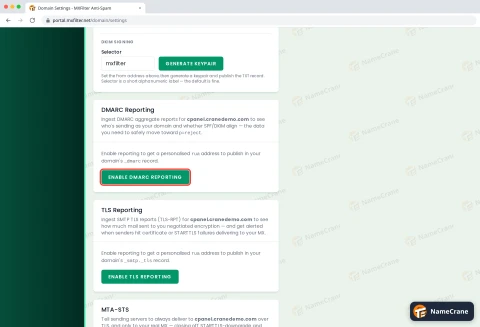
How to Get DMARC and TLS Reports in MXFilter
See who sends email using your domain, and whether mail reaches you encrypted, by sending your DMARC and TLS reports to MXFilter.
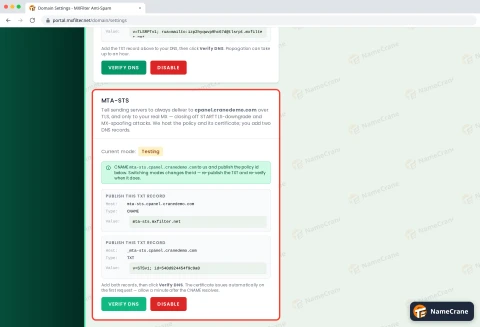
How to Set Up MTA-STS in MXFilter
Tell other mail servers to always send your email encrypted, and only to your real mail servers.
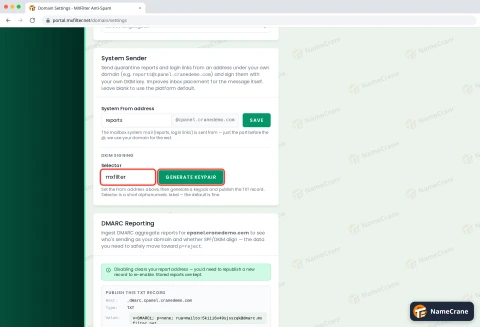
How to Send MXFilter Reports from Your Own Email Address
Have quarantine reports and login links come from an address on your own domain, signed with your own DKIM key.
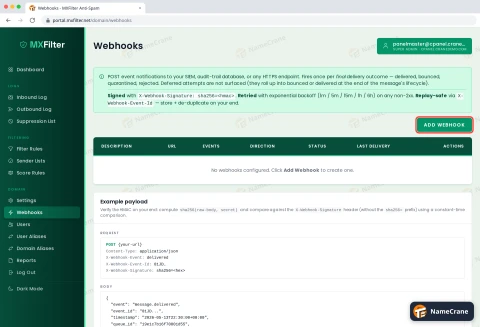
How to Send MXFilter Email Events to Your Own System with Webhooks
Get a signed message at your own web address every time an email is delivered, bounced, quarantined or rejected.