How to Release an Email from Quarantine in MXFilter
Last updated Changelog
On this page
When MXFilter isn’t sure about an email, or a filter rule tells it to, the message is quarantined: held safely instead of being delivered. If it turns out to be something you want, you can release it to your mailbox in a few clicks.
Before you start
- Open MXFilter from your control panel: from cPanel or from DirectAdmin, then click Inbound Log.
Steps
-
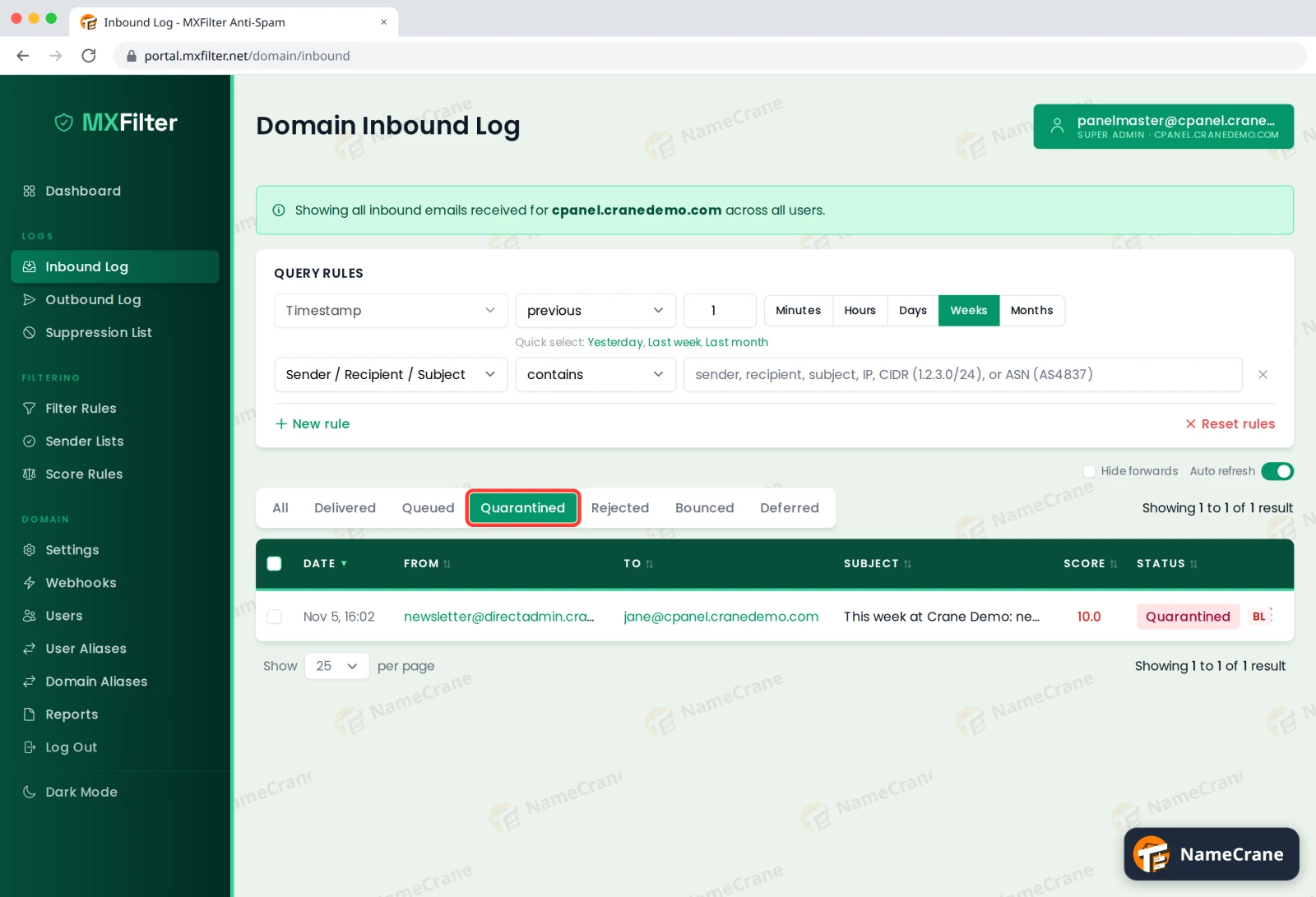
Click Quarantined above the table to show only held messages.
-
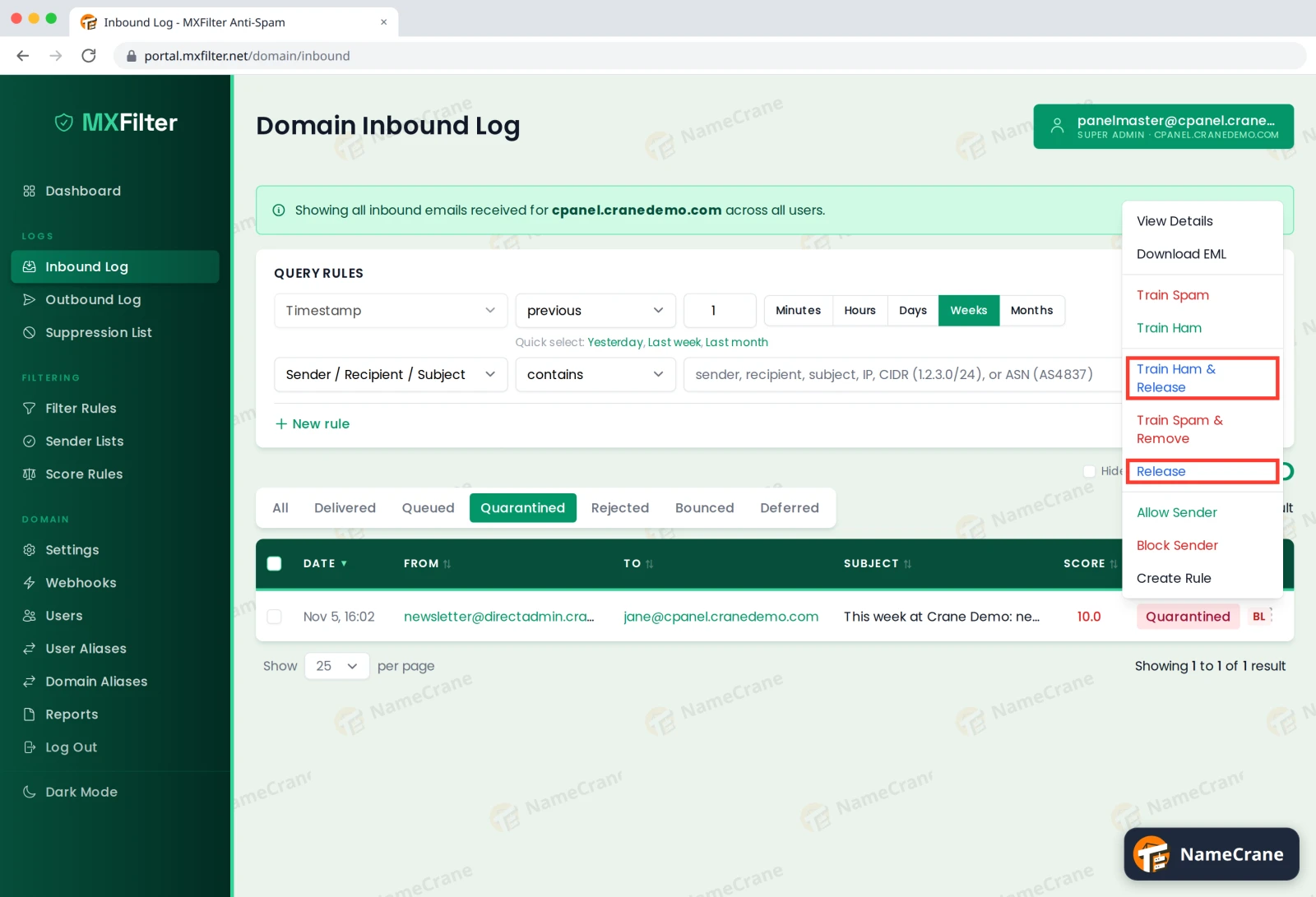
Click the ⋮ menu at the end of the message’s row and choose Release. If the message was caught by the spam filter and you’d like it to learn from the mistake, choose Train Ham & Release instead.
-
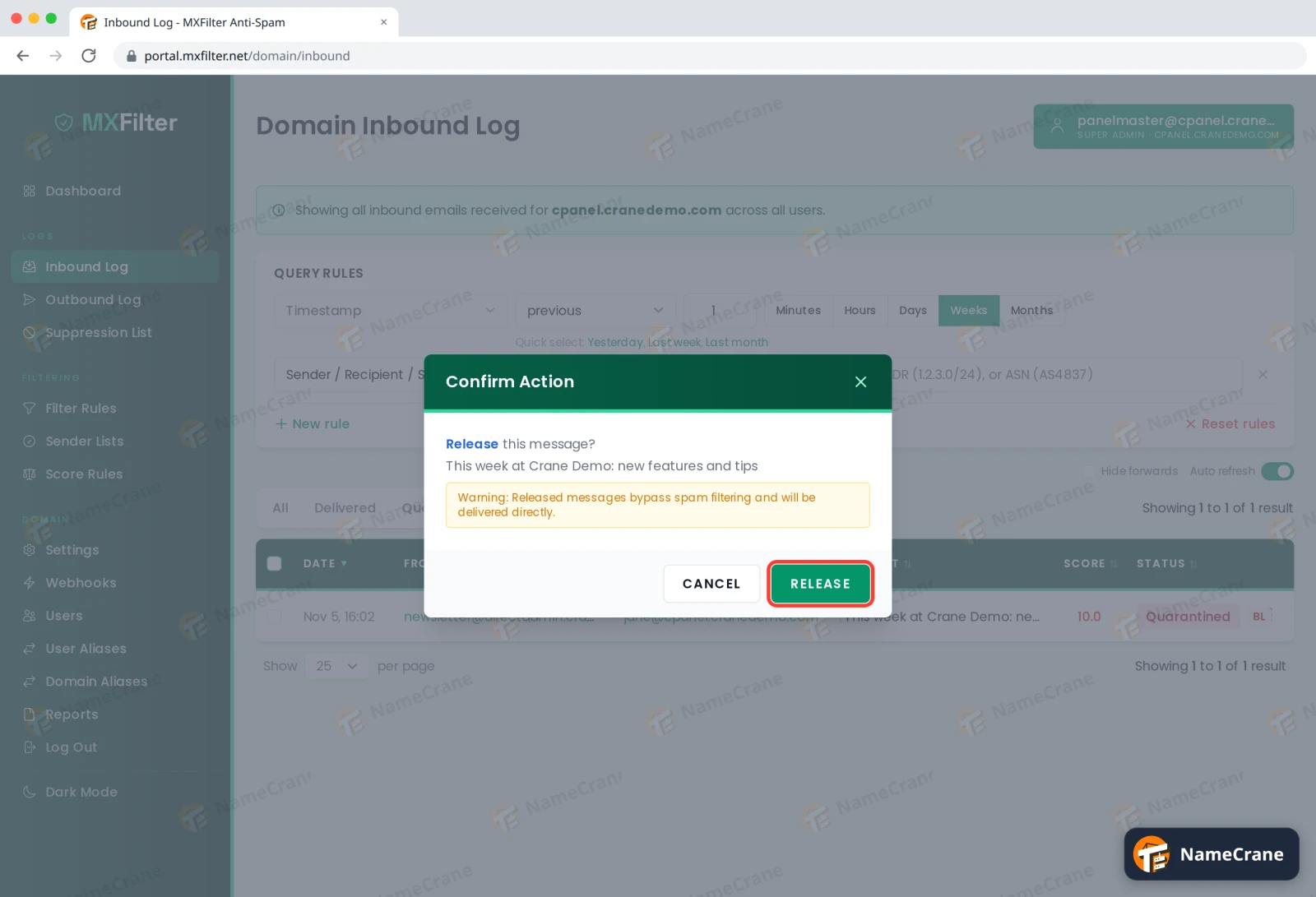
Check the message is the right one and click Release.
-
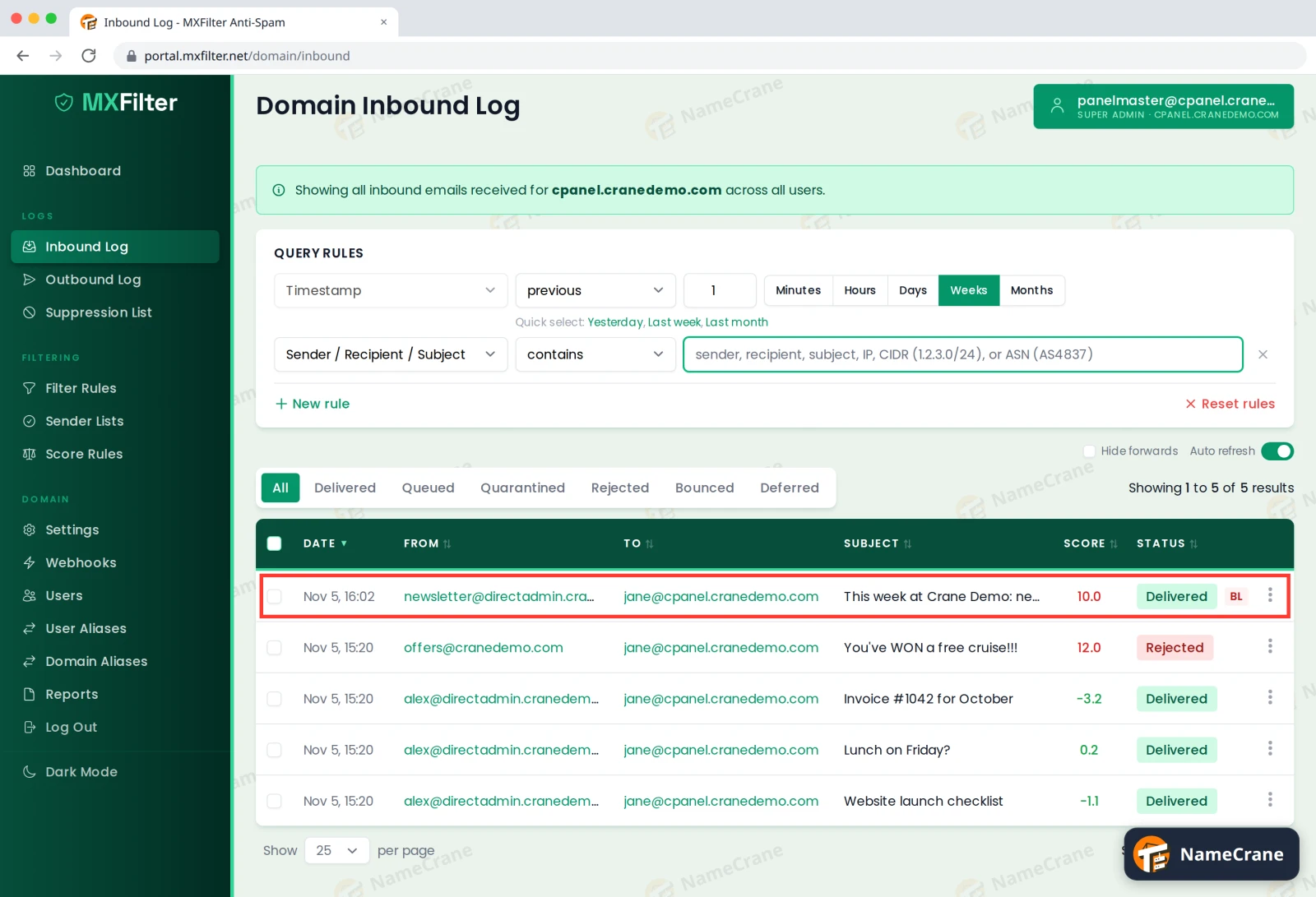
The status changes to Requeued while it’s delivered, then Delivered once it’s in your mailbox. This usually takes a few seconds.
Warning: Released messages skip spam filtering and go straight to the mailbox. Only release email you trust.
Release or Train Ham & Release?
| Option | When to use it |
|---|---|
| Release | The message was held by one of your own rules, or you just want this one copy. |
| Train Ham & Release | The spam filter wrongly scored a genuine email. This also teaches the filter that messages like it are fine. |
Stop it happening again
- Trust the sender: choose Allow Sender from the same ⋮ menu. See Allow or block a sender.
- Caught by your own rule: edit or delete the rule under Filter Rules.
- Get a summary instead of checking: set up quarantine reports so you’re emailed a list of held messages each day.
Troubleshooting
| Problem | What to do |
|---|---|
| The email isn’t under Quarantined | Click All and search for it. If it was Rejected, it was never kept and can’t be released. Allow the sender and ask them to resend. |
| I released it but can’t see it | Wait a minute and check the status is Delivered. Then look in your mail app’s spam or junk folder. |
| The same sender keeps getting quarantined | Use Allow Sender, or lower your spam sensitivity if it’s happening with lots of genuine mail. |
Snagged on something? Contact support and we’ll get you sorted.