How to Restore Files from a Backup in DirectAdmin (JetBackup)
Last updated Changelog
On this page
We back up your account every night, and you can restore from those backups yourself with JetBackup. In this example we deleted one page of our site, members/index.html in directadmin.cranedemo.com‘s public_html folder, and got it back from that night’s backup.
Steps
-
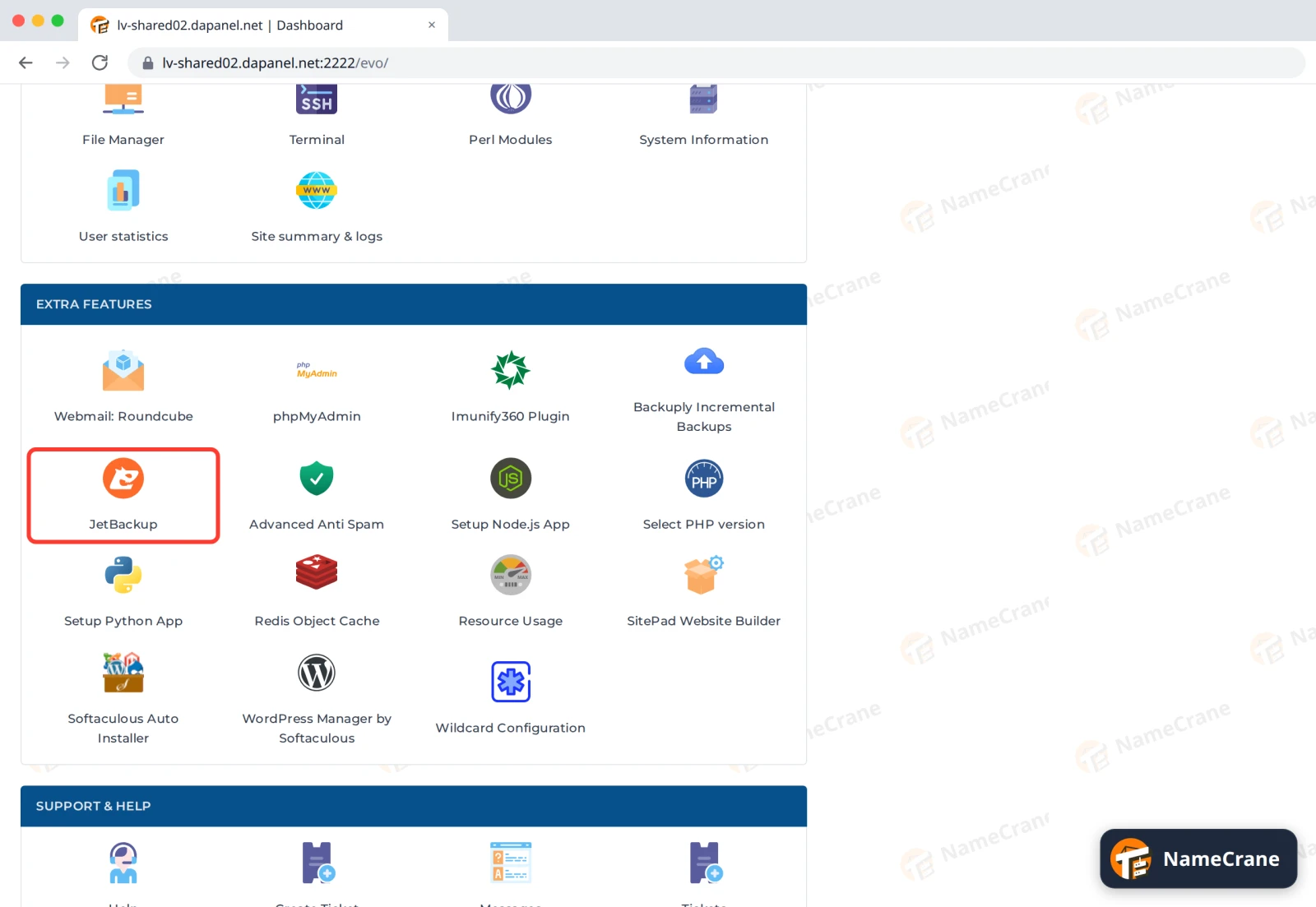
Log in to DirectAdmin. In the Extra Features section, click JetBackup.
-
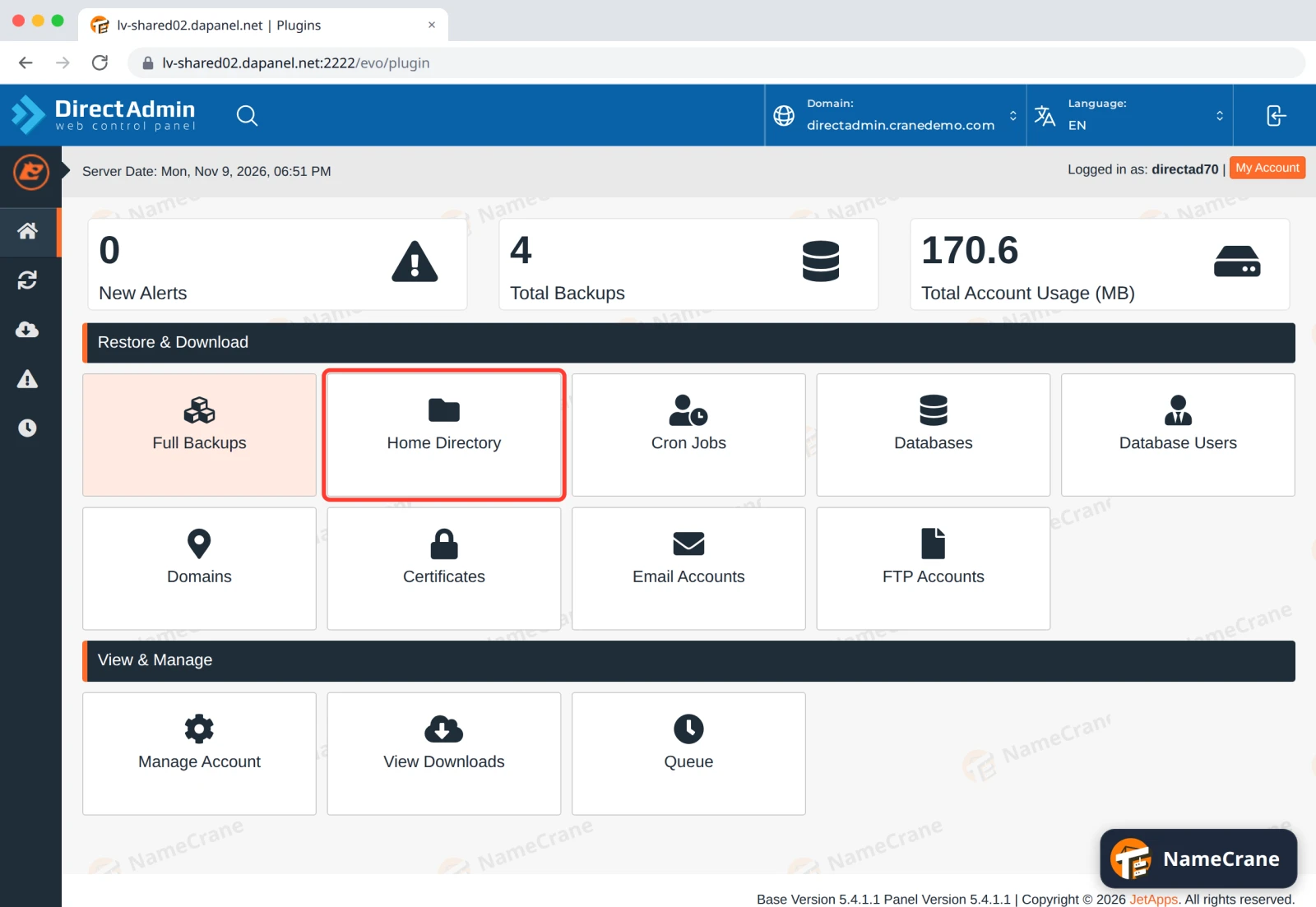
Under Restore & Download, click what you need back. For files and folders, that’s Home Directory. Databases, Email Accounts and the others work the same way.
-
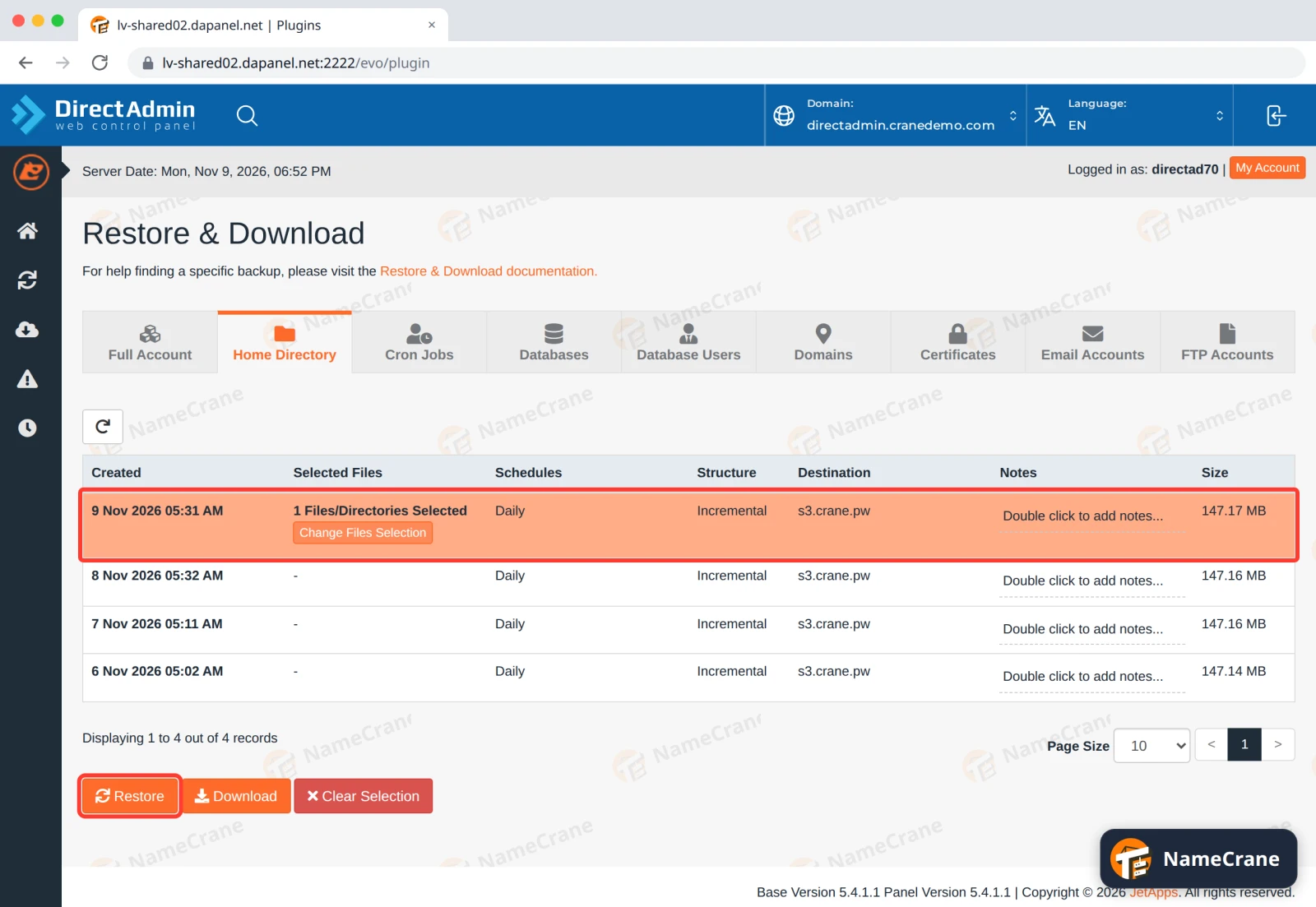
Click a backup from before the problem happened. The newest is at the top. The row turns orange and says All Files/Directories Selected. Click Change Files Selection to choose only what you need.
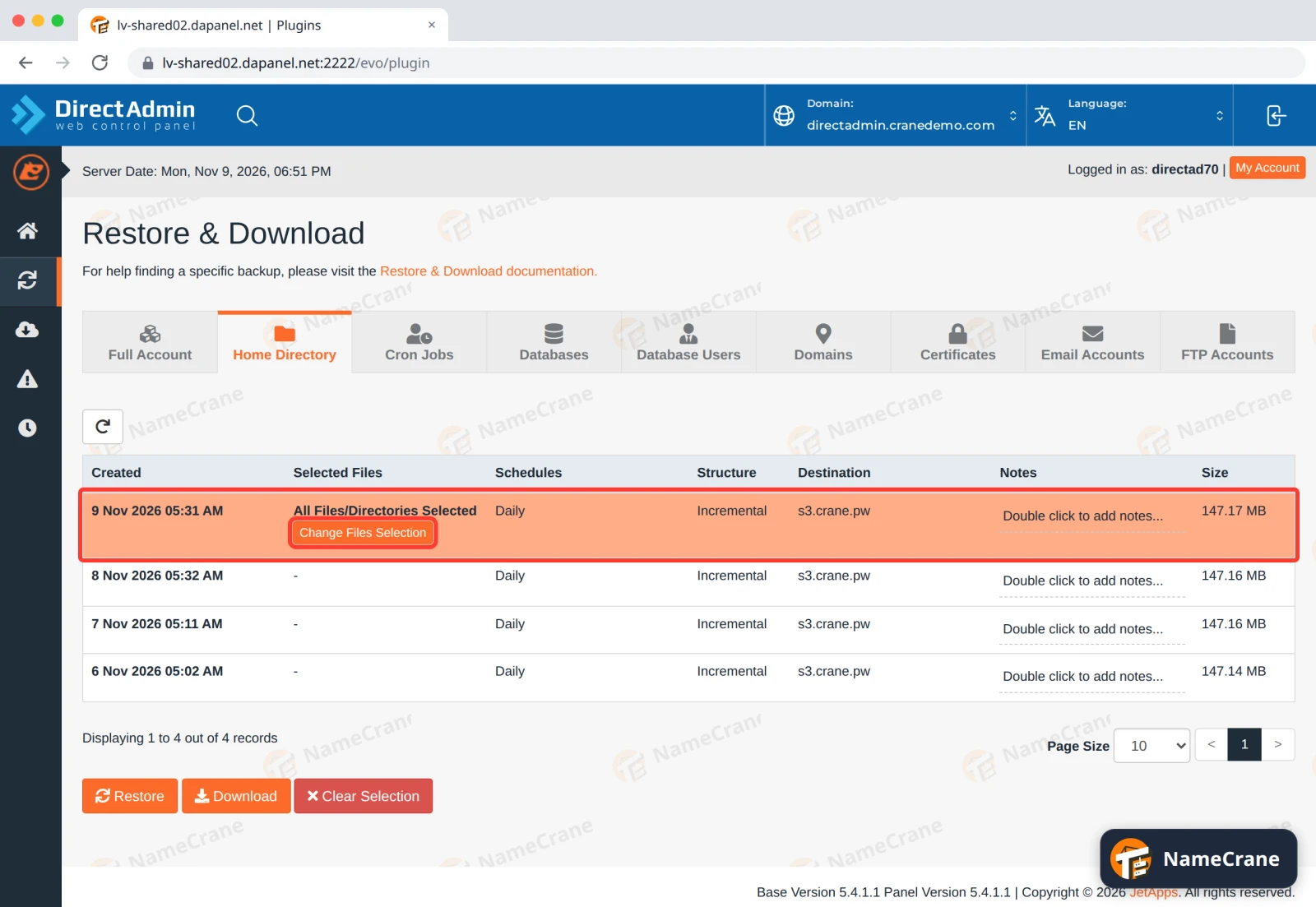
Warning: If you don’t change the selection, JetBackup restores your whole home folder from that backup.
-
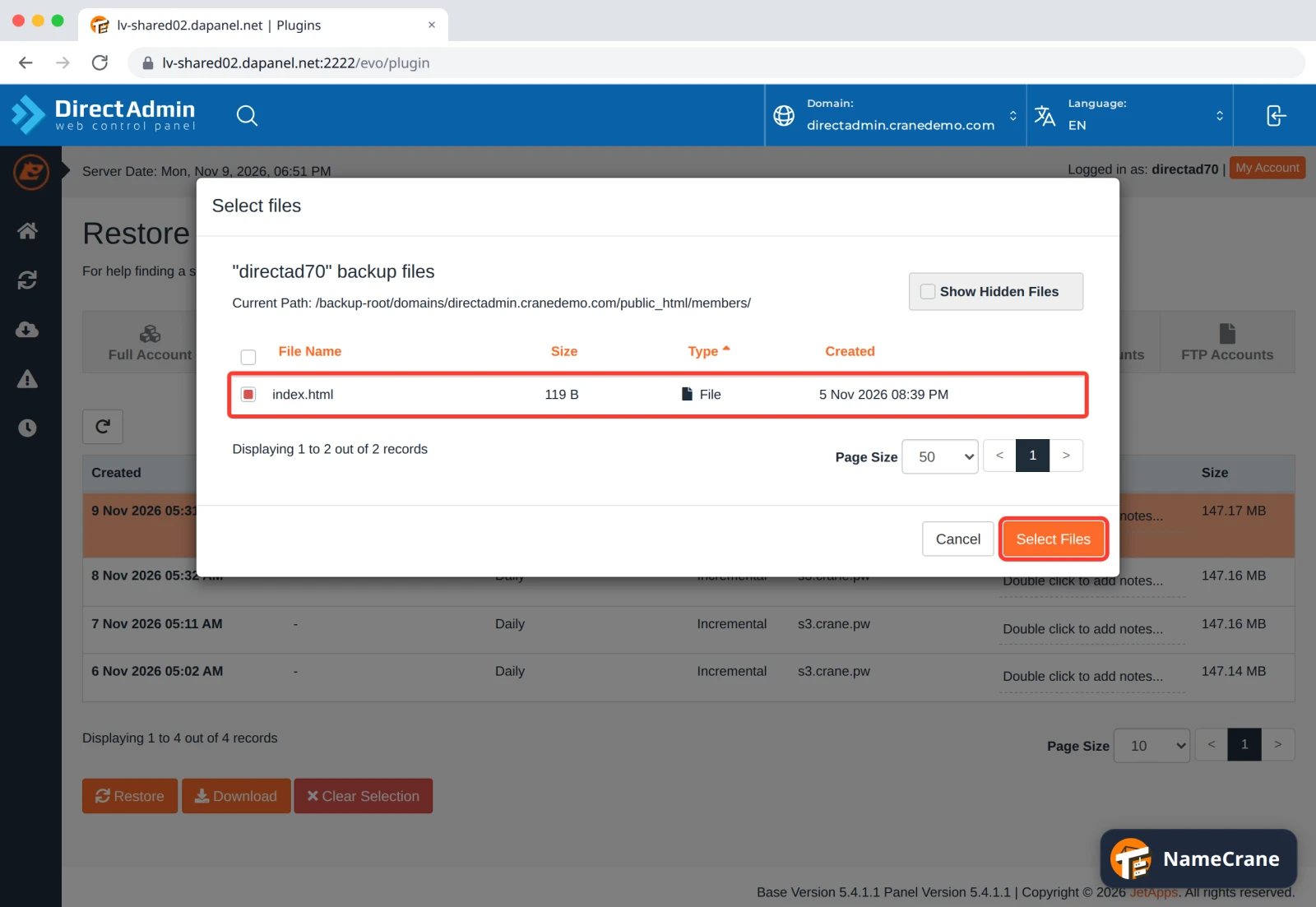
Click folder names to open them: your websites are in domains › your domain › public_html. Tick the files or folders you want back, and click Select Files.
-
The backup row now shows how many items you picked. Click Restore.
-
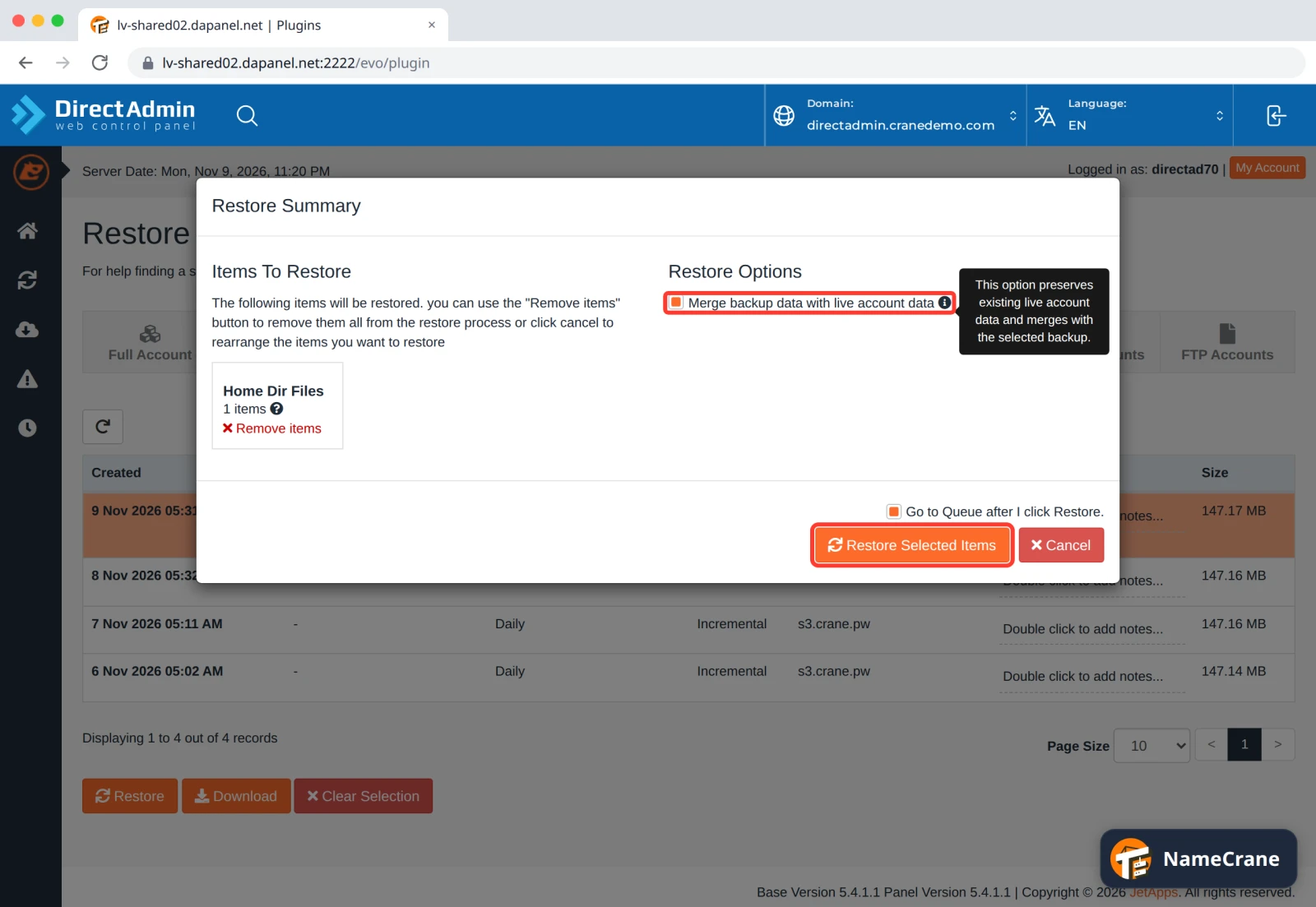
The Restore Summary lists what will be restored. Tick Merge backup data with live account data, then click Restore Selected Items. Without Merge, a restored folder goes back exactly to how it was in the backup, and JetBackup deletes any files in it that are newer than the backup.
-
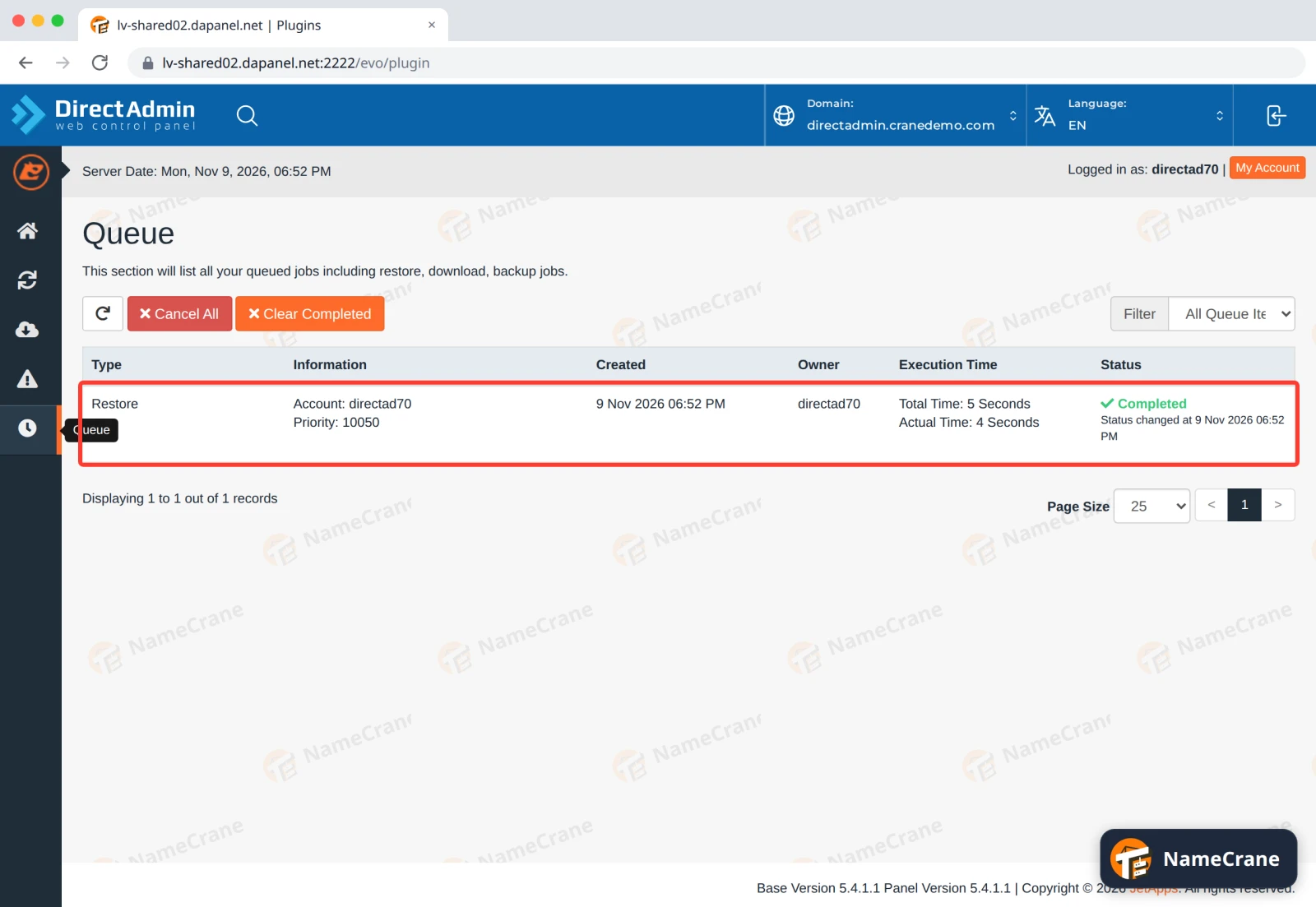
JetBackup opens the Queue. When the Status says Completed, your files are back. Ours took 5 seconds.
The restored file was identical to the one we deleted, with its original date.
JetBackup can also bring back databases, emails or your whole account, and download copies. See the JetBackup guides.
Troubleshooting
| Problem | What to do |
|---|---|
| The file isn’t in the backup | It was created after that backup ran. Backups run every night, so anything from today is only in the next one. |
| I need a WordPress site back the way it was | Restore its folder from Home Directory, then its database from Databases, both from the same date. |
| The restore shows Failed in the Queue | Contact support with the date of the backup and what you tried to restore. |
| I want a copy on my own computer | See Download a full backup. |
Snagged on something? Contact support and we’ll get you sorted.