How to Create a Hosting Package in WHM
Last updated Changelog
On this page
A package is a hosting plan: how much disk space and bandwidth an account gets, and how many email addresses, databases and domains it can have. You need at least one package before you can create an account, and you can reuse it for every customer on that plan.
Steps
-
Log in to WHM. Type
Add a Packagein the search box at the top left, then click Add a Package under Packages.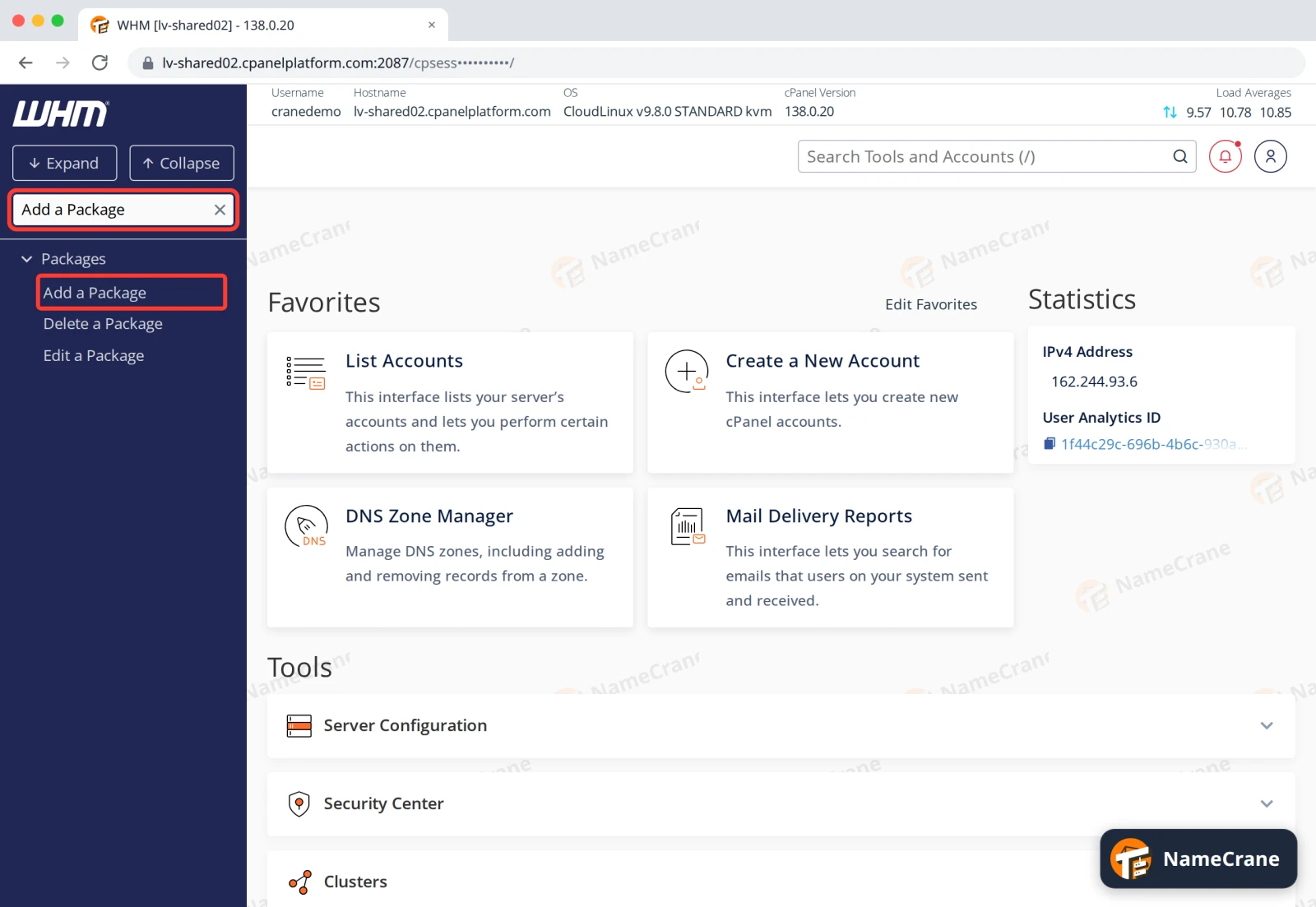
-
Type a Package Name, such as
Starter. Then set Disk Space Quota (MB) and Monthly Bandwidth Limit (MB). For example,5120is 5 GB and51200is 50 GB.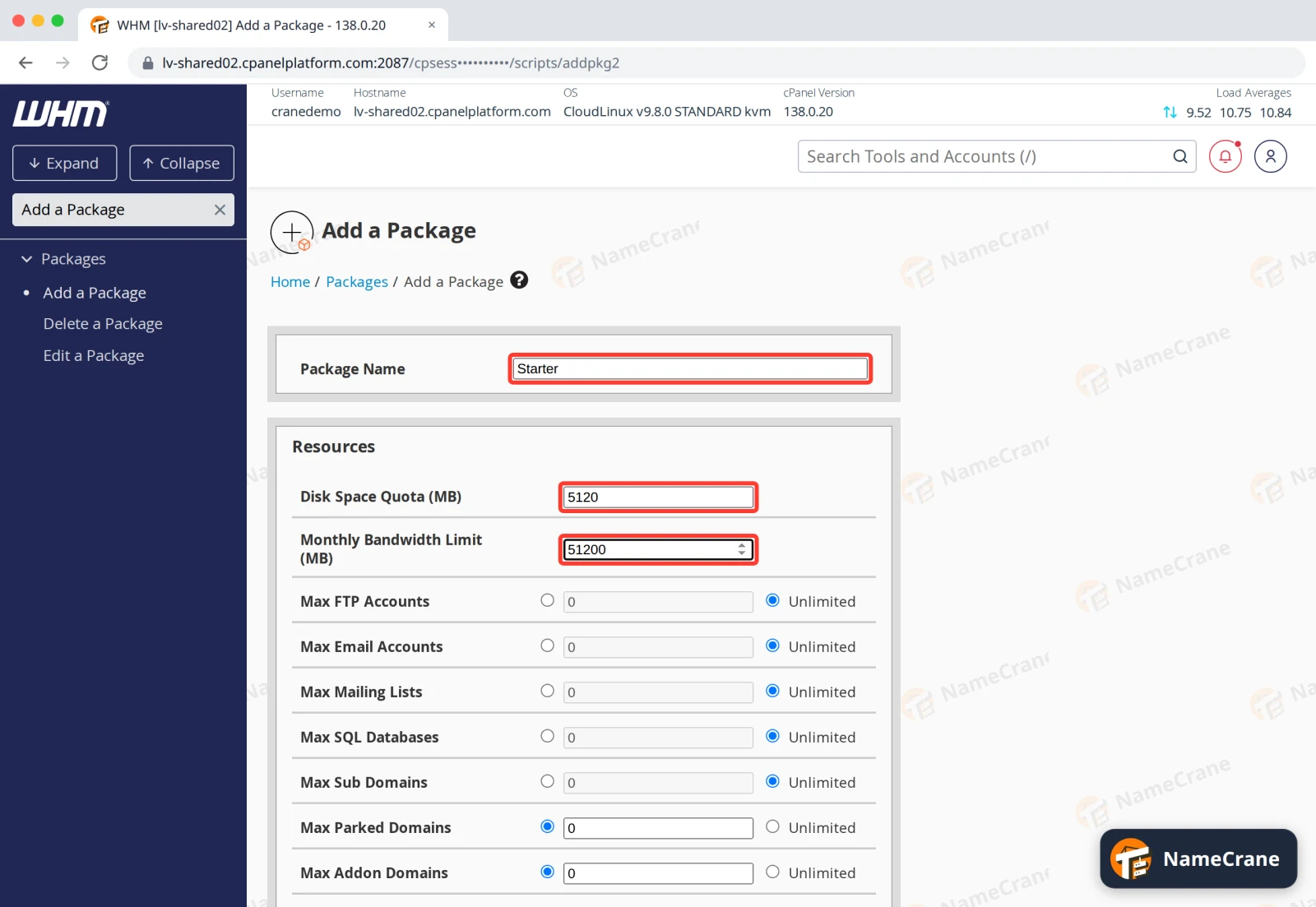
-
For each of the other limits, pick Unlimited or type a number. Max Parked Domains and Max Addon Domains start at
0, so set them if your customers should be able to add their own domains.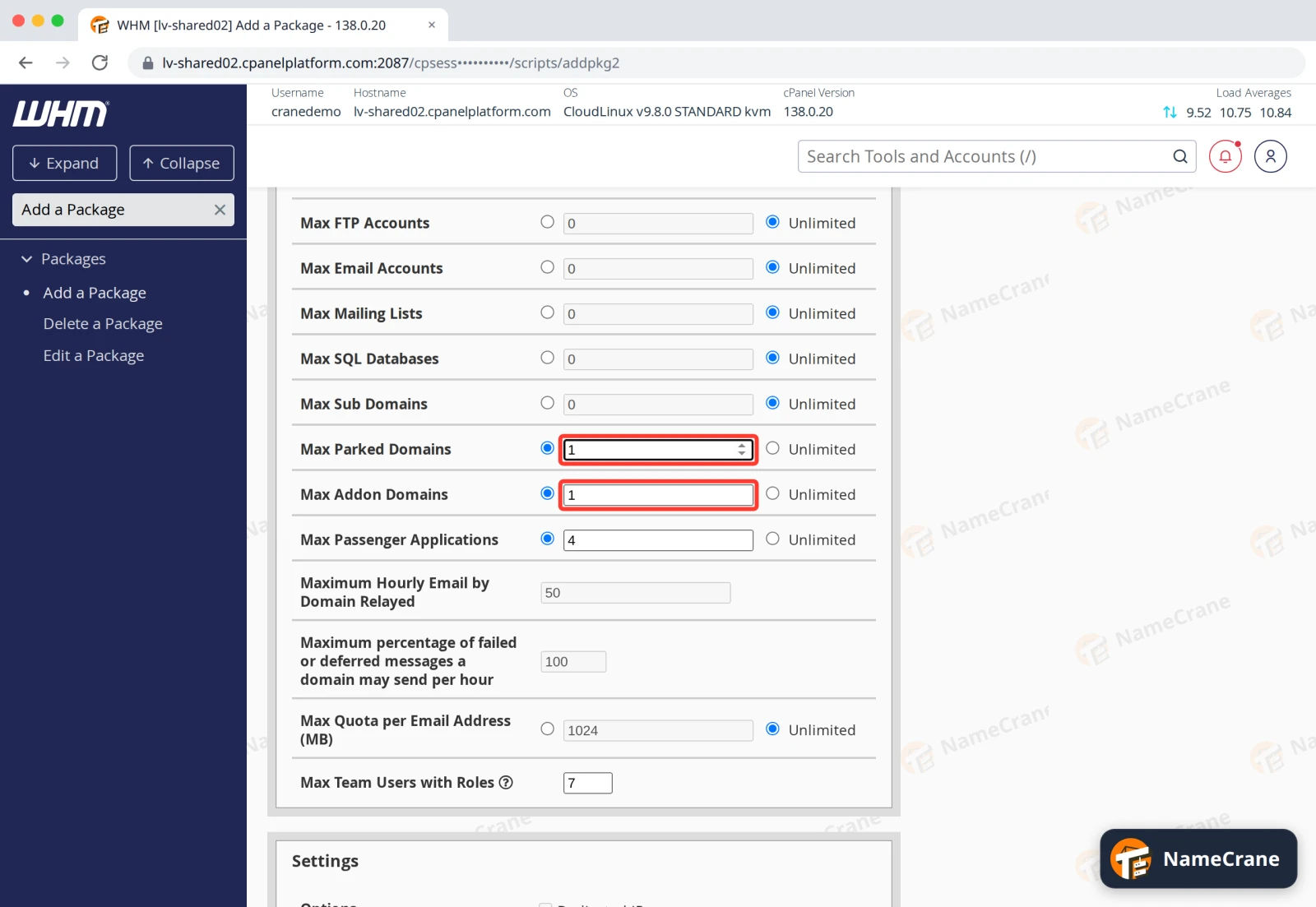
-
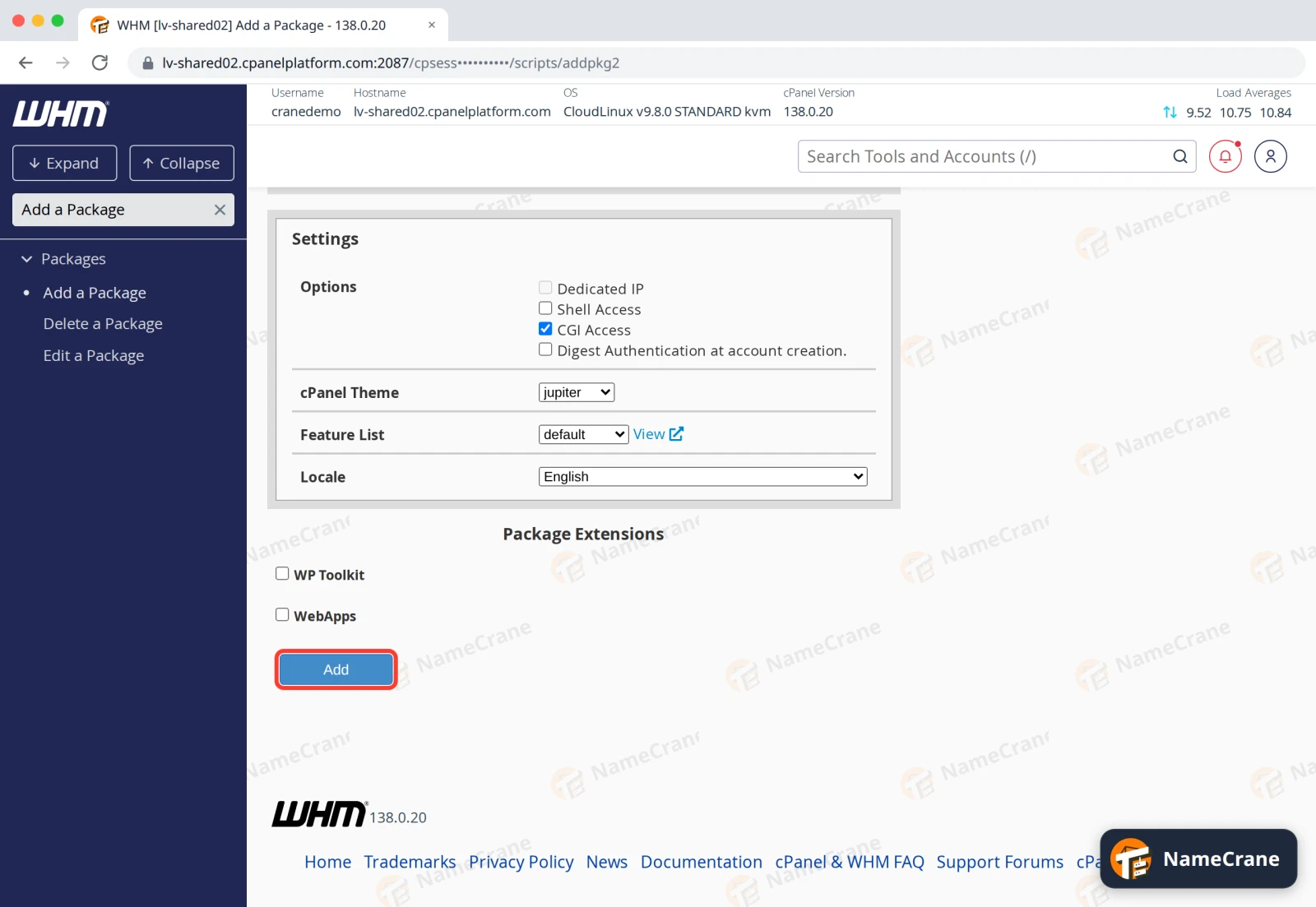
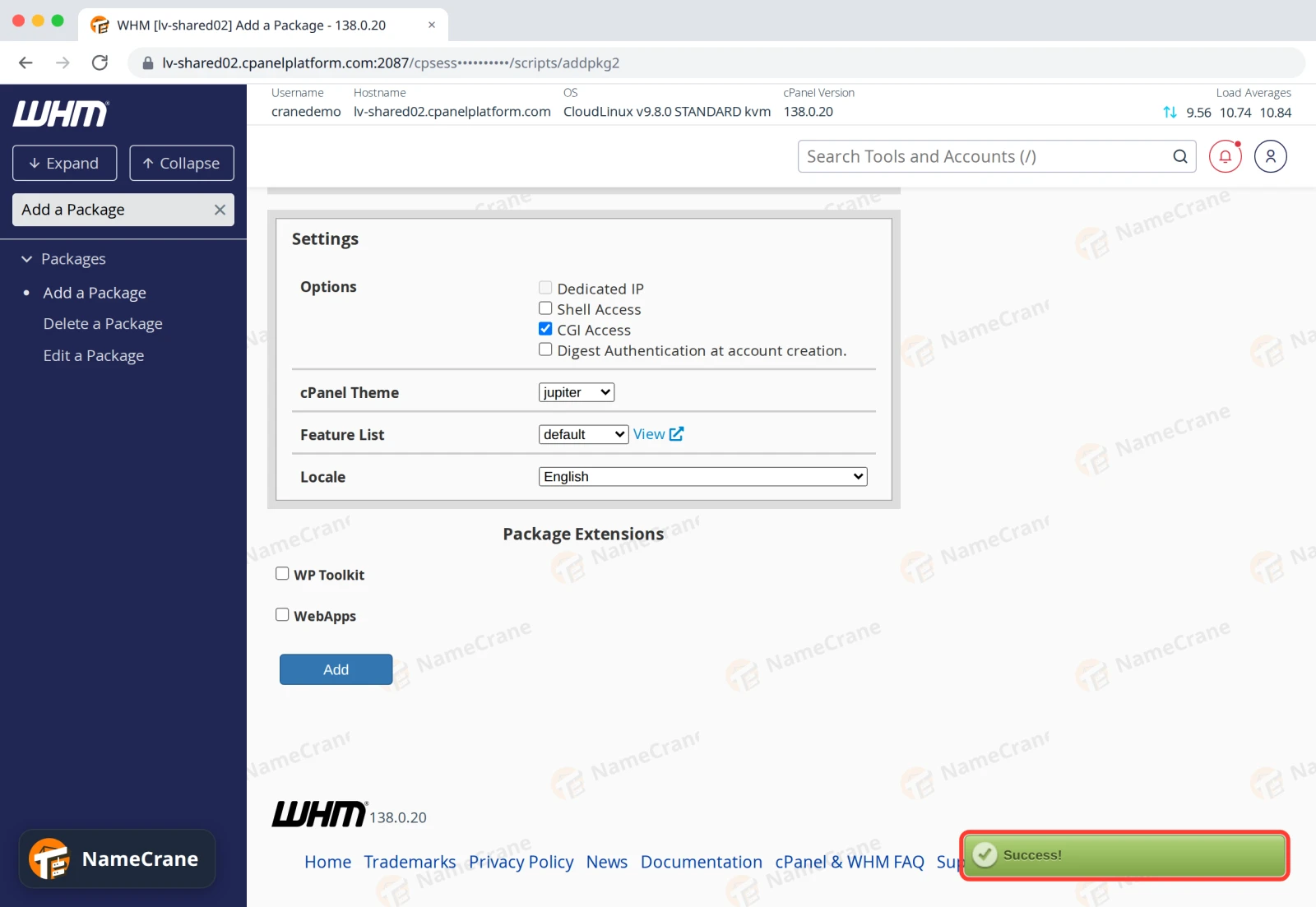
Leave the Settings as they are (cPanel Theme jupiter, Feature List default) and click Add.
-
WHM shows Success!. The package is ready to choose when you create an account.
Note: WHM puts your reseller username in front of the package name, so
Starterbecomescranedemo_Starter. That’s the name you’ll see in the package list.
What the main limits mean
| Setting | What it limits |
|---|---|
| Disk Space Quota | All the account’s storage: website files, email and databases |
| Monthly Bandwidth Limit | How much data the account’s websites can send each month |
| Max Email Accounts | How many mailboxes the account can create |
| Max SQL Databases | How many MySQL databases the account can create |
| Max Sub Domains | Subdomains such as blog.theirdomain.com |
| Max Addon Domains | Extra websites on other domains |
| Max Parked Domains | Alias domains that show the same website |
To change a package later, use Packages › Edit a Package. Your changes apply to every account on that package.
Troubleshooting
| Problem | What to do |
|---|---|
| There’s no Unlimited option for disk space or bandwidth | Reseller packages need a set limit for these. Pick a number that fits within your reseller plan. |
| My package has my username in front of its name | That’s normal for reseller packages. Customers can see the package name under Server Information in cPanel, so pick a name you’re happy for them to see. |
| A customer can’t add another domain | Their package has Max Addon Domains set to 0 or already used up. Raise it in Edit a Package. |
Snagged on something? Contact support and we’ll get you sorted.